

Prerequisites
Before you start, make sure you have:- An AIsa account (console.aisa.one). You sign in through the browser.
- A terminal on macOS, Linux, or Windows WSL2
1. Install Hermes Agent
Run the official installer:2. Add the AIsa MCP server
Run this in a terminal, not inside a Hermes session:hermes mcp login aisa.
Use your API key instead of OAuth
Use your API key instead of OAuth
For headless machines, add the server with header auth:Answer
Y when Hermes asks whether the server requires authentication, then paste your AIsa key at API key / Bearer token. Hermes stores it in its .env file as MCP_AISA_API_KEY and references it from config.yaml.3. Verify
Connected and Tools discovered: 7. Start a new Hermes session to load the tools, or run /reload-mcp in a running session.
4. Use AIsa capabilities
search, list_categories, get_details, batch_get_schema, and batch_quote (prices exact calls without running them) are free; use and batch_use run calls and are billed per call.
Try:
Optional: use AIsa as the model provider
Hermes can also run on models from the AIsa catalog. This needs an AIsa API key (console.aisa.one/api-keys). Run: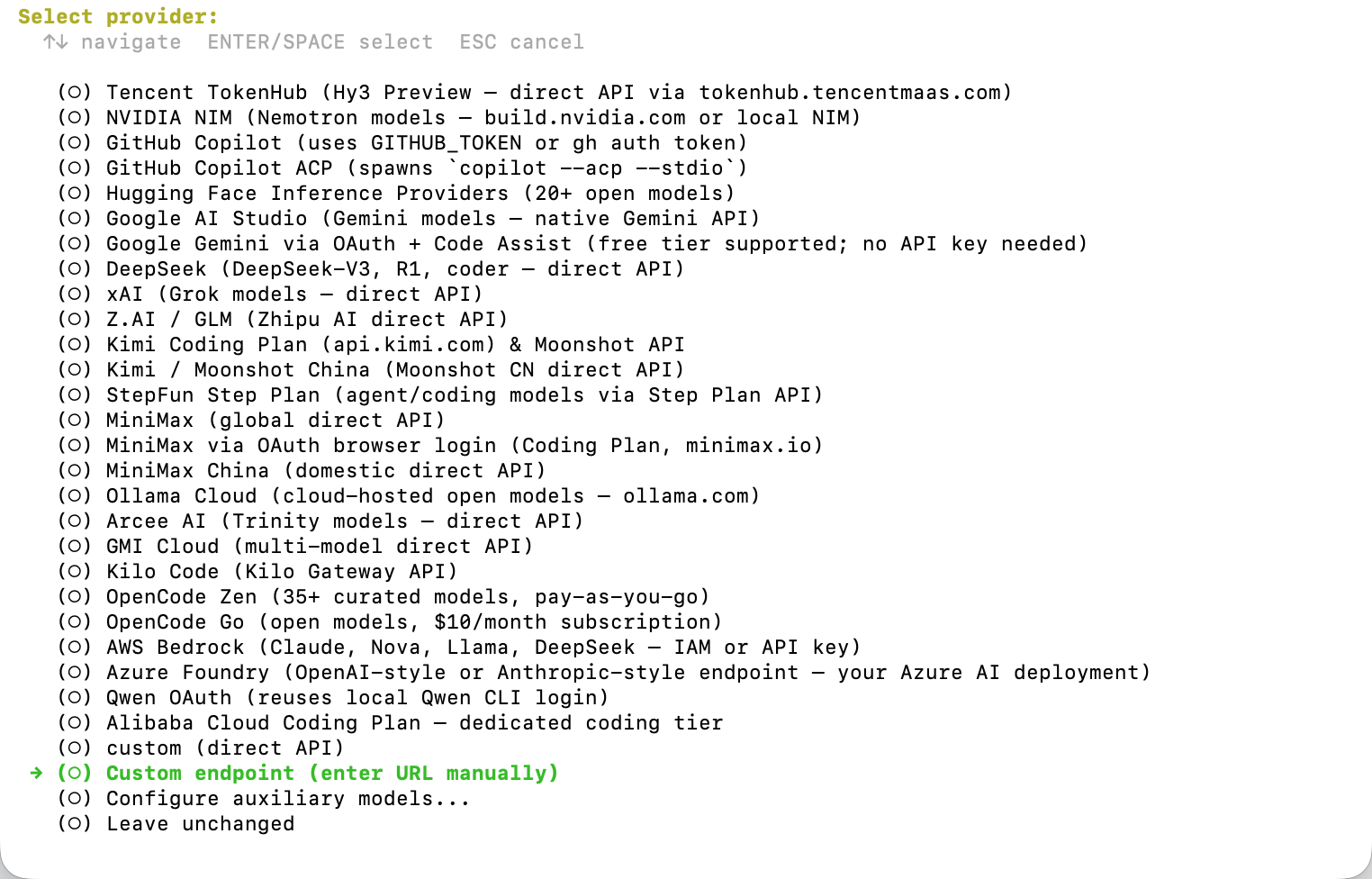 When Hermes asks for the API endpoint and API key, enter:
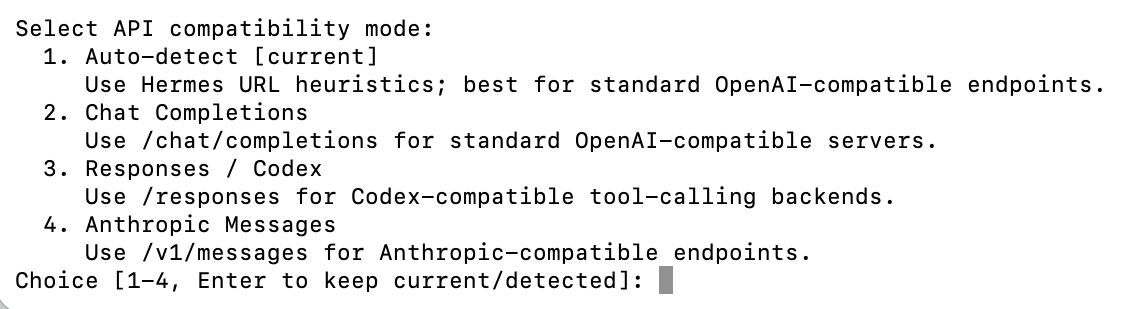 Pick mode
 1. Auto-detect or 2. Chat Completions; both work, since the base URL ends in /v1. Mode 2 is recommended because it is explicit and easier to debug.
If you pick mode 4, removeThen enter a model number or type a model name, for example/v1from the base URL; Anthropic clients append/v1/messagesautomatically.
gpt-5.5. Choose a text, reasoning, or coding model, not an image, video, embedding, Whisper, or TTS model. When Hermes asks for the context length, press Enter to auto-detect.
Quick reference
Troubleshooting
Related
Use AIsa in OpenClaw
Add AIsa to another agent runtime.
Connect via MCP
MCP setup for other clients.
Model Catalog
Browse supported models before choosing a Hermes default.