

Prerequisites
Before you start, make sure you have:- An AIsa account (console.aisa.one) — you sign in through the browser, no API key to copy
- Grok Bot
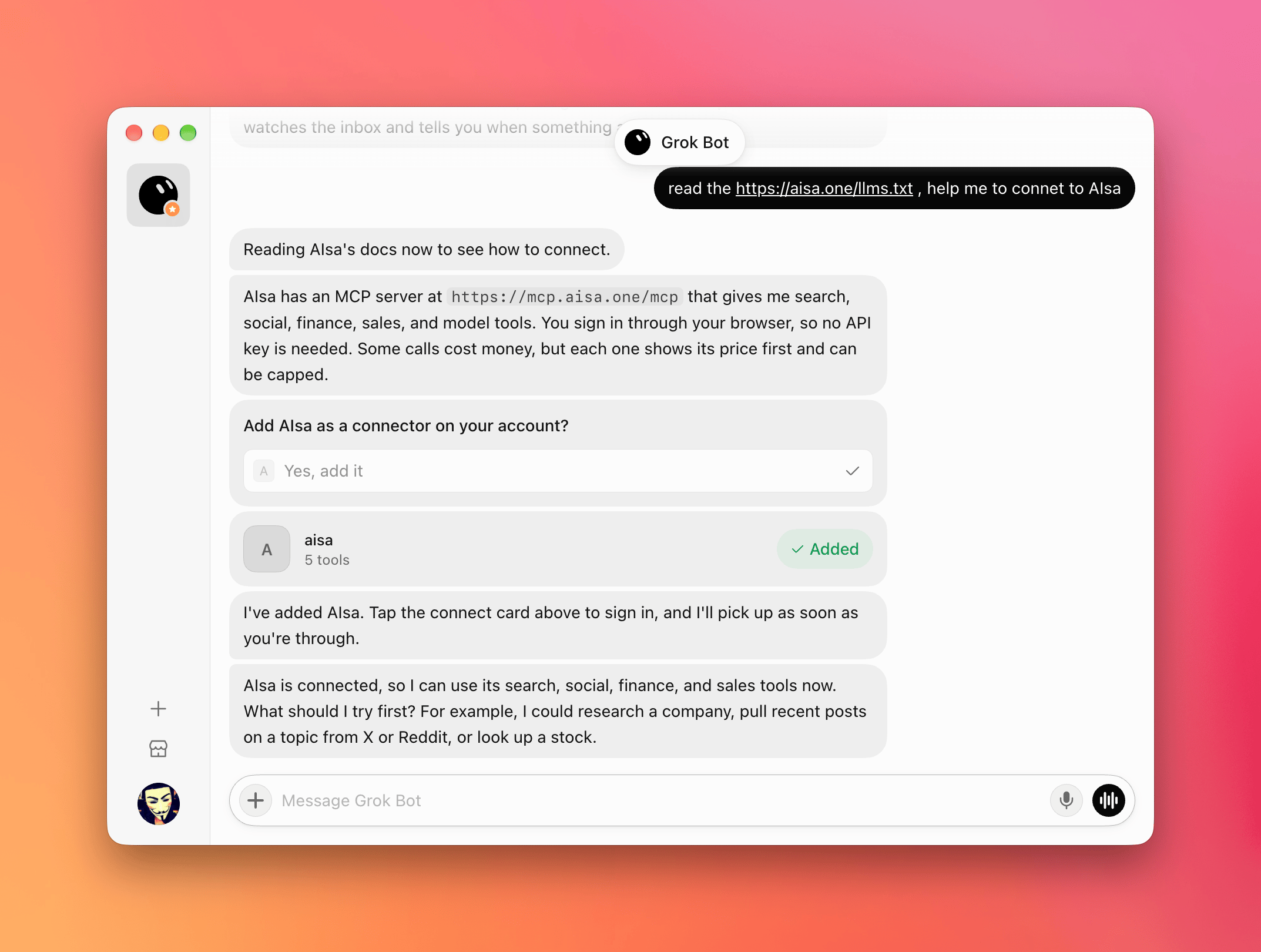
1. Ask Grok Bot to connect AIsa
Start a new chat in Grok Bot and send:https://mcp.aisa.one/mcp.
2. Add the connector
Grok Bot asks Add AIsa as a connector on your account? Choose Yes, add it. An aisa connector card appears in the chat and shows as Added.3. Sign in through the browser
Tap the aisa connect card, sign in to AIsa in the browser window, and approve access. Back in the chat, Grok Bot picks up the connection and confirms that AIsa is connected.4. Use AIsa capabilities
Ask Grok Bot for anything AIsa can fetch, for example:Quick reference
Troubleshooting
Related
Use AIsa in Cue
Connect Cue to AIsa with one prompt.
Use AIsa in Grok Build
Add AIsa as a remote MCP server in the Grok Build CLI.
Agent Skills
Browse the capabilities AIsa exposes to agents.