

Prerequisites
Before you start, make sure you have:- An AIsa account (console.aisa.one) — you sign in through the browser, no API key to copy
- Cue
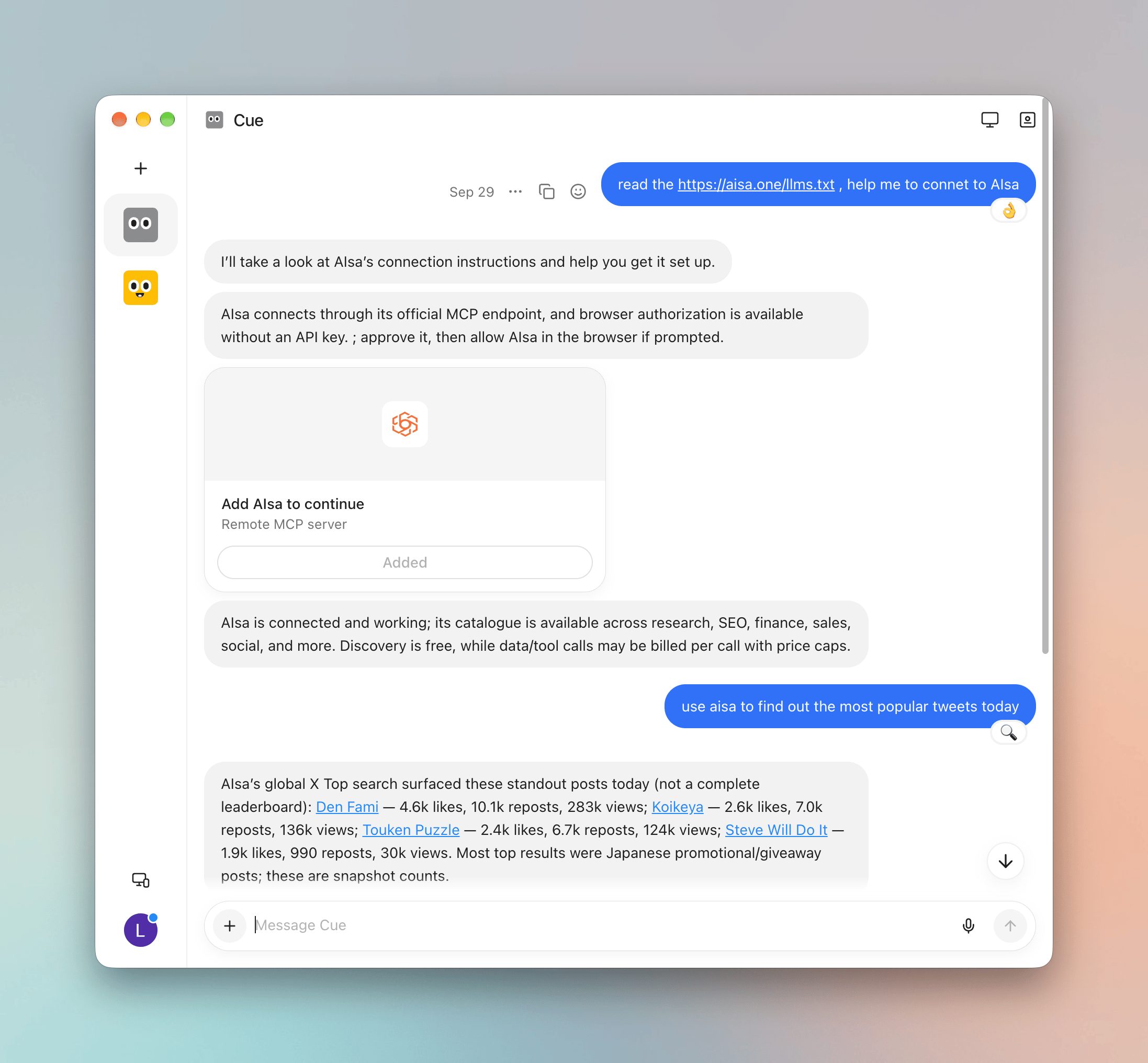
1. Ask Cue to connect AIsa
Start a new chat in Cue and send:2. Add AIsa and sign in
Cue shows an Add AIsa to continue card for the AIsa Remote MCP server. Click Add, then allow AIsa in the browser if prompted. When the card shows Added, Cue confirms that AIsa is connected and its catalog is available.3. Use AIsa capabilities
Ask Cue for anything AIsa can fetch, for example:Quick reference
Troubleshooting
Related
Use AIsa in Grok Bot
Add AIsa as a connector in Grok Bot.
Use AIsa in Muse
Connect Meta’s Muse to AIsa with one prompt.
Agent Skills
Browse the capabilities AIsa exposes to agents.