FOR PRODUCT CREATORS & PRINT-ON-DEMAND SELLERS
Create product video ads.From a single image.
Connect your agent to AIsa. Turn product images into video ads with the image and video models you choose.
Connect your agent
- 1
Paste one prompt into Codex
Paste this into Codex to add the AIsa MCP server and start browser authorization.
Please install the AIsa MCP server for me, then confirm it connected.

It's a remote (streamable HTTP) MCP server.
MCP Server URL: https://mcp.aisa.one/mcp

AIsa uses OAuth — open the browser sign-in when prompted. It's read-only public data, so there's no API key to paste.
- 2
Prefer to set it up by hand?
Add AIsa to ~/.codex/config.toml:
[mcp_servers.aisa]
url = "https://mcp.aisa.one/mcp"
Then sign in with OAuth:
codex mcp login aisa
- 3
Try it with Codex
Confirm the server is connected and explore its available tools.
List the tools available through the AIsa MCP server and explain how I can use them in my project.
AI product video ads.
From a single product image.
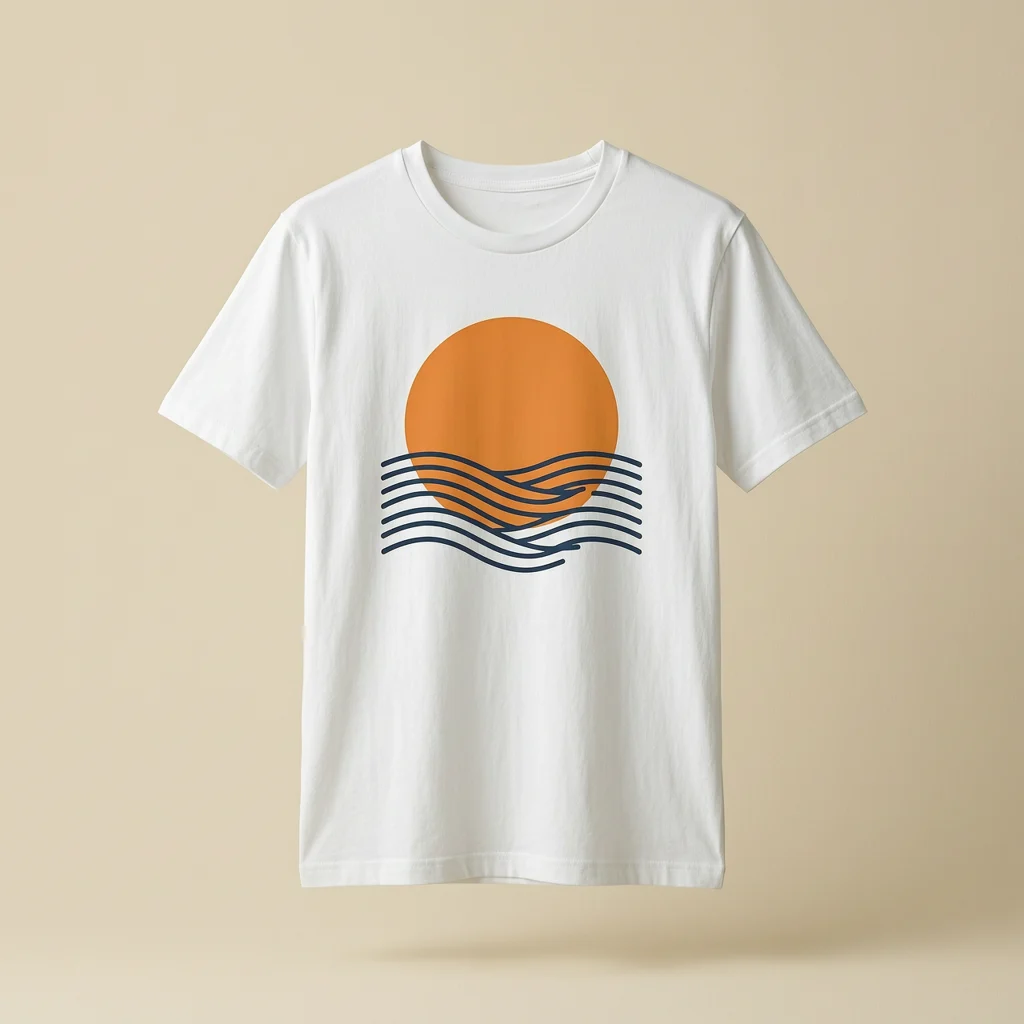
Studio product shot
Turn a product image into a video ad.
Soft fabric movement. A slow camera push. A simple product image becomes a moving ad.
 Wan 2.7 Image Wan 2.7 Video
Each video uses the image beside it as its reference. Pre-generated examples, ready to play.
Your product video ads generator.
Powered by your agent.
Write your product video ad prompt
Replace the bracketed text, copy the prompt and send it to Codex. Attach your design there, not on this page.
The prompt asks your agent to check the model and quote before any paid generation.
View the full prompt
Use AIsa's media-generation capabilities to help me create a product ad.

Product brief: A [product] featuring [design], for [target audience]. My reference image is [attach it in your agent].

Create a product-only video ad for [product] using my approved mockup. Keep people out of the shot. Use [water, wind, lighting or another visual idea] and controlled camera movement to highlight [design detail]. Preserve the artwork, product shape and colors. Draft the shot list first.

If I only have flat artwork, create a product mockup for my approval before generating video. Ask me for the reference image if it is missing. Check whether wan2.7-image and wan2.7-i2v are available, or explain a supported alternative. Aim for a 15-second, 720p video; use 9:16 for a vertical ad only if supported. Show the current quote and ask for approval before each paid generation. Return the finished asset or a download link, then help me check artwork fidelity, readable text and motion. Do not promise exact design reproduction or ad performance.
Generate product video ads.
Pay for what you use.
One AIsa balance for your image and video generation. Check the current model price and output settings before starting each job.
Compare all plansPay as you go
No monthly subscription
Top up your balance. Make your next creative.
Start creating Usage depends on the model, duration, resolution and number of generations. Your agent’s own fees are separate.Product video ads: your questions answered
Does Codex generate the videos itself?
Codex helps prepare prompts and call tools. AIsa connects it to the image and video models that generate the assets. The tutorial uses Wan through AIsa, rather than native video generation inside Codex.
Can I start with a flat design?
Yes. Start by attaching your artwork to your agent and asking for a product mockup. Review the mockup before using it as the reference for a video. The walkthrough uses a T-shirt, but you can adapt the brief to your product and the model’s supported inputs.
Do I need a monthly subscription?
AIsa offers pay-per-use credits, so you can add balance and pay for the generation you use. Your agent or client may have its own subscription requirements. Model pricing, duration, resolution and retries affect the total cost.
Will my artwork stay exactly the same?
Generative models can change lettering, colors, shapes or placement. Use a clear reference and review every draft before publishing. Rework or regenerate any output that misrepresents your product.
Can I use a different agent?
You can adapt the workflow to an agent that supports the required AIsa tools or API calls. Client capabilities differ. The tutorial demonstrates Codex; the setup prompt asks other clients to check their capabilities before claiming they can generate media.