10 Best Social Media Management Tools for 2026
Compare 10 social media management tools for research, AI content creation and publishing, with real user complaints, pricing and an agent-first alternative.
GTM@AIsa
Last Updated:

Disclosure: I work at AIsa. This guide combines official documentation, public product previews and a qualitative sample of Reddit discussions and YouTube comments. The recommendations are editorial judgments, not a paid-plan performance benchmark of all ten products.
Explore our head-to-head social media comparisons for a closer look at AIsa alongside Buffer, Postiz, Hootsuite, Sprout Social and Later.
The comparison at a glance
These are the tools I’d shortlist for 2026, grouped by the work they handle best. Established tools recur in independent roundups such as Zapier's social media management comparison. AIsa, Postiz and the two personal agents belong here because they change how you can operate the workflow, rather than merely adding another calendar.
Prices below are USD examples. Annual-billing equivalents are labeled; account, seat, brand and usage charges measure different things.
| Tool | Where I would use it | Research and creation angle | Pricing model to check |
|---|---|---|---|
| AIsa Social | Agent-led research, production and account matrices | Public social sources plus text, image and video models | Usage-based; supported publishing starts at $0.01/post, with X priced separately |
| Buffer | Solo creators and small teams with a regular queue | Idea library, AI drafting and repurposing | Free for 3 channels; Essentials $5/channel/month billed yearly |
| Postiz | Agent-connected or self-hosted publishing | AI copilot, media tools and agent access | Cloud Standard $29/month for 5 channels; self-hosting has separate operating costs |
| Hootsuite | A shared social operation with listening and inbox needs | Social intelligence and AI alongside publishing | Per-user subscription; plan-dependent capabilities |
| Sprout Social | Reporting and customer-care teams | Trellis AI and integrated social intelligence | Essentials $79/seat/month billed annually; Standard $199/seat/month annually |
| Later | Visual brands that plan and review content together | Visual workflow and AI content tools | Starter $18.75/month billed yearly, one social set |
| Metricool | Analytics-focused, multi-brand operators | Competitor analysis and AI assistance | Free plan; Starter from $20/month billed annually |
| SocialBee | Repeatable topic categories and evergreen content | AI Copilot for planning and content | Bootstrap $29/month billed monthly, up to 5 profiles |
| Grok Bot | Delegating work around X and connected apps | Research and execution through an agent | Included in eligible subscriptions; connected services have their own costs |
| Meta Muse | Businesses working mainly inside Meta's ecosystem | Business context from connected Meta accounts | Agent plan and usage limits; external tools may bill separately |
Sources: AIsa Social, Buffer, Postiz, Hootsuite, Sprout Social, Later, Metricool, SocialBee, Grok Bot access and Muse for Small Business.
What people complain about after they buy a scheduler
Feature lists are easy to compare. The more useful questions appear after someone tries to run a real week of work.
For this guide, I retrieved the top 20 comments from each of two YouTube reviews and read selected Reddit discussions about cost, multi-account work and content production. This is a small, non-random sample. It helps identify buying questions; it cannot establish a product's failure rate or the opinion of all its customers.
1. The cost changes when you add accounts, clients or people
One Reddit user said popular schedulers got expensive once they added multiple accounts. They wanted to schedule posts for Instagram, Facebook, TikTok and LinkedIn without paying $50 or more a month for features they would rarely use. Another user replied that Buffer worked well but became slow to navigate after they took on more than a few clients.
My takeaway: price your actual account matrix. A creator with four channels, an agency with five clients and a team with five reviewers can receive very different bills from the same shortlist. Also, several replies in that thread explicitly come from competing-tool founders. Their suggestions are leads to investigate, not independent endorsements.
2. Cross-posting is easy until the content needs to look right
In the comments on Efficient App's comparison, a real-estate operator asks for multi-platform publishing that preserves media formatting while allowing separate crops and captions. Another viewer says: “Unfortunately, it looks like I’m manually posting still.”
That is a better acceptance test than counting platform logos. Try your actual video, cover, caption, thumbnail and post type on each destination. A tool can support a network while still requiring a native-app finish for a specific creative format.
3. The calendar is not the hardest part of content production
A social media manager on Reddit said they spent about 15 hours a week creating posts by hand and scheduling them in Buffer for eight local service businesses. They wanted help finding local topics, writing posts suited to each industry, creating variations and getting client approval before publishing. Adding more slots to a calendar does little to solve those problems.
The useful question is: does the tool help you decide what to make, and can you trace that decision back to real content or customer discussion? A generic idea generator can be helpful. A list of relevant posts with source links, followed by an explanation of their hooks and structures, gives an editor something much more concrete to work with.
4. Listening and reporting are separate purchases from scheduling
Under Chris with Minn Media's Buffer review, one commenter specifically values affordability but wants stronger brand-mention tracking. Another finds the product too minimal for their needs. Neither observation means a simple tool is bad; it means the buying brief was bigger than the publishing queue.
If your job includes responding to customers, monitoring competitors or reporting to clients, put those requirements in the evaluation before choosing the cheapest scheduler.
5. Reliability claims need context, not anecdotes dressed as statistics
When someone on Reddit asked whether Hootsuite could handle more than 15 accounts, one commenter said their team managed more than 50 accounts with it and found it cost-effective. Another commenter pointed to reviews about failed posts and disclosed that they work with RecurPost, a competing scheduler.
I would not turn that into a league table of failure rates. I would use it to ask better trial questions: can I see which account failed, why it failed, what actually published and whether retrying could duplicate a post?
Compare the whole workflow, not just the publish button

Conceptual workflow illustration. It describes the jobs to evaluate, not a measured comparison of product performance.
I would evaluate a tool against four jobs:
- Find useful evidence. Search relevant videos, posts and discussions. Keep the original links and distinguish recent engagement from all-time totals.
- Turn evidence into a creative decision. Explain the hook, demonstration, payoff and audience need. Choose what to adapt for your own product.
- Produce the assets. Write a script, generate or edit media, and prepare versions that fit each destination.
- Operate the accounts. Connect the right profiles, collect approval, schedule content and return an individual result for each destination.
A reporting suite might win on oversight. A simple scheduler might win on speed of setup. An agent with the right resources can win when the work keeps changing and you want research, creation and action to stay connected.
1. AIsa Social: my pick for an agent-led content workflow
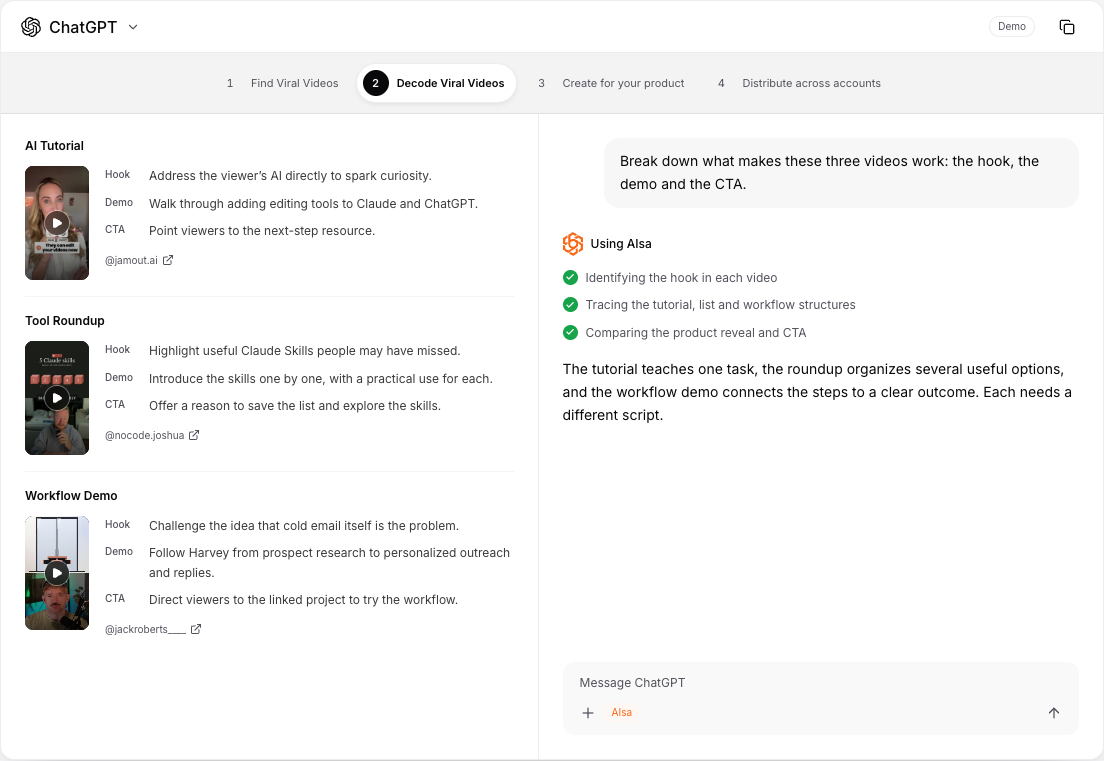
Source: AIsa Social's public workflow demo. This is an interface demonstration, not a record of a live publishing campaign.
AIsa Social is built around a practical idea: your agent needs resources to do social-media work. It needs to read what is happening, use models to make something useful, and then take permitted actions on connected accounts.
That makes it especially interesting for creators, social media marketing teams and agencies that already work in Claude, ChatGPT or another agent. Rather than moving a research summary into one app, a script into another and a publishing plan into a third, you can describe the job in the same conversation and have the agent coordinate the relevant tools.
The advantage starts before the first draft
For a creator, the workflow can begin with a specific question: which AI-agent videos performed well in the last 30 days, and what is worth learning from them?
The agent can use AIsa's social-data interfaces to retrieve available public videos, posts, comments and engagement fields. It can then group examples into useful formats, such as tutorials, tool roundups and workflow demonstrations. The important output is not just a pile of links. It is an explanation of why a particular opening or sequence is worth adapting.
AIsa integrates multiple data providers, so the agent can look for another supported source when a field or result is missing. That broadens the research options; it does not mean every source has every field or that a search sample is the whole platform. Explore the actual capabilities for TikTok, Instagram, YouTube and Reddit.
Models and publishing belong in the same brief
After research, the same job can move into script writing and media production. AIsa makes language, image and video models available alongside data tools. You can ask for a product-specific tutorial, a cover concept and a short-video version, then prepare different captions or formats for each platform.
This is the distinction I would emphasize over a generic “AI-powered” label: the agent can coordinate the work between evidence, creative output and account actions. A caption assistant is valuable, but it covers a smaller part of that job.
On supported operations, users authorize accounts through the relevant platform's flow. The agent can help prepare and schedule content for those accounts, then inspect the returned results. Reading public social data and managing an authorized account are separate capabilities, so check the specific operation rather than assuming a platform logo promises every action.
Three situations where I would choose AIsa
Content production: find relevant viral videos, decode their structures, adapt a useful format for your product, generate the assets and prepare a publishing plan.
Growth research: search competitor complaints and requests for alternatives, retain the original context, then draft helpful comments or DMs for review where the platform supports them. Finding a relevant person is a research result, not consent to send a sales message.
Account matrices: group accounts by brand or client, map approved assets to each destination and ask the agent to coordinate the schedule. Additional account connections have no extra account-binding fee; usage still costs money, and platform permissions still determine what can be done.
What I would check before choosing it
AIsa is a particularly good fit when you want flexible, agent-led work. If your purchase is mainly about a polished executive reporting dashboard, a staffed customer-care inbox or a formal multi-level approval interface, compare those screens directly with a dedicated suite. Review in an agent conversation and a governed approval system are not automatically equivalent.
My verdict: AIsa is the option I would start with when the bottleneck is the work before publishing: research, creative analysis, media production and coordinating many accounts. Connect your agent, then run one small brief through the whole chain.
2. Buffer: the simplest place to start with a publishing queue
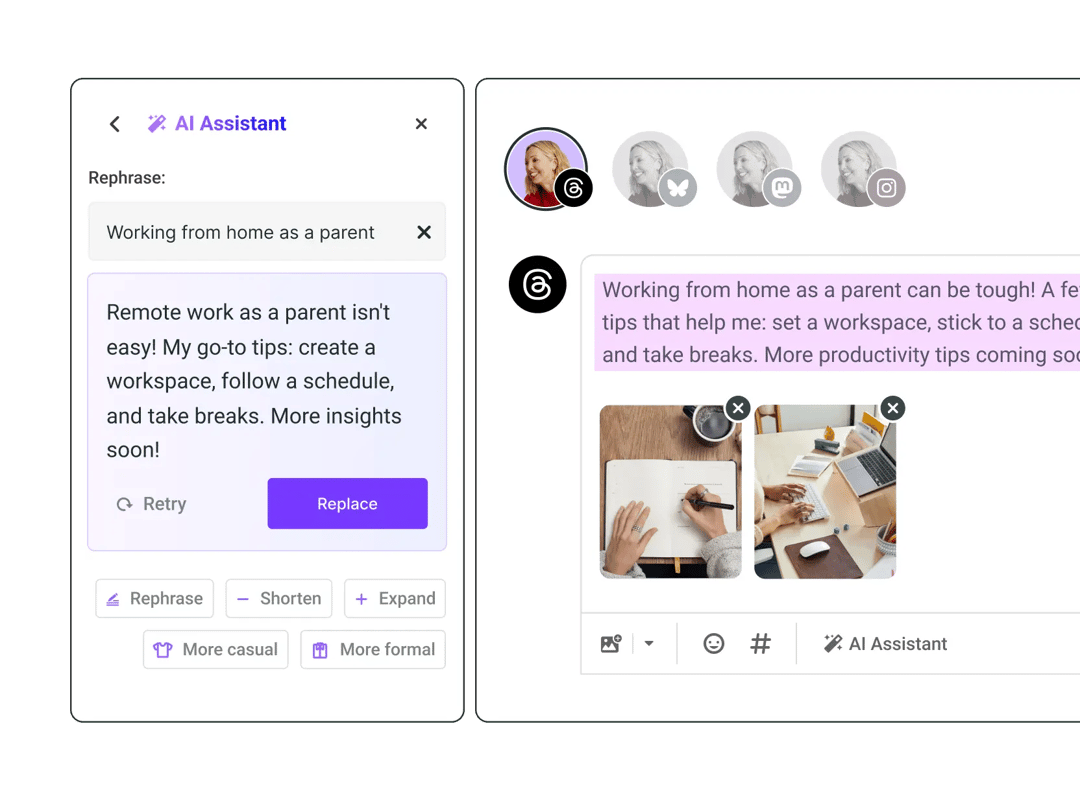
Official product preview: Buffer AI Assistant.
Buffer is my practical starting point when someone says, “I already have the content; I need to keep posting consistently.” Its comparatively simple workflow is an advantage if you do not need a large operational suite.
It would be inaccurate to call it publishing-only. Buffer's AI Assistant can brainstorm, refine and repurpose posts. Its API also lets developers and agents work with the service. Those are meaningful capabilities, not features to ignore to make AIsa look better.
Where I would draw the distinction is the brief. Producing platform-specific variations of an existing idea is different from gathering a sourced set of viral videos and customer discussions, choosing a structure and coordinating video generation. Ask Buffer to demonstrate the exact upstream research you need, rather than assuming that “AI” covers it.
The free plan supports three channels. Essentials starts at $5 per channel per month with yearly billing. That is approachable for a small setup, but count the channels across all your brands.
My verdict: choose Buffer for clarity and a regular publishing habit. Choose around the research workflow if finding and making the content is the bigger problem.
3. Postiz: a strong publishing option for agents and technical teams
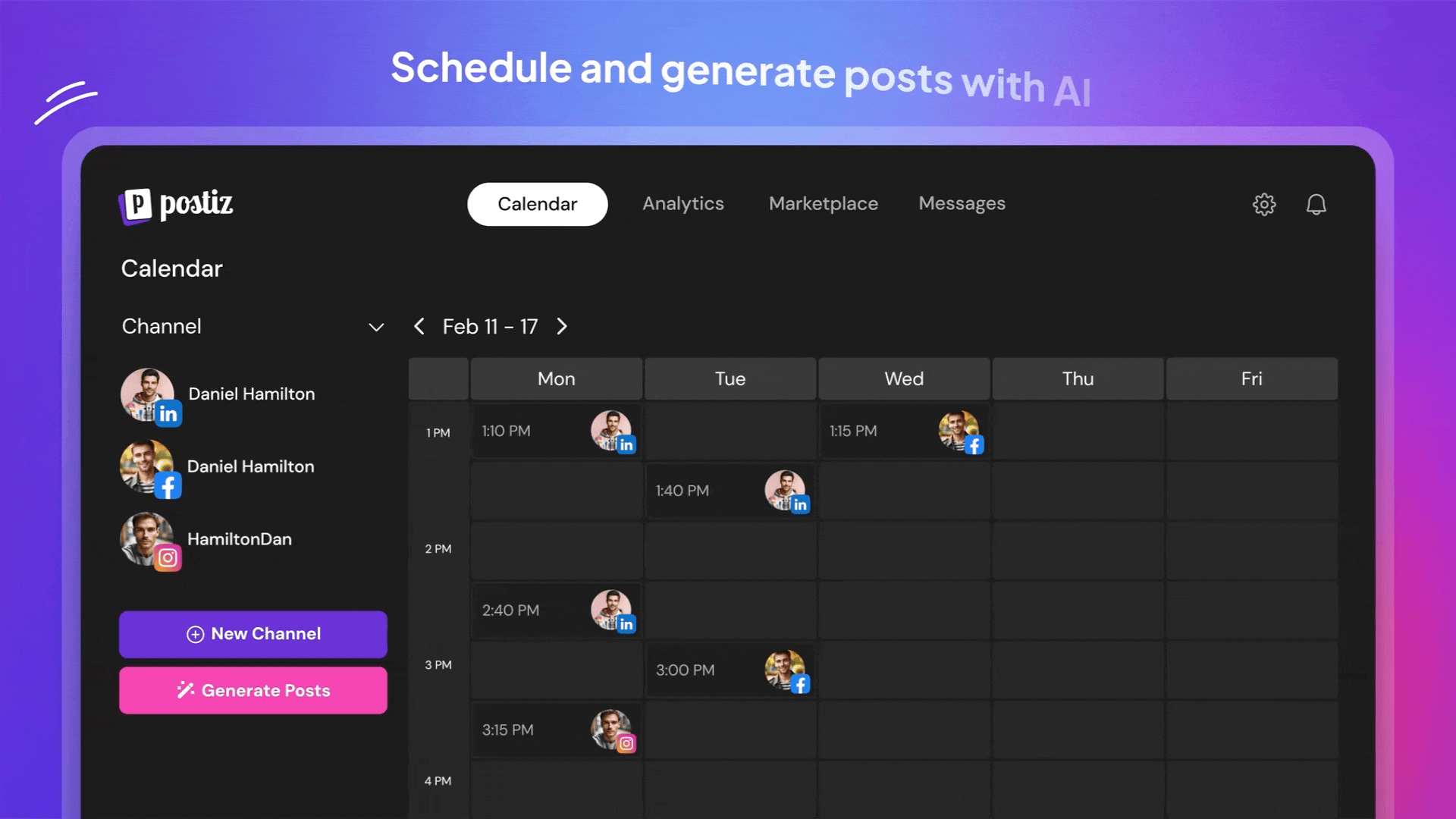
Calendar interface from the official Postiz repository.
Postiz deserves a closer look if you want an agent to work with a publishing platform. Its MCP server, CLI and API are central to its current positioning. Its open-source repository also gives technical teams a deployment option beyond the hosted service.
Again, “only publishes” is too narrow. The cloud plan includes an AI copilot and media capabilities, with different allowances by tier. Standard is listed at $29 per month for five channels. The presence of AI videos and agent tooling means the useful comparison is about the whole workflow and its limits, not whether one product has AI and the other does not.
I would test how much public-content research it can do for your actual niche, how you bring models into the process, and how its channel limits fit your matrix. For self-hosting, include hosting, updates, credentials and maintenance in the comparison; the software license is not the complete operating bill.
My verdict: a credible choice for publishing infrastructure and technical control. Compare it directly with AIsa on source discovery, model orchestration and the cost of the account matrix you actually need.
4. Hootsuite: a broader social operation under one roof
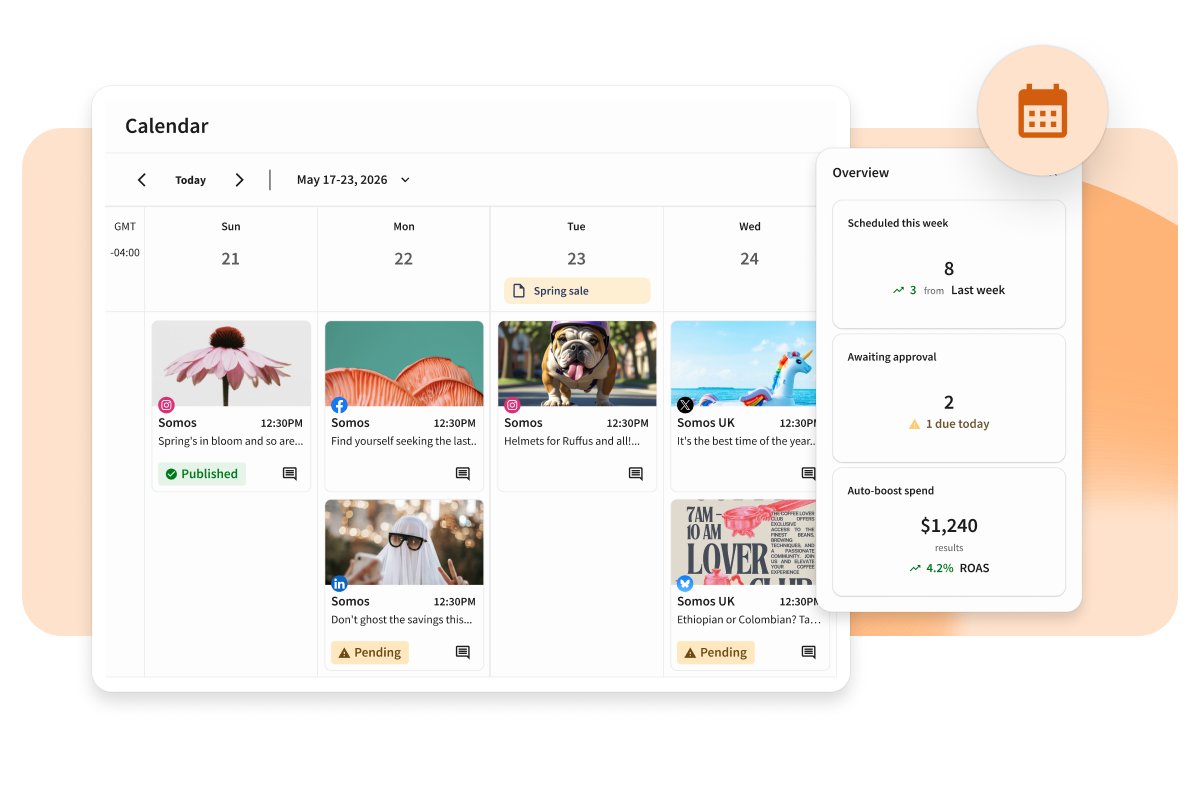
Official product preview: Hootsuite Perch.
Hootsuite belongs on the shortlist when publishing is only one part of a bigger social operation. Perch covers content planning and publishing, while Lumen addresses listening and insights. The attraction is coordinating a team around shared work rather than stitching together a collection of lightweight tools.
That breadth is useful if the person creating a post is not the same person answering customers or reviewing performance. It can also be unnecessary overhead for a solo creator whose main need is a queue.
My main buying question would be: which jobs justify a seat, and which features are included in the plan being quoted? The plan comparison separates Standard, Professional, Advanced and Enterprise. Evaluate approvals, inbox automation and reporting at the tier you will actually buy.
My verdict: keep Hootsuite in the trial if listening, care and governance are central. If most of your hours disappear into finding topics and making videos, compare that creation process separately instead of paying for breadth you will not use.
5. Sprout Social: for reporting and customer-care teams
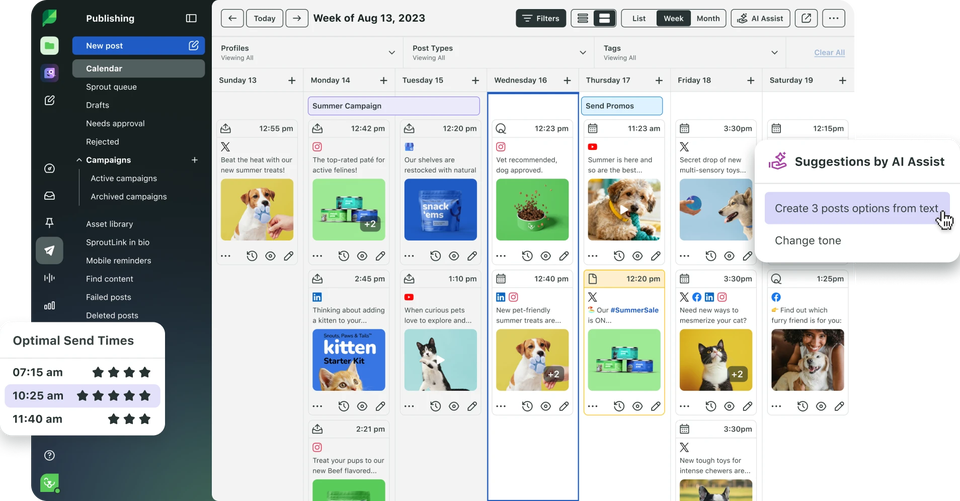
Official product preview: Sprout Social.
Sprout is the tool I would examine when social work has to feed a regular reporting and customer-care process. Its appeal is structured operations: what happened, who should respond and what the team needs to understand next.
There is a useful pricing detail here. The current pricing page includes Essentials at $79 per seat per month billed annually, alongside Standard at $199. A comparison that simply calls $199 the universal entry price misses that distinction. The relevant question is which tier includes your required monitoring, inbox and reporting features.
Sprout also includes Trellis, its AI agent, across plans, with credit allowances. It should not be treated as a traditional dashboard that has no agent capabilities. Ask it to demonstrate your own reporting or content brief and look at how much intervention is still needed.
My verdict: a serious shortlist candidate for social customer care and reporting. For a creator or a small account matrix, confirm that the seat-based cost buys an operational benefit you will actually use.
6. Later: visual planning for content-heavy brands
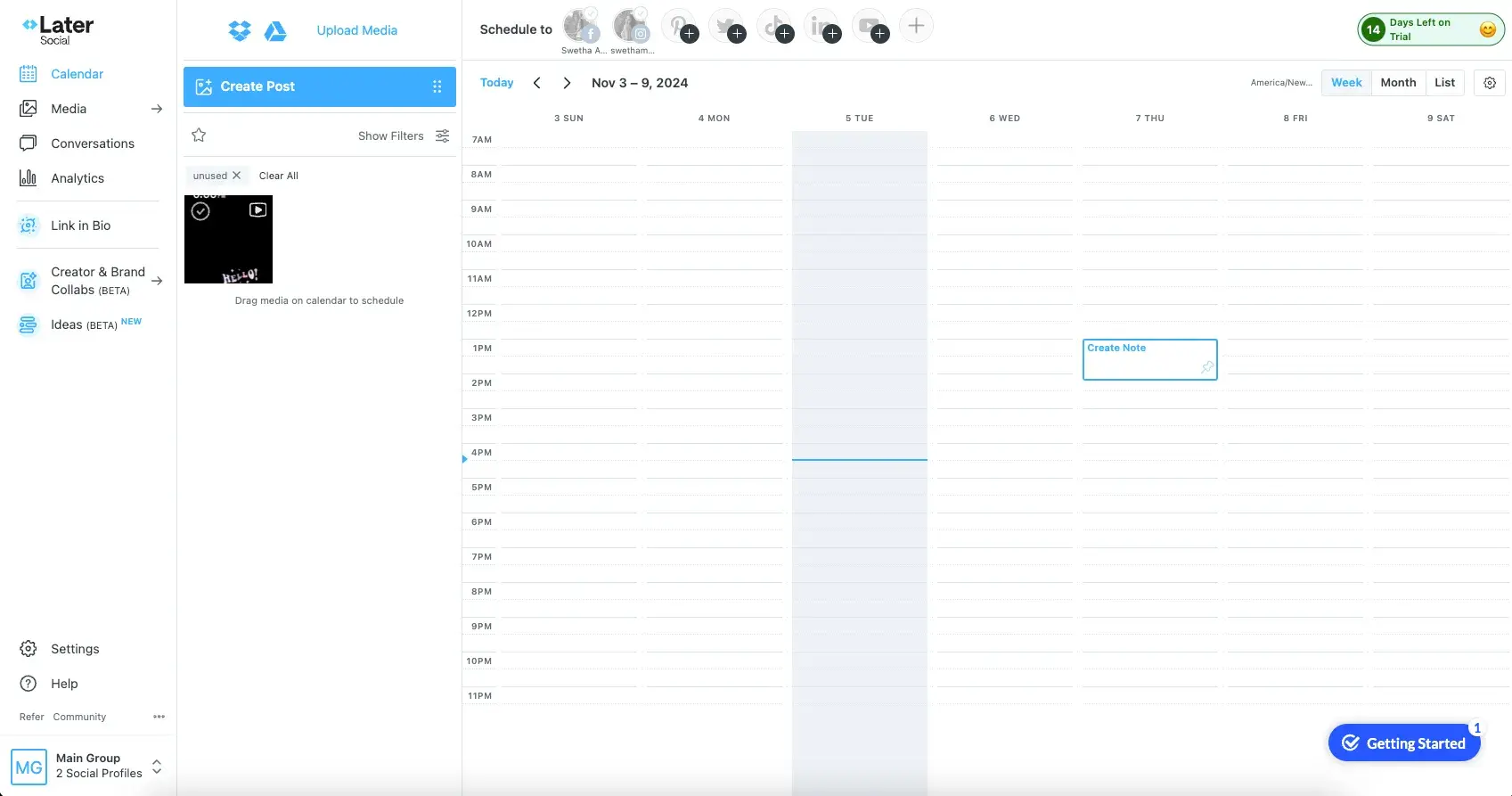
Later application screenshot from HubSpot’s scheduling guide.
Later makes sense when a team's work revolves around visual content and coordinating what goes live together. I would put it in front of a brand manager who wants to review the calendar and the assets, rather than operate everything through a general-purpose agent.
Its Starter plan is $18.75 per month billed yearly, with one social set, one user and a limited number of posts and AI credits. A social set is an important detail: it groups one profile on each supported network. It is not interchangeable with an arbitrary collection of accounts on a single network.
Growth adds capabilities such as approvals, an inbox and more generous content limits. If clients or several teammates need to sign off, evaluate that workflow at the appropriate tier.
My verdict: a good visual-planning shortlist option. For a matrix containing several TikTok or Instagram profiles per brand, map those accounts to social sets before comparing the headline price with other billing models.
7. Metricool: analytics and multi-brand planning at a smaller scale
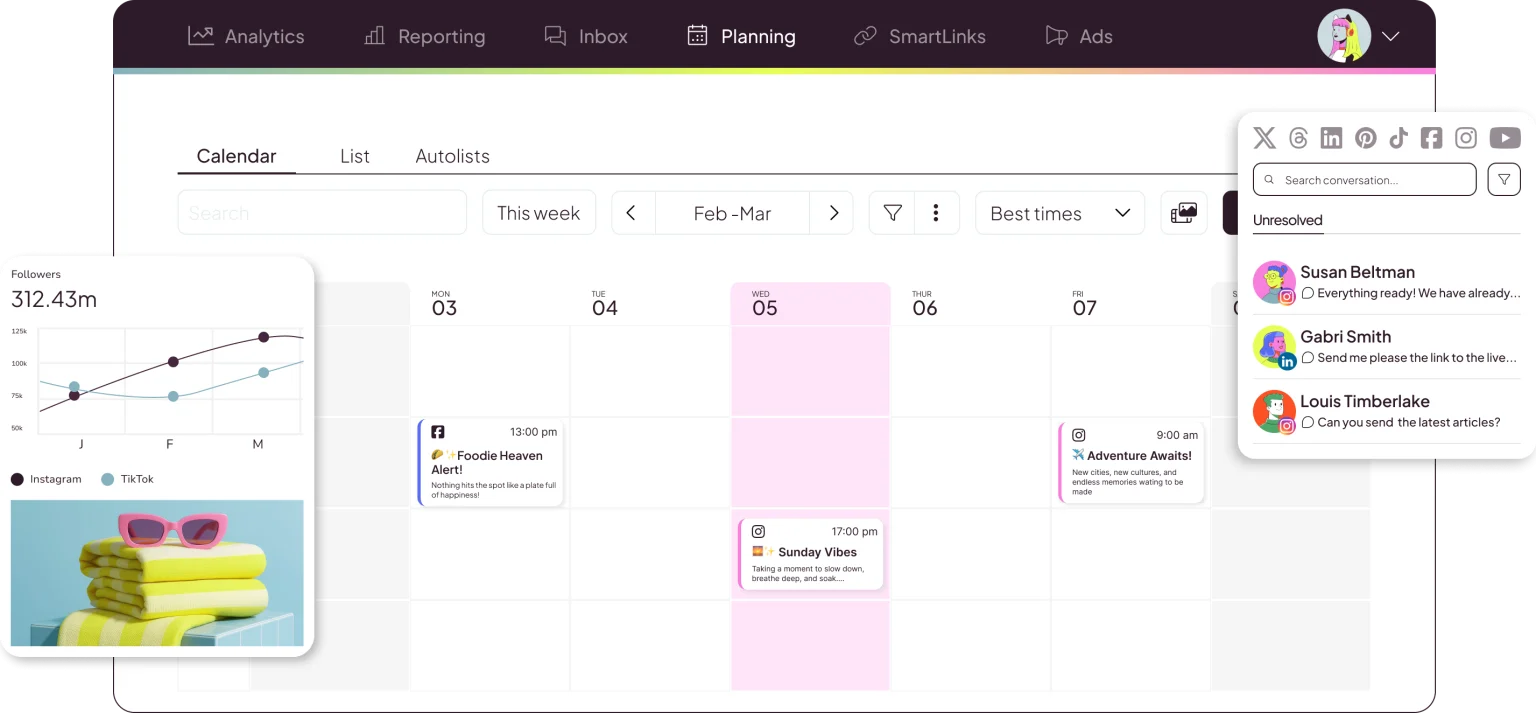
Official product preview: Metricool.
Metricool is a sensible candidate when you want analytics and planning without immediately moving to a larger per-seat suite. The pricing page makes brands the useful unit of comparison: its USD annual Starter price begins at $20 per month, with different brand brackets.
The free plan is a way to explore a limited setup, not a promise of every network. It excludes LinkedIn and X, and has publishing and history limits. Paid plans and add-ons change the scope, so check the exact combination you need.
Metricool also lists AI assistance and MCP access. As with Buffer and Postiz, agent connectivity by itself is not a unique differentiator for AIsa. The more productive question is whether the connected tools can complete your particular research-to-media brief.
My verdict: shortlist it when reporting and managing a modest number of brands are the priority. Give extra attention to brand grouping, client permissions and network add-ons before deciding what the recurring bill will be.
8. SocialBee: a repeatable content engine built around categories
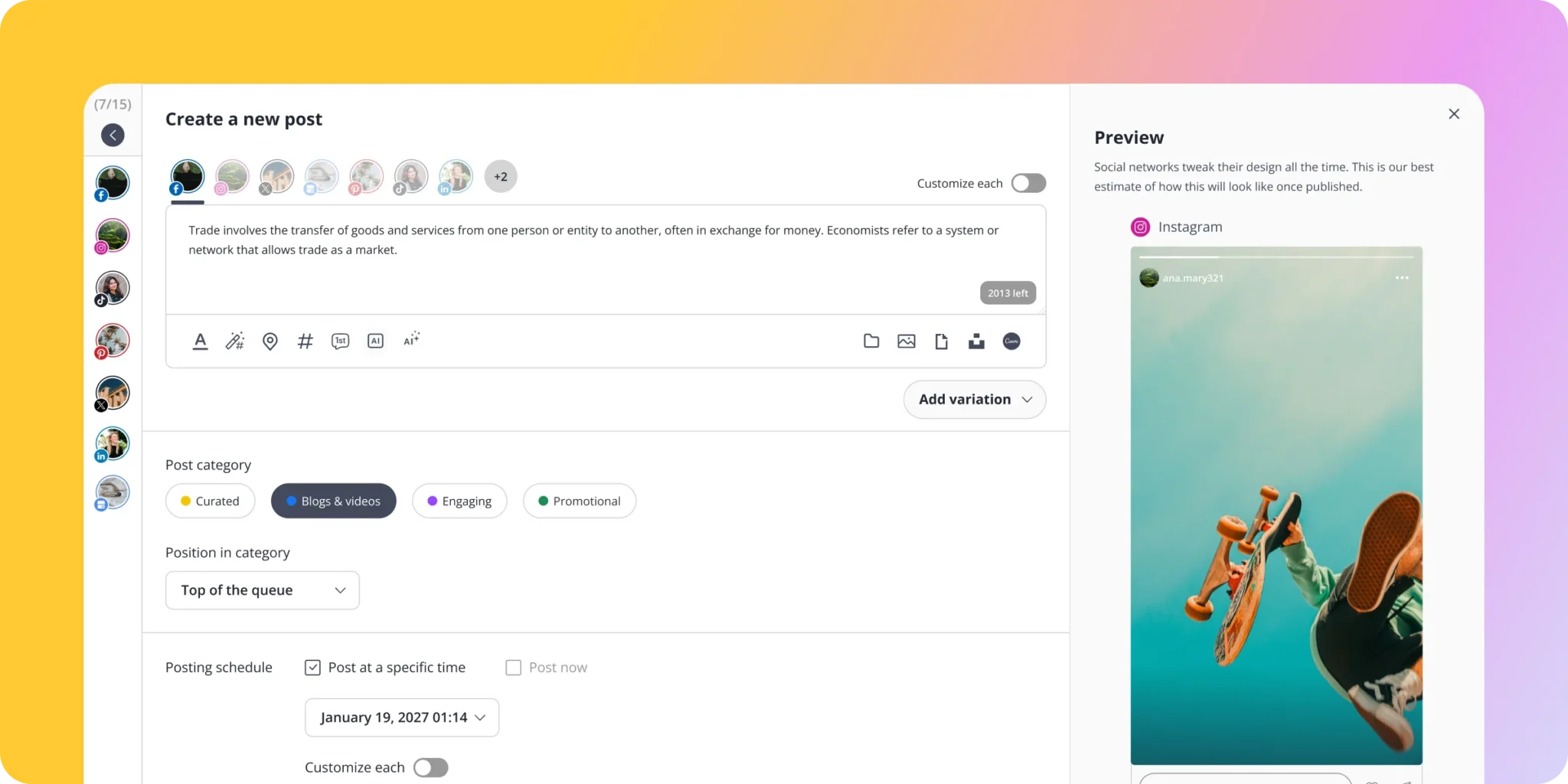
Official product preview: SocialBee.
SocialBee is interesting for businesses that need a sustainable content mix rather than a constant hunt for one-off posts. A category-based approach can help you alternate educational material, product stories, community content and evergreen posts without planning the week from scratch.
Its Copilot is explicitly built around social-media strategy and content. That makes it a more relevant comparison for AI-assisted management than treating every incumbent as a calendar with a caption button.
The Bootstrap plan lists $29 per month on monthly billing for up to five profiles, with separate limits for users, workspaces, categories and sources. Larger plans expand those operating limits.
My verdict: a useful shortlist candidate for repeatable, category-led publishing. If your strategy depends on discovering fresh viral videos or exploring detailed competitor complaints, test the sources and evidence behind its recommendations rather than evaluating only the finished captions.
9. Grok Bot: an agent with native X context, not an X-only ceiling
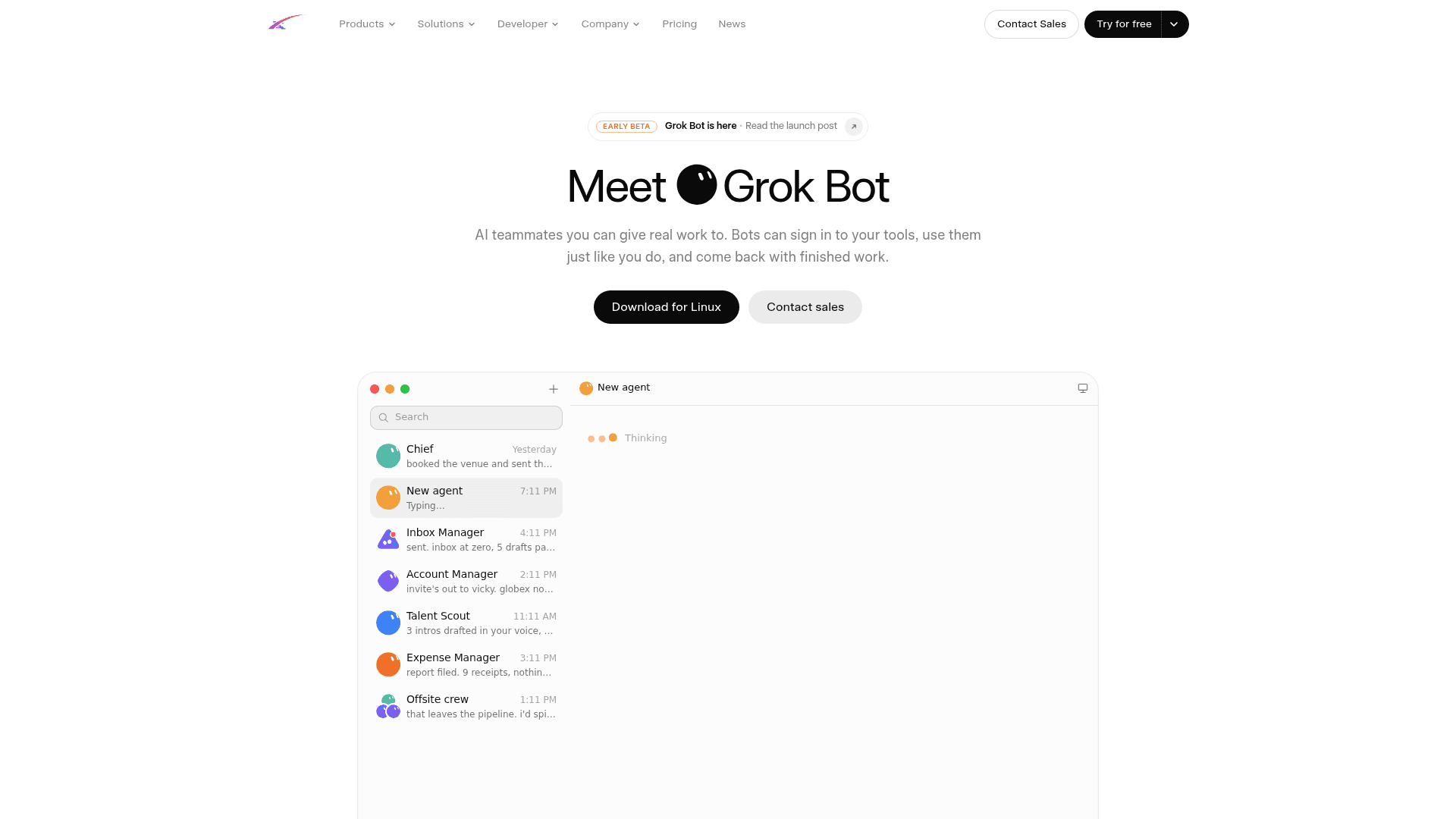
Launch-page preview reproduced in eesel's August Grok Bot review. The screenshot is historical; current capabilities are linked below.
Grok Bot is a different kind of product from a social calendar. It is an agent with a cloud computer and connected tools. Its native X integration provides a direct route to searching posts, reading timelines and checking mentions.
For someone doing most of their research and writing around X, that is a useful starting point. But I would not describe Grok Bot as unable to work with any other social platform. Its documentation explicitly supports custom MCP and API tooling. Additional publishing destinations depend on the tools and accounts you connect.
That makes AIsa a potential resource layer for Grok Bot, not simply a replacement for it. The agent can remain your working interface while AIsa provides additional public data, models and supported account actions.
My verdict: choose the agent experience you want, then audit its connected resources. Native X access does not establish equivalent support for TikTok, Instagram or an entire account matrix. Check the current subscription eligibility and the cost of the tools it will call.
10. Meta Muse: useful business context inside Meta's ecosystem
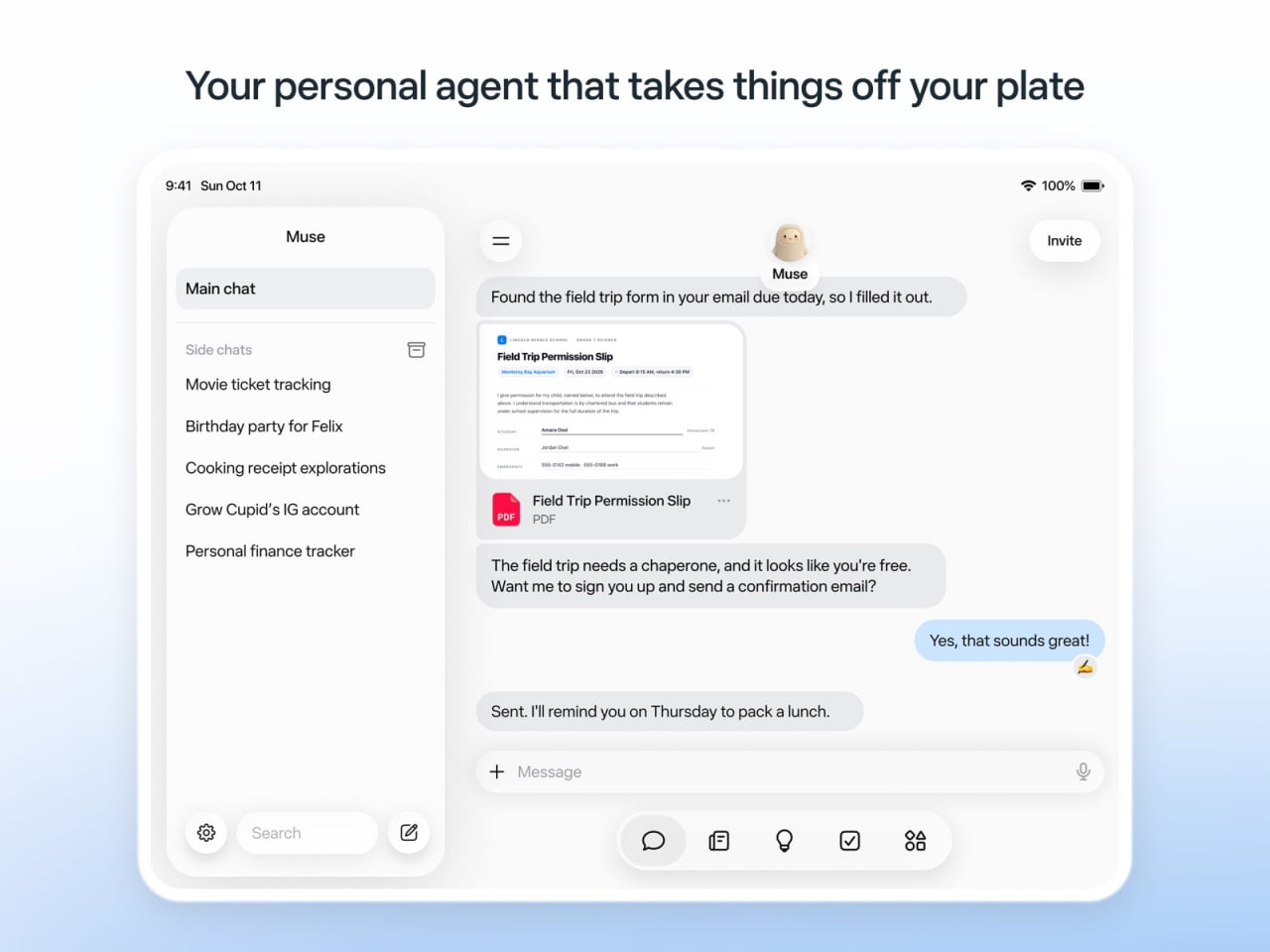
Muse’s iPad app interface, published by iClarified.
Muse is worth considering if your business context already lives in Meta's products. The official small-business announcement describes connections to Instagram professional-account analytics, Facebook Pages, Meta ad accounts and other business apps.
That context matters. An assistant that understands your products, voice and existing business information can be more useful than a blank prompt box asking you to explain the business again.
The limitation to examine is the boundary of the native connections. Access to Meta business context does not automatically supply equivalent tools for TikTok, YouTube or LinkedIn. But it would also be too strong to say Muse can never work outside Instagram and Facebook: third-party connectors are part of the product's documented design.
My verdict: a relevant agent choice for a Meta-centered business. For broader operations, examine the resources you can attach to it. The comparison is often Muse plus the right tools versus another agent plus the right tools, rather than Muse versus a scheduler.
Why I would use AIsa for the work between tools
The strongest AIsa argument is not “everything else only publishes.” Several products here create content, listen to social conversations or accept agent commands.
The argument is more specific: you can give one agent a brief that needs social evidence, multiple models and account actions, then coordinate those resources through AIsa.
For a creator, that means the video research can become a script and a media brief without losing the source material. For a growth team, a competitor complaint can become a useful, context-aware reply draft. For an agency, those outputs can become an account-by-account publishing plan instead of another spreadsheet someone must manually translate into clicks.
Here are three example briefs. These are prompts to try, not claims of completed campaigns. Have the agent show the proposed tool calls and cost before paid execution.
Find viral videos and create a product-specific version
Find high-engagement AI-agent videos from the past 30 days on TikTok,
Instagram and YouTube. Keep the source links and available engagement data.
Group the strongest examples into tutorials, tool roundups and workflow demos.
Decode one example from each group, then adapt the structures for my product:
[product, audience and key benefit]. Prepare a script, cover concept and
platform-specific content. Show the tools, estimated cost and drafts first.
Turn competitor discussion into relevant conversations
Find recent Reddit, X and LinkedIn discussions where people describe problems
with [competitor] or ask for an alternative. Link to each original discussion,
separate genuine buying intent from general criticism, and explain the fit with
[my product]. Draft a helpful public reply and, where appropriate, a DM for
my review. Do not send messages before I approve them.
Prepare a brand's account matrix
Help me connect the approved social accounts for [brands]. Map these assets
to the right accounts, adapt the captions and formats, and suggest publishing
times with your reasoning. Return one plan showing brand, account, platform,
asset, time and status. After I approve it, schedule the supported operations
and return a separate result for each destination.
Start at Connect, or give a compatible agent the setup prompt Set up AIsa - https://aisa.one/llms.txt. The client will still need to complete the relevant connection and authorization flow.
What does the complete workflow actually cost?
A low price per API call is only useful if you know how many calls, assets and destinations the task needs.
For example, take a hypothetical job with 30 selected search calls, three script-generation calls, one 10-second Seedance video and three supported publishing operations. Using the illustrative selections on the AIsa Social cost board, the arithmetic is:
| Component | Example assumption | Illustrative subtotal |
|---|---|---|
| Search | 30 calls at $0.001 | $0.03 |
| Script drafting | 3 Qwen Flash calls at approximately $0.000263 each | About $0.0008 |
| Video | 1 Seedance 2.0 Fast 720p, 10-second video at $1.27008 | About $1.27 |
| Publishing | 3 eligible operations starting at $0.01/post | From $0.03 |
| Combined example | One generated video distributed to three accounts | About $1.33 before other charges |
This is an estimate, not a measured run or a fixed package. The language-model estimate assumes 2,000 input and 1,000 output tokens per call. Model choice, token use, video settings, extra searches, retries and X charges can change the total. One search call is not a promise of a fixed number of usable viral videos.
Also, the board's low-cost code-animation option is different from generated presenter footage. A Hyperframes-style render driven by model-generated code should not be priced or described as if it were the same output as a Seedance video. Compare the deliverable you need, not just the smallest number on a page.
For a subscription tool, do the opposite calculation: total the seats, profiles, brand brackets, AI credits and add-ons needed for the same job. At high, predictable publishing volume, a subscription can be the better deal. At irregular volume, or when connecting many accounts, usage-based resources can be more attractive. The honest comparison is a complete monthly workload.
Five practical checks before you commit
- Use a real asset. Test the actual aspect ratio, cover, caption and post type your team publishes, not a text-only placeholder.
- Evaluate the research output. Ask for source links and missing fields. An attractive answer without evidence is a weak basis for a content decision.
- Price your account matrix. Count destinations, seats, brands, AI usage and network-specific extras.
- Inspect the approval and failure paths. Check who can authorize a post, what happens when one destination fails and how duplicate retries are prevented.
- Keep native publishing available. If a particular feature needs the platform's own app, make that a planned part of the workflow rather than a surprise.
For a visual look at the trade-offs, Efficient App's comparison walks through several of the tools discussed here. The underlying video is older than its updated title, so use it to understand the workflow and recheck current features on official pages. The description contains affiliate links.
Video by Efficient App (Alex & Andra). Watch on YouTube.
Five terms that make the comparison clearer
- Social listening: investigating relevant conversations beyond posts directly addressed to your account. The available scope and history depend on the tool and source.
- Account matrix: a deliberately organized collection of accounts across brands, clients or platforms, with the right assets and permissions mapped to each.
- Social set: a vendor-defined bundle of profiles, often one profile per supported network. Read the definition before equating it with an account allowance.
- MCP: the Model Context Protocol, a standard way for AI applications to connect to external tools and data.
- Authorized publishing: taking supported account actions after the account owner completes the platform's permission flow. The platform and post format still determine what is possible.
Frequently asked questions
What is the best social media management tool for a small business?
Buffer is a practical starting point if your main need is a simple publishing queue. Metricool is worth comparing if analytics and brand organization matter. I would shortlist AIsa Social when researching topics, creating assets and coordinating accounts through an agent are the bigger sources of work. Pick against your bottleneck, not a universal ranking.
Can AI find viral videos and create content from them?
An agent with relevant data and model tools can retrieve examples, analyze their structures and prepare new product-specific content. Keep the original links, check the actual time window and adapt the idea rather than copying someone else's footage or identity. A high-engagement example is a reference, not a guarantee your version will perform the same way.
Are Buffer and Postiz only publishing tools?
No. Buffer offers idea generation, rewriting, repurposing and API access. Postiz offers agent tooling, an AI copilot and media features. The useful distinction is how much sourced research, model coordination and multi-account operation each workflow handles for your particular brief.
Can Grok Bot or Muse manage other social networks?
Their native connections have different starting points: Grok Bot has an X integration, while Muse's business offering emphasizes Meta account context. Additional networks depend on connected tools, accounts and supported operations. A resource layer such as AIsa can extend what an agent can do; native access to one ecosystem is not the same as a complete multi-platform publishing setup.
Is AIsa Social cheaper than a monthly scheduler?
It depends on the workload. AIsa has usage-based data and model costs, publishing starts at $0.01/post on supported operations, and additional account connections have no extra binding fee. Count research, generation, retries and network-specific charges, then compare the total with the subscription tier your accounts and team actually require.
My recommendation
If you want a calendar for content you already have, start with Buffer, Later or Metricool. If you need a shared care and reporting operation, trial Hootsuite and Sprout Social. If you want publishing infrastructure you can integrate or host, examine Postiz.
If the work begins earlier, with “find the videos worth learning from, make something for my product, then coordinate the accounts,” I would start with AIsa Social. That is where bringing evidence, models and account actions into one agent workflow becomes a useful advantage.