AIsa is partnering with OOMOL to connect public-data research with actions inside the tools your team uses. OOMOL now officially supports AIsa: connect an AIsa API key to use the AIsa capabilities available through the integration, alongside separately authorized connections to your work apps.
That opens up a useful workflow: an agent gathers evidence, prepares a recommendation, and carries an approved result into the place where work happens.
Public-data reads meet OAuth writes
Consider a product marketer investigating why customers choose a competing product. The research might involve public company pages, search results and customer discussions. The next step is to turn those findings into something the team can use: a research page, a task to investigate a recurring complaint, or a draft message for review.
Those steps require different kinds of access.
Public-data reads bring outside information into the workflow. For this part, AIsa provides access to research resources through one API key. OAuth-authorized writes let the workflow save or act on findings inside accounts the user has connected. OOMOL’s OpenConnector provides the gateway for those service connections and actions.
With both available in the same connector environment, teams can design a workflow that takes a question through to a useful follow-up. Which steps are available depends on the current connector actions and the permissions granted to each account.
What each partner brings to the workflow
AIsa brings APIs, data and models together under one key. Its broader resource catalog spans areas such as web research, social data, SEO and market intelligence. In this partnership story, the focus is on using public information as evidence for a task. Public-data research is one role AIsa can play; it does not define the limits of the platform.
OOMOL supplies the connector environment where that research can meet the tools a team already uses. Its open-source OpenConnector project handles connections to external services and makes their actions available to agents and applications. Teams can use OOMOL’s hosted runtime or operate a self-hosted gateway.
The two roles fit together at a practical point: a finding needs somewhere to go. A product team may want a research page. A sales team may need an email draft. A marketing team may want a task attached to a specific opportunity.
| Workflow stage | What happens | What the team gets |
|---|---|---|
| Research with AIsa | Call supported actions to retrieve relevant public information | Evidence with references where available |
| Interpret with the agent | Organize findings, distinguish facts from hypotheses and propose a next step | A brief the team can evaluate |
| Act through OOMOL connections | Use the authorized destination-app action after the required review | A saved page, follow-up task or draft in the right account |
The agent’s job is to connect those stages around a clear objective. AIsa and OOMOL provide access to the resources and actions needed along the way.
From a research result to work your team can use
A research result becomes more useful when it reaches the person who can act on it, with enough context to understand it.
Without that handoff, someone has to copy findings into a document, collect the source links again, explain the context and create the follow-up. As the research repeats, those small manual steps repeat too.
The AIsa and OOMOL integration gives teams a way to connect those steps. A workflow can retrieve information through an available AIsa action, organize the findings, and use a separately authorized app connection to deliver the approved output.
The practical value is less manual transfer between research and execution. Evidence can travel with the recommendation, so the person reading a document or reviewing a task can see where it came from.
Three workflows to explore
These are workflow ideas to assemble from available actions, rather than prebuilt automations included with the partnership.
Customer research that becomes a shared product brief
Imagine a team deciding what to improve in its onboarding experience. Ask the agent to investigate public questions about similar products using the research actions available through AIsa. It can group recurring themes, retain source links and distinguish direct observations from its own interpretation.
The useful output is a brief organized around decisions: what users struggle with, which evidence supports each theme, and what the team should investigate next. After review, an authorized Notion connection could save that brief in the team’s research workspace.
Colleagues can then read the same evidence and add internal context. A few public comments should remain a limited sample, rather than becoming an unsupported claim about the whole market.
Competitive signals that become focused investigation tasks
A competitor changes its pricing page or announces a new feature. The team needs to understand the change and decide whether it affects current plans.
A workflow could use supported AIsa actions to retrieve the relevant public material, then ask the agent to summarize the announcement and identify unanswered questions. Comparing it with an earlier version requires a reliable previous snapshot; the workflow should say when that evidence is missing.
With approval, an authorized task-management connection could create a task containing the source, the reason to investigate and a specific question for the owner. A useful task might ask whether a new competitor feature overlaps with customer requests already in the backlog. That gives the owner a concrete next step and a way to check the underlying claim.
Company research that becomes a relevant email draft
Before contacting a potential customer or partner, a team often researches the company’s product, public announcements and priorities. Supported AIsa research actions can supply that context for an agent to organize.
The agent can use verified details to prepare a message with a specific reason for reaching out. An authorized email connection could save it as a draft, ready for someone to check the recipient, tone and factual claims before sending.
This workflow helps carry research into the message itself. The sender still decides whether the evidence is relevant and whether the outreach is appropriate. Missing information should remain missing, rather than being filled with invented personalization.
One AIsa connection, separate permissions for your work apps
Your AIsa API key connects the research side of these workflows. It does not grant access to your email, documents or team accounts. Connect those services separately and authorize the permissions needed for the intended action.
OpenConnector supports API-key and OAuth connections, action policies and run logs. Its SDK, CLI, MCP and HTTP interfaces give developers several ways to compose a workflow. See the official developer documentation for those interfaces and the connection documentation for authentication setup.
For the workflow itself, keep source references attached to findings and define which writes should require review. A useful first version might gather evidence and prepare a document, then wait for approval before saving or sharing it.
Build a repeatable process around the connection
A one-off research task can live in a chat. A recurring team workflow needs a defined question, a destination and a clear record of what happened.
For example, a weekly product-research process could keep the same topic scope and document structure while changing the reporting period. Each run would retrieve available evidence, prepare a brief and present the proposed update for review. A scheduler or workflow runner would need to be configured separately if the team wanted that process to run automatically.
OpenConnector’s runtime documentation describes action discovery, action guides and execution against named connections. It also documents token-level restrictions on actions and connections. These controls help developers specify which tools and accounts a particular workflow can use.
Permissions and review serve different purposes. An OAuth connection gives a workflow technical access to a service; the workflow’s review step determines when a proposed action should proceed. Teams should implement that review behavior explicitly rather than assume that connecting an account creates an approval step.
Open source gives teams an implementation they can inspect
For developers evaluating the integration, the OpenConnector repository provides a place to inspect the gateway and its action definitions. Its supported interfaces let a team choose how to incorporate it into an existing application or agent environment.
Hosting is also a deployment decision. A managed runtime and a self-hosted installation carry different operating responsibilities. Teams running their own gateway should follow the project’s configuration guidance, including enabling credential encryption as described in the credential-storage documentation.
For AIsa, this partnership brings supported capabilities into another environment where customers already work. For OOMOL users, it creates a path from asking a research question to carrying the answer into an authorized business tool. That is the connection we want to make easier to use.
Try the complete workflow
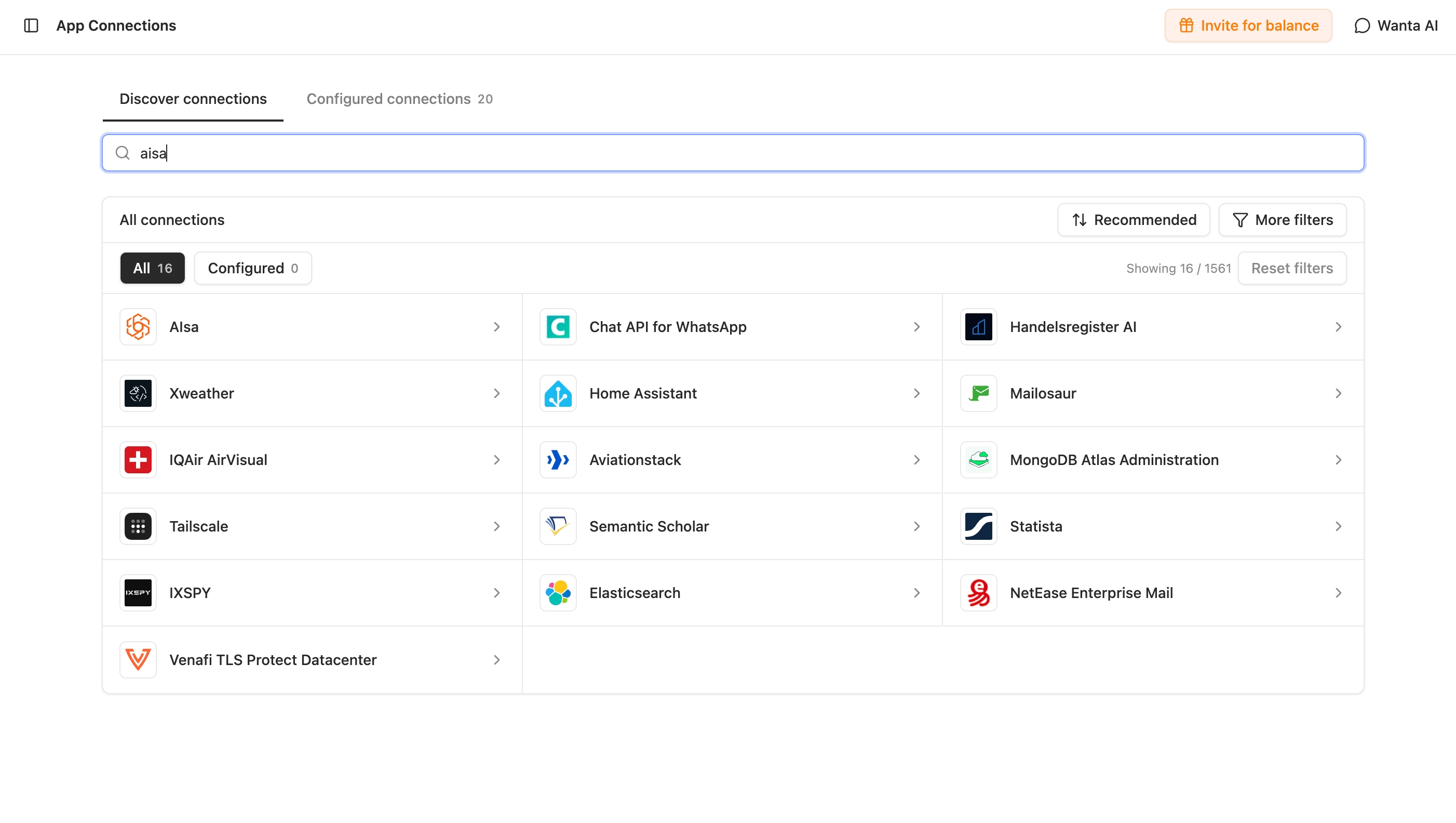
Find AIsa in App Connections to start setting up your connection.
- Get your API key from the AIsa console.
- Add your AIsa connection in OOMOL and inspect the available actions.
- Choose one supported research task and check its inputs, access requirements and usage costs.
- Connect the destination app separately and grant the permissions needed for the intended write.
- Run the research, review the evidence and approve the next step.
Start with one question and one destination. Once that works, you have a process you can adapt to the next task.
We’re excited to work with OOMOL on this connection between research and execution. Bring AIsa into your workflow, gather the evidence you need, and put it to work through the accounts you authorize.
Frequently asked questions
What does “public-data reads meet OAuth writes” mean?
It describes a workflow that connects outside research with actions in your work apps. AIsa supplies supported research capabilities to gather public information. Separately authorized app connections through OOMOL let the workflow save an approved brief, create a follow-up task or prepare an email draft. Source links can stay attached to the output so your team can review the evidence.
How do I connect AIsa to OOMOL?
Get an API key from the AIsa console, add an AIsa connection in OOMOL and enter the key in its connection settings. Then inspect the available AIsa actions, check their required inputs and run a focused first task. Keep your key private when sharing screenshots or recordings.
Does my AIsa API key give the agent access to my work apps?
No. Your AIsa key authenticates access to AIsa. To write to a document, task manager or email account, you must connect that service separately through OOMOL and grant the necessary permissions. You can design the workflow to prepare a result for review before allowing a write or send action.
Can I use every AIsa capability through OOMOL?
Use the current AIsa action catalog in OOMOL to check what the integration exposes. A capability available directly through AIsa is not automatically available through this connector. The workflow examples in this article are ideas to assemble from supported actions, not a set of prebuilt automations. Account access and destination-app permissions also affect what you can run.
Is using AIsa through OOMOL free?
Connecting an API key does not make the underlying services free. Check the applicable AIsa usage prices and access requirements, along with any OOMOL or destination-app charges, before running a workflow. A multi-step workflow may make several calls, so start with a small task and review its usage before expanding it.