# Agent Skills
Source: https://aisa.one/docs/agent-skills
Instruction bundles that teach AI coding agents how to use AIsa APIs. One install, every agent on your machine.
Agent Skills are modular capability packs for AI coding agents — Claude Code, Cursor, GitHub Copilot, Windsurf, and more. Each skill is a folder with a `SKILL.md` that tells the agent what the API does, how to authenticate, and how to use it. Install once with the AIsa CLI and the skill lands in every agent directory on your machine.
Install the CLI, authenticate, and add your first skill in under two minutes.
See every production-ready skill in the agent-skills registry on GitHub.
## How it works
Run `aisa skills install `. The CLI auto-detects every supported agent on your machine and writes the skill to each one's directory.
Open a new session in your agent. Skills load automatically at session start — only the metadata (name + description) is read upfront, so there's no context-window cost.
When you ask the agent to do something the skill handles, it reads the full instructions and calls AIsa APIs using your `AISA_API_KEY`.
## Skill catalog
### Marketing
Keyword strategy, SERP analysis, competitor gaps, and intent clusters.
### AI Model Gateway
Configure OpenClaw to use AIsa as the model provider.
Route Chinese-language prompts to Chinese LLMs.
Choose models across GPT, Claude, Gemini, Qwen, DeepSeek, Grok, and more.
### Creative AI
Image generation with Gemini 3 Pro and video generation with Wan 2.6.
### Data & Finance
Forecast trends from prediction markets, social sentiment, news, and market data.
Real-time and historical equity data, financials, filings, and macro context.
Broad stock, crypto, financial, analyst, insider, and macro data.
CoinGecko-powered crypto prices, charts, exchanges, and token research.
Asset analysis with scoring, risk flags, targets, and stop levels.
Dividend yield, payout safety, growth, and income quality.
Momentum scans for hot stocks, crypto movers, and catalysts.
Portfolio positions, allocation, and live P\&L.
M\&A rumors, insider activity, analyst changes, and regulatory news.
Price targets, stops, watchlists, and alert checks.
US stock reports with financials, news, filings, sentiment, and AI synthesis.
Polymarket and Kalshi market discovery, pricing, and trade history.
Chinese-language Polymarket and Kalshi research workflows.
Cross-platform arbitrage detection across prediction markets.
Chinese-language prediction market arbitrage scans.
### Search & Research
Unified web, scholar, Perplexity Sonar, and Tavily search in one skill.
Perplexity Sonar answer generation with citations.
Ranked YouTube results for content research and competitor monitoring.
Recent multi-source evidence across web, social, markets, and communities.
Search the web and extract public page content.
Search YouTube videos, channels, and playlists.
Chinese-language recent signal research.
Search across web, academic, smart search, Tavily, and research-answer sources.
Citation-backed deep research using Perplexity Sonar models.
Academic papers and scholarly source search.
Hybrid web and scholarly retrieval.
Extract clean readable content from public URLs.
Search with depth, topic filters, time ranges, and domain controls.
Current web search results with titles, URLs, and snippets.
Video, channel, and playlist search for content research.
### Social Media
X/Twitter search, profile analysis, trends, DMs, and posting.
Profiles, timelines, tweets, communities, trends, lists, spaces, and Grok context.
Search, monitor, publish, and engage from one X/Twitter workflow.
Post tweets, like tweets, follow users, and check relationships.
Search X/Twitter and prepare authorized posting workflows.
Track competitors, influencers, trends, mentions, and conversations.
## Supported agents
Skills install to these directories automatically:
| Agent | Directory |
| -------------- | ----------------------------- |
| Claude Code | `~/.claude/skills/` |
| Cursor | `~/.cursor/skills/` |
| GitHub Copilot | `~/.github/skills/` |
| Windsurf | `~/.codeium/windsurf/skills/` |
| Codex | `~/.agents/skills/` |
| Gemini CLI | `~/.gemini/skills/` |
| OpenClaw | `~/.openclaw/skills/` |
## Learn more
How to structure a `SKILL.md` and publish your own skill to the registry.
When to use a registry skill vs. building your own custom tool.
Questions? Reach out to the team at [developer@aisa.one](mailto:developer@aisa.one).
# AIsa Provider for OpenClaw
Source: https://aisa.one/docs/agent-skills/aisa-provider
Use AIsa as the model provider for OpenClaw.
[View on GitHub ->](https://github.com/AIsa-team/agent-skills/tree/main/aisa-provider)
**Use AIsa as an OpenClaw model provider.** Configure OpenClaw to access Qwen, DeepSeek, Kimi, GLM, and other models through one gateway.
## Install
```bash theme={null}
aisa skills install aisa-provider
```
## What can agents do with it?
Configure OpenClaw with the AIsa provider.
Use Qwen, DeepSeek, GLM, and other Chinese models.
Route prompts to GPT, Claude, Gemini, and more.
Standardize model selection for OpenClaw workflows.
## Quick Setup
### Option 1: Environment Variable (fastest)
```bash theme={null}
export AISA_API_KEY="your-key-here"
```
OpenClaw auto-detects `AISA_API_KEY` and registers AIsa as a provider. No config file changes needed.
### Option 2: Interactive Onboarding
```bash theme={null}
openclaw onboard --auth-choice aisa-api-key
```
### Option 3: CLI with Key
```bash theme={null}
openclaw onboard --auth-choice aisa-api-key --aisa-api-key "your-key-here"
```
### Option 4: Manual Config in `~/.openclaw/openclaw.json`
```json theme={null}
{
"models": {
"providers": {
"aisa": {
"baseUrl": "https://api.aisa.one/v1",
"apiKey": "${AISA_API_KEY}",
"api": "openai-completions",
"models": [
{
"id": "aisa/qwen3-max",
"name": "Qwen3 Max",
"reasoning": true,
"input": ["text", "image"],
"contextWindow": 256000,
"maxTokens": 16384,
"supportsDeveloperRole": false,
"cost": {
"input": 1.20,
"output": 4.80,
"cacheRead": 0,
"cacheWrite": 0
}
},
{
"id": "aisa/qwen-plus-2025-12-01",
"name": "Qwen Plus",
"reasoning": true,
"input": ["text", "image"],
"contextWindow": 256000,
"maxTokens": 16384,
"supportsDeveloperRole": false,
"cost": {
"input": 0.30,
"output": 0.90,
"cacheRead": 0,
"cacheWrite": 0
}
},
{
"id": "aisa/qwen-mt-flash",
"name": "Qwen MT Flash",
"reasoning": true,
"input": ["text"],
"contextWindow": 256000,
"maxTokens": 8192,
"supportsDeveloperRole": false,
"cost": {
"input": 0.05,
"output": 0.30,
"cacheRead": 0,
"cacheWrite": 0
}
},
{
"id": "aisa/deepseek-v3.1",
"name": "DeepSeek V3.1",
"reasoning": true,
"input": ["text"],
"contextWindow": 131072,
"maxTokens": 8192,
"supportsDeveloperRole": false,
"cost": {
"input": 0.27,
"output": 1.10,
"cacheRead": 0.07,
"cacheWrite": 0
}
},
{
"id": "aisa/kimi-k2.5",
"name": "Kimi K2.5",
"reasoning": true,
"input": ["text"],
"contextWindow": 131072,
"maxTokens": 8192,
"supportsDeveloperRole": false,
"cost": {
"input": 0.60,
"output": 2.40,
"cacheRead": 0,
"cacheWrite": 0
}
}
]
}
}
},
"agents": {
"defaults": {
"model": {
"primary": "aisa/qwen3-max"
}
}
}
}
```
## Available Models
### Default Models (pre-configured, API-verified ✅)
| Model | Model ID | Best For | Context | Reasoning | Verified |
| ------------- | --------------------------- | --------------------------------------- | ------- | --------- | -------- |
| Qwen3 Max | `aisa/qwen3-max` | Complex reasoning, flagship tasks | 256K | ✅ | ✅ |
| Qwen Plus | `aisa/qwen-plus-2025-12-01` | Main production model | 256K | ✅ | ✅ |
| Qwen MT Flash | `aisa/qwen-mt-flash` | High-frequency, lightweight tasks | 256K | ✅ | ✅ |
| DeepSeek V3.1 | `aisa/deepseek-v3.1` | Cost-effective reasoning | 128K | ✅ | ✅ |
| **Kimi K2.5** | `aisa/kimi-k2.5` | **Moonshot's flagship reasoning model** | 128K | ✅ | ✅ |
### ⭐ Kimi K2.5 — Moonshot AI's Flagship Model
Kimi K2.5 is Moonshot AI's latest reasoning model, accessible via AIsa at approximately **80% of official Moonshot pricing**.
**Key features:**
* Strong reasoning and multi-step problem solving
* Competitive performance on coding and math benchmarks
* Available through AIsa's Moonshot partnership
#### 🔒 Zero Data Retention (ZDR) — Enterprise-Grade Privacy
Accessing Kimi K2.5 through AIsa comes with **enterprise-level Zero Data Retention** guarantees. Users do not need to worry about data privacy — AIsa has executed a formal ZDR agreement with Moonshot AI.
Under the **Supplemental Enterprise Service Agreement** (dated 10 February 2026) between AIsa and Kimi (Moonshot AI PTE. LTD.):
* **Customer data is NOT retained** by Moonshot after processing
* **Generated outputs are NOT stored** on Moonshot's infrastructure
* **No data is used for model training** — your prompts and completions remain private
* Processing is governed by contractual enterprise terms, not consumer ToS
This makes AIsa the recommended path for privacy-sensitive or enterprise workloads that require access to Kimi K2.5. When calling Kimi K2.5 directly via Moonshot's consumer API, standard consumer data policies apply — by routing through AIsa, your data benefits from the negotiated ZDR protections.
**⚠️ Important: Temperature restriction**
Kimi K2.5 **only accepts `temperature=1.0`**. Using any other value will return an error:
```
Error: invalid temperature: only 1 is allowed for this model
```
If your OpenClaw config or agent sets a different temperature, override it for Kimi:
```
/model aisa/kimi-k2.5
```
OpenClaw will use the model's default temperature when not explicitly set.
**Kimi K2.5 Pricing Comparison (per 1M tokens):**
| Metric | AIsa | Moonshot Official | Savings |
| --------- | -------- | ----------------- | --------- |
| Input/1M | \~\$0.60 | \~\$0.75 | \~20% off |
| Output/1M | \~\$2.40 | \~\$3.00 | \~20% off |
> Actual pricing may vary. Check [https://console.aisa.one/pricing](https://console.aisa.one/pricing) for real-time rates.
### Additional Models Available via AIsa
Users can add any model supported by AIsa to their config. The full catalog includes **49+ models**:
**Qwen family (8 models):**
* `qwen3-max`, `qwen3-max-2026-01-23`, `qwen-plus-2025-12-01`
* `qwen-mt-flash`, `qwen-mt-lite`
* `qwen-vl-max`, `qwen3-vl-flash`, `qwen3-vl-plus` (vision models)
**DeepSeek (4 models):**
* `deepseek-v3.1`, `deepseek-v3`, `deepseek-v3-0324`, `deepseek-r1`
**Kimi / Moonshot (2 models):**
* `kimi-k2.5`, `kimi-k2-thinking`
**Also available:** Claude series (10), GPT series (9), Gemini series (5), Grok series (2), and more.
**List all available models:**
```bash theme={null}
curl https://api.aisa.one/v1/models -H "Authorization: Bearer $AISA_API_KEY"
```
## Model ID Versioning
AIsa uses **versioned model IDs** for some models. If you encounter a `503 - No available channels` error, the model ID may need updating.
**Known model ID mappings:**
| Common Name | Correct AIsa Model ID | ❌ Does NOT work |
| ------------- | ---------------------- | ------------------------------------------------ |
| Qwen Plus | `qwen-plus-2025-12-01` | `qwen3-plus`, `qwen-plus`, `qwen-plus-latest` |
| Qwen Flash | `qwen-mt-flash` | `qwen3-flash`, `qwen-turbo`, `qwen-turbo-latest` |
| Qwen Max | `qwen3-max` | (works as-is) |
| DeepSeek V3.1 | `deepseek-v3.1` | (works as-is) |
| Kimi K2.5 | `kimi-k2.5` | (works as-is) |
To check the latest available model IDs:
```bash theme={null}
curl https://api.aisa.one/v1/models -H "Authorization: Bearer $AISA_API_KEY"
```
## Switching Models
In chat (TUI):
```
/model aisa/qwen3-max
/model aisa/deepseek-v3.1
/model aisa/kimi-k2.5
```
Via CLI:
```bash theme={null}
openclaw models set aisa/qwen3-max
```
## Pricing Comparison (per 1M tokens)
> All pricing below is for reference. Real-time pricing is subject to change — always check [https://console.aisa.one/pricing](https://console.aisa.one/pricing) for the latest rates.
### Qwen MT Flash (lightweight)
* **AIsa**: $0.05 input / $0.30 output (**\~50% off** retail)
* Bailian Official: $0.10 / $0.40
* OpenRouter: $0.11-0.13 / $0.45-0.50
### Qwen Plus (production)
* **AIsa**: $0.30 input / $0.90 output (**\~25% off** retail)
* Bailian Official: $0.40 / $1.20
* OpenRouter: $0.45-0.50 / $1.35-1.50
### Qwen3 Max (flagship)
* **AIsa**: $1.20 input / $4.80 output (**\~40% off** retail)
* Bailian Official: $2.00 / $8.00
* OpenRouter: $2.20-2.50 / $9.00-10.00
### Kimi K2.5 (Moonshot flagship)
* **AIsa**: \~$0.60 input / ~$2.40 output (**\~20% off** official Moonshot pricing)
* Moonshot Official: \~$0.75 / ~$3.00
* OpenRouter: Limited availability
### Cost at scale: 500M tokens/month on Qwen-Max
* OpenRouter: \~\$4,000-4,250/month
* Bailian Official: \~\$3,400/month
* AIsa: \~$2,040/month (**saves $16,320-26,520/year\*\*)
## Official Partnerships
AIsa maintains verified partnerships with:
* **Alibaba Cloud** — Qwen Key Account (full model family, 3 global regions: CN, US-Virginia, Singapore)
* **BytePlus** — Doubao by ByteDance
* **DeepSeek** — via Alibaba Cloud integration
* **Moonshot** — Kimi K2.5 integration, with **enterprise Zero Data Retention (ZDR) agreement** (effective Feb 10, 2026)
## Qwen Region Support
AIsa provides access to Qwen models across 3 global regions via Alibaba Cloud:
* 🇨🇳 China (default)
* 🇺🇸 US (Virginia)
* 🇸🇬 Singapore
This is unique to AIsa's Key Account status. Other providers like OpenRouter or the free Qwen Portal typically route through CN only.
## Response Latency (tested Feb 2026)
| Model | Avg Latency | Rating |
| ------------- | ----------- | ------------- |
| Qwen3 Max | \~1,577 ms | ⭐⭐⭐⭐⭐ Fastest |
| Qwen MT Flash | \~1,918 ms | ⭐⭐⭐⭐ Fast |
| Kimi K2.5 | \~2,647 ms | ⭐⭐⭐ Medium |
| DeepSeek V3.1 | \~3,002 ms | ⭐⭐⭐ Medium |
| Qwen Plus | \~8,207 ms | ⭐⭐ Slower |
## Troubleshooting
### "503 - No available channels" error
The model ID may be incorrect or outdated. Check the **Model ID Versioning** section above for correct IDs. Common fixes:
* `qwen3-plus` -> use `qwen-plus-2025-12-01`
* `qwen3-flash` -> use `qwen-mt-flash`
### "Model not found" error
Ensure the model ID uses the `aisa/` prefix in OpenClaw config:
```
✅ aisa/qwen3-max
❌ qwen3-max
```
### Kimi K2.5 "invalid temperature" error
Kimi K2.5 only accepts `temperature=1.0`. If your config sets a different temperature, add a model-specific override or let OpenClaw use the default.
### Kimi K2.5 empty response
In rare cases Kimi K2.5 may return empty content while consuming output tokens. Retry the request — this is typically transient.
### API key not detected
1. Check env var: `echo $AISA_API_KEY`
2. Or verify in config: `openclaw config get auth.profiles`
3. Re-run onboarding: `openclaw onboard --auth-choice aisa-api-key`
### Streaming not working
AIsa uses the OpenAI-compatible API (`openai-completions`). Ensure your config has:
```json theme={null}
"api": "openai-completions"
```
### Rate limits or daily caps
AIsa has **no daily request limits** (unlike the free Qwen Portal which caps at 2,000 req/day).
## Get an API Key
1. Visit [https://console.aisa.one/](https://console.aisa.one/)
2. Sign up and create an API key
3. Set it as `AISA_API_KEY` or use the onboarding wizard
## Notes
* AIsa's endpoint is OpenAI-compatible (`https://api.aisa.one/v1`)
* All models support streaming and function calling
* `supportsDeveloperRole` is set to `false` for Qwen models
* Default context window: 256,000 tokens (Qwen) or 131,072 tokens (DeepSeek/Kimi)
* Reasoning (thinking) is enabled for all default models
* Kimi K2.5 requires `temperature=1.0` — other values cause API errors
* Kimi K2.5 via AIsa is covered by enterprise Zero Data Retention (ZDR) — data is not retained or used for training
* Image/Video generation models (WAN) are available but require separate configuration
* AIsa API supports 49+ models total — use the models endpoint to discover all available options
## Get started
1. Sign up at [aisa.one](https://aisa.one) (new accounts start with \$2 free credit).
2. Generate an API key from the console.
3. Set your key and install the skill:
```bash theme={null}
export AISA_API_KEY="your-key"
aisa skills install aisa-provider
```
4. Start a new agent session so the runtime loads the updated skill instructions.
## Related
Recommended OpenClaw setup path.
Route Chinese-language prompts to Chinese LLMs.
Route prompts across supported models.
# AIsa Tavily Search
Source: https://aisa.one/docs/agent-skills/aisa-tavily
Search the web and extract readable page content through AIsa.
[View on GitHub ->](https://github.com/AIsa-team/agent-skills/tree/main/aisa-tavily)
**Web search and page extraction through AIsa.** Find current sources or turn public URLs into readable content with Tavily-backed endpoints.
## Install
```bash theme={null}
aisa skills install aisa-tavily
```
## What can agents do with it?
Find credible sources for a topic or question.
Search current web results for recent context.
Extract readable text from public URLs.
Gather sources before writing a brief or report.
## When to use
* When the user needs web search results for a topic, question, company, product, or event
* When the user wants source discovery before summarizing, comparing, or validating information
* When the user needs current-news lookup with recent-day filtering
* When the user provides a public URL and wants the page content extracted for downstream analysis
## When NOT to use
* Do not use this skill for sites that require login, browser interaction, cookies, or private account access
* Do not use this skill for posting, social engagement, media upload, or OAuth-based workflows; it performs search and public-URL extraction only
* Do not use this skill when there is no network access to `https://aisa.one` or `https://api.aisa.one`
## Quick Reference
| Task | Command |
| -------------------------- | -------------------------------------------------------- |
| Search the web | `node scripts/search.mjs "query"` |
| Search with more results | `node scripts/search.mjs "query" -n 10` |
| Run deeper research | `node scripts/search.mjs "query" --deep` |
| Search news | `node scripts/search.mjs "query" --topic news` |
| Search recent news only | `node scripts/search.mjs "query" --topic news --days 7` |
| Extract content from a URL | `node scripts/extract.mjs "https://example.com/article"` |
## Capabilities
* Search the web through AIsa's Tavily-backed relay
* Return concise, relevant result sets for research and agent workflows
* Run deeper research with `--deep` for broader coverage
* Focus on news search with `--topic news`
* Limit news lookback windows with `--days `
* Extract readable content from a public URL
## Search
```bash theme={null}
node scripts/search.mjs "query"
node scripts/search.mjs "query" -n 10
node scripts/search.mjs "query" --deep
node scripts/search.mjs "query" --topic news
```
## Options
* `-n `: Number of results (default: 5, max: 20)
* `--deep`: Use advanced search for deeper research (slower, more comprehensive)
* `--topic `: Search topic - `general` (default) or `news`
* `--days `: For news topic, limit to last n days
## Extract content from URL
```bash theme={null}
node scripts/extract.mjs "https://example.com/article"
```
## Setup
Requirements:
* `node`
* `AISA_API_KEY`
* Internet access with outbound requests to `https://aisa.one` and `https://api.aisa.one`
Auth, relay, and side-effect notes:
* This skill requires `AISA_API_KEY` from [https://console.aisa.one](https://console.aisa.one)
* Requests are sent through AIsa's remote relay at `https://aisa.one` and `https://api.aisa.one`
* This skill does not use OAuth
* This skill does not upload media or files
* This skill may send user search queries and public target URLs to the remote AIsa relay in order to return search results or extracted content
## Example Requests
* "Search for recent coverage of OpenAI enterprise pricing"
* "Find sources comparing vector databases for production RAG"
* "Look up this week's news about NVIDIA export controls"
* "Extract the main content from this article URL"
## Notes
* Needs `AISA_API_KEY` from [https://console.aisa.one](https://console.aisa.one)
* Powered by AIsa's unified API gateway (`https://aisa.one` / `https://api.aisa.one`)
* Use `--deep` for complex research questions
* Use `--topic news` for current events
* Search and extraction operate through remote relay requests, not local browser automation
## Get started
1. Sign up at [aisa.one](https://aisa.one) (new accounts start with \$2 free credit).
2. Generate an API key from the console.
3. Set your key and install the skill:
```bash theme={null}
export AISA_API_KEY="your-key"
aisa skills install aisa-tavily
```
4. Start a new agent session so the runtime loads the updated skill instructions.
## Related
Focused Tavily search with filters and depth controls.
Extract clean readable content from URLs.
Combine Tavily with scholar and Perplexity.
# AIsa Twitter API
Source: https://aisa.one/docs/agent-skills/aisa-twitter-api
Read X/Twitter profiles, timelines, tweets, trends, and communities.
[View on GitHub ->](https://github.com/AIsa-team/agent-skills/tree/main/aisa-twitter-api)
**Twitter/X data access for agents.** Use AIsa to read profiles, timelines, tweets, trends, communities, lists, Spaces, and related social context.
## Install
```bash theme={null}
aisa skills install aisa-twitter-api
```
## What can agents do with it?
Inspect users, bios, timelines, and relationships.
Find tweets, trends, lists, spaces, and communities.
Review followers, following, and network context.
Pull thread and Grok conversation context for analysis.
## When to use
* When the user wants one primary Twitter/X skill for research, monitoring, trend discovery, timeline review, or content discovery.
* When the user needs to inspect profiles, timelines, mentions, trends, replies, quotes, lists, communities, or Spaces.
* When the user wants to draft or publish posts after explicit OAuth approval without sharing passwords or browser cookies.
* When the workflow should use `AISA_API_KEY` and relay-based access to `https://api.aisa.one` instead of local credential extraction.
## When NOT to use
* Do NOT use this for password-based login, cookie extraction, or browser credential scraping.
* Do NOT use this when the workflow must avoid relay-based requests to `https://api.aisa.one`.
* Do NOT use this as the primary skill for like, follow, reply, or growth-action workflows better handled by `aisa-twitter-engagement-suite`.
## Quick Reference
* Required environment variable: `AISA_API_KEY`
* Required binary: `python3`
* Read client: `scripts/twitter_client.py`
* OAuth and posting client: `scripts/twitter_oauth_client.py`
* Posting guide: `references/post_twitter.md`
* Relay target: `https://api.aisa.one`
* External writes: posting happens only after explicit OAuth approval
* Upload behavior: image and video posting sends user-selected media through the relay
## Setup
```bash theme={null}
export AISA_API_KEY="your-key"
```
Requirements:
* `python3`
* `AISA_API_KEY`
* Internet access to `https://api.aisa.one`
* Explicit OAuth approval before posting
* User-provided media files when posting images or videos
## Capabilities
* Read user data, timelines, mentions, followers, followings, and related profile information.
* Search tweets and users, inspect replies, quotes, retweeters, thread context, trends, lists, communities, and Spaces.
* Run watchlist-style research and monitoring workflows from one Twitter/X command surface.
* Publish text, image, and video posts after explicit OAuth approval.
## High-Intent Workflows
* Research a creator, competitor, brand, or narrative before writing.
* Monitor a keyword, launch, or watchlist and pull representative tweets quickly.
* Review timelines, mentions, replies, and trend movement from one command surface.
* Draft and publish a post only after the user explicitly approves OAuth.
## Common Commands
```bash theme={null}
python3 scripts/twitter_client.py search --query "AI agents" --type Latest
python3 scripts/twitter_oauth_client.py authorize
python3 scripts/twitter_oauth_client.py post --text "Hello from AIsa"
```
## Guardrails
* Do not ask for Twitter/X passwords or browser cookies.
* Do not invent captions, tweet URLs, or attachment files.
* Do not claim external posting succeeded until the API confirms success.
* Do not imply OAuth is optional for posting.
## Example Requests
* Research what builders on X are saying about AI agents this week.
* Track reactions to our product launch and pull representative tweets.
* Build a small watchlist of competitor accounts and summarize what changed today.
* Authorize and publish a short Twitter post with an attached image.
## Security Notes
* This is a relay-based workflow that sends Twitter/X API requests to `https://api.aisa.one`.
* Posting requires explicit OAuth approval through the relay before external writes occur.
* Approved image and video posting sends user-selected media through the relay for upload.
* Required secret: `AISA_API_KEY`.
* This workflow does not require passwords or browser cookie extraction.
## Get started
1. Sign up at [aisa.one](https://aisa.one) (new accounts start with \$2 free credit).
2. Generate an API key from the console.
3. Set your key and install the skill:
```bash theme={null}
export AISA_API_KEY="your-key"
aisa skills install aisa-twitter-api
```
4. Start a new agent session so the runtime loads the updated skill instructions.
## Related
Full X/Twitter search and engagement workflows.
Command-style X/Twitter workflows.
X/Twitter endpoint docs.
# AIsa Twitter Command Center
Source: https://aisa.one/docs/agent-skills/aisa-twitter-command-center
Search and publish on X/Twitter through one approved workflow.
[View on GitHub ->](https://github.com/AIsa-team/agent-skills/tree/main/aisa-twitter-command-center)
**A command center for X/Twitter work.** Search profiles, tweets, trends, lists, communities, and Spaces, then publish through OAuth when approved.
## Install
```bash theme={null}
aisa skills install aisa-twitter-command-center
```
## What can agents do with it?
Search users, tweets, trends, lists, and communities.
Draft and publish X posts after account authorization.
Like, follow, reply, and manage social workflows.
Review and use direct-message context in workflows.
## When to use
* The user wants Twitter/X research, monitoring, or content discovery.
* The user wants to inspect profiles, timelines, mentions, trends, replies, quotes, lists, communities, or Spaces.
* The user wants to draft or publish posts after explicit OAuth approval without sharing passwords.
## When NOT to use
* The user needs password-based login, cookie extraction, or browser credential scraping.
* The workflow must avoid relay-based calls to `api.aisa.one`.
* The request is for unsupported engagement actions not covered by this package.
## Quick Reference
* Required environment variable: `AISA_API_KEY`
* Read client: `scripts/twitter_client.py`
* OAuth and posting client: `scripts/twitter_oauth_client.py`
* Posting guide: `references/post_twitter.md`
## Setup
```bash theme={null}
export AISA_API_KEY="your-key"
```
All network calls go to `https://api.aisa.one/apis/v1/...`.
## Capabilities
* Read user data, timelines, mentions, followers, followings, and related profile information.
* Search tweets and users, inspect replies, quotes, retweeters, thread context, trends, lists, communities, and Spaces.
* Publish text, image, and video posts after explicit OAuth approval.
* Return an authorization link when posting access has not been approved yet.
## Common Commands
```bash theme={null}
python3 scripts/twitter_client.py user-info --username elonmusk
python3 scripts/twitter_client.py search --query "AI agents" --type Latest
python3 scripts/twitter_client.py trends --woeid 1
python3 scripts/twitter_oauth_client.py status
python3 scripts/twitter_oauth_client.py authorize
python3 scripts/twitter_oauth_client.py post --text "Hello from AIsa"
```
## Posting Workflow
When the user asks to send, publish, reply, or quote on X/Twitter:
1. Check whether `AISA_API_KEY` is configured.
2. If the user intent is to publish, attempt the publish workflow.
3. If authorization has not been completed, return the OAuth authorization link first.
4. Use `--media-file` only for user-provided local workspace files.
5. Do not claim the post succeeded until the publish command actually succeeds.
## Guardrails
* Do not ask for Twitter passwords or browser cookies.
* Do not invent captions, tweet URLs, or attachment files.
* Do not default to browser opening unless the user explicitly wants local browser launch.
* Do not claim external posting succeeded until the API confirms success.
## Security Notes
* The workflow is relay-based and sends API requests, OAuth requests, and approved media uploads to `api.aisa.one`.
* Required secret: `AISA_API_KEY`.
* This workflow does not require passwords, browser cookie extraction, or direct account credential sharing.
## References
* See `references/post_twitter.md` for detailed posting examples and OAuth guidance.
## Get started
1. Sign up at [aisa.one](https://aisa.one) (new accounts start with \$2 free credit).
2. Generate an API key from the console.
3. Set your key and install the skill:
```bash theme={null}
export AISA_API_KEY="your-key"
aisa skills install aisa-twitter-command-center
```
4. Start a new agent session so the runtime loads the updated skill instructions.
## Related
X/Twitter data access and social intelligence.
Focused post, like, follow, and reply actions.
OAuth setup for write actions.
# AIsa Twitter Post & Engage
Source: https://aisa.one/docs/agent-skills/aisa-twitter-post-engage
Post, like, follow, and check X/Twitter relationships after authorization.
[View on GitHub ->](https://github.com/AIsa-team/agent-skills/tree/main/aisa-twitter-post-engage)
**OAuth-approved X/Twitter actions.** Post, like, follow, and check relationships only after the user authorizes the workflow.
## Install
```bash theme={null}
aisa skills install aisa-twitter-post-engage
```
## What can agents do with it?
Publish new posts or replies with user authorization.
Like or unlike tweets from a linked account.
Follow, unfollow, and check follow relationships.
Coordinate lightweight social actions safely.
## When to use
* The user wants Twitter/X research plus posting, liking, unliking, following, or unfollowing workflows.
* The task can use a Python client with `AISA_API_KEY` and explicit OAuth approval.
* The workflow needs a single package that covers read, post, and engagement actions.
## When NOT to use
* The user needs cookie extraction, password login, or a fully local Twitter client.
* The workflow must avoid relay-based network calls or media upload through `api.aisa.one`.
* The task needs undocumented secrets or browser-derived auth values.
## Quick Reference
* Required environment variable: `AISA_API_KEY`
* Read client: `scripts/twitter_client.py`
* Post client: `scripts/twitter_oauth_client.py`
* Engage client: `scripts/twitter_engagement_client.py`
* References: `references/post_twitter.md`, `references/engage_twitter.md`
## Setup
```bash theme={null}
export AISA_API_KEY="your-key"
```
All network calls go to `https://api.aisa.one/apis/v1/...`.
## Capabilities
* Read user, tweet, trend, list, community, and Spaces data.
* Publish text, image, and video posts after explicit OAuth approval.
* Like, unlike, follow, and unfollow through the engagement client once authorization exists.
## Common Commands
```bash theme={null}
python3 scripts/twitter_client.py search --query "AI agents" --type Latest
python3 scripts/twitter_oauth_client.py authorize
python3 scripts/twitter_oauth_client.py post --text "Hello from AIsa"
python3 scripts/twitter_engagement_client.py like-latest --user "@elonmusk"
python3 scripts/twitter_engagement_client.py follow-user --user "@elonmusk"
```
## Workflow
* Use `references/post_twitter.md` for post, reply, quote, and media-upload actions.
* Use `references/engage_twitter.md` for likes, unlikes, follows, and unfollows.
* Obtain OAuth authorization before any write action.
## Guardrails
* Do not ask for passwords, browser cookies, or undocumented secrets.
* Do not guess target accounts or tweet IDs when multiple candidates exist.
* Do not claim engagement or posting succeeded unless the relay request returns success.
## Get started
1. Sign up at [aisa.one](https://aisa.one) (new accounts start with \$2 free credit).
2. Generate an API key from the console.
3. Set your key and install the skill:
```bash theme={null}
export AISA_API_KEY="your-key"
aisa skills install aisa-twitter-post-engage
```
4. Start a new agent session so the runtime loads the updated skill instructions.
## Related
Start the OAuth flow for write actions.
Endpoint reference for posting.
Search and engagement workflow hub.
# AIsa YouTube Search
Source: https://aisa.one/docs/agent-skills/aisa-youtube-search
Search YouTube videos, channels, and playlists through AIsa.
[View on GitHub ->](https://github.com/AIsa-team/agent-skills/tree/main/aisa-youtube-search)
**YouTube discovery through AIsa.** Search videos, channels, and playlists for research, trend monitoring, and content planning.
## Install
```bash theme={null}
aisa skills install aisa-youtube-search
```
## What can agents do with it?
Find relevant videos for a query or topic.
Identify channels covering a niche.
Find curated video collections.
Use YouTube as an input for research workflows.
## When to use
* The user wants to search YouTube videos, channels, or playlists.
* The task needs region or language filters without direct Google API setup.
* The workflow can call the AIsa YouTube search endpoint with `AISA_API_KEY`.
## When NOT to use
* The user needs browser automation, local scraping, or direct YouTube account actions.
* The workflow must avoid sending search requests to `api.aisa.one`.
* The request depends on a local helper script that is not part of this package.
## Quick Reference
* Required environment variable: `AISA_API_KEY`
* Endpoint: `https://api.aisa.one/apis/v1/youtube/search`
* This package is curl-first and does not ship a local Python client.
## Setup
```bash theme={null}
export AISA_API_KEY="your-key"
```
## Common Commands
```bash theme={null}
curl -s "https://api.aisa.one/apis/v1/youtube/search?engine=youtube&q=machine+learning+tutorial" \
-H "Authorization: Bearer $AISA_API_KEY"
curl -s "https://api.aisa.one/apis/v1/youtube/search?engine=youtube&q=AI+news&gl=us&hl=en" \
-H "Authorization: Bearer $AISA_API_KEY"
curl -s "https://api.aisa.one/apis/v1/youtube/search?engine=youtube&q=python+tutorial&sp=EgIQAQ%3D%3D" \
-H "Authorization: Bearer $AISA_API_KEY"
```
## Capabilities
* Search YouTube SERP results with `q`
* Filter by locale with `gl` and `hl`
* Apply pagination or narrowing via `sp`
* Return structured results that may include `videos` or grouped `sections`
## Guardrails
* Do not ask for Google credentials or browser cookies.
* Do not claim a result is local-only when it depends on relay requests.
* Do not fabricate missing filters or parameters.
## Security Notes
* All search requests go to `api.aisa.one`.
* Required secret: `AISA_API_KEY`.
* This workflow does not require passwords, browser automation, or local scraping.
## Get started
1. Sign up at [aisa.one](https://aisa.one) (new accounts start with \$2 free credit).
2. Generate an API key from the console.
3. Set your key and install the skill:
```bash theme={null}
export AISA_API_KEY="your-key"
aisa skills install aisa-youtube-search
```
4. Start a new agent session so the runtime loads the updated skill instructions.
## Related
Ranked YouTube SERP results with rich metadata.
General YouTube content research workflow.
Combine YouTube with web and scholar search.
# AIsa CN-LLM Route
Source: https://aisa.one/docs/agent-skills/cn-llm
Route Chinese-language prompts to Chinese LLM families through AIsa.
[View on GitHub ->](https://github.com/AIsa-team/agent-skills/tree/main/cn-llm)
**Chinese LLM routing through AIsa.** Send Chinese-language tasks to Qwen, DeepSeek, GLM, Baichuan, and related model families.
## Install
```bash theme={null}
aisa skills install cn-llm
```
## What can agents do with it?
Route Chinese-language tasks to strong Chinese LLMs.
Choose between Qwen, DeepSeek, GLM, Baichuan, and related models.
Switch between Chinese and global model families.
Give agents practical routing heuristics.
## 🔥 What You Can Do
### Intelligent Chat
```
"Use Qwen to answer Chinese questions, use DeepSeek for coding"
```
### Deep Reasoning
```
"Use DeepSeek-R1 for complex reasoning tasks"
```
### Code Generation
```
"Use DeepSeek-Coder to generate Python code with explanations"
```
### Long Text Processing
```
"Use Qwen-Long for ultra-long document summarization"
```
### Model Comparison
```
"Compare response quality between Qwen-Max and DeepSeek-V3"
```
## Supported Models
### Qwen (Alibaba)
| Model | Input Price | Output Price | Features |
| ------------------------------ | ----------- | ------------ | --------------------------- |
| qwen3-max | \$1.37/M | \$5.48/M | Most powerful general model |
| qwen3-max-2026-01-23 | \$1.37/M | \$5.48/M | Latest version |
| qwen3-coder-plus | \$2.86/M | \$28.60/M | Enhanced code generation |
| qwen3-coder-flash | \$0.72/M | \$3.60/M | Fast code generation |
| qwen3-coder-480b-a35b-instruct | \$2.15/M | \$8.60/M | 480B large model |
| qwen3-vl-plus | \$0.43/M | \$4.30/M | Vision-language model |
| qwen3-vl-flash | \$0.86/M | \$0.86/M | Fast vision model |
| qwen3-omni-flash | \$4.00/M | \$16.00/M | Multimodal model |
| qwen-vl-max | \$0.23/M | \$0.57/M | Vision-language |
| qwen-plus-2025-12-01 | \$1.26/M | \$12.60/M | Plus version |
| qwen-mt-flash | \$0.168/M | \$0.514/M | Fast machine translation |
| qwen-mt-lite | \$0.13/M | \$0.39/M | Lite machine translation |
### DeepSeek
| Model | Input Price | Output Price | Features |
| ---------------- | ----------- | ------------ | ------------------------------- |
| deepseek-r1 | \$2.00/M | \$8.00/M | Reasoning model, supports Tools |
| deepseek-v3 | \$1.00/M | \$4.00/M | General chat, 671B parameters |
| deepseek-v3-0324 | \$1.20/M | \$4.80/M | V3 stable version |
| deepseek-v3.1 | \$4.00/M | \$12.00/M | Latest Terminus version |
> **Note**: Prices are in M (million tokens). Model availability may change, see [console.aisa.one/pricing](https://console.aisa.one/pricing) for the latest list.
## Quick Start
```bash theme={null}
export AISA_API_KEY="your-key"
```
## API Endpoints
### OpenAI Compatible Interface
```
POST https://api.aisa.one/v1/chat/completions
```
#### Qwen Example
```bash theme={null}
curl -X POST "https://api.aisa.one/v1/chat/completions" \
-H "Authorization: Bearer $AISA_API_KEY" \
-H "Content-Type: application/json" \
-d '{
"model": "qwen3-max",
"messages": [
{"role": "system", "content": "You are a professional Chinese assistant."},
{"role": "user", "content": "Please explain what a large language model is?"}
],
"temperature": 0.7,
"max_tokens": 1000
}'
```
#### DeepSeek Example
```bash theme={null}
# DeepSeek-V3 general chat (671B parameters)
curl -X POST "https://api.aisa.one/v1/chat/completions" \
-H "Authorization: Bearer $AISA_API_KEY" \
-H "Content-Type: application/json" \
-d '{
"model": "deepseek-v3",
"messages": [{"role": "user", "content": "Write a quicksort algorithm in Python"}],
"temperature": 0.3
}'
# DeepSeek-R1 deep reasoning (supports Tools)
curl -X POST "https://api.aisa.one/v1/chat/completions" \
-H "Authorization: Bearer $AISA_API_KEY" \
-H "Content-Type: application/json" \
-d '{
"model": "deepseek-r1",
"messages": [{"role": "user", "content": "A farmer needs to cross a river with a wolf, a sheep, and a cabbage. The boat can only carry the farmer and one item at a time. If the farmer is not present, the wolf will eat the sheep, and the sheep will eat the cabbage. How can the farmer safely cross?"}]
}'
# DeepSeek-V3.1 Terminus latest version
curl -X POST "https://api.aisa.one/v1/chat/completions" \
-H "Authorization: Bearer $AISA_API_KEY" \
-H "Content-Type: application/json" \
-d '{
"model": "deepseek-v3.1",
"messages": [{"role": "user", "content": "Implement an LRU cache with get and put operations"}]
}'
```
#### Qwen3 Code Generation Example
```bash theme={null}
curl -X POST "https://api.aisa.one/v1/chat/completions" \
-H "Authorization: Bearer $AISA_API_KEY" \
-H "Content-Type: application/json" \
-d '{
"model": "qwen3-coder-plus",
"messages": [{"role": "user", "content": "Implement a thread-safe Map in Go"}]
}'
```
#### Parameter Reference
| Parameter | Type | Required | Description |
| ------------- | ------- | -------- | -------------------------------- |
| `model` | string | Yes | Model identifier |
| `messages` | array | Yes | Message list |
| `temperature` | number | No | Randomness (0-2, default 1) |
| `max_tokens` | integer | No | Maximum tokens to generate |
| `stream` | boolean | No | Stream output (default false) |
| `top_p` | number | No | Nucleus sampling parameter (0-1) |
#### Response Format
```json theme={null}
{
"id": "chatcmpl-xxx",
"object": "chat.completion",
"created": 1234567890,
"model": "qwen-max",
"choices": [
{
"index": 0,
"message": {
"role": "assistant",
"content": "A large language model (LLM) is a deep learning-based..."
},
"finish_reason": "stop"
}
],
"usage": {
"prompt_tokens": 30,
"completion_tokens": 150,
"total_tokens": 180,
"cost": 0.001
}
}
```
### Streaming Output
```bash theme={null}
curl -X POST "https://api.aisa.one/v1/chat/completions" \
-H "Authorization: Bearer $AISA_API_KEY" \
-H "Content-Type: application/json" \
-d '{
"model": "qwen-plus",
"messages": [{"role": "user", "content": "Tell a Chinese folk story"}],
"stream": true
}'
```
Returns Server-Sent Events (SSE) format:
```
data: {"id":"chatcmpl-xxx","choices":[{"delta":{"content":"Once"}}]}
data: {"id":"chatcmpl-xxx","choices":[{"delta":{"content":" upon"}}]}
...
data: [DONE]
```
## Python Client
### CLI Usage
```bash theme={null}
# Qwen chat
python3 scripts/cn_llm_client.py chat --model qwen3-max --message "Hello, please introduce yourself"
# Qwen3 code generation
python3 scripts/cn_llm_client.py chat --model qwen3-coder-plus --message "Write a binary search algorithm"
# DeepSeek-R1 reasoning
python3 scripts/cn_llm_client.py chat --model deepseek-r1 --message "Which is larger, 9.9 or 9.11? Please reason in detail"
# DeepSeek-V3 chat
python3 scripts/cn_llm_client.py chat --model deepseek-v3 --message "Tell a story" --stream
# With system prompt
python3 scripts/cn_llm_client.py chat --model qwen3-max --system "You are a classical poetry expert" --message "Write a poem about plum blossoms"
# Model comparison
python3 scripts/cn_llm_client.py compare --models "qwen3-max,deepseek-v3" --message "What is quantum computing?"
# List supported models
python3 scripts/cn_llm_client.py models
```
### Python SDK Usage
```python theme={null}
from cn_llm_client import CNLLMClient
client = CNLLMClient() # Uses AISA_API_KEY environment variable
# Qwen chat
response = client.chat(
model="qwen3-max",
messages=[{"role": "user", "content": "Hello!"}]
)
print(response["choices"][0]["message"]["content"])
# Qwen3 code generation
response = client.chat(
model="qwen3-coder-plus",
messages=[
{"role": "system", "content": "You are a professional programmer."},
{"role": "user", "content": "Implement a singleton pattern in Python"}
],
temperature=0.3
)
# Streaming output
for chunk in client.chat_stream(
model="deepseek-v3",
messages=[{"role": "user", "content": "Tell a story about an idiom"}]
):
print(chunk, end="", flush=True)
# Model comparison
results = client.compare_models(
models=["qwen3-max", "deepseek-v3", "deepseek-r1"],
message="Explain what machine learning is"
)
for model, result in results.items():
print(f"{model}: {result['response'][:100]}...")
```
## Use Cases
### 1. Chinese Content Generation
```python theme={null}
# Copywriting
response = client.chat(
model="qwen3-max",
messages=[
{"role": "system", "content": "You are a professional copywriter."},
{"role": "user", "content": "Write a product introduction for a smart watch"}
]
)
```
### 2. Code Development
```python theme={null}
# Code generation and explanation
response = client.chat(
model="qwen3-coder-plus",
messages=[{"role": "user", "content": "Implement a thread-safe Map in Go"}]
)
```
### 3. Complex Reasoning
```python theme={null}
# Mathematical reasoning
response = client.chat(
model="deepseek-r1",
messages=[{"role": "user", "content": "Prove: For any positive integer n, n³-n is divisible by 6"}]
)
```
### 4. Visual Understanding
```python theme={null}
# Image understanding
response = client.chat(
model="qwen3-vl-plus",
messages=[
{"role": "user", "content": [
{"type": "text", "text": "Describe the content of this image"},
{"type": "image_url", "image_url": {"url": "https://example.com/image.jpg"}}
]}
]
)
```
### 5. Model Routing Strategy
```python theme={null}
MODEL_MAP = {
"chat": "qwen3-max", # General chat
"code": "qwen3-coder-plus", # Code generation
"reasoning": "deepseek-r1", # Complex reasoning
"vision": "qwen3-vl-plus", # Visual understanding
"fast": "qwen3-coder-flash", # Fast response
"translate": "qwen-mt-flash" # Machine translation
}
def route_by_task(task_type: str, message: str) -> str:
model = MODEL_MAP.get(task_type, "qwen3-max")
return client.chat(model=model, messages=[{"role": "user", "content": message}])
```
## Error Handling
Errors return JSON with `error` field:
```json theme={null}
{
"error": {
"code": "model_not_found",
"message": "Model 'xxx' is not available"
}
}
```
Common error codes:
* `401` - Invalid or missing API Key
* `402` - Insufficient balance
* `404` - Model not found
* `429` - Rate limit exceeded
* `500` - Server error
## Pricing
| Model | Input (\$/M) | Output (\$/M) |
| ----------------- | ------------ | ------------- |
| qwen3-max | \$1.37 | \$5.48 |
| qwen3-coder-plus | \$2.86 | \$28.60 |
| qwen3-coder-flash | \$0.72 | \$3.60 |
| qwen3-vl-plus | \$0.43 | \$4.30 |
| deepseek-v3 | \$1.00 | \$4.00 |
| deepseek-r1 | \$2.00 | \$8.00 |
| deepseek-v3.1 | \$4.00 | \$12.00 |
> Price unit: \$ per Million tokens. Each response includes `usage.cost` and `usage.credits_remaining`.
## Get Started
1. Register at [aisa.one](https://aisa.one)
2. Get API Key
3. Top up (pay-as-you-go)
4. Set environment variable: `export AISA_API_KEY="your-key"`
## Full API Reference
See [API Reference](https://aisa.one/docs/api-reference) for complete endpoint documentation.
## Get started
1. Sign up at [aisa.one](https://aisa.one) (new accounts start with \$2 free credit).
2. Generate an API key from the console.
3. Set your key and install the skill:
```bash theme={null}
export AISA_API_KEY="your-key"
aisa skills install cn-llm
```
4. Start a new agent session so the runtime loads the updated skill instructions.
## Related
Overview of Chinese model families in AIsa.
General-purpose model routing across providers.
Browse supported model IDs.
# Crypto Market Data
Source: https://aisa.one/docs/agent-skills/crypto-market-data
Real-time and historical cryptocurrency market data for autonomous agents — prices, coin details, charts, OHLC candles, token lookup by contract address, market-cap screening, exchange tickers, categories, trending searches, and crypto news.
[View on GitHub →](https://github.com/AIsa-team/agent-skills/tree/main/crypto-market-data)
**Complete crypto market data for autonomous agents.** One `AISA_API_KEY` unlocks CoinGecko — prices, charts, OHLC candles, on-chain token lookup, exchange tickers, trending coins, and news. Everything an agent needs to research, screen, and track the crypto market.
## Install
```bash theme={null}
aisa skills install crypto-market-data
```
## What can agents do with it?
"Get current BTC and ETH prices in USD and EUR with 24-hour change."
"Pull bitcoin's 30-day price chart in USD for my dashboard."
"Return the last 7 days of OHLC candles for ethereum."
"Identify the ERC-20 at address 0xA0b8…eB48 and pull its price."
"Show me the top 25 coins by market cap, ordered descending."
"List Binance tickers ordered by trust score."
## Core capabilities
* **Simple prices** — current prices across fiat and crypto currencies, with optional market-cap / 24h-volume / 24h-change includes
* **Coin data** — full coin profile, lists, historical snapshots, market charts, OHLC candles, tickers
* **Contract-based lookup** — resolve a token by contract address on a supported platform (Ethereum, BSC, Polygon, etc.) and pull its price or full profile
* **Markets & screening** — coins by market cap with flexible ordering and pagination
* **Categories** — category lists and per-category market leaderboards (DeFi, AI, L1s, etc.)
* **Exchanges** — exchange lists, detailed data, trading pairs, ID mappings
* **Trending & news** — trending search queries and current crypto news
## Quick start
```bash theme={null}
export AISA_API_KEY="your-key"
```
### Simple prices
```bash theme={null}
# Current prices with 24h change
python3 scripts/coingecko_client.py simple price \
--ids bitcoin,ethereum --vs usd,eur --include-24hr-change
# Or direct curl
curl "https://api.aisa.one/apis/v1/coingecko/simple/price?ids=bitcoin,ethereum&vs_currencies=usd,eur&include_24hr_change=true" \
-H "Authorization: Bearer $AISA_API_KEY"
```
### Market-cap screening
```bash theme={null}
python3 scripts/coingecko_client.py coins markets \
--vs usd --order market_cap_desc --per-page 25
```
### Historical chart
```bash theme={null}
python3 scripts/coingecko_client.py coins chart --id bitcoin --vs usd --days 30
```
### OHLC candles
```bash theme={null}
python3 scripts/coingecko_client.py coins ohlc --id bitcoin --vs usd --days 7
```
### Token lookup by contract address
```bash theme={null}
python3 scripts/coingecko_client.py coins contract \
--platform ethereum \
--address 0xA0b86991c6218b36c1d19D4a2e9Eb0cE3606eB48
```
### Exchange tickers
```bash theme={null}
python3 scripts/coingecko_client.py exchanges tickers \
--id binance --order trust_score_desc
```
## When to use it
* Cryptocurrency price tracking and portfolio analysis
* Token identification via on-chain contract addresses
* Market-cap screening and category breakdowns
* Exchange-level research (trust scores, trading pairs, tickers)
* Current and historical crypto data for reports and dashboards
## When not to use it
* Traditional equities data — use [MarketPulse](/docs/agent-skills/marketpulse) instead
* Prediction-market order-book depth — use [Prediction Market Data](/docs/agent-skills/prediction-market-data)
* On-chain wallet operations (balance lookups, transaction traces) — different specialized tools
## Requirements
* Python 3, `curl`, POSIX shell
* `AISA_API_KEY` ([sign up at aisa.one](https://aisa.one) — new accounts start with \$2 free credit)
* Compatible with agentskills.io-standard harnesses
## Endpoint reference
| Endpoint | Method | Purpose |
| ---------------------------------------------------------------- | ------ | ------------------------------------------------------------------------------------------ |
| `/coingecko/simple/price` | GET | [Simple price](/docs/api-reference/coingecko/simple-price) |
| `/coingecko/simple/supported_vs_currencies` | GET | [Supported currencies](/docs/api-reference/coingecko/supported-currencies) |
| `/coingecko/simple/token_price/{id}` | GET | [Coin price by token address](/docs/api-reference/coingecko/coin-price-by-token-address) |
| `/coingecko/coins/list` | GET | [Coins list](/docs/api-reference/coingecko/coins-list) |
| `/coingecko/coins/markets` | GET | [Coins markets](/docs/api-reference/coingecko/coins-markets) |
| `/coingecko/coins/{id}` | GET | [Coin data by id](/docs/api-reference/coingecko/coin-data-by-id) |
| `/coingecko/coins/{id}/history` | GET | [Coin historical data](/docs/api-reference/coingecko/coin-historical-data) |
| `/coingecko/coins/{id}/market_chart` | GET | [Coin historical chart](/docs/api-reference/coingecko/coin-historical-chart) |
| `/coingecko/coins/{id}/market_chart/range` | GET | [Coin market chart range](/docs/api-reference/coingecko/coin-market-chart-range) |
| `/coingecko/coins/{id}/ohlc` | GET | [Coin OHLC](/docs/api-reference/coingecko/coin-ohlc) |
| `/coingecko/coins/{id}/tickers` | GET | [Coin tickers](/docs/api-reference/coingecko/coin-tickers) |
| `/coingecko/coins/{id}/contract/{contract_address}` | GET | [Coin data by token address](/docs/api-reference/coingecko/coin-data-by-token-address) |
| `/coingecko/coins/{id}/contract/{contract_address}/market_chart` | GET | [Historical chart by contract](/docs/api-reference/coingecko/coin-historical-chart-by-contract) |
| `/coingecko/coins/categories/list` | GET | [Categories list](/docs/api-reference/coingecko/categories-list) |
| `/coingecko/coins/categories` | GET | [Categories with market data](/docs/api-reference/coingecko/categories-with-market-data) |
| `/coingecko/exchanges` | GET | [Exchanges list](/docs/api-reference/coingecko/exchanges-list) |
| `/coingecko/exchanges/list` | GET | [Exchange id map](/docs/api-reference/coingecko/exchanges-list-id-map) |
| `/coingecko/exchanges/{id}` | GET | [Exchange data by id](/docs/api-reference/coingecko/exchange-data-by-id) |
| `/coingecko/exchanges/{id}/tickers` | GET | [Exchange tickers](/docs/api-reference/coingecko/exchange-tickers) |
| `/coingecko/search/trending` | GET | [Trending search](/docs/api-reference/coingecko/trending-search) |
| `/coingecko/news` | GET | [Crypto news](/docs/api-reference/coingecko/crypto-news) |
## Get started
1. Sign up at [aisa.one](https://aisa.one) (new accounts start with \$2 free credit).
2. Generate an API key from the console.
3. `export AISA_API_KEY="your-key"` and install the skill:
```bash theme={null}
aisa skills install crypto-market-data
```
4. Start a new session in your agent — the skill loads automatically.
## Related
Every endpoint this skill wraps, with interactive playgrounds.
Equities counterpart — stocks, financials, filings, macro.
Polymarket and Kalshi for event-probability data.
# Last 30 Days
Source: https://aisa.one/docs/agent-skills/last30days
30-day multi-source research for autonomous agents — ranked, clustered briefs with citations from Reddit, X, YouTube, TikTok, Instagram, Hacker News, Polymarket, GitHub, and grounded web search.
[View on GitHub →](https://github.com/AIsa-team/agent-skills/tree/main/last30days)
**Recent-evidence research across the social web.** One `AISA_API_KEY` aggregates the last 30 days of signal from eight platforms plus grounded web search, then ranks and clusters the findings into a citation-backed brief — typically in \~40 seconds.
## Install
```bash theme={null}
aisa skills install last30days
```
## What can agents do with it?
"What's the community saying about the OpenAI Agents SDK this month?"
"Claude Code vs Codex — who's winning developer mindshare?"
"Summarize reception of the GPT-5 launch across Reddit, X, and HN."
"What has Peter Steinberger been shipping and posting about lately?"
"Bitcoin price narratives — news, prediction markets, and social sentiment."
"Return JSON clusters so a downstream agent can act on the findings."
## Core capabilities
* **Eight sources in one call** — Reddit, X/Twitter, YouTube, TikTok, Instagram, Hacker News, Polymarket, and grounded web search (plus optional GitHub with a token)
* **Ranked evidence clusters** — top findings grouped by theme, each with URL, date, and engagement stats
* **Per-source breakdowns** — statistical summary of which platforms are driving the signal
* **Markdown or JSON output** — human-readable brief by default, structured JSON for agent pipelines
* **Deep mode** — `--deep` flag expands the candidate pool and runs a more thorough ranking pass
* **AIsa-native planning** — uses the AIsa API for query planning, candidate ranking, and semantic clustering
## Quick start
```bash theme={null}
export AISA_API_KEY="your-key"
```
### Run a scan
```bash theme={null}
# Trend scan
bash "${SKILL_ROOT}/scripts/run-last30days.sh" "OpenAI Agents SDK"
# Competitor comparison
bash "${SKILL_ROOT}/scripts/run-last30days.sh" "Claude Code vs Codex"
# Launch reaction (deep profile)
bash "${SKILL_ROOT}/scripts/run-last30days.sh" "GPT-5 launch --deep"
```
The output is a markdown brief containing the query plan, ranked candidates, semantic clusters, per-source items with dates / engagement / URLs, runtime details, and any error logs.
## When to use it
* Recent social evidence on trends, products, or people
* Ranked competitor comparisons with community sentiment
* Launch reaction summaries or shipping updates
* Structured JSON briefs for downstream agents
## When not to use it
* Timeless reference questions without a recent-evidence need
* Scenarios that require a single official source without community signal
## Requirements
* Python 3.12+
* `AISA_API_KEY` ([sign up at aisa.one](https://aisa.one) — new accounts start with \$2 free credit)
* POSIX shell
* Optional: `GITHUB_TOKEN` for expanded GitHub source coverage
## Get started
1. Sign up at [aisa.one](https://aisa.one) (new accounts start with \$2 free credit).
2. Generate an API key from the console.
3. `export AISA_API_KEY="your-key"` and install the skill:
```bash theme={null}
aisa skills install last30days
```
4. Start a new session in your agent — the skill loads automatically.
## Related
Grounded web answers for single-query research.
Deeper X/Twitter-specific search, tracking, and posting.
YouTube SERP for video-first topics.
# Last 30 Days ZH
Source: https://aisa.one/docs/agent-skills/last30days-zh
生成最近 30 天多源信号的中文研究简报。
[View on GitHub ->](https://github.com/AIsa-team/agent-skills/tree/main/last30days-zh)
**最近 30 天信号研究。** 汇总社交平台、社区、预测市场和网页结果,生成中文研究简报。
## Install
```bash theme={null}
aisa skills install last30days-zh
```
## What can agents do with it?
Summarize what changed in the last 30 days.
Produce Chinese-language research output.
Include X, YouTube, and social platform signal.
Add prediction market and financial context when useful.
## 触发条件
* 当用户需要最近 30 天的人物、公司、产品、市场、工具或趋势研究时使用。
* 当用户需要竞品对比、发布反应、社区情绪、近期动态总结时使用。
* 当用户需要结构化 JSON 输出,例如 `query_plan`、`ranked_candidates`、`clusters`、`items_by_source` 时使用。
## 不适用场景
* 不适合纯百科类、没有时效要求的问题。
* 不适合只想看单一官方来源、完全不需要社区和社交信号的场景。
## 能力
* 通过 AISA 提供规划、重排、综合、grounded web search、X/Twitter、YouTube 和 Polymarket。
* Reddit 和 Hacker News 走公开路径。
* TikTok、Instagram、Threads、Pinterest 在启用时走托管发现路径。
* 对外发布层现在只保留无状态研究主链,不再默认携带旧的 watchlist / briefing / 第二凭证 GitHub 扩展面。
## 环境要求
* 主凭证:`AISA_API_KEY`
* Python `3.12+`
* 统一使用仓库相对路径下的 `scripts/` 命令,避免运行时变量替换失败。
* 可选 repo-local 配置文件:`./.last30days-data/config.env`,也可以直接传 `--api-key`。
* 小红书扩展只在显式提供 `XIAOHONGSHU_API_BASE` 时启用;公开发布包不会默认探测本地网络端点。
## 快速命令
```bash theme={null}
bash scripts/run-last30days.sh "$ARGUMENTS" --emit=compact
python3 scripts/last30days.py "$ARGUMENTS" --api-key="$AISA_API_KEY"
python3 scripts/last30days.py "$ARGUMENTS" --emit=json
python3 scripts/last30days.py "$ARGUMENTS" --quick
python3 scripts/last30days.py "$ARGUMENTS" --deep
python3 scripts/last30days.py --diagnose
```
## 示例
* `last30days OpenAI Agents SDK`
* `last30days Peter Steinberger`
* `last30days OpenClaw vs Codex`
* `last30days Kanye West --quick`
## Get started
1. Sign up at [aisa.one](https://aisa.one) (new accounts start with \$2 free credit).
2. Generate an API key from the console.
3. Set your key and install the skill:
```bash theme={null}
export AISA_API_KEY="your-key"
aisa skills install last30days-zh
```
4. Start a new agent session so the runtime loads the updated skill instructions.
## Related
English-language recent evidence research.
X/Twitter social research.
YouTube video and channel discovery.
# AIsa LLM Router
Source: https://aisa.one/docs/agent-skills/llm-router
Route prompts across many LLM providers with one AIsa key.
[View on GitHub ->](https://github.com/AIsa-team/agent-skills/tree/main/llm-router)
**One gateway for many LLMs.** Route agent requests across OpenAI-compatible models through AIsa with a single API key.
## Install
```bash theme={null}
aisa skills install llm-router
```
## What can agents do with it?
Pick a model based on task type and constraints.
Route across GPT, Claude, Gemini, Qwen, DeepSeek, Grok, and more.
Choose cheaper models when quality needs allow it.
Suggest alternates when a model is unavailable.
## 🔥 What Can You Do?
### Multi-Model Chat
```
"Chat with GPT-4 for reasoning, switch to Claude for creative writing"
```
### Model Comparison
```
"Compare responses from GPT-4, Claude, and Gemini for the same question"
```
### Vision Analysis
```
"Analyze this image with GPT-4o - what objects are in it?"
```
### Cost Optimization
```
"Route simple queries to fast/cheap models, complex queries to GPT-4"
```
### Fallback Strategy
```
"If GPT-4 fails, automatically try Claude, then Gemini"
```
## Why LLM Router?
| Feature | LLM Router | Direct APIs |
| ----------------- | ------------- | ------------- |
| API Keys | 1 | 10+ |
| SDK Compatibility | OpenAI SDK | Multiple SDKs |
| Billing | Unified | Per-provider |
| Model Switching | Change string | Code rewrite |
| Fallback Routing | Built-in | DIY |
| Cost Tracking | Unified | Fragmented |
## Supported Model Families
| Family | Developer | Example Models |
| -------- | --------- | ------------------------------------------------------- |
| GPT | OpenAI | gpt-4.1, gpt-4o, gpt-4o-mini, o1, o1-mini, o3-mini |
| Claude | Anthropic | claude-3-5-sonnet, claude-3-opus, claude-3-sonnet |
| Gemini | Google | gemini-2.0-flash, gemini-1.5-pro, gemini-1.5-flash |
| Qwen | Alibaba | qwen-max, qwen-plus, qwen2.5-72b-instruct |
| Deepseek | Deepseek | deepseek-chat, deepseek-coder, deepseek-v3, deepseek-r1 |
| Grok | xAI | grok-2, grok-beta |
> **Note**: Model availability may vary. Check [console.aisa.one/pricing](https://console.aisa.one/pricing) for the full list of currently available models and pricing.
## Quick Start
```bash theme={null}
export AISA_API_KEY="your-key"
```
## API Endpoints
### OpenAI-Compatible Chat Completions
```
POST https://api.aisa.one/v1/chat/completions
```
#### Request
```bash theme={null}
curl -X POST "https://api.aisa.one/v1/chat/completions" \
-H "Authorization: Bearer $AISA_API_KEY" \
-H "Content-Type: application/json" \
-d '{
"model": "gpt-4.1",
"messages": [
{"role": "system", "content": "You are a helpful assistant."},
{"role": "user", "content": "Explain quantum computing in simple terms."}
],
"temperature": 0.7,
"max_tokens": 1000
}'
```
#### Parameters
| Parameter | Type | Required | Description |
| ------------------- | ------------ | -------- | ----------------------------------------------------- |
| `model` | string | Yes | Model identifier (e.g., `gpt-4.1`, `claude-3-sonnet`) |
| `messages` | array | Yes | Conversation messages |
| `temperature` | number | No | Randomness (0-2, default: 1) |
| `max_tokens` | integer | No | Maximum response tokens |
| `stream` | boolean | No | Enable streaming (default: false) |
| `top_p` | number | No | Nucleus sampling (0-1) |
| `frequency_penalty` | number | No | Frequency penalty (-2 to 2) |
| `presence_penalty` | number | No | Presence penalty (-2 to 2) |
| `stop` | string/array | No | Stop sequences |
#### Message Format
```json theme={null}
{
"role": "user|assistant|system",
"content": "message text or array for multimodal"
}
```
#### Response
```json theme={null}
{
"id": "chatcmpl-xxx",
"object": "chat.completion",
"created": 1234567890,
"model": "gpt-4.1",
"choices": [
{
"index": 0,
"message": {
"role": "assistant",
"content": "Quantum computing uses..."
},
"finish_reason": "stop"
}
],
"usage": {
"prompt_tokens": 50,
"completion_tokens": 200,
"total_tokens": 250,
"cost": 0.0025
}
}
```
### Streaming Response
```bash theme={null}
curl -X POST "https://api.aisa.one/v1/chat/completions" \
-H "Authorization: Bearer $AISA_API_KEY" \
-H "Content-Type: application/json" \
-d '{
"model": "claude-3-sonnet",
"messages": [{"role": "user", "content": "Write a poem about AI."}],
"stream": true
}'
```
Streaming returns Server-Sent Events (SSE):
```
data: {"id":"chatcmpl-xxx","choices":[{"delta":{"content":"In"}}]}
data: {"id":"chatcmpl-xxx","choices":[{"delta":{"content":" circuits"}}]}
...
data: [DONE]
```
### Vision / Image Analysis
Analyze images by passing image URLs or base64 data:
```bash theme={null}
curl -X POST "https://api.aisa.one/v1/chat/completions" \
-H "Authorization: Bearer $AISA_API_KEY" \
-H "Content-Type: application/json" \
-d '{
"model": "gpt-4o",
"messages": [
{
"role": "user",
"content": [
{"type": "text", "text": "What is in this image?"},
{"type": "image_url", "image_url": {"url": "https://example.com/image.jpg"}}
]
}
]
}'
```
### Function Calling
Enable tools/functions for structured outputs:
```bash theme={null}
curl -X POST "https://api.aisa.one/v1/chat/completions" \
-H "Authorization: Bearer $AISA_API_KEY" \
-H "Content-Type: application/json" \
-d '{
"model": "gpt-4.1",
"messages": [{"role": "user", "content": "What is the weather in Tokyo?"}],
"functions": [
{
"name": "get_weather",
"description": "Get current weather for a location",
"parameters": {
"type": "object",
"properties": {
"location": {"type": "string", "description": "City name"},
"unit": {"type": "string", "enum": ["celsius", "fahrenheit"]}
},
"required": ["location"]
}
}
],
"function_call": "auto"
}'
```
### Google Gemini Format
For Gemini models, you can also use the native format:
```
POST https://api.aisa.one/v1/models/{model}:generateContent
```
```bash theme={null}
curl -X POST "https://api.aisa.one/v1/models/gemini-2.0-flash:generateContent" \
-H "Authorization: Bearer $AISA_API_KEY" \
-H "Content-Type: application/json" \
-d '{
"contents": [
{
"role": "user",
"parts": [{"text": "Explain machine learning."}]
}
],
"generationConfig": {
"temperature": 0.7,
"maxOutputTokens": 1000
}
}'
```
## Python Client
### Installation
No installation required - uses standard library only.
### CLI Usage
```bash theme={null}
# Basic completion
python3 scripts/llm_router_client.py chat --model gpt-4.1 --message "Hello, world!"
# With system prompt
python3 scripts/llm_router_client.py chat --model claude-3-sonnet --system "You are a poet" --message "Write about the moon"
# Streaming
python3 scripts/llm_router_client.py chat --model gpt-4o --message "Tell me a story" --stream
# Multi-turn conversation
python3 scripts/llm_router_client.py chat --model qwen-max --messages '[{"role":"user","content":"Hi"},{"role":"assistant","content":"Hello!"},{"role":"user","content":"How are you?"}]'
# Vision analysis
python3 scripts/llm_router_client.py vision --model gpt-4o --image "https://example.com/image.jpg" --prompt "Describe this image"
# List supported models
python3 scripts/llm_router_client.py models
# Compare models
python3 scripts/llm_router_client.py compare --models "gpt-4.1,claude-3-sonnet,gemini-2.0-flash" --message "What is 2+2?"
```
### Python SDK Usage
```python theme={null}
from llm_router_client import LLMRouterClient
client = LLMRouterClient() # Uses AISA_API_KEY env var
# Simple chat
response = client.chat(
model="gpt-4.1",
messages=[{"role": "user", "content": "Hello!"}]
)
print(response["choices"][0]["message"]["content"])
# With options
response = client.chat(
model="claude-3-sonnet",
messages=[
{"role": "system", "content": "You are a helpful assistant."},
{"role": "user", "content": "Explain relativity."}
],
temperature=0.7,
max_tokens=500
)
# Streaming
for chunk in client.chat_stream(
model="gpt-4o",
messages=[{"role": "user", "content": "Write a story."}]
):
print(chunk, end="", flush=True)
# Vision
response = client.vision(
model="gpt-4o",
image_url="https://example.com/image.jpg",
prompt="What's in this image?"
)
# Compare models
results = client.compare_models(
models=["gpt-4.1", "claude-3-sonnet", "gemini-2.0-flash"],
message="Explain quantum computing"
)
for model, result in results.items():
print(f"{model}: {result['response'][:100]}...")
```
## Use Cases
### 1. Cost-Optimized Routing
Use cheaper models for simple tasks:
```python theme={null}
def smart_route(message: str) -> str:
# Simple queries -> fast/cheap model
if len(message) < 50:
model = "gpt-3.5-turbo"
# Complex reasoning -> powerful model
else:
model = "gpt-4.1"
return client.chat(model=model, messages=[{"role": "user", "content": message}])
```
### 2. Fallback Strategy
Automatic fallback on failure:
```python theme={null}
def chat_with_fallback(message: str) -> str:
models = ["gpt-4.1", "claude-3-sonnet", "gemini-2.0-flash"]
for model in models:
try:
return client.chat(model=model, messages=[{"role": "user", "content": message}])
except Exception:
continue
raise Exception("All models failed")
```
### 3. Model A/B Testing
Compare model outputs:
```python theme={null}
results = client.compare_models(
models=["gpt-4.1", "claude-3-opus"],
message="Analyze this quarterly report..."
)
# Log for analysis
for model, result in results.items():
log_response(model=model, latency=result["latency"], cost=result["cost"])
```
### 4. Specialized Model Selection
Choose the best model for each task:
```python theme={null}
MODEL_MAP = {
"code": "deepseek-coder",
"creative": "claude-3-opus",
"fast": "gpt-3.5-turbo",
"vision": "gpt-4o",
"chinese": "qwen-max",
"reasoning": "gpt-4.1"
}
def route_by_task(task_type: str, message: str) -> str:
model = MODEL_MAP.get(task_type, "gpt-4.1")
return client.chat(model=model, messages=[{"role": "user", "content": message}])
```
## Error Handling
Errors return JSON with `error` field:
```json theme={null}
{
"error": {
"code": "model_not_found",
"message": "Model 'xyz' is not available"
}
}
```
Common error codes:
* `401` - Invalid or missing API key
* `402` - Insufficient credits
* `404` - Model not found
* `429` - Rate limit exceeded
* `500` - Server error
## Best Practices
1. **Use streaming** for long responses to improve UX
2. **Set max\_tokens** to control costs
3. **Implement fallback** for production reliability
4. **Cache responses** for repeated queries
5. **Monitor usage** via response metadata
6. **Use appropriate models** - don't use GPT-4 for simple tasks
## OpenAI SDK Compatibility
Just change the base URL and key:
```python theme={null}
import os
from openai import OpenAI
client = OpenAI(
api_key=os.environ["AISA_API_KEY"],
base_url="https://api.aisa.one/v1"
)
response = client.chat.completions.create(
model="gpt-4.1",
messages=[{"role": "user", "content": "Hello!"}]
)
print(response.choices[0].message.content)
```
## Pricing
Token-based pricing varies by model. Check [console.aisa.one/pricing](https://console.aisa.one/pricing) for current rates.
| Model Family | Approximate Cost |
| ---------------- | --------------------- |
| GPT-4.1 / GPT-4o | \~\$0.01 / 1K tokens |
| Claude-3-Sonnet | \~\$0.01 / 1K tokens |
| Gemini-2.0-Flash | \~\$0.001 / 1K tokens |
| Qwen-Max | \~\$0.005 / 1K tokens |
| DeepSeek-V3 | \~\$0.002 / 1K tokens |
Every response includes `usage.cost` and `usage.credits_remaining`.
## Get Started
1. Sign up at [aisa.one](https://aisa.one)
2. Get your API key from the dashboard
3. Add credits (pay-as-you-go)
4. Set environment variable: `export AISA_API_KEY="your-key"`
## Full API Reference
See [API Reference](https://aisa.one/docs/api-reference) for complete endpoint documentation.
## Get started
1. Sign up at [aisa.one](https://aisa.one) (new accounts start with \$2 free credit).
2. Generate an API key from the console.
3. Set your key and install the skill:
```bash theme={null}
export AISA_API_KEY="your-key"
aisa skills install llm-router
```
4. Start a new agent session so the runtime loads the updated skill instructions.
## Related
Browse supported model IDs and families.
Compare models before routing production traffic.
Chinese-language model routing.
# AIsa Market
Source: https://aisa.one/docs/agent-skills/market
Query stock, crypto, filings, analyst, insider, and macro market data.
[View on GitHub ->](https://github.com/AIsa-team/agent-skills/tree/main/market)
**Market data for agent workflows.** Query equities, crypto, filings, analyst data, insider activity, and macro context through AIsa.
## Install
```bash theme={null}
aisa skills install market
```
## What can agents do with it?
Pull prices, news, fundamentals, and analyst context.
Retrieve token prices, charts, categories, and market movement.
Analyze income, balance sheet, and cash-flow data.
Add interest-rate and market backdrop to research.
## 🔥 What Can You Do?
### Cross-Asset Portfolio
```
"Get BTC, ETH prices alongside AAPL, NVDA stock data for my portfolio"
```
### Investment Research
```
"Full analysis: NVDA price trends, insider trades, analyst estimates, SEC filings"
```
### Crypto Tracking
```
"Real-time prices for BTC, ETH, SOL with 30-day historical charts"
```
### Earnings Analysis
```
"Get Tesla earnings reports, analyst estimates, and price reaction"
```
### Market Screening
```
"Find stocks with P/E < 15 and revenue growth > 20%"
```
### Whale Watching
```
"Track insider trades at Apple and correlate with price movements"
```
## Quick Start
```bash theme={null}
export AISA_API_KEY="your-key"
```
***
## 🏦 Traditional Finance
### Stock Prices
```bash theme={null}
# Historical price data (daily)
curl "https://api.aisa.one/apis/v1/financial/prices?ticker=AAPL&interval=day&interval_multiplier=1&start_date=2025-01-01&end_date=2025-12-31" \
-H "Authorization: Bearer $AISA_API_KEY"
# Weekly price data
curl "https://api.aisa.one/apis/v1/financial/prices?ticker=AAPL&interval=week&interval_multiplier=1&start_date=2025-01-01&end_date=2025-12-31" \
-H "Authorization: Bearer $AISA_API_KEY"
# Minute-level data (intraday)
curl "https://api.aisa.one/apis/v1/financial/prices?ticker=AAPL&interval=minute&interval_multiplier=5&start_date=2025-01-15&end_date=2025-01-15" \
-H "Authorization: Bearer $AISA_API_KEY"
```
**Parameters:**
* `ticker`: Stock symbol (required)
* `interval`: `second`, `minute`, `day`, `week`, `month`, `year` (required)
* `interval_multiplier`: Multiplier for interval, e.g., 5 for 5-minute bars (required)
* `start_date`: Start date YYYY-MM-DD (required)
* `end_date`: End date YYYY-MM-DD (required)
### Company News
```bash theme={null}
# Get news by ticker
curl "https://api.aisa.one/apis/v1/financial/news?ticker=AAPL&limit=10" \
-H "Authorization: Bearer $AISA_API_KEY"
```
### Financial Statements
```bash theme={null}
# All financial statements
curl "https://api.aisa.one/apis/v1/financial/financial_statements/all?ticker=AAPL" \
-H "Authorization: Bearer $AISA_API_KEY"
# Income statements
curl "https://api.aisa.one/apis/v1/financial/financial_statements/income?ticker=AAPL" \
-H "Authorization: Bearer $AISA_API_KEY"
# Balance sheets
curl "https://api.aisa.one/apis/v1/financial/financial_statements/balance?ticker=AAPL" \
-H "Authorization: Bearer $AISA_API_KEY"
# Cash flow statements
curl "https://api.aisa.one/apis/v1/financial/financial_statements/cash?ticker=AAPL" \
-H "Authorization: Bearer $AISA_API_KEY"
```
### Financial Metrics
```bash theme={null}
# Real-time financial metrics snapshot
curl "https://api.aisa.one/apis/v1/financial/financial-metrics/snapshot?ticker=AAPL" \
-H "Authorization: Bearer $AISA_API_KEY"
# Historical financial metrics
curl "https://api.aisa.one/apis/v1/financial/financial-metrics?ticker=AAPL" \
-H "Authorization: Bearer $AISA_API_KEY"
```
### Analyst Estimates
```bash theme={null}
# Earnings per share estimates
curl "https://api.aisa.one/apis/v1/financial/analyst/eps?ticker=AAPL&period=annual" \
-H "Authorization: Bearer $AISA_API_KEY"
```
### Insider Trading
```bash theme={null}
# Get insider trades
curl "https://api.aisa.one/apis/v1/financial/insider/trades?ticker=AAPL" \
-H "Authorization: Bearer $AISA_API_KEY"
```
### Institutional Ownership
```bash theme={null}
# Get institutional ownership
curl "https://api.aisa.one/apis/v1/financial/institutional/ownership?ticker=AAPL" \
-H "Authorization: Bearer $AISA_API_KEY"
```
### SEC Filings
```bash theme={null}
# Get SEC filings
curl "https://api.aisa.one/apis/v1/financial/sec/filings?ticker=AAPL" \
-H "Authorization: Bearer $AISA_API_KEY"
# Get SEC filing items
curl "https://api.aisa.one/apis/v1/financial/sec/items?ticker=AAPL" \
-H "Authorization: Bearer $AISA_API_KEY"
```
### Company Facts
```bash theme={null}
# Get company facts by CIK
curl "https://api.aisa.one/apis/v1/financial/company/facts?ticker=AAPL" \
-H "Authorization: Bearer $AISA_API_KEY"
```
### Stock Screener
```bash theme={null}
# Screen for stocks matching criteria
curl -X POST "https://api.aisa.one/apis/v1/financial/search/stock" \
-H "Authorization: Bearer $AISA_API_KEY" \
-H "Content-Type: application/json" \
-d '{"filters":{"pe_ratio":{"max":15},"revenue_growth":{"min":0.2}}}'
```
### Interest Rates
```bash theme={null}
# Current interest rates
curl "https://api.aisa.one/apis/v1/financial/interest_rates/snapshot" \
-H "Authorization: Bearer $AISA_API_KEY"
# Historical interest rates
curl "https://api.aisa.one/apis/v1/financial/interest_rates/historical?bank=fed" \
-H "Authorization: Bearer $AISA_API_KEY"
```
***
## ₿ Cryptocurrency
### Real-Time Price Snapshot
```bash theme={null}
# Get current BTC price (use ticker format: SYMBOL-USD)
curl "https://api.aisa.one/apis/v1/financial/crypto/prices/snapshot?ticker=BTC-USD" \
-H "Authorization: Bearer $AISA_API_KEY"
# Get current ETH price
curl "https://api.aisa.one/apis/v1/financial/crypto/prices/snapshot?ticker=ETH-USD" \
-H "Authorization: Bearer $AISA_API_KEY"
# Get current SOL price
curl "https://api.aisa.one/apis/v1/financial/crypto/prices/snapshot?ticker=SOL-USD" \
-H "Authorization: Bearer $AISA_API_KEY"
# Get TRUMP token price
curl "https://api.aisa.one/apis/v1/financial/crypto/prices/snapshot?ticker=TRUMP-USD" \
-H "Authorization: Bearer $AISA_API_KEY"
```
**Note:** Crypto tickers use format `SYMBOL-USD` (e.g., `BTC-USD`, `ETH-USD`).
### Historical Price Data
```bash theme={null}
# Get BTC historical prices (daily)
curl "https://api.aisa.one/apis/v1/financial/crypto/prices?ticker=BTC-USD&interval=day&interval_multiplier=1&start_date=2025-01-01&end_date=2025-01-31" \
-H "Authorization: Bearer $AISA_API_KEY"
# Get ETH hourly data
curl "https://api.aisa.one/apis/v1/financial/crypto/prices?ticker=ETH-USD&interval=minute&interval_multiplier=60&start_date=2025-01-15&end_date=2025-01-16" \
-H "Authorization: Bearer $AISA_API_KEY"
```
### Supported Cryptocurrencies
| Ticker | Name |
| --------- | ------------- |
| BTC-USD | Bitcoin |
| ETH-USD | Ethereum |
| SOL-USD | Solana |
| BNB-USD | Binance Coin |
| XRP-USD | Ripple |
| DOGE-USD | Dogecoin |
| ADA-USD | Cardano |
| AVAX-USD | Avalanche |
| DOT-USD | Polkadot |
| MATIC-USD | Polygon |
| LINK-USD | Chainlink |
| UNI-USD | Uniswap |
| ATOM-USD | Cosmos |
| LTC-USD | Litecoin |
| TRUMP-USD | Trump Token |
| ... | And many more |
***
## Python Client
```bash theme={null}
# ==================== Stock Data ====================
# Note: start_date and end_date are REQUIRED for prices
python3 scripts/market_client.py stock prices --ticker AAPL --start 2025-01-01 --end 2025-01-31
python3 scripts/market_client.py stock prices --ticker AAPL --start 2025-01-01 --end 2025-01-31 --interval week
python3 scripts/market_client.py stock news --ticker AAPL --count 10
# ==================== Financial Statements ====================
python3 scripts/market_client.py stock statements --ticker AAPL --type all
python3 scripts/market_client.py stock statements --ticker AAPL --type income
python3 scripts/market_client.py stock statements --ticker AAPL --type balance
python3 scripts/market_client.py stock statements --ticker AAPL --type cash
# ==================== Metrics & Analysis ====================
python3 scripts/market_client.py stock metrics --ticker AAPL
python3 scripts/market_client.py stock analyst --ticker AAPL
# ==================== Insider & Institutional ====================
python3 scripts/market_client.py stock insider --ticker AAPL
python3 scripts/market_client.py stock ownership --ticker AAPL
# ==================== SEC Filings ====================
python3 scripts/market_client.py stock filings --ticker AAPL
# ==================== Stock Screener ====================
python3 scripts/market_client.py stock screen --pe-max 15 --growth-min 0.2
# ==================== Interest Rates ====================
python3 scripts/market_client.py stock rates
python3 scripts/market_client.py stock rates --historical
# ==================== Crypto Data ====================
# Note: Use ticker format SYMBOL-USD (or just SYMBOL, auto-converted)
python3 scripts/market_client.py crypto snapshot --ticker BTC-USD
python3 scripts/market_client.py crypto snapshot --ticker ETH # Auto-converts to ETH-USD
python3 scripts/market_client.py crypto historical --ticker BTC-USD --start 2025-01-01 --end 2025-01-31
python3 scripts/market_client.py crypto portfolio --tickers BTC-USD,ETH-USD,SOL-USD
```
***
## API Endpoints Reference
### Traditional Finance
| Endpoint | Method | Description |
| ----------------------------------------- | ------ | -------------------------------------------------- |
| `/financial/prices` | GET | Historical stock prices (requires interval params) |
| `/financial/news` | GET | Company news by ticker |
| `/financial/financial_statements/all` | GET | All financial statements |
| `/financial/financial_statements/income` | GET | Income statements |
| `/financial/financial_statements/balance` | GET | Balance sheets |
| `/financial/financial_statements/cash` | GET | Cash flow statements |
| `/financial/financial-metrics/snapshot` | GET | Real-time financial metrics |
| `/financial/financial-metrics` | GET | Historical metrics |
| `/financial/analyst/eps` | GET | EPS estimates |
| `/financial/insider/trades` | GET | Insider trades |
| `/financial/institutional/ownership` | GET | Institutional ownership |
| `/financial/sec/filings` | GET | SEC filings |
| `/financial/sec/items` | GET | SEC filing items |
| `/financial/company/facts` | GET | Company facts |
| `/financial/search/stock` | POST | Stock screener |
| `/financial/interest_rates/snapshot` | GET | Current interest rates |
| `/financial/interest_rates/historical` | GET | Historical rates |
### Cryptocurrency
| Endpoint | Method | Description |
| ----------------------------------- | ------ | ------------------------ |
| `/financial/crypto/prices/snapshot` | GET | Real-time price snapshot |
| `/financial/crypto/prices` | GET | Historical OHLCV data |
***
## Pricing
| API | Cost |
| -------------------- | ---------- |
| Stock prices | \~\$0.001 |
| Company news | \~\$0.001 |
| Financial statements | \~\$0.002 |
| Analyst estimates | \~\$0.002 |
| SEC filings | \~\$0.001 |
| Crypto snapshot | \~\$0.0005 |
| Crypto historical | \~\$0.001 |
Every response includes `usage.cost` and `usage.credits_remaining`.
***
## Get Started
1. Sign up at [aisa.one](https://aisa.one)
2. Get your API key
3. Add credits (pay-as-you-go)
4. Set environment variable: `export AISA_API_KEY="your-key"`
## Full API Reference
See [API Reference](https://aisa.one/docs/api-reference) for complete endpoint documentation.
## Get started
1. Sign up at [aisa.one](https://aisa.one) (new accounts start with \$2 free credit).
2. Generate an API key from the console.
3. Set your key and install the skill:
```bash theme={null}
export AISA_API_KEY="your-key"
aisa skills install market
```
4. Start a new agent session so the runtime loads the updated skill instructions.
## Related
Deep equity market data and financial statements.
CoinGecko-powered crypto data.
Explore financial endpoints.
# MarketPulse
Source: https://aisa.one/docs/agent-skills/marketpulse
Real-time and historical equity market data for autonomous agents — prices, news, financial statements, metrics, analyst estimates, insider and institutional activity, SEC filings, earnings releases, segmented revenues, stock screening, and macro interest rates.
[View on GitHub →](https://github.com/AIsa-team/agent-skills/tree/main/marketpulse)
**Complete equity market data for autonomous agents.** One `AISA_API_KEY` unlocks stocks, financials, filings, and macro data — everything an agent needs to research, screen, and analyze public companies.
## Install
```bash theme={null}
aisa skills install marketpulse
```
## What can agents do with it?
"Full analysis: NVDA price trends, insider trades, analyst estimates, SEC filings."
"Get Tesla earnings press releases, analyst estimates, and price reaction."
"Find stocks with P/E \< 15 and revenue growth > 20%."
"Track insider trades at Apple and correlate with price movements."
"Break down Apple's revenue by product segment and geography."
"Pull the Fed funds rate history alongside bank earnings."
## Core capabilities
* **Prices** — historical OHLCV at second, minute, day, week, month, or year granularity
* **News** — ticker-filtered company news
* **Financial statements** — income, balance sheet, cash flow; annual, quarterly, or TTM
* **Segmented revenues** — revenue broken down by business segment and geography
* **Financial metrics** — real-time snapshot or historical series
* **Analyst estimates** — EPS and growth estimates
* **Earnings press releases** — for \~2,776 supported tickers
* **Insider trades** — Form 4 filings by ticker
* **Institutional ownership** — 13F holdings by ticker or investor
* **SEC filings** — filings index and parsed filing items (10-K, 10-Q, 8-K, etc.)
* **Company facts** — reference data by ticker or CIK
* **Stock screener** — POST body filters across the universe (P/E, growth, etc.)
* **Line-item search** — pull specific metrics across multiple tickers in one call
* **Macro** — current and historical central-bank interest rates
## Quick start
```bash theme={null}
export AISA_API_KEY="your-key"
```
### Stock prices
```bash theme={null}
# Historical daily data
curl "https://api.aisa.one/apis/v1/financial/prices?ticker=AAPL&interval=day&interval_multiplier=1&start_date=2025-01-01&end_date=2025-12-31" \
-H "Authorization: Bearer $AISA_API_KEY"
# Intraday 5-minute bars
curl "https://api.aisa.one/apis/v1/financial/prices?ticker=AAPL&interval=minute&interval_multiplier=5&start_date=2025-01-15&end_date=2025-01-15" \
-H "Authorization: Bearer $AISA_API_KEY"
```
**Required params:** `ticker`, `interval` (`second` · `minute` · `day` · `week` · `month` · `year`), `interval_multiplier`, `start_date`, `end_date`.
### Financial statements
```bash theme={null}
# All three statements in one call
curl "https://api.aisa.one/apis/v1/financial/financials?ticker=AAPL&period=annual" \
-H "Authorization: Bearer $AISA_API_KEY"
# Or fetch them individually
curl ".../financials/income-statements?ticker=AAPL&period=quarterly" -H "Authorization: Bearer $AISA_API_KEY"
curl ".../financials/balance-sheets?ticker=AAPL&period=annual" -H "Authorization: Bearer $AISA_API_KEY"
curl ".../financials/cash-flow-statements?ticker=AAPL&period=ttm" -H "Authorization: Bearer $AISA_API_KEY"
```
**`period`** accepts `annual`, `quarterly`, or `ttm`.
### Segmented revenues
```bash theme={null}
curl "https://api.aisa.one/apis/v1/financial/financials/segmented-revenues?ticker=AAPL&period=annual" \
-H "Authorization: Bearer $AISA_API_KEY"
```
### Financial metrics
```bash theme={null}
# Real-time snapshot
curl "https://api.aisa.one/apis/v1/financial/financial-metrics/snapshot?ticker=AAPL" \
-H "Authorization: Bearer $AISA_API_KEY"
# Historical
curl "https://api.aisa.one/apis/v1/financial/financial-metrics?ticker=AAPL&period=annual" \
-H "Authorization: Bearer $AISA_API_KEY"
```
### Insider trades & institutional ownership
```bash theme={null}
curl "https://api.aisa.one/apis/v1/financial/insider-trades?ticker=AAPL" \
-H "Authorization: Bearer $AISA_API_KEY"
curl "https://api.aisa.one/apis/v1/financial/institutional-ownership?ticker=AAPL" \
-H "Authorization: Bearer $AISA_API_KEY"
```
### SEC filings
```bash theme={null}
# Filings index
curl "https://api.aisa.one/apis/v1/financial/filings?ticker=AAPL" \
-H "Authorization: Bearer $AISA_API_KEY"
# Parsed filing items (requires filing_type and year)
curl "https://api.aisa.one/apis/v1/financial/filings/items?ticker=AAPL&filing_type=10-K&year=2024" \
-H "Authorization: Bearer $AISA_API_KEY"
```
### Stock screener (POST)
```bash theme={null}
curl -X POST "https://api.aisa.one/apis/v1/financial/financials/search/screener" \
-H "Authorization: Bearer $AISA_API_KEY" \
-H "Content-Type: application/json" \
-d '{"filters":{"pe_ratio":{"max":15},"revenue_growth":{"min":0.2}}}'
```
### Line-item search
```bash theme={null}
curl -X POST "https://api.aisa.one/apis/v1/financial/financials/search/line-items" \
-H "Authorization: Bearer $AISA_API_KEY" \
-H "Content-Type: application/json" \
-d '{"tickers":["AAPL","MSFT"],"line_items":["revenue","net_income"],"period":"annual"}'
```
### Macro interest rates
```bash theme={null}
# Current rates
curl "https://api.aisa.one/apis/v1/financial/macro/interest-rates/snapshot" \
-H "Authorization: Bearer $AISA_API_KEY"
# Historical (per central bank)
curl "https://api.aisa.one/apis/v1/financial/macro/interest-rates?bank=fed" \
-H "Authorization: Bearer $AISA_API_KEY"
```
## Python client
A bundled `market_client.py` wraps every endpoint for one-line usage:
```bash theme={null}
# Prices (start/end are required)
python3 scripts/market_client.py stock prices --ticker AAPL --start 2025-01-01 --end 2025-01-31
python3 scripts/market_client.py stock prices --ticker AAPL --start 2025-01-01 --end 2025-01-31 --interval week
# Statements
python3 scripts/market_client.py stock statements --ticker AAPL --type all --period annual
python3 scripts/market_client.py stock statements --ticker AAPL --type income --period quarterly
# Analysis
python3 scripts/market_client.py stock metrics --ticker AAPL --historical --period annual
python3 scripts/market_client.py stock analyst --ticker AAPL
python3 scripts/market_client.py stock earnings --ticker AAPL
# Insider & institutional
python3 scripts/market_client.py stock insider --ticker AAPL
python3 scripts/market_client.py stock ownership --ticker AAPL
# SEC filings
python3 scripts/market_client.py stock filings --ticker AAPL --items --filing-type 10-K --year 2024
# Screener / line items
python3 scripts/market_client.py stock screen --pe-max 15 --growth-min 0.2
python3 scripts/market_client.py stock line-items --tickers AAPL,MSFT --items revenue,net_income --period annual
# Interest rates
python3 scripts/market_client.py stock rates --historical --bank fed
```
## Endpoint reference
| Endpoint | Method | Purpose |
| -------------------------------------------- | ------ | ----------------------------------------------------------------------------- |
| `/financial/prices` | GET | [Historical prices](/docs/api-reference/financial/getprices) |
| `/financial/news` | GET | [Company news](/docs/api-reference/financial/getnews) |
| `/financial/financials` | GET | [All statements](/docs/api-reference/financial/getallfinancialstatements) |
| `/financial/financials/income-statements` | GET | [Income statements](/docs/api-reference/financial/getincomestatements) |
| `/financial/financials/balance-sheets` | GET | [Balance sheets](/docs/api-reference/financial/getbalancesheets) |
| `/financial/financials/cash-flow-statements` | GET | [Cash flow](/docs/api-reference/financial/getcashflowstatements) |
| `/financial/financials/segmented-revenues` | GET | [Segmented revenues](/docs/api-reference/financial/getsegmentedrevenues) |
| `/financial/financial-metrics/snapshot` | GET | [Metrics snapshot](/docs/api-reference/financial/getfinancialmetricssnapshot) |
| `/financial/financial-metrics` | GET | [Historical metrics](/docs/api-reference/financial/getfinancialmetrics) |
| `/financial/analyst-estimates` | GET | [Analyst estimates](/docs/api-reference/financial/get_analyst-estimates) |
| `/financial/earnings/press-releases` | GET | [Earnings press releases](/docs/api-reference/financial/getearningspressreleases) |
| `/financial/insider-trades` | GET | [Insider trades](/docs/api-reference/financial/getinsidertrades) |
| `/financial/institutional-ownership` | GET | [Institutional ownership](/docs/api-reference/financial/getinstitutionalownership) |
| `/financial/filings` | GET | [SEC filings](/docs/api-reference/financial/getfilings) |
| `/financial/filings/items` | GET | [Filing items](/docs/api-reference/financial/getfilingitems) |
| `/financial/company/facts` | GET | [Company facts](/docs/api-reference/financial/getcompanyfacts) |
| `/financial/financials/search/screener` | POST | Stock screener |
| `/financial/financials/search/line-items` | POST | [Line-item search](/docs/api-reference/financial/searchlineitems) |
| `/financial/macro/interest-rates/snapshot` | GET | [Rates snapshot](/docs/api-reference/financial/get_macro-interest-rates-snapshot) |
| `/financial/macro/interest-rates` | GET | [Historical rates](/docs/api-reference/financial/get_macro-interest-rates) |
## Get started
1. Sign up at [aisa.one](https://aisa.one) (new accounts start with \$2 free credit).
2. Generate an API key from the console.
3. `export AISA_API_KEY="your-key"` and install the skill:
```bash theme={null}
aisa skills install marketpulse
```
4. Start a new session in your agent — the skill loads automatically.
## Related
Every endpoint the MarketPulse skill wraps, with interactive playgrounds.
Handle 400/401/429 responses from Financial endpoints.
Throughput caps per endpoint and tier.
# Media Gen
Source: https://aisa.one/docs/agent-skills/mediagen
Unified image and video generation for autonomous agents. Gemini 3 Pro Image via GenerateContent; Qwen Wan 2.6 text-to-video via an async task API. One API key, two modalities.
[View on GitHub →](https://github.com/AIsa-team/agent-skills/tree/main/media-gen)
**AI-powered image and video generation for autonomous agents.** One `AISA_API_KEY` unlocks Gemini 3 Pro Image and Qwen Wan 2.6 — high-fidelity synthesis from text or reference images.
## Install
```bash theme={null}
aisa skills install media-gen
```
## What can agents do with it?
"Generate a cinematic hero image for a product launch deck."
"Create a 5-second video loop for the next post."
"Produce 6 key frames illustrating the happy path of a user journey."
"Animate this static mock into a cinematic slow push-in."
"8k ultra-detailed cyberpunk skyline with neon rain."
"Generate visual illustrations for a research report agent."
## Core capabilities
* **Image generation** — `gemini-3-pro-image-preview` via the `/v1/models/{model}:generateContent` endpoint. Returns base64 image data.
* **Video generation** — `wan2.6-t2v` (text-to-video) and image-to-video via an async task system. POST creates a task, GET polls status.
* **Asynchronous workflow** — long-running video jobs are handled with `X-DashScope-Async: enable` + status polling.
## Quick start
```bash theme={null}
export AISA_API_KEY="your-key"
```
### Image generation
```bash theme={null}
curl -X POST "https://api.aisa.one/v1/models/gemini-3-pro-image-preview:generateContent" \
-H "Authorization: Bearer $AISA_API_KEY" \
-H "Content-Type: application/json" \
-d '{
"contents": [
{"role": "user", "parts": [{"text": "A cute red panda, ultra-detailed, cinematic lighting"}]}
]
}'
```
The response returns base64-encoded image data in `candidates[0].content.parts[0].inline_data.data`.
### Video generation (async)
```bash theme={null}
# 1. Create the task
curl -X POST "https://api.aisa.one/apis/v1/services/aigc/video-generation/video-synthesis" \
-H "Authorization: Bearer $AISA_API_KEY" \
-H "Content-Type: application/json" \
-H "X-DashScope-Async: enable" \
-d '{
"model": "wan2.6-t2v",
"input": {
"prompt": "cinematic close-up, slow push-in, shallow depth of field",
"img_url": "https://example.com/reference.jpg"
}
}'
# Response includes a task_id. Poll for completion:
curl "https://api.aisa.one/apis/v1/services/aigc/tasks?task_id=YOUR_TASK_ID" \
-H "Authorization: Bearer $AISA_API_KEY"
```
When the task status is `SUCCEEDED`, the response includes a `video_url` you can download.
## Python client
```bash theme={null}
# Image
python3 scripts/media_gen_client.py image --prompt "A cute red panda" --out out.png
# Video — create + poll + download in one command
python3 scripts/media_gen_client.py video-wait \
--prompt "cinematic close-up, slow push-in" \
--download --out out.mp4
# Or create/poll separately
python3 scripts/media_gen_client.py video-create --prompt "cinematic sunset"
python3 scripts/media_gen_client.py video-status --task-id YOUR_TASK_ID
```
## Endpoint reference
| Endpoint | Method | Purpose |
| --------------------------------------------------------- | ------ | --------------------------------------------------------------------------------------------- |
| `/v1/models/{model}:generateContent` | POST | [Image generation (Gemini 3)](/docs/api-reference/chat/generatecontent) |
| `/apis/v1/services/aigc/video-generation/video-synthesis` | POST | [Create video task](/docs/api-reference/video/post_services-aigc-video-generation-video-synthesis) |
| `/apis/v1/services/aigc/tasks` | GET | [Poll video task status](/docs/api-reference/video/get_services-aigc-tasks) |
## Get started
1. Sign up at [aisa.one](https://aisa.one) (new accounts start with \$2 free credit).
2. Generate an API key from the console.
3. `export AISA_API_KEY="your-key"` and install the skill:
```bash theme={null}
aisa skills install media-gen
```
## Related
Create-task and poll-status endpoints with live playgrounds.
Image generation endpoint reference.
How task creation and polling work end-to-end.
# AIsa Multi-Source Search
Source: https://aisa.one/docs/agent-skills/multi-search
Search across web, scholar, smart search, Tavily, and answer engines.
[View on GitHub ->](https://github.com/AIsa-team/agent-skills/tree/main/multi-search)
**Multi-source search for research tasks.** Query web, scholar, smart search, Tavily, and research-answer sources from one skill.
## Install
```bash theme={null}
aisa skills install multi-search
```
## What can agents do with it?
Search web, academic, smart, and Tavily sources.
Use answer-oriented sources for synthesized context.
Compare results across source types.
Gather evidence before writing reports.
## Setup
This skill requires the `AISA_API_KEY` environment variable. When installed as a Claude plugin, the key is configured via the plugin's `userConfig`.
## Usage
Run the search client with the `verity` subcommand:
```bash theme={null}
python3 ${CLAUDE_PLUGIN_ROOT}/skills/multi-search/scripts/search_client.py verity --query "" --count
```
### Arguments
| Argument | Required | Default | Description |
| ---------------- | -------- | ------- | --------------------------------- |
| `--query` / `-q` | Yes | — | Search query |
| `--count` / `-c` | No | 5 | Maximum results per source (1–20) |
### Example
```bash theme={null}
python3 ${CLAUDE_PLUGIN_ROOT}/skills/multi-search/scripts/search_client.py verity --query "impact of AI on healthcare diagnostics" --count 5
```
## Output
The script prints:
1. **Individual results** from each source (Web, Smart, Scholar, Tavily)
2. **Confidence Assessment** with:
* **Score** (0–100) — Overall confidence in the search results
* **Level** — Very High / High / Medium / Low / Very Low
* **Sources queried** and **Sources OK** — How many sources responded
* **Total results** — Combined result count across all sources
3. **AI Synthesis** — A coherent summary combining insights from all sources, with citations
### Confidence Scoring Breakdown
| Factor | Weight | Description |
| ------------------- | ------ | ------------------------------------------------- |
| Source availability | 40% | How many of the 4 sources returned results |
| Result quality | 35% | Ratio of actual results to expected results |
| Source diversity | 15% | Whether both academic and web sources are present |
| Recency bonus | 10% | Bonus for having at least one successful source |
## When to Use
Use this skill when the user needs the most thorough and reliable search results possible. Best for fact-checking, comprehensive research, verifying claims across multiple sources, or any query where cross-source validation adds significant value. This tool is slower but more reliable than individual search tools.
## Get started
1. Sign up at [aisa.one](https://aisa.one) (new accounts start with \$2 free credit).
2. Generate an API key from the console.
3. Set your key and install the skill:
```bash theme={null}
export AISA_API_KEY="your-key"
aisa skills install multi-search
```
4. Start a new agent session so the runtime loads the updated skill instructions.
## Related
Full search skill with web, scholar, Perplexity, and Tavily.
Hybrid web and scholarly search.
Current web results with snippets.
# AIsa Perplexity Deep Research
Source: https://aisa.one/docs/agent-skills/perplexity-research
Generate citation-backed research answers with Perplexity Sonar.
[View on GitHub ->](https://github.com/AIsa-team/agent-skills/tree/main/perplexity-research)
**Citation-backed research answers.** Use Perplexity Sonar through AIsa when an agent needs synthesized answers, not just links.
## Install
```bash theme={null}
aisa skills install perplexity-research
```
## What can agents do with it?
Generate longer answers with cited sources.
Use Sonar for concise grounded responses.
Route complex questions to reasoning-capable Sonar models.
Keep links and citations attached to claims.
## Setup
This skill requires the `AISA_API_KEY` environment variable. When installed as a Claude plugin, the key is configured via the plugin's `userConfig`.
## Usage
Run the search client with the `sonar` subcommand:
```bash theme={null}
python3 ${CLAUDE_PLUGIN_ROOT}/skills/perplexity-research/scripts/search_client.py sonar --query "" --model
```
### Arguments
| Argument | Required | Default | Description |
| ---------------- | -------- | ------- | -------------------------- |
| `--query` / `-q` | Yes | — | Research question or query |
| `--model` / `-m` | No | sonar | Model to use (see below) |
### Available Models
| Model | Speed | Depth | Best For |
| --------------------- | ------- | ---------- | ------------------------------ |
| `sonar` | Fast | Standard | Quick factual lookups |
| `sonar-pro` | Medium | Detailed | In-depth topic exploration |
| `sonar-reasoning-pro` | Slower | Deep | Complex reasoning and analysis |
| `sonar-deep-research` | Slowest | Exhaustive | Comprehensive research reports |
### Examples
```bash theme={null}
# Quick factual lookup
python3 ${CLAUDE_PLUGIN_ROOT}/skills/perplexity-research/scripts/search_client.py sonar --query "What is the current state of quantum computing?"
# Detailed research
python3 ${CLAUDE_PLUGIN_ROOT}/skills/perplexity-research/scripts/search_client.py sonar --query "Compare transformer and state-space model architectures" --model sonar-pro
# Complex reasoning
python3 ${CLAUDE_PLUGIN_ROOT}/skills/perplexity-research/scripts/search_client.py sonar --query "Will AGI be achieved by 2030? Analyze arguments for and against." --model sonar-reasoning-pro
# Exhaustive deep research
python3 ${CLAUDE_PLUGIN_ROOT}/skills/perplexity-research/scripts/search_client.py sonar --query "Comprehensive analysis of AI regulation frameworks worldwide" --model sonar-deep-research
```
## Output
The script prints:
* **Synthesized answer** — A coherent, well-structured response
* **Citations** — Source URLs backing the answer
* **Cost** — API usage cost (when available)
## When to Use
Use this skill when the user needs a synthesized, well-researched answer rather than raw search results. Best for complex questions, comparative analyses, trend reports, and any query where a thoughtful, citation-backed response is more valuable than a list of links.
## Get started
1. Sign up at [aisa.one](https://aisa.one) (new accounts start with \$2 free credit).
2. Generate an API key from the console.
3. Set your key and install the skill:
```bash theme={null}
export AISA_API_KEY="your-key"
aisa skills install perplexity-research
```
4. Start a new agent session so the runtime loads the updated skill instructions.
## Related
Existing Perplexity Sonar skill.
Sonar endpoint documentation.
Combine Perplexity with other search sources.
# Perplexity Search
Source: https://aisa.one/docs/agent-skills/perplexity-search
Citation-backed web answers and deep research reports for autonomous agents. Four tiers of Perplexity Sonar — fast answers, synthesis, multi-step reasoning, and exhaustive deep research — all through one AIsa API key.
[View on GitHub →](https://github.com/AIsa-team/agent-skills/tree/main/perplexity-search)
**Citation-backed web answers and deep research for autonomous agents.** Access the full Perplexity Sonar family with one `AISA_API_KEY` — from sub-second lookups to exhaustive research reports.
## Install
```bash theme={null}
aisa skills install perplexity-search
```
## What can agents do with it?
"What shipped in OpenAI's latest release?" — answered in seconds with citations.
"Compare the top three AI coding agents in 2026 across pricing and features."
"Walk through the tradeoffs of using x402 vs. traditional API keys."
"Generate a 2,000-word structured report on agentic browser frameworks."
"Summarize this week's AI infrastructure announcements."
"Should we adopt this library? Cite adoption, issues, and alternatives."
## Model tiers
| Model | Use when you need… |
| --------------------- | ------------------------------------------------------------------------ |
| `sonar` | Fast, cited answers to simple questions (sub-second) |
| `sonar-pro` | Synthesis, comparisons, longer answers with more sources |
| `sonar-reasoning-pro` | Multi-step analytical reasoning, tradeoff analysis, technical deep-dives |
| `sonar-deep-research` | Exhaustive long-form reports; accepts multi-minute processing |
## Quick start
```bash theme={null}
export AISA_API_KEY="your-key"
```
### Sonar (fast answers)
```bash theme={null}
curl -X POST "https://api.aisa.one/apis/v1/perplexity/sonar" \
-H "Authorization: Bearer $AISA_API_KEY" \
-H "Content-Type: application/json" \
-d '{
"model": "sonar",
"messages": [{"role": "user", "content": "What is the Model Context Protocol?"}]
}'
```
### Sonar Pro (synthesis)
```bash theme={null}
curl -X POST "https://api.aisa.one/apis/v1/perplexity/sonar-pro" \
-H "Authorization: Bearer $AISA_API_KEY" \
-H "Content-Type: application/json" \
-d '{
"model": "sonar-pro",
"messages": [{"role": "user", "content": "Compare the performance of top AI coding agents in 2026."}]
}'
```
### Sonar Reasoning Pro (analysis)
```bash theme={null}
curl -X POST "https://api.aisa.one/apis/v1/perplexity/sonar-reasoning-pro" \
-H "Authorization: Bearer $AISA_API_KEY" \
-H "Content-Type: application/json" \
-d '{
"model": "sonar-reasoning-pro",
"messages": [{"role": "user", "content": "Analyze the tradeoffs of adopting x402 vs. traditional billing."}]
}'
```
### Sonar Deep Research
```bash theme={null}
curl -X POST "https://api.aisa.one/apis/v1/perplexity/sonar-deep-research" \
-H "Authorization: Bearer $AISA_API_KEY" \
-H "Content-Type: application/json" \
-d '{
"model": "sonar-deep-research",
"messages": [{"role": "user", "content": "Create a 2,000-word deep research report on autonomous browser agents."}]
}'
```
Deep research accepts longer processing times and the Python client implements automatic retry logic. For time-sensitive requests, downgrade to `sonar-pro` or `sonar-reasoning-pro` rather than waiting for a long timeout.
## Python client
```bash theme={null}
# Fast
python3 scripts/perplexity_search_client.py sonar --query "What is MCP?"
# Synthesis
python3 scripts/perplexity_search_client.py sonar-pro --query "Compare AI coding agents 2026"
# Analytical reasoning
python3 scripts/perplexity_search_client.py sonar-reasoning-pro --query "x402 tradeoffs"
# Deep research (accepts long processing)
python3 scripts/perplexity_search_client.py sonar-deep-research --query "Agentic payments landscape"
# Optional system message to control output formatting
python3 scripts/perplexity_search_client.py sonar-pro \
--query "Explain RAG" \
--system "Answer in bullet points with citations inline as [1], [2]..."
```
## Endpoint reference
| Endpoint | Method | Purpose |
| --------------------------------- | ------ | ------------------------------------------------------------------------------------ |
| `/perplexity/sonar` | POST | [Sonar — fast answers](/docs/api-reference/perplexity/post_perplexity-sonar) |
| `/perplexity/sonar-pro` | POST | [Sonar Pro — synthesis](/docs/api-reference/perplexity/post_perplexity-sonar-pro) |
| `/perplexity/sonar-reasoning-pro` | POST | [Sonar Reasoning Pro](/docs/api-reference/perplexity/post_perplexity-sonar-reasoning-pro) |
| `/perplexity/sonar-deep-research` | POST | [Sonar Deep Research](/docs/api-reference/perplexity/post_perplexity-sonar-deep-research) |
## Get started
1. Sign up at [aisa.one](https://aisa.one) (new accounts start with \$2 free credit).
2. Generate an API key from the console.
3. `export AISA_API_KEY="your-key"` and install the skill:
```bash theme={null}
aisa skills install perplexity-search
```
## Related
All four Sonar endpoints with interactive playgrounds.
Per-token rates for each Sonar variant.
Handling timeouts and upstream errors.
# Prediction Market Arbitrage
Source: https://aisa.one/docs/agent-skills/prediction-market-arbitrage
Cross-platform arbitrage detection across prediction markets. Match equivalent events on Polymarket and Kalshi, compare implied probabilities, and verify orderbook depth before executing.
[View on GitHub →](https://github.com/AIsa-team/agent-skills/tree/main/prediction-market-arbitrage)
**Find arbitrage opportunities across prediction markets.** One `AISA_API_KEY` matches equivalent events on Polymarket and Kalshi, compares implied probabilities, and verifies orderbook depth so agents can execute with confidence.
## Install
```bash theme={null}
aisa skills install prediction-market-arbitrage
```
## What can agents do with it?
"Find NFL games with priced markets on both Polymarket and Kalshi."
"Flag outcome pairs where combined implied probability \< 1.0."
"Check top-of-book depth on both sides before triggering an alert."
"Daily NBA/NFL/MLB arbitrage scan with configurable edge threshold."
"Surface arbitrage windows on election, rate, and macro event markets."
"Produce a trade plan with size limits from orderbook depth."
## How it works
Use the `/matching-markets/sports` (and `/sports/{sport}`) endpoints, or slug/ticker heuristics, to pair up a Polymarket `token_id` with a Kalshi `market_ticker` for the same real-world event.
Call each platform's `market-price` endpoint. An arbitrage window exists when the combined implied probabilities of mutually-exclusive outcomes sum to **less than 1.0**.
*Example:* buying complementary outcomes at `0.40` and `0.55` totals `0.95` — a `0.05` edge before fees.
Before executing, pull each platform's orderbook to confirm there's enough depth at the quoted price to absorb your size.
When passing a path parameter with curl, make sure every `{placeholder}` is replaced with a concrete value. Literal `{` and `}` trigger cURL's URL globbing syntax and will fail.
## Quick start
```bash theme={null}
export AISA_API_KEY="your-key"
```
### 1. Match markets
```bash theme={null}
# Find NBA games with markets on both platforms for a specific date
curl "https://api.aisa.one/apis/v1/matching-markets/sports/nba?date=2025-08-16" \
-H "Authorization: Bearer $AISA_API_KEY"
```
### 2. Compare prices
```bash theme={null}
# Polymarket implied probability
curl "https://api.aisa.one/apis/v1/polymarket/market-price/POLY_TOKEN_ID" \
-H "Authorization: Bearer $AISA_API_KEY"
# Kalshi implied probability
curl "https://api.aisa.one/apis/v1/kalshi/market-price/KALSHI_MARKET_TICKER" \
-H "Authorization: Bearer $AISA_API_KEY"
```
### 3. Check orderbook depth
```bash theme={null}
# Polymarket orderbook
curl "https://api.aisa.one/apis/v1/polymarket/orderbooks?token_id=POLY_TOKEN_ID" \
-H "Authorization: Bearer $AISA_API_KEY"
# Kalshi orderbook
curl "https://api.aisa.one/apis/v1/kalshi/orderbooks?ticker=KALSHI_MARKET_TICKER" \
-H "Authorization: Bearer $AISA_API_KEY"
```
## Python client
```bash theme={null}
# Full sports arbitrage scan for a given day
python3 scripts/arbitrage_finder.py find-sports-arbitrage --sport nba --date 2025-08-16
# Check liquidity across a matched pair
python3 scripts/arbitrage_finder.py check-liquidity \
--polymarket-token-id POLY_TOKEN_ID \
--kalshi-ticker KALSHI_MARKET_TICKER
# Compare prices only (no liquidity check)
python3 scripts/arbitrage_finder.py compare-prices \
--polymarket-token-id POLY_TOKEN_ID \
--kalshi-ticker KALSHI_MARKET_TICKER
```
## Endpoint reference
| Endpoint | Method | Purpose |
| ------------------------------------- | ------ | ---------------------------------------------------------------------------------- |
| `/matching-markets/sports` | GET | [All sports](/docs/api-reference/prediction-market/get_matching-markets-sports) |
| `/matching-markets/sports/{sport}` | GET | [By sport](/docs/api-reference/prediction-market/get_matching-markets-sports-by-sport) |
| `/polymarket/market-price/{token_id}` | GET | [Polymarket price](/docs/api-reference/prediction-market/get_polymarket-market-price) |
| `/kalshi/market-price/{ticker}` | GET | [Kalshi price](/docs/api-reference/prediction-market/get_kalshi-market-price) |
| `/polymarket/orderbooks` | GET | [Polymarket orderbook](/docs/api-reference/prediction-market/get_polymarket-orderbooks) |
| `/kalshi/orderbooks` | GET | [Kalshi orderbook](/docs/api-reference/prediction-market/get_kalshi-orderbooks) |
## Get started
1. Sign up at [aisa.one](https://aisa.one) (new accounts start with \$2 free credit).
2. Generate an API key from the console.
3. `export AISA_API_KEY="your-key"` and install the skill:
```bash theme={null}
aisa skills install prediction-market-arbitrage
```
## Related
All Polymarket, Kalshi, and matching-markets endpoints.
The underlying data skill this one builds on.
Concurrency caps when running arb scans.
# Prediction Market Arbitrage ZH
Source: https://aisa.one/docs/agent-skills/prediction-market-arbitrage-zh
对比 Polymarket 和 Kalshi,发现潜在跨平台价差。
[View on GitHub ->](https://github.com/AIsa-team/agent-skills/tree/main/prediction-market-arbitrage-zh)
**预测市场套利扫描。** 对比 Polymarket 和 Kalshi 的价格与流动性,帮助发现跨平台价差机会。
## Install
```bash theme={null}
aisa skills install prediction-market-arbitrage-zh
```
## What can agents do with it?
Compare equivalent markets across venues.
Identify price differences worth deeper analysis.
Review whether an apparent spread is actionable.
Produce Chinese-language arbitrage notes.
## 配置
```bash theme={null}
export AISA_API_KEY="your-key"
```
在 [aisa.one](https://aisa.one) 获取 Key(\$0.01/次查询,按量付费)。
## 工作流程
发现套利机会的步骤:
1. **扫描匹配市场**(`scan` 批量扫描,`match` 分析特定市场)
2. **查看价差** — 工具自动计算跨平台价格差异
3. **验证流动性** — 用 `prediction_market_client.py orderbooks` 检查订单簿深度后再行动
## 快速示例
### 扫描某项运动的套利机会
```bash theme={null}
# 扫描指定日期所有 NBA 市场 — 自动显示价差
python3 scripts/arbitrage_finder.py scan nba --date 2025-04-01
```
### 分析特定市场
```bash theme={null}
# 通过 Polymarket slug
python3 scripts/arbitrage_finder.py match --polymarket-slug
# 通过 Kalshi ticker
python3 scripts/arbitrage_finder.py match --kalshi-ticker
```
### 行动前验证流动性
```bash theme={null}
# 检查两边的订单簿深度
python3 scripts/prediction_market_client.py polymarket orderbooks --token-id
python3 scripts/prediction_market_client.py kalshi orderbooks --ticker
```
## 命令参考
### arbitrage\_finder.py — 自动检测
```bash theme={null}
python3 scripts/arbitrage_finder.py scan <运动类型> --date [--min-spread <百分比>] [--min-liquidity <美元>] [--json]
python3 scripts/arbitrage_finder.py match --polymarket-slug [--min-spread <百分比>] [--min-liquidity <美元>] [--json]
python3 scripts/arbitrage_finder.py match --kalshi-ticker [--min-spread <百分比>] [--min-liquidity <美元>] [--json]
```
支持:`nba`、`nfl`、`mlb`、`nhl`、`soccer`、`tennis`。
### prediction\_market\_client.py — 原始市场数据
用于手动价格检查和深入分析。
```bash theme={null}
# 搜索市场
python3 scripts/prediction_market_client.py polymarket markets --search <关键词> --status open --limit 5
python3 scripts/prediction_market_client.py kalshi markets --search <关键词> --status open --limit 5
# 获取价格(使用 markets 输出中的 token_id / market_ticker)
python3 scripts/prediction_market_client.py polymarket price
python3 scripts/prediction_market_client.py kalshi price
# 跨平台体育市场匹配
python3 scripts/prediction_market_client.py sports by-date <运动类型> --date
python3 scripts/prediction_market_client.py sports matching (--polymarket-slug | --kalshi-ticker )
# 订单簿深度
python3 scripts/prediction_market_client.py polymarket orderbooks --token-id
python3 scripts/prediction_market_client.py kalshi orderbooks --ticker
```
## 理解套利
当不同平台上所有互斥结果的合计成本低于 `1.0` 时,套利机会存在:
> Polymarket 上 "Yes" 价格 `0.40` + Kalshi 上 "No" 价格 `0.55` = 成本 `0.95`,保证回报 `1.00` -> 5.3% 利润。
务必验证订单簿深度 — 没有流动性的价差无法执行。
## 安全与权限
**需要:** `AISA_API_KEY` 环境变量。
所有操作均为**只读**,通过 HTTPS GET 请求 `api.aisa.one`。套利价差在本地计算。不执行交易、不连接钱包、除 API Key 外不发送个人数据。每个响应包含 `usage.cost` 和 `usage.credits_remaining`。
完整文档:[AIsa API 参考](https://aisa.one/docs/api-reference)。
## Get started
1. Sign up at [aisa.one](https://aisa.one) (new accounts start with \$2 free credit).
2. Generate an API key from the console.
3. Set your key and install the skill:
```bash theme={null}
export AISA_API_KEY="your-key"
aisa skills install prediction-market-arbitrage-zh
```
4. Start a new agent session so the runtime loads the updated skill instructions.
## Related
English-language arbitrage workflow.
Chinese-language market data workflow.
Market data endpoint reference.
# Prediction Market Data
Source: https://aisa.one/docs/agent-skills/prediction-market-data
Unified access to Polymarket and Kalshi for autonomous agents — market discovery, implied-probability pricing, orderbooks, trade history, wallet positions, and P&L. Plus cross-platform sports market matching.
[View on GitHub →](https://github.com/AIsa-team/agent-skills/tree/main/prediction-market-data)
**Unified prediction-market data for autonomous agents.** One `AISA_API_KEY` reads markets and prices across Polymarket and Kalshi — search events, track implied probabilities, inspect orderbooks, and analyze wallet positions.
## Install
```bash theme={null}
aisa skills install prediction-market-data
```
## What can agents do with it?
"What are the current odds of a Fed rate cut in June across markets?"
"Monitor election-related markets and flag price swings >5%."
"Pull historical trades and OHLC for this market over the last 30 days."
"What's the P\&L on this Polymarket wallet across granularities?"
"Check the top-of-book liquidity before placing a trade."
"Find the Kalshi and Polymarket markets for the same NFL game."
## Core capabilities
* **Market discovery** — search Polymarket and Kalshi by keyword, status, category
* **Price tracking** — current "Yes"/"No" prices (implied probabilities)
* **Historical data** — trade history, orderbook snapshots, candlesticks
* **Wallet analytics** — positions and P\&L by granularity (Polymarket)
* **Event index** — Polymarket event lookup
* **Sports matching** — find equivalent markets across platforms (NFL, MLB, NBA, etc.)
## Workflow pattern
Most endpoints require IDs pulled from the search responses:
Call `/polymarket/markets` or `/kalshi/markets` with a keyword.
Polymarket → `token_id`. Kalshi → `market_ticker`.
Use that identifier for price, orderbook, trades, or candlestick queries.
## Quick start
```bash theme={null}
export AISA_API_KEY="your-key"
```
### Polymarket
```bash theme={null}
# Market discovery
curl "https://api.aisa.one/apis/v1/polymarket/markets?search=election&status=active" \
-H "Authorization: Bearer $AISA_API_KEY"
# Events
curl "https://api.aisa.one/apis/v1/polymarket/events" \
-H "Authorization: Bearer $AISA_API_KEY"
# Market price (implied probability) for a token_id
curl "https://api.aisa.one/apis/v1/polymarket/market-price/TOKEN_ID" \
-H "Authorization: Bearer $AISA_API_KEY"
# Orderbook snapshot
curl "https://api.aisa.one/apis/v1/polymarket/orderbooks?token_id=TOKEN_ID" \
-H "Authorization: Bearer $AISA_API_KEY"
# Candlesticks
curl "https://api.aisa.one/apis/v1/polymarket/candlesticks?token_id=TOKEN_ID" \
-H "Authorization: Bearer $AISA_API_KEY"
# Activity / orders / positions
curl "https://api.aisa.one/apis/v1/polymarket/activity?wallet=WALLET_ADDRESS" \
-H "Authorization: Bearer $AISA_API_KEY"
# Wallet P&L by granularity
curl "https://api.aisa.one/apis/v1/polymarket/wallet-pnl?wallet=WALLET_ADDRESS&granularity=day" \
-H "Authorization: Bearer $AISA_API_KEY"
```
### Kalshi
```bash theme={null}
# Market discovery
curl "https://api.aisa.one/apis/v1/kalshi/markets?search=rates" \
-H "Authorization: Bearer $AISA_API_KEY"
# Market price
curl "https://api.aisa.one/apis/v1/kalshi/market-price/KX-123" \
-H "Authorization: Bearer $AISA_API_KEY"
# Trades & orderbook
curl "https://api.aisa.one/apis/v1/kalshi/trades?ticker=KX-123" \
-H "Authorization: Bearer $AISA_API_KEY"
curl "https://api.aisa.one/apis/v1/kalshi/orderbooks?ticker=KX-123" \
-H "Authorization: Bearer $AISA_API_KEY"
```
### Cross-platform sports matching
```bash theme={null}
# All sports
curl "https://api.aisa.one/apis/v1/matching-markets/sports" \
-H "Authorization: Bearer $AISA_API_KEY"
# By sport (nfl, mlb, nba, etc.)
curl "https://api.aisa.one/apis/v1/matching-markets/sports/nba?date=2025-08-16" \
-H "Authorization: Bearer $AISA_API_KEY"
```
## Python client
```bash theme={null}
# Polymarket
python3 scripts/prediction_market_client.py poly markets --search "recession"
python3 scripts/prediction_market_client.py poly events
python3 scripts/prediction_market_client.py poly market-price --token-id TOKEN_ID
python3 scripts/prediction_market_client.py poly orderbook --token-id TOKEN_ID
python3 scripts/prediction_market_client.py poly candlesticks --token-id TOKEN_ID
python3 scripts/prediction_market_client.py poly wallet --address WALLET
python3 scripts/prediction_market_client.py poly wallet-pnl --address WALLET --granularity day
# Kalshi
python3 scripts/prediction_market_client.py kalshi markets --search "interest rates"
python3 scripts/prediction_market_client.py kalshi market-price --ticker KX-123
python3 scripts/prediction_market_client.py kalshi trades --ticker KX-123
python3 scripts/prediction_market_client.py kalshi orderbook --ticker KX-123
# Matching
python3 scripts/prediction_market_client.py matching sports --sport nba --date 2025-08-16
```
## Endpoint reference
| Endpoint | Method | Purpose |
| ---------------------------------- | ------ | --------------------------------------------------------------------------------- |
| `/polymarket/markets` | GET | [Polymarket markets](/docs/api-reference/prediction-market/get_polymarket-markets) |
| `/polymarket/events` | GET | [Polymarket events](/docs/api-reference/prediction-market/get_polymarket-events) |
| `/polymarket/market-price/{id}` | GET | [Market price](/docs/api-reference/prediction-market/get_polymarket-market-price) |
| `/polymarket/orderbooks` | GET | [Orderbook](/docs/api-reference/prediction-market/get_polymarket-orderbooks) |
| `/polymarket/candlesticks` | GET | [Candlesticks](/docs/api-reference/prediction-market/get_polymarket-candlesticks) |
| `/polymarket/activity` | GET | [Activity](/docs/api-reference/prediction-market/get_polymarket-activity) |
| `/polymarket/orders` | GET | [Orders](/docs/api-reference/prediction-market/get_polymarket-orders) |
| `/polymarket/positions` | GET | [Positions](/docs/api-reference/prediction-market/get_polymarket-positions) |
| `/polymarket/wallet` | GET | [Wallet](/docs/api-reference/prediction-market/get_polymarket-wallet) |
| `/polymarket/wallet-pnl` | GET | [Wallet P\&L](/docs/api-reference/prediction-market/get_polymarket-wallet-pnl) |
| `/kalshi/markets` | GET | [Kalshi markets](/docs/api-reference/prediction-market/get_kalshi-markets) |
| `/kalshi/market-price/{ticker}` | GET | [Kalshi price](/docs/api-reference/prediction-market/get_kalshi-market-price) |
| `/kalshi/trades` | GET | [Kalshi trades](/docs/api-reference/prediction-market/get_kalshi-trades) |
| `/kalshi/orderbooks` | GET | [Kalshi orderbook](/docs/api-reference/prediction-market/get_kalshi-orderbooks) |
| `/matching-markets/sports` | GET | [All sports](/docs/api-reference/prediction-market/get_matching-markets-sports) |
| `/matching-markets/sports/{sport}` | GET | [By sport](/docs/api-reference/prediction-market/get_matching-markets-sports-by-sport) |
## Get started
1. Sign up at [aisa.one](https://aisa.one) (new accounts start with \$2 free credit).
2. Generate an API key from the console.
3. `export AISA_API_KEY="your-key"` and install the skill:
```bash theme={null}
aisa skills install prediction-market-data
```
## Related
Every Polymarket, Kalshi, and matching-markets endpoint.
Cross-platform arb detection built on the same data.
Handling upstream exchange errors.
# Prediction Market Data ZH
Source: https://aisa.one/docs/agent-skills/prediction-market-data-zh
查询 Polymarket 和 Kalshi 的市场、价格、订单簿与交易数据。
[View on GitHub ->](https://github.com/AIsa-team/agent-skills/tree/main/prediction-market-data-zh)
**预测市场数据查询。** 用 AIsa 访问 Polymarket 和 Kalshi 的市场、价格、订单簿与交易数据。
## Install
```bash theme={null}
aisa skills install prediction-market-data-zh
```
## What can agents do with it?
Find relevant prediction markets for a topic.
Read prices, order books, and market movement.
Review positions and trade history.
Summarize market evidence in Chinese.
## 配置
```bash theme={null}
export AISA_API_KEY="your-key"
```
在 [aisa.one](https://aisa.one) 获取 Key(\$0.01/次查询,按量付费)。
## 工作流程
查询预测市场数据的步骤:
1. **搜索市场**获取 ID(必须从这一步开始)
2. **从返回结果中提取 ID**(`token_id`、`condition_id` 或 `market_ticker`)
3. **用 ID 查询详情**(价格、订单簿、K线等)
## 快速示例
### Polymarket:搜索 -> 获取价格
```bash theme={null}
# 第一步:搜索市场,提取 token_id(side_a.id 或 side_b.id)
python3 scripts/prediction_market_client.py polymarket markets --search "election" --status open --limit 5
# 第二步:用第一步的 token_id 获取价格
python3 scripts/prediction_market_client.py polymarket price
```
### Kalshi:搜索 -> 获取价格
```bash theme={null}
# 第一步:搜索市场,提取 market_ticker
python3 scripts/prediction_market_client.py kalshi markets --search "fed rate" --status open --limit 5
# 第二步:用第一步的 market_ticker 获取价格
python3 scripts/prediction_market_client.py kalshi price
```
### 跨平台体育市场
```bash theme={null}
python3 scripts/prediction_market_client.py sports by-date nba --date 2025-04-01
```
## ID 参考
大多数命令需要从 `markets` 返回中获取 ID,务必先搜索。
| 平台 | ID 字段 | 获取位置 |
| ---------- | --------------- | -------------------------------------- |
| Polymarket | `token_id` | markets 输出中的 `side_a.id` 或 `side_b.id` |
| Polymarket | `condition_id` | markets 输出中的 `condition_id` |
| Kalshi | `market_ticker` | markets 输出中的 `market_ticker` |
## 命令参考
### Polymarket
```bash theme={null}
python3 scripts/prediction_market_client.py polymarket markets [--search <关键词>] [--status open|closed] [--min-volume <数值>] [--limit <数值>]
python3 scripts/prediction_market_client.py polymarket price [--at-time ]
python3 scripts/prediction_market_client.py polymarket activity --user <钱包地址> [--market-slug ] [--limit <数值>]
python3 scripts/prediction_market_client.py polymarket orders [--market-slug ] [--token-id ] [--user <钱包地址>] [--limit <数值>]
python3 scripts/prediction_market_client.py polymarket orderbooks --token-id [--start <毫秒>] [--end <毫秒>] [--limit <数值>]
python3 scripts/prediction_market_client.py polymarket candlesticks --start --end [--interval 1|60|1440]
python3 scripts/prediction_market_client.py polymarket positions <钱包地址> [--limit <数值>]
python3 scripts/prediction_market_client.py polymarket wallet (--eoa <地址> | --proxy <地址>) [--with-metrics]
python3 scripts/prediction_market_client.py polymarket pnl <钱包地址> --granularity
```
### Kalshi
```bash theme={null}
python3 scripts/prediction_market_client.py kalshi markets [--search <关键词>] [--status open|closed] [--min-volume <数值>] [--limit <数值>]
python3 scripts/prediction_market_client.py kalshi price [--at-time ]
python3 scripts/prediction_market_client.py kalshi trades [--ticker ] [--start ] [--end ] [--limit <数值>]
python3 scripts/prediction_market_client.py kalshi orderbooks --ticker [--start <毫秒>] [--end <毫秒>] [--limit <数值>]
```
### 跨平台体育市场
```bash theme={null}
python3 scripts/prediction_market_client.py sports matching (--polymarket-slug | --kalshi-ticker )
python3 scripts/prediction_market_client.py sports by-date <运动类型> --date
```
支持:`nfl`、`mlb`、`cfb`、`nba`、`nhl`、`cbb`、`pga`、`tennis`。
## 理解赔率
价格为小数:`0.65` = 65% 隐含概率。"Yes" 价格 = 事件发生的概率。交易量越高 = 流动性越强。
## 安全与权限
**需要:** `AISA_API_KEY` 环境变量。
所有操作均为**只读**,通过 HTTPS GET 请求 `api.aisa.one`。不执行交易、不连接钱包、除 API Key 外不发送个人数据。每个响应包含 `usage.cost` 和 `usage.credits_remaining`。
完整文档:[AIsa API 参考](https://aisa.one/docs/api-reference)。
## Get started
1. Sign up at [aisa.one](https://aisa.one) (new accounts start with \$2 free credit).
2. Generate an API key from the console.
3. Set your key and install the skill:
```bash theme={null}
export AISA_API_KEY="your-key"
aisa skills install prediction-market-data-zh
```
4. Start a new agent session so the runtime loads the updated skill instructions.
## Related
English-language prediction market data skill.
Chinese-language arbitrage workflows.
Polymarket and Kalshi endpoint docs.
# Agent Skills Quickstart
Source: https://aisa.one/docs/agent-skills/quickstart
Install the AIsa CLI, authenticate with your API key, and add reusable agent skills to Claude Code, Cursor, Codex, OpenClaw, and other supported agents.
This guide takes you from zero to a working skill in about five minutes.
## Prerequisites
* Node.js 18 or later
* An AIsa account and API key — [sign up at aisa.one](https://console.aisa.one/) (new accounts start with \$2 free credit)
* At least one supported AI coding agent installed: Claude Code, Cursor, GitHub Copilot, Windsurf, Codex, Gemini CLI, or OpenClaw
***
## Step 1: Install the AIsa CLI
```bash theme={null}
npm install -g @aisa-one/cli
```
Verify it's working:
```bash theme={null}
aisa --version
```
***
## Step 2: Authenticate
```bash theme={null}
aisa login --key YOUR_AISA_API_KEY
```
Or set the environment variable — it takes precedence over the stored key:
```bash theme={null}
export AISA_API_KEY="YOUR_AISA_API_KEY"
```
Check your auth status at any time:
```bash theme={null}
aisa whoami
```
***
## Step 3: Browse available skills
```bash theme={null}
aisa skills list
```
This fetches the live catalogue from the [agent-skills](https://github.com/AIsa-team/agent-skills) registry and prints each skill's name, slug, and description.
Search by keyword:
```bash theme={null}
aisa skills search "finance"
aisa skills search "search"
```
See the full details for a specific skill before installing:
```bash theme={null}
aisa skills show market
```
***
## Step 4: Install a skill
```bash theme={null}
aisa skills install search
```
The CLI automatically detects every supported agent on your machine and writes the skill to each agent's skills directory. You'll see a confirmation line per agent:
```text theme={null}
✓ ~/.claude/skills/ (claude)
✓ ~/.cursor/skills/ (cursor)
Skill 'search' installed to 2 agent(s)
```
To install only for a specific agent:
```bash theme={null}
aisa skills install search --agent claude
```
To install for all supported agents regardless of what's detected:
```bash theme={null}
aisa skills install search --agent all
```
***
## Step 5: Use the skill
Open a **new session** in your agent (skills are loaded at session start, not mid-session). Then ask it to do something the skill handles:
```text theme={null}
Search the web for the latest news on AI agent frameworks and summarise the top three stories.
```
The agent reads the `search` skill description, loads the full `SKILL.md` instructions, and calls the AIsa search API using your key.
***
## Step 6: Install multiple skills
```bash theme={null}
aisa skills install market
aisa skills install twitter
aisa skills install media-gen
```
Once multiple skills are installed, your agent can use whichever is appropriate for any given task — without you specifying which skill to use.
***
## Managing installed skills
```bash theme={null}
# List skills available in the registry
aisa skills list
# Remove a skill from all agent directories
aisa skills remove market
# Remove from a specific agent only
aisa skills remove market --agent cursor
```
***
## Create your own skill
Scaffold a new skill from a template:
```bash theme={null}
# Default blank template
aisa skills init my-skill
# Start from a specific template
aisa skills init my-skill --template finance # finance template
aisa skills init my-skill --template search # search template
aisa skills init my-skill --template llm # LLM gateway template
aisa skills init my-skill --template twitter # Twitter template
aisa skills init my-skill --template video # video generation template
```
This creates a `my-skill/` folder with a pre-filled `SKILL.md`. Edit the `name`, `description`, and body to describe your capability. Then install it like any other skill:
```bash theme={null}
aisa skills install ./my-skill # install from local path
```
To share your skill with the community, submit a pull request to [AIsa-team/agent-skills](https://github.com/AIsa-team/agent-skills).
***
## What's next
* [Agent Skills](/docs/agent-skills) — full catalogue with descriptions and GitHub links
* [Standards](/docs/agent-skills/standards) — how SKILL.md files work and how to author your own
* [Agent Skills vs custom skills](/docs/guides/learn/agent-skills-vs-tools) — when to use a registry skill vs. building your own
* Questions? [contact us](mailto:developer@aisa.one)
# AIsa Scholar Search
Source: https://aisa.one/docs/agent-skills/scholar-search
Find academic papers, citations, and scholarly sources.
[View on GitHub ->](https://github.com/AIsa-team/agent-skills/tree/main/scholar-search)
**Academic search for agents.** Find papers, scholarly articles, citations, and year-bounded research sources through AIsa.
## Install
```bash theme={null}
aisa skills install scholar-search
```
## What can agents do with it?
Find academic papers for a research question.
Gather papers around a topic or method.
Summarize claims with scholarly context.
Use scholarly evidence in agent reports.
## Setup
This skill requires the `AISA_API_KEY` environment variable. When installed as a Claude plugin, the key is configured via the plugin's `userConfig`.
## Usage
Run the search client with the `scholar` subcommand:
```bash theme={null}
python3 ${CLAUDE_PLUGIN_ROOT}/skills/scholar-search/scripts/search_client.py scholar --query "" --count [--year-from YYYY] [--year-to YYYY]
```
### Arguments
| Argument | Required | Default | Description |
| ---------------- | -------- | ------- | --------------------------------- |
| `--query` / `-q` | Yes | — | Academic search query |
| `--count` / `-c` | No | 10 | Maximum number of results (1–100) |
| `--year-from` | No | — | Year lower bound (e.g., 2023) |
| `--year-to` | No | — | Year upper bound (e.g., 2026) |
### Examples
```bash theme={null}
# Search for recent transformer papers
python3 ${CLAUDE_PLUGIN_ROOT}/skills/scholar-search/scripts/search_client.py scholar --query "transformer architecture attention mechanism" --count 10 --year-from 2024
# Search papers in a specific year range
python3 ${CLAUDE_PLUGIN_ROOT}/skills/scholar-search/scripts/search_client.py scholar --query "reinforcement learning from human feedback" --year-from 2022 --year-to 2025
```
## Output
The script prints structured academic results including:
* **Title** — Paper title
* **URL** — Link to the paper or abstract
* **Publication info** — Journal, conference, or preprint source
* **Snippet** — Abstract excerpt
## When to Use
Use this skill when the user needs academic papers, scholarly articles, research citations, or peer-reviewed sources. Best for literature reviews, citation lookups, and academic research tasks.
## Get started
1. Sign up at [aisa.one](https://aisa.one) (new accounts start with \$2 free credit).
2. Generate an API key from the console.
3. Set your key and install the skill:
```bash theme={null}
export AISA_API_KEY="your-key"
aisa skills install scholar-search
```
4. Start a new agent session so the runtime loads the updated skill instructions.
## Related
Academic search endpoint docs.
Combine web and scholar sources.
Broader research retrieval skill.
# Multi-source Search
Source: https://aisa.one/docs/agent-skills/search
Unified web, academic, Tavily, and Perplexity Sonar search for autonomous agents. One skill covers ranked web results, scholar papers, citation-backed answers, content extraction, recursive crawling, and site mapping.
[View on GitHub →](https://github.com/AIsa-team/agent-skills/tree/main/multi-source-search)
**Multi-source intelligent retrieval for autonomous agents.** One `AISA_API_KEY` unlocks structured web search, academic paper lookup, Tavily extraction/crawling, and the full Perplexity Sonar family for citation-rich answers.
## Install
```bash theme={null}
aisa skills install multi-source-search
```
## What can agents do with it?
"Summarize the latest AI infrastructure launches this month."
"Find recent academic papers on self-correcting agent frameworks."
"Answer this question with inline citations using Perplexity Sonar Pro."
"Generate a 2,000-word report on autonomous browser agents."
"Pull the main article text from these 5 URLs for analysis."
"Map the structure of this docs site and crawl it for RAG."
## Core capabilities
* **Web search** (`/scholar/search/web`) — structured web results for current information
* **Scholar search** (`/scholar/search/scholar`) — academic papers with optional date filtering
* **Smart/hybrid search** (`/scholar/search/mixed`) — combines web + scholar in one call
* **Explain search** (`/scholar/explain`) — explanatory synthesis over results
* **Perplexity Sonar family** — `sonar`, `sonar-pro`, `sonar-reasoning-pro`, `sonar-deep-research`
* **Tavily** — `search`, `extract`, `crawl`, `map`
* **Verity multi-source** — parallel retrieval across source types
## Quick start
```bash theme={null}
export AISA_API_KEY="your-key"
```
### Web + scholar
```bash theme={null}
# Structured web search
curl -X POST "https://api.aisa.one/apis/v1/scholar/search/web" \
-H "Authorization: Bearer $AISA_API_KEY" \
-H "Content-Type: application/json" \
-d '{"query": "latest AI infrastructure launches 2026"}'
# Academic papers
curl -X POST "https://api.aisa.one/apis/v1/scholar/search/scholar" \
-H "Authorization: Bearer $AISA_API_KEY" \
-H "Content-Type: application/json" \
-d '{"query": "self-correcting agent frameworks"}'
# Smart hybrid (web + scholar)
curl -X POST "https://api.aisa.one/apis/v1/scholar/search/mixed" \
-H "Authorization: Bearer $AISA_API_KEY" \
-H "Content-Type: application/json" \
-d '{"query": "retrieval-augmented generation"}'
```
### Perplexity Sonar
```bash theme={null}
# Fast answers
curl -X POST "https://api.aisa.one/apis/v1/perplexity/sonar" \
-H "Authorization: Bearer $AISA_API_KEY" \
-H "Content-Type: application/json" \
-d '{"model": "sonar", "messages": [{"role": "user", "content": "What is MCP?"}]}'
# Deep research
curl -X POST "https://api.aisa.one/apis/v1/perplexity/sonar-deep-research" \
-H "Authorization: Bearer $AISA_API_KEY" \
-H "Content-Type: application/json" \
-d '{"model": "sonar-deep-research", "messages": [{"role": "user", "content": "State of agentic payments in 2026"}]}'
```
### Tavily utilities
```bash theme={null}
# Search
curl -X POST "https://api.aisa.one/apis/v1/tavily/search" \
-H "Authorization: Bearer $AISA_API_KEY" \
-H "Content-Type: application/json" \
-d '{"query": "LLM agent frameworks"}'
# Extract clean article text
curl -X POST "https://api.aisa.one/apis/v1/tavily/extract" \
-H "Authorization: Bearer $AISA_API_KEY" \
-H "Content-Type: application/json" \
-d '{"urls": ["https://example.com/article"]}'
# Recursive crawl
curl -X POST "https://api.aisa.one/apis/v1/tavily/crawl" \
-H "Authorization: Bearer $AISA_API_KEY" \
-H "Content-Type: application/json" \
-d '{"url": "https://example.com", "depth": 2}'
# Site map
curl -X POST "https://api.aisa.one/apis/v1/tavily/map" \
-H "Authorization: Bearer $AISA_API_KEY" \
-H "Content-Type: application/json" \
-d '{"url": "https://example.com"}'
```
## Python client
```bash theme={null}
# Web + scholar + smart
python3 scripts/search_client.py web --query "AI agent news"
python3 scripts/search_client.py scholar --query "self-correcting agents"
python3 scripts/search_client.py smart --query "RAG patterns"
# Perplexity
python3 scripts/search_client.py sonar --query "What is MCP?"
python3 scripts/search_client.py sonar-pro --query "Compare OpenRouter vs AIsa"
python3 scripts/search_client.py sonar-reasoning-pro --query "Analyze x402 adoption"
python3 scripts/search_client.py sonar-deep-research --query "State of agentic payments"
# Tavily
python3 scripts/search_client.py tavily-search --query "LLM agents"
python3 scripts/search_client.py tavily-extract --urls "https://example.com/article"
python3 scripts/search_client.py tavily-crawl --url "https://example.com" --depth 2
python3 scripts/search_client.py tavily-map --url "https://example.com"
# Multi-source parallel retrieval
python3 scripts/search_client.py verity --query "AI agent benchmarks 2026"
```
## Endpoint reference
| Endpoint | Method | Purpose |
| --------------------------------- | ------ | ------------------------------------------------------------------------------------ |
| `/scholar/search/web` | POST | [Web search](/docs/api-reference/scholar/searchweb) |
| `/scholar/search/scholar` | POST | [Academic papers](/docs/api-reference/scholar/searchscholar) |
| `/scholar/search/mixed` | POST | [Smart hybrid search](/docs/api-reference/scholar/searchsmart-1) |
| `/scholar/explain` | POST | [Explain search](/docs/api-reference/scholar/explainsearch) |
| `/perplexity/sonar` | POST | [Sonar — fast answers](/docs/api-reference/perplexity/post_perplexity-sonar) |
| `/perplexity/sonar-pro` | POST | [Sonar Pro — synthesis](/docs/api-reference/perplexity/post_perplexity-sonar-pro) |
| `/perplexity/sonar-reasoning-pro` | POST | [Sonar Reasoning Pro](/docs/api-reference/perplexity/post_perplexity-sonar-reasoning-pro) |
| `/perplexity/sonar-deep-research` | POST | [Sonar Deep Research](/docs/api-reference/perplexity/post_perplexity-sonar-deep-research) |
| `/tavily/search` | POST | [Tavily search](/docs/api-reference/search/post_tavily-search) |
| `/tavily/extract` | POST | [Tavily extract](/docs/api-reference/search/post_tavily-extract) |
| `/tavily/crawl` | POST | [Tavily crawl](/docs/api-reference/search/post_tavily-crawl) |
| `/tavily/map` | POST | [Tavily map](/docs/api-reference/search/post_tavily-map) |
## Get started
1. Sign up at [aisa.one](https://aisa.one) (new accounts start with \$2 free credit).
2. Generate an API key from the console.
3. `export AISA_API_KEY="your-key"` and install the skill:
```bash theme={null}
aisa skills install multi-source-search
```
## Related
Tavily search, extract, crawl, map — with live playgrounds.
Web, scholar, smart, and explain endpoints.
Full Sonar family endpoint docs.
# SEO Keyword Research
Source: https://aisa.one/docs/agent-skills/seo-keyword-research
Find keyword clusters, search intent, competitor gaps, and page ideas.
[View on GitHub ->](https://github.com/AIsa-team/agent-skills/tree/main/seo-keyword-research)
**SEO keyword research for agents.** Turn a site, product, or competitor set into keyword clusters, intent insights, and page ideas.
## Install
```bash theme={null}
aisa skills install seo-keyword-research
```
## What can agents do with it?
Build a validated keyword plan for a product, market, or domain.
Compare competing domains and identify missing organic opportunities.
Group keywords by search intent and map them to page types.
Review live results before recommending a page or content angle.
## Requirements
This skill requires an AIsa API key.
```bash theme={null}
export AISA_API_KEY="your-aisa-api-key"
```
Use these AIsa endpoints:
* Data APIs: `https://api.aisa.one/apis/v1/...`
* LLM gateway: `https://api.aisa.one/v1/chat/completions`
Never print or commit API keys. If the key is missing, ask the user to set `AISA_API_KEY`.
## Compatibility
Works with any agentskills.io-compatible harness, including Claude Code, Claude, OpenAI Codex, Cursor, Gemini CLI, OpenCode, Goose, OpenClaw, Hermes, and other agent runtimes that support skill folders.
Requires Python 3, curl, and `AISA_API_KEY`. Get an API key at `https://aisa.one`.
## Quick Start
```bash theme={null}
export AISA_API_KEY="your-aisa-api-key"
python3 {baseDir}/scripts/site_crawler.py \
https://example.com \
--max-pages 12 \
--out site-profile.json
python3 {baseDir}/scripts/aisa_client.py data \
/apis/v1/dataforseo/dataforseo_labs/google/keyword_suggestions/live \
payload.json \
--out keyword-suggestions.json
```
Use the crawl output to generate seed topics first. Then use AIsa DataForSEO endpoints to validate search demand, difficulty, intent, and SERP reality. Finally use the AIsa LLM gateway to cluster, score, and summarize the verified keyword data.
## When to Use
Use this skill for requests like:
* "Find SEO keywords for this site."
* "Build a keyword strategy for my SaaS."
* "Research keywords for this product category."
* "Find keyword gaps between us and competitors."
* "Cluster these keywords by search intent."
* "Pick the best SEO content topics for next month."
* "Create a keyword map for these landing pages."
Do not use this skill for full technical audits, backlink audits, schema implementation, or content writing unless the user specifically asks for keyword research as part of that workflow.
## Core Workflow
### 1. Define the research scope
Collect or infer:
* Target domain or URL
* Seed topics, products, services, or categories
* Target country, language, and search engine
* Competitors, if provided
* Business goal: traffic, leads, sales, awareness, local visibility, or content planning
* Constraints: brand terms only, non-brand terms only, blog topics, landing pages, commercial pages, or programmatic pages
If country and language are missing, default to the user's market when obvious. Otherwise use United States and English, and note the assumption.
### 2. Crawl the website before keyword research
When the user provides a domain or URL, crawl the site before querying keyword tools.
```bash theme={null}
python3 {baseDir}/scripts/site_crawler.py \
https://example.com \
--max-pages 12 \
--out site-profile.json
```
Prioritize:
* Homepage
* Product, feature, pricing, docs, integrations, use case, comparison, blog, and about pages
* Sitemap URLs when available
* Navigation labels and internal links
* Page titles, meta descriptions, headings, schema hints, and visible copy
Use the crawl to produce a short business profile:
* Product category
* Main features and capabilities
* Target audience and buyer roles
* Use cases and jobs to be done
* Integrations, platforms, APIs, or supported tools
* Pricing model or conversion goal, if visible
* Competitors, alternatives, and category language mentioned on the site
* Existing content themes and gaps
Do not start with brand or domain keywords unless the user explicitly asks for brand SEO. Keep brand keywords in a separate "brand validation" section only after the product and category opportunities are mapped.
If the local crawl is blocked, shallow, or heavily JavaScript-rendered, use AIsa/DataForSEO OnPage helpers as fallback evidence:
* `/apis/v1/dataforseo/on_page/content_parsing/live`
* `/apis/v1/dataforseo/on_page/task_post`
* `/apis/v1/dataforseo/on_page/pages`
* `/apis/v1/dataforseo/on_page/raw_html`
* `/apis/v1/dataforseo/on_page/summary/{id}`
### 3. Convert the site profile into seed topics
Use AIsa LLM reasoning to turn the crawl into seed topics. These are hypotheses, not final keywords.
Generate seed topics from:
* Product category terms
* Feature and capability terms
* Use case terms
* Integration and platform terms
* Pain points and problem terms
* Competitor and alternative terms
* Buyer role terms
* Transactional modifiers: pricing, alternative, best, tool, API, software, platform, comparison
* Informational modifiers: what is, how to, guide, examples, tutorial, checklist
Require the LLM to explain why each seed topic matches the crawled site. Remove seeds that cannot be justified from the crawl.
### 4. Build the initial keyword universe
Use AIsa DataForSEO endpoints in this order when inputs are available:
1. Crawl-derived seed expansion:
* `/apis/v1/dataforseo/dataforseo_labs/google/keyword_suggestions/live`
* `/apis/v1/dataforseo/dataforseo_labs/google/keyword_ideas/live`
* `/apis/v1/dataforseo/dataforseo_labs/google/related_keywords/live`
* `/apis/v1/dataforseo/keywords_data/google_ads/keywords_for_keywords/live`
2. Site-derived validation, after seed expansion:
* `/apis/v1/dataforseo/dataforseo_labs/google/keywords_for_site/live`
* `/apis/v1/dataforseo/keywords_data/google_ads/keywords_for_site/live`
3. Demand and trend checks:
* `/apis/v1/dataforseo/keywords_data/google_ads/search_volume/live`
* `/apis/v1/dataforseo/keywords_data/clickstream_data/global_search_volume/live`
* `/apis/v1/dataforseo/keywords_data/dataforseo_trends/explore/live`
4. Difficulty and intent:
* `/apis/v1/dataforseo/dataforseo_labs/google/bulk_keyword_difficulty/live`
* `/apis/v1/dataforseo/dataforseo_labs/google/search_intent/live`
* `/apis/v1/dataforseo/dataforseo_labs/google/keyword_overview/live`
Keep source labels for each keyword: `site`, `seed`, `suggestion`, `related`, `competitor`, `trend`, `serp`, or `llm-generated`. Treat `llm-generated` keywords as hypotheses until validated by search volume or SERP data.
### 5. Expand through competitors and SERPs
When competitors are provided, or when DataForSEO returns SERP competitors:
* Use `/apis/v1/dataforseo/dataforseo_labs/google/competitors_domain/live`
* Use `/apis/v1/dataforseo/dataforseo_labs/google/domain_intersection/live`
* Use `/apis/v1/dataforseo/dataforseo_labs/google/ranked_keywords/live`
* Use `/apis/v1/dataforseo/dataforseo_labs/google/serp_competitors/live`
* Use `/apis/v1/dataforseo/dataforseo_labs/google/relevant_pages/live`
For the strongest candidate keywords, inspect live search results:
* `/apis/v1/dataforseo/serp/google/organic/live/advanced`
* `/apis/v1/dataforseo/serp/ai_summary`
* `/apis/v1/dataforseo/serp/screenshot`
Use SERP data to identify ranking page types, dominant content formats, user intent, SERP features, freshness patterns, weak results, and content gaps.
### 6. Normalize and clean the data
Before scoring:
* Lowercase only for deduplication; preserve original keyword casing in output.
* Merge close duplicates, singular/plural variants, and obvious spelling variants.
* Remove irrelevant brand, adult, navigational, and off-market terms unless requested.
* Mark keywords with missing volume, difficulty, or intent as incomplete rather than guessing numbers.
* Keep localized variants separate when intent differs by geography.
### 7. Cluster by intent and topic
Use AIsa LLM reasoning to cluster validated keywords. Prefer compact structured output.
Suggested cluster dimensions:
* Parent topic
* Subtopic
* Search intent: informational, commercial, transactional, navigational, local, comparison, or troubleshooting
* Funnel stage: awareness, consideration, conversion, retention
* Best page type: blog post, comparison page, landing page, product page, category page, tool page, glossary page, local page, or programmatic template
Do not let the LLM invent metrics. It may classify, summarize, and prioritize, but metrics must come from AIsa/DataForSEO data or be marked as qualitative.
Each final keyword cluster must include five representative keywords with metrics when at least five validated keywords exist. If a cluster has fewer than five validated keywords, show every validated keyword and mark the cluster as needing more expansion.
### 8. Identify high-opportunity keywords
High-opportunity keywords must meet both thresholds:
* Keyword difficulty is lower than 40
* Search volume is greater than 1000
Do not loosen this threshold silently. If no keywords meet both thresholds, say so and provide a separate "near opportunities" section using the closest candidates.
For every high-opportunity keyword, explain:
* Why it fits the crawled site
* Which feature, use case, product category, or audience insight from the crawl supports it
* Why the metric profile is attractive
* What risk remains after reviewing the SERP
### 9. Score opportunities
Score each keyword or cluster from 0 to 25:
* Demand: search volume, trend, and market size
* Relevance: fit with the domain, product, ICP, or page
* Intent value: likelihood to drive qualified traffic
* Ranking feasibility: inverse of difficulty plus SERP weakness
* Strategic value: supports product positioning, topical authority, or conversion
Use a simple label:
* `High priority`: strong demand, clear fit, feasible SERP, valuable intent
* `Medium priority`: useful but constrained by difficulty, ambiguity, or lower demand
* `Low priority`: weak fit, weak demand, or poor feasibility
* `Validate first`: interesting idea with incomplete data
### 10. Generate SERP-based page recommendations
Inspect SERPs for high-opportunity keywords and the strongest representative keyword in each cluster. Recommend a page type based on observed ranking results:
* Landing page: SERP is dominated by product, software, API, platform, or tool pages.
* Feature page: SERP shows feature-specific vendor pages, docs, or tool capability pages.
* Comparison page: query includes `vs`, `alternative`, `competitor`, `best`, or SERP contains comparison lists and review pages.
* Blog article or guide: SERP is dominated by explainers, tutorials, how-to articles, or People Also Ask.
* Pricing page: query includes pricing, cost, cheap, free, plan, or SERP contains pricing pages.
* Documentation page: SERP contains API references, SDK docs, GitHub repos, or developer guides.
* Programmatic page: the pattern can be repeated across locations, integrations, categories, competitors, templates, or use cases.
For each recommendation, explain the SERP evidence and the suggested page angle.
### 11. Produce the final deliverable
Return a concise keyword research report with:
* Executive summary
* Research assumptions
* Crawled-site business profile
* Top keyword clusters
* Five representative keywords per cluster
* High-opportunity keywords where difficulty is lower than 40 and volume is greater than 1000
* Why those keywords are opportunities
* Priority keyword shortlist
* Best content opportunities
* SERP-based page recommendations
* Recommended next pages, updates, or programmatic templates
* Data gaps and validation notes
Use `references/report-template.md` when a full report is requested.
## AIsa LLM Usage
Use the AIsa LLM gateway for:
* Summarizing the crawled site into a product and business profile
* Generating justified seed topics from the crawl
* Classifying search intent
* Grouping keywords into clusters
* Summarizing SERP patterns
* Translating raw metrics into SEO decisions
* Drafting a keyword strategy report
* Turning keywords into page recommendations
Recommended request pattern:
```bash theme={null}
curl -sS "https://api.aisa.one/v1/chat/completions" \
-H "Authorization: Bearer $AISA_API_KEY" \
-H "Content-Type: application/json" \
-d '{
"model": "gpt-5-mini",
"messages": [
{
"role": "system",
"content": "You are an SEO strategist. Use only provided metrics as facts. Mark unverified ideas clearly."
},
{
"role": "user",
"content": "Cluster these keyword rows by topic, search intent, and best page type."
}
]
}'
```
## Helper Script
Use `scripts/aisa_client.py` for quick API calls:
```bash theme={null}
python3 {baseDir}/scripts/site_crawler.py \
https://example.com \
--max-pages 12 \
--out site-profile.json
```
```bash theme={null}
python3 {baseDir}/scripts/aisa_client.py data \
/apis/v1/dataforseo/dataforseo_labs/google/keyword_suggestions/live \
payload.json \
--out keyword-suggestions.json
```
```bash theme={null}
python3 {baseDir}/scripts/aisa_client.py chat \
--model gpt-5-mini \
--system system-prompt.txt \
--prompt cluster-prompt.txt \
--out clusters.md
```
## Quality Rules
* When a website is provided, crawl the website before keyword research.
* Do not begin with brand keywords unless the user explicitly asks for brand SEO.
* Prefer the local crawler and live AIsa/DataForSEO data over manual browser scraping.
* Cite which endpoint groups were used.
* Separate facts from recommendations.
* Do not invent search volume, CPC, keyword difficulty, rank, or trend values.
* Use LLM output for interpretation, not as a substitute for keyword data.
* Every keyword cluster should show five representative keywords with available metrics.
* High-opportunity keywords must satisfy difficulty \< 40 and search volume > 1000.
* SERP-based page recommendations must say whether the user should create a landing page, feature page, comparison page, pricing page, documentation page, programmatic page, or blog article, and why.
* Keep raw exports private if they contain customer domains, competitors, or internal strategy.
* Make the final answer actionable: the user should know which keywords to target, which page type to create, and why.
## References
* `references/aisa-api-map.md` for endpoint groups and usage notes.
* `references/report-template.md` for the final keyword research report structure.
## Get started
1. Sign up at [aisa.one](https://aisa.one) (new accounts start with \$2 free credit).
2. Generate an API key from the console.
3. Set your key and install the skill:
```bash theme={null}
export AISA_API_KEY="your-key"
aisa skills install seo-keyword-research
```
4. Start a new agent session so the runtime loads the updated skill instructions.
## Related
Keyword expansion and SERP intelligence endpoints.
Search current web sources before building content plans.
Pick an LLM for clustering and strategy synthesis.
# AIsa Smart Search
Source: https://aisa.one/docs/agent-skills/smart-search
Blend web and scholarly search for broader evidence.
[View on GitHub ->](https://github.com/AIsa-team/agent-skills/tree/main/smart-search)
**Hybrid web and scholar search.** Combine current web results with academic sources when a task needs broader evidence.
## Install
```bash theme={null}
aisa skills install smart-search
```
## What can agents do with it?
Search web and scholarly sources together.
Reduce blind spots from single-source search.
Summarize findings across source types.
Compare current sources with academic evidence.
## Setup
This skill requires the `AISA_API_KEY` environment variable. When installed as a Claude plugin, the key is configured via the plugin's `userConfig`.
## Usage
Run the search client with the `smart` subcommand:
```bash theme={null}
python3 ${CLAUDE_PLUGIN_ROOT}/skills/smart-search/scripts/search_client.py smart --query "" --count
```
### Arguments
| Argument | Required | Default | Description |
| ---------------- | -------- | ------- | --------------------------------- |
| `--query` / `-q` | Yes | — | Search query |
| `--count` / `-c` | No | 10 | Maximum number of results (1–100) |
### Example
```bash theme={null}
python3 ${CLAUDE_PLUGIN_ROOT}/skills/smart-search/scripts/search_client.py smart --query "impact of large language models on software engineering" --count 10
```
## Output
The script prints a mixed set of results from both web and academic sources, including titles, URLs, and content snippets.
## When to Use
Use this skill when the user's query spans both general knowledge and academic research. For example, questions about emerging technologies, scientific topics with practical applications, or any query where both web articles and papers would be valuable.
## Get started
1. Sign up at [aisa.one](https://aisa.one) (new accounts start with \$2 free credit).
2. Generate an API key from the console.
3. Set your key and install the skill:
```bash theme={null}
export AISA_API_KEY="your-key"
aisa skills install smart-search
```
4. Start a new agent session so the runtime loads the updated skill instructions.
## Related
Academic paper and scholarly source search.
Current web source search.
Broader search and answer workflow.
# Standards of Agent Skills
Source: https://aisa.one/docs/agent-skills/standards
Learn the AIsa Agent Skills structure, SKILL.md specification, and standards for portable, auditable skills across supported AI agents.
Agent Skills are a lightweight, open format for extending AI agent capabilities with specialized knowledge and workflows. By following a standardized structure, skills become portable, self-documenting, and easy for agents to discover and execute.
AIsa's agent skills are built upon the open standards defined at [agentskills.io](https://agentskills.io), adapted for the AIsa ecosystem to ensure high reliability and seamless integration with our API proxy. Importantly, AIsa agent skills are designed for broad compatibility and can be seamlessly integrated with all major agent harnesses, including **OpenClaw**, **Claude Code**, and **Hermes**.
## Core Concepts
### 1. Progressive Disclosure
To manage context efficiently, skills use a three-tier loading strategy:
* **Discovery**: Agents only load the skill's `name` and `description` initially to determine relevance.
* **Activation**: When a task matches, the full `SKILL.md` instructions are read into context.
* **Execution**: Detailed scripts, references, or assets are loaded only when specifically required by the agent.
### 2. Portability and Auditability
A skill is simply a folder containing a `SKILL.md` file. This makes them:
* **Self-documenting**: Humans can read and audit the instructions as easily as agents.
* **Versionable**: Skills can be managed in Git repositories, allowing for clear change tracking.
* **Extensible**: They can range from simple text instructions to complex executable code.
## Directory Structure
A standard AIsa skill follows this directory layout:
```text theme={null}
skill-name/
├── SKILL.md # Required: Metadata and instructions
├── scripts/ # Optional: Executable code (Python, Bash, etc.)
├── references/ # Optional: Technical documentation or reference guides
└── assets/ # Optional: Templates, images, or static data
```
## The SKILL.md Specification
The `SKILL.md` file is the heart of every skill. It must contain YAML frontmatter followed by Markdown content.
### Frontmatter Fields
* **name**: A short, unique identifier (lowercase alphanumeric and hyphens).
* **description**: A clear explanation of what the skill does and when the agent should use it. This is the primary signal for discovery.
* **metadata**: (Optional) A map for additional properties like author, version, or platform-specific tags.
* **homepage**: (Optional) A link to the skill's home or repository.
### Body Content
The Markdown body contains the actual instructions. For AIsa skills, we recommend including:
* **Step-by-step instructions**: Clear, actionable steps for the agent.
* **Usage examples**: Concrete cURL or Python snippets.
* **Edge cases**: Guidance on how to handle common errors or limitations.
## AIsa-Specific Standards
While AIsa skills adhere to the general specification, we apply additional standards to ensure they work perfectly with our platform:
| Standard | Description |
| :---------------------- | :--------------------------------------------------------------------------------------------------------- |
| **API Proxy Alignment** | All skills must use the AIsa API proxy (`api.aisa.one`) instead of direct upstream provider URLs. |
| **Authentication** | Skills should rely on the `AISA_API_KEY` environment variable for authentication. |
| **Bundled Clients** | We recommend providing a `scripts/` directory with a standalone Python client for complex interactions. |
| **Citation Support** | For search and research skills, instructions must emphasize providing inline citations for factual claims. |
## References
1. [What are skills? - Agent Skills](https://agentskills.io/what-are-skills)
2. [Specification - Agent Skills](https://agentskills.io/specification)
3. [AIsa Agent Skills Repository](https://github.com/AIsa-team/agent-skills)
# Stock & Crypto Analysis
Source: https://aisa.one/docs/agent-skills/stock-analysis
Analyze stock and crypto tickers with live market context.
[View on GitHub ->](https://github.com/AIsa-team/agent-skills/tree/main/stock-analysis)
**Stock and crypto analysis with live data.** Analyze tickers, risk signals, targets, and market context through AIsa.
## Install
```bash theme={null}
aisa skills install stock-analysis
```
## What can agents do with it?
Create structured stock or crypto analysis reports.
Surface volatility, liquidity, and catalyst risks.
Suggest watch levels, targets, and stops for review.
Compare opportunities with a repeatable scoring rubric.
## Setup
This skill requires an AIsa API key. Set it via plugin configuration or environment variable:
```bash theme={null}
export AISA_API_KEY=your_key_here
export AISA_BASE_URL=https://api.aisa.one/v1 # optional
export AISA_MODEL=gpt-4o # optional
```
Or use the plugin's `userConfig` values (set automatically when the plugin is enabled).
## Usage
Run the analysis script with one or more ticker symbols:
```bash theme={null}
python3 "${CLAUDE_PLUGIN_ROOT}/skills/stock-analysis/scripts/analyze_stock.py" AAPL
python3 "${CLAUDE_PLUGIN_ROOT}/skills/stock-analysis/scripts/analyze_stock.py" BTC-USD ETH-USD
python3 "${CLAUDE_PLUGIN_ROOT}/skills/stock-analysis/scripts/analyze_stock.py" AAPL MSFT GOOGL
python3 "${CLAUDE_PLUGIN_ROOT}/skills/stock-analysis/scripts/analyze_stock.py" AAPL --fast
python3 "${CLAUDE_PLUGIN_ROOT}/skills/stock-analysis/scripts/analyze_stock.py" AAPL --output json
```
### Arguments
* **Tickers**: One or more stock symbols (e.g., `AAPL`, `MSFT`) or crypto symbols (e.g., `BTC-USD`, `ETH-USD`)
* `--fast`: Skip slow analyses (insider trading, detailed news) for faster results
* `--output json`: Append a structured JSON summary after the analysis
### Multi-Ticker Comparison
When multiple tickers are provided, the script produces individual analyses followed by a ranked comparison table:
| Ticker | Score | Signal | Key Strength | Key Risk |
| ------ | ----- | ------ | ------------ | -------- |
## 8-Dimension Scoring (Stocks)
| # | Dimension | Weight |
| - | ---------------------------------------- | ------ |
| 1 | Earnings Surprise | 30% |
| 2 | Fundamentals (P/E, margins, growth) | 20% |
| 3 | Analyst Sentiment | 20% |
| 4 | Historical Patterns | 10% |
| 5 | Market Context (VIX, SPY/QQQ) | 10% |
| 6 | Sector Performance | 15% |
| 7 | Momentum (RSI, 52w range) | 15% |
| 8 | Sentiment (Fear/Greed, shorts, insiders) | 10% |
## 3-Dimension Scoring (Crypto)
| # | Dimension | Weight |
| - | ----------------------------- | ------ |
| 1 | Market Cap & Category | 40% |
| 2 | BTC Correlation (30-day) | 30% |
| 3 | Momentum (RSI, range, volume) | 30% |
## Risk Flags
Automatically detected: Pre-earnings, Post-spike, Overbought, Risk-Off, Breaking News
## Output
Final recommendation includes: **Score (0-10)**, **Signal (BUY/HOLD/SELL)**, **Confidence (High/Medium/Low)**, and **Entry / Target / Stop prices**.
**NOT FINANCIAL ADVICE.** For informational purposes only.
## Get started
1. Sign up at [aisa.one](https://aisa.one) (new accounts start with \$2 free credit).
2. Generate an API key from the console.
3. Set your key and install the skill:
```bash theme={null}
export AISA_API_KEY="your-key"
aisa skills install stock-analysis
```
4. Start a new agent session so the runtime loads the updated skill instructions.
## Related
Broad stock and crypto market data.
Track targets, stops, and alert checks.
Deeper US equity analysis reports.
# Dividend Analysis
Source: https://aisa.one/docs/agent-skills/stock-dividend
Compare dividend yield, payout safety, and income quality.
[View on GitHub ->](https://github.com/AIsa-team/agent-skills/tree/main/stock-dividend)
**Dividend research for income ideas.** Compare yield, payout safety, growth, and related metrics without connecting brokerage accounts.
## Install
```bash theme={null}
aisa skills install stock-dividend
```
## What can agents do with it?
Compare yield against payout and business quality.
Check whether dividends appear sustainable.
Review dividend growth and track records.
Summarize cash-flow support and risk factors.
## Usage
```bash theme={null}
python3 "${CLAUDE_PLUGIN_ROOT}/skills/stock-dividend/scripts/dividends.py" JNJ
python3 "${CLAUDE_PLUGIN_ROOT}/skills/stock-dividend/scripts/dividends.py" JNJ PG KO
python3 "${CLAUDE_PLUGIN_ROOT}/skills/stock-dividend/scripts/dividends.py" JNJ PG KO --output json
```
### Arguments
* **Tickers**: One or more dividend-paying stock symbols. Inputs are validated before they are sent to the model.
* `--output json`: Append structured JSON summary
## Permission Boundary
* The only required secret is `AISA_API_KEY`.
* Requests go to `https://api.aisa.one/v1` by default.
* `AISA_BASE_URL` is optional and should only point to a trusted AIsa-compatible HTTPS endpoint.
* Do not provide brokerage credentials, trading passwords, cookies, or payment details. This skill has no purchase or order-placement workflow.
## Analysis Output
For each ticker, the analysis includes:
* **Core Metrics**: Yield, ex-date, frequency, last payment amount
* **Payout Analysis**: Payout ratio, FCF payout, coverage ratio
* **Growth**: 1Y, 3Y CAGR, 5Y CAGR, consecutive years of increases
* **Last 5 Annual Dividends** table
* **Safety Score (0-100)**: Based on payout ratio (25pts), FCF coverage (20pts), growth consistency (20pts), balance sheet (15pts), earnings stability (10pts), consecutive years (10pts)
* **Income Rating**: Excellent (80+), Good (60-79), Moderate (40-59), Poor (\<40)
* **Dividend Aristocrat/King** status check
When multiple tickers are provided, a ranked comparison table is included.
**NOT FINANCIAL ADVICE.** For informational purposes only.
## Get started
1. Sign up at [aisa.one](https://aisa.one) (new accounts start with \$2 free credit).
2. Generate an API key from the console.
3. Set your key and install the skill:
```bash theme={null}
export AISA_API_KEY="your-key"
aisa skills install stock-dividend
```
4. Start a new agent session so the runtime loads the updated skill instructions.
## Related
Financial statements and market data.
Broader asset analysis workflow.
Track portfolio allocation and P\&L.
# Hot Scanner
Source: https://aisa.one/docs/agent-skills/stock-hot
Find high-momentum stocks, crypto movers, and market catalysts.
[View on GitHub ->](https://github.com/AIsa-team/agent-skills/tree/main/stock-hot)
**Hot market scans for agents.** Find trending stocks and crypto movers with live AIsa market data.
## Install
```bash theme={null}
aisa skills install stock-hot
```
## What can agents do with it?
Surface stocks and crypto assets with unusual movement.
Connect price movement to recent news or events.
Summarize top gainers, losers, and volume spikes.
Turn scans into candidates for follow-up alerts.
## Usage
```bash theme={null}
python3 "${CLAUDE_PLUGIN_ROOT}/skills/stock-hot/scripts/hot_scanner.py"
python3 "${CLAUDE_PLUGIN_ROOT}/skills/stock-hot/scripts/hot_scanner.py" --focus stocks
python3 "${CLAUDE_PLUGIN_ROOT}/skills/stock-hot/scripts/hot_scanner.py" --focus crypto
python3 "${CLAUDE_PLUGIN_ROOT}/skills/stock-hot/scripts/hot_scanner.py" --output json
```
### Arguments
* `--focus`: Filter by `stocks`, `crypto`, or `both` (default)
* `--output json`: Append structured JSON summary
## Output Sections
* **Top Stock Movers**: Gainers (>3%), losers, most active by volume
* **Crypto Highlights**: BTC price, dominance, trending coins, gainers/losers
* **News-Driven Movers**: 5-8 items with ticker mentions from last 6 hours
* **Top 5 Watchlist Picks**: With risk level assessment
* **Quick Take**: 2-3 sentence market summary
**NOT FINANCIAL ADVICE.** For informational purposes only.
## Get started
1. Sign up at [aisa.one](https://aisa.one) (new accounts start with \$2 free credit).
2. Generate an API key from the console.
3. Set your key and install the skill:
```bash theme={null}
export AISA_API_KEY="your-key"
aisa skills install stock-hot
```
4. Start a new agent session so the runtime loads the updated skill instructions.
## Related
Track candidates after a scan.
Scan early market signals and rumors.
Retrieve supporting market data.
# Portfolio Management
Source: https://aisa.one/docs/agent-skills/stock-portfolio
Track positions, allocation, and live P&L.
[View on GitHub ->](https://github.com/AIsa-team/agent-skills/tree/main/stock-portfolio)
**Portfolio tracking for agents.** Manage positions, allocation, and live P\&L snapshots with AIsa market data.
## Install
```bash theme={null}
aisa skills install stock-portfolio
```
## What can agents do with it?
Summarize portfolio holdings and exposure.
Check concentration by asset, sector, or theme.
Estimate current profit and loss from market data.
Flag positions that need review.
## Usage
```bash theme={null}
# Create a new portfolio
python3 "${CLAUDE_PLUGIN_ROOT}/skills/stock-portfolio/scripts/portfolio.py" create "My Portfolio"
# Add a position
python3 "${CLAUDE_PLUGIN_ROOT}/skills/stock-portfolio/scripts/portfolio.py" add AAPL --quantity 10 --cost 150
python3 "${CLAUDE_PLUGIN_ROOT}/skills/stock-portfolio/scripts/portfolio.py" add BTC-USD --quantity 0.5 --cost 40000
# Show portfolio with live P&L
python3 "${CLAUDE_PLUGIN_ROOT}/skills/stock-portfolio/scripts/portfolio.py" show
python3 "${CLAUDE_PLUGIN_ROOT}/skills/stock-portfolio/scripts/portfolio.py" show --portfolio "My Portfolio"
# Update a position
python3 "${CLAUDE_PLUGIN_ROOT}/skills/stock-portfolio/scripts/portfolio.py" update AAPL --quantity 15 --cost 160
# Remove a position
python3 "${CLAUDE_PLUGIN_ROOT}/skills/stock-portfolio/scripts/portfolio.py" remove AAPL
# List all portfolios
python3 "${CLAUDE_PLUGIN_ROOT}/skills/stock-portfolio/scripts/portfolio.py" list
# Rename a portfolio
python3 "${CLAUDE_PLUGIN_ROOT}/skills/stock-portfolio/scripts/portfolio.py" rename "My Portfolio" "Tech Holdings"
# Delete a portfolio
python3 "${CLAUDE_PLUGIN_ROOT}/skills/stock-portfolio/scripts/portfolio.py" delete "Old Portfolio"
```
### Actions
| Action | Description |
| ---------------- | ------------------------------------------- |
| `create NAME` | Create a new portfolio |
| `list` | List all portfolios |
| `show` | Show portfolio summary with live P\&L |
| `add TICKER` | Add position with `--quantity` and `--cost` |
| `update TICKER` | Update position quantity/cost |
| `remove TICKER` | Remove position from portfolio |
| `rename OLD NEW` | Rename a portfolio |
| `delete NAME` | Delete a portfolio |
## Data Storage
Portfolio data is stored in `${CLAUDE_PLUGIN_DATA}/portfolios.json` for persistence across sessions.
**NOT FINANCIAL ADVICE.** For informational purposes only.
## Get started
1. Sign up at [aisa.one](https://aisa.one) (new accounts start with \$2 free credit).
2. Generate an API key from the console.
3. Set your key and install the skill:
```bash theme={null}
export AISA_API_KEY="your-key"
aisa skills install stock-portfolio
```
4. Start a new agent session so the runtime loads the updated skill instructions.
## Related
Track targets and alert checks.
Analyze individual holdings.
Market data for portfolio review.
# Rumor Scanner
Source: https://aisa.one/docs/agent-skills/stock-rumors
Scan rumors, insider moves, analyst changes, and regulatory signals.
[View on GitHub ->](https://github.com/AIsa-team/agent-skills/tree/main/stock-rumors)
**Early market signal scanning.** Track rumors, analyst moves, insider activity, and social whispers with AIsa.
## Install
```bash theme={null}
aisa skills install stock-rumors
```
## What can agents do with it?
Scan for early market narratives and unconfirmed signals.
Surface acquisition or deal-related chatter.
Track upgrades, downgrades, and estimate revisions.
Add regulatory and filing context to alerts.
## Usage
```bash theme={null}
python3 scripts/rumor_scanner.py
python3 scripts/rumor_scanner.py --focus ma
python3 scripts/rumor_scanner.py --focus insider
python3 scripts/rumor_scanner.py --focus analyst
python3 scripts/rumor_scanner.py --focus social
python3 scripts/rumor_scanner.py --output json
```
### Arguments
* `--focus`: Filter by `all` (default), `ma` (M\&A), `insider`, `analyst`, or `social`
* `--output json`: Append structured JSON summary
## Signal Categories
* **M\&A / Takeover Signals**: Acquisition, merger, buyout, strategic review keywords
* **Insider Trading Activity**: SEC EDGAR Form 4, cluster buying, 10b5-1 deviations
* **Analyst Actions**: Upgrades, downgrades, price target changes >15%, double-upgrades
* **Social & News Whispers**: "hearing that", "sources say", "rumored to", unusual social spikes
* **Regulatory / SEC Activity**: 13D/13G filings, investigations, Wells notices
## Output
Top 5 signals ranked by Impact Score with quality assessment, followed by an analyst note on the most actionable signals.
**NOT FINANCIAL ADVICE.** Rumors are unconfirmed. For informational purposes only.
## Get started
1. Sign up at [aisa.one](https://aisa.one) (new accounts start with \$2 free credit).
2. Generate an API key from the console.
3. Set your key and install the skill:
```bash theme={null}
export AISA_API_KEY="your-key"
aisa skills install stock-rumors
```
4. Start a new agent session so the runtime loads the updated skill instructions.
## Related
Find high-momentum market movers.
Check filings, news, and financial context.
Monitor follow-up targets and stops.
# Watchlist Management
Source: https://aisa.one/docs/agent-skills/stock-watchlist
Manage ticker watchlists with targets, stops, and alert checks.
[View on GitHub ->](https://github.com/AIsa-team/agent-skills/tree/main/stock-watchlist)
**Watchlists with live alert checks.** Track tickers against targets, stops, and signal changes using AIsa market data.
## Install
```bash theme={null}
aisa skills install stock-watchlist
```
## What can agents do with it?
Maintain symbols, thesis notes, and follow-up actions.
Check whether prices reached target levels.
Flag downside levels that need attention.
Summarize watchlist changes for review.
## Usage
```bash theme={null}
# Add a ticker with price target and stop-loss
python3 "${CLAUDE_PLUGIN_ROOT}/skills/stock-watchlist/scripts/watchlist.py" add AAPL --target 220 --stop 160
# Add with signal-change alert
python3 "${CLAUDE_PLUGIN_ROOT}/skills/stock-watchlist/scripts/watchlist.py" add AAPL --alert-on signal
# List all watchlist items
python3 "${CLAUDE_PLUGIN_ROOT}/skills/stock-watchlist/scripts/watchlist.py" list
# Check live prices and trigger alerts
python3 "${CLAUDE_PLUGIN_ROOT}/skills/stock-watchlist/scripts/watchlist.py" check
# Check with notification
python3 "${CLAUDE_PLUGIN_ROOT}/skills/stock-watchlist/scripts/watchlist.py" check --notify
# Remove a ticker
python3 "${CLAUDE_PLUGIN_ROOT}/skills/stock-watchlist/scripts/watchlist.py" remove AAPL
```
### Actions
| Action | Description |
| --------------- | ------------------------------------------------------------------ |
| `add TICKER` | Add ticker with optional `--target`, `--stop`, `--alert-on signal` |
| `remove TICKER` | Remove ticker from watchlist |
| `list` | Show all watchlist items |
| `check` | Fetch live prices and check alerts |
## Data Storage
Watchlist data is stored in `${CLAUDE_PLUGIN_DATA}/watchlist.json` for persistence across sessions.
**NOT FINANCIAL ADVICE.** For informational purposes only.
## Get started
1. Sign up at [aisa.one](https://aisa.one) (new accounts start with \$2 free credit).
2. Generate an API key from the console.
3. Set your key and install the skill:
```bash theme={null}
export AISA_API_KEY="your-key"
aisa skills install stock-watchlist
```
4. Start a new agent session so the runtime loads the updated skill instructions.
## Related
Analyze assets before adding them.
Review holdings and allocation.
Find new watchlist candidates.
# AIsa Tavily Extract
Source: https://aisa.one/docs/agent-skills/tavily-extract
Extract clean readable content from public URLs.
[View on GitHub ->](https://github.com/AIsa-team/agent-skills/tree/main/tavily-extract)
**Clean web page extraction.** Turn one or more public URLs into readable text with Tavily Extract through AIsa.
## Install
```bash theme={null}
aisa skills install tavily-extract
```
## What can agents do with it?
Pull readable article text from a public URL.
Extract source text before analysis.
Keep source content attached to summaries.
Remove page chrome and keep useful content.
## Setup
This skill requires the `AISA_API_KEY` environment variable. When installed as a Claude plugin, the key is configured via the plugin's `userConfig`.
## Usage
Run the search client with the `extract` subcommand:
```bash theme={null}
python3 ${CLAUDE_PLUGIN_ROOT}/skills/tavily-extract/scripts/search_client.py extract --urls ""
```
### Arguments
| Argument | Required | Default | Description |
| --------------- | -------- | ------- | ---------------------------------------------------- |
| `--urls` / `-u` | Yes | — | Comma-separated list of URLs to extract content from |
### Examples
```bash theme={null}
# Extract a single article
python3 ${CLAUDE_PLUGIN_ROOT}/skills/tavily-extract/scripts/search_client.py extract --urls "https://example.com/article"
# Extract multiple pages
python3 ${CLAUDE_PLUGIN_ROOT}/skills/tavily-extract/scripts/search_client.py extract --urls "https://example.com/page1,https://example.com/page2"
```
## Output
For each URL, the script prints:
* **URL** — The source URL
* **Content** — Clean extracted text (up to 3000 characters per page)
## When to Use
Use this skill when the user provides a URL and wants to read or analyze its content, or when you need to fetch the full text of an article found via search. This is the best tool for "read this page" or "summarize this URL" requests.
## Get started
1. Sign up at [aisa.one](https://aisa.one) (new accounts start with \$2 free credit).
2. Generate an API key from the console.
3. Set your key and install the skill:
```bash theme={null}
export AISA_API_KEY="your-key"
aisa skills install tavily-extract
```
4. Start a new agent session so the runtime loads the updated skill instructions.
## Related
Search the web before extracting sources.
Combined search and extraction workflow.
Endpoint reference for extraction.
# Tavily Search
Source: https://aisa.one/docs/agent-skills/tavily-search
Run configurable web searches with Tavily through AIsa.
[View on GitHub ->](https://github.com/AIsa-team/agent-skills/tree/main/tavily-search)
**Flexible web search through Tavily.** Run focused web, news, and domain searches with AIsa-managed access.
## Install
```bash theme={null}
aisa skills install tavily-search
```
## What can agents do with it?
Find fresh web results for a query.
Include or exclude domains for focused retrieval.
Search within relevant recency ranges.
Narrow search to the right kind of source.
## Setup
This skill requires the `AISA_API_KEY` environment variable. When installed as a Claude plugin, the key is configured via the plugin's `userConfig`.
## Usage
Run the search client with the `tavily` subcommand:
```bash theme={null}
python3 ${CLAUDE_PLUGIN_ROOT}/skills/tavily-search/scripts/search_client.py tavily --query "" [options]
```
### Arguments
| Argument | Required | Default | Description |
| ------------------ | -------- | ------- | ------------------------------------------------------- |
| `--query` / `-q` | Yes | — | Search query |
| `--count` / `-c` | No | 5 | Maximum results (1–20) |
| `--depth` | No | basic | Search depth: `basic`, `advanced`, `fast`, `ultra-fast` |
| `--topic` | No | — | Topic filter: `general`, `news`, `finance` |
| `--time-range` | No | — | Time range filter |
| `--include-answer` | No | false | Include an LLM-generated answer summary |
### Examples
```bash theme={null}
# Basic search
python3 ${CLAUDE_PLUGIN_ROOT}/skills/tavily-search/scripts/search_client.py tavily --query "OpenAI latest announcements" --count 10
# Advanced news search with answer
python3 ${CLAUDE_PLUGIN_ROOT}/skills/tavily-search/scripts/search_client.py tavily --query "AI regulation 2026" --depth advanced --topic news --include-answer
# Finance-focused search
python3 ${CLAUDE_PLUGIN_ROOT}/skills/tavily-search/scripts/search_client.py tavily --query "NVIDIA earnings Q1 2026" --topic finance --include-answer
```
## Output
The script prints structured results including:
* **Title** — Page title
* **URL** — Direct link
* **Date** — Publication date (when available)
* **Content** — Relevant excerpt
* **Answer** — LLM-generated summary (when `--include-answer` is used)
## When to Use
Use this skill when the user needs advanced search with specific filtering requirements: news-only results, finance-focused results, time-bounded searches, or when they want an AI-generated answer alongside raw results. This is the most feature-rich search tool in the plugin.
## Get started
1. Sign up at [aisa.one](https://aisa.one) (new accounts start with \$2 free credit).
2. Generate an API key from the console.
3. Set your key and install the skill:
```bash theme={null}
export AISA_API_KEY="your-key"
aisa skills install tavily-search
```
4. Start a new agent session so the runtime loads the updated skill instructions.
## Related
Endpoint reference for Tavily search.
Extract full content from selected URLs.
General web search with structured results.
# Trend Forecast
Source: https://aisa.one/docs/agent-skills/trend-forecast
Forecast trends from prediction markets, social signals, news, and market data.
[View on GitHub ->](https://github.com/AIsa-team/agent-skills/tree/main/trend-forecast)
**Trend forecasts from multiple signals.** Combine prediction markets, social data, news, and market movement into confidence-scored analysis.
## Install
```bash theme={null}
aisa skills install trend-forecast
```
## What can agents do with it?
Turn mixed signals into a concise trend forecast.
Use Polymarket and Kalshi odds as probability evidence.
Read X/Twitter movement around topics, entities, and narratives.
Add stocks, crypto, and macro context where relevant.
## Context
You are a trend forecasting agent. When the user asks about a topic's trajectory,
outlook, or probability, you gather signals from five independent data sources
through AIsa's unified API, then synthesize a forecast with a confidence score.
This skill is NOT a web search tool. It is a **multi-signal aggregation engine**
that pulls structured data from prediction markets, social media, news, and
financial markets — then uses an LLM to synthesize a trend report.
All endpoints share one auth header: `Authorization: Bearer $AISA_API_KEY`.
The REST surface lives under `https://api.aisa.one/apis/v1`; the OpenAI-compatible
LLM gateway lives under `https://api.aisa.one/v1` (note: no `/apis`).
## Example Prompts
* "What's the outlook on the AI chip market over the next 6 months?"
* "Will the Fed cut rates before September?"
* "Forecast the trend for Tesla stock based on current sentiment"
* "What are prediction markets saying about the 2026 midterms?"
* "Trend analysis for remote work adoption — combine social, news, and market data"
## Environment
```bash theme={null}
export AISA_API_KEY="your-aisa-api-key"
```
## Architecture
```
┌─────────────────────────────────────────────────────────┐
│ USER QUERY │
│ "What's the outlook on X?" │
└──────────────────────┬──────────────────────────────────┘
│
▼
┌─────────────────────────────────────────────────────────┐
│ QUERY DECOMPOSITION (LLM) │
│ Break topic into search terms per data source │
└──────────────────────┬──────────────────────────────────┘
│
┌────────────┼────────────┬────────────┐
▼ ▼ ▼ ▼
┌──────────┐ ┌──────────┐ ┌──────────┐ ┌──────────┐
│Prediction│ │ Twitter │ │ News │ │ Stock │
│ Markets │ │Sentiment │ │ Velocity │ │ Data │
│ (odds) │ │ (volume) │ │ (tavily) │ │(financial)│
└────┬─────┘ └────┬─────┘ └────┬─────┘ └────┬─────┘
│ │ │ │
└────────────┴─────┬──────┴─────────────┘
▼
┌─────────────────────────────────────────────────────────┐
│ SIGNAL SYNTHESIS (LLM) │
│ Weigh signals, detect agreement/conflict, │
│ produce confidence score (0-100) + forecast │
└─────────────────────────────────────────────────────────┘
```
## Workflow
Follow these steps in order. Each step calls a specific AIsa API endpoint.
### Step 1: Decompose the Query
Use the AIsa LLM gateway to break the user's query into source-specific search terms.
```bash theme={null}
curl -X POST "https://api.aisa.one/v1/chat/completions" \
-H "Authorization: Bearer $AISA_API_KEY" \
-H "Content-Type: application/json" \
-d '{
"model": "gpt-4.1-mini",
"messages": [
{
"role": "system",
"content": "You decompose a user query into search terms for 4 data sources. Respond ONLY with JSON: {\"prediction_market_query\": \"...\", \"twitter_query\": \"...\", \"news_query\": \"...\", \"stock_symbols\": [\"...\"], \"topic_summary\": \"...\"}. stock_symbols must be real tickers (AAPL, NVDA, TLT) — never institution abbreviations like FED/SEC/FDA."
},
{"role": "user", "content": ""}
],
"temperature": 0.2
}'
```
### Step 2: Gather Prediction Market Signals
Prices come in **two steps**: first query `/markets` to find the market and its
ID, then pass that ID to `/market-price/` to get the current odds. Prices are
decimals 0–1 representing probability (`0.65` = 65%).
```bash theme={null}
# 1. Find Polymarket markets (params: search, status, market_slug, limit)
curl "https://api.aisa.one/apis/v1/polymarket/markets?search=&status=open&limit=5" \
-H "Authorization: Bearer $AISA_API_KEY"
# 2. Price a token (token_id = side_a.id or side_b.id from step 1)
curl "https://api.aisa.one/apis/v1/polymarket/market-price/" \
-H "Authorization: Bearer $AISA_API_KEY"
```
For Kalshi, the flow is the same but keyed on `market_ticker`:
```bash theme={null}
curl "https://api.aisa.one/apis/v1/kalshi/markets?search=&limit=5" \
-H "Authorization: Bearer $AISA_API_KEY"
curl "https://api.aisa.one/apis/v1/kalshi/market-price/" \
-H "Authorization: Bearer $AISA_API_KEY"
```
Extract: market titles, current YES/NO prices (decimal probability), volume, and recency.
### Step 3: Gather Twitter/X Social Sentiment
Search Twitter for recent discussion volume and sentiment signals. The tweet
search endpoint is `/twitter/tweet/advanced_search` with params `query` and
`queryType` (`Latest` or `Top`).
```bash theme={null}
curl "https://api.aisa.one/apis/v1/twitter/tweet/advanced_search?query=&queryType=Latest" \
-H "Authorization: Bearer $AISA_API_KEY"
```
Extract: tweet count, engagement metrics (likes, retweets, replies), notable accounts
posting about the topic, and overall sentiment tone.
### Step 4: Gather News Signals
Use AIsa's Tavily relay to search recent news articles about the topic.
```bash theme={null}
curl -X POST "https://api.aisa.one/apis/v1/tavily/search" \
-H "Authorization: Bearer $AISA_API_KEY" \
-H "Content-Type: application/json" \
-d '{
"query": "",
"search_depth": "advanced",
"max_results": 10,
"topic": "news",
"days": 7
}'
```
Extract: article count, source diversity, headline sentiment, publication velocity
(are articles accelerating or decelerating?).
### Step 5: Gather Stock/Market Signals (if applicable)
If the topic relates to a publicly traded company, sector, or financial instrument,
query AIsa's MarketPulse `/financial/` endpoints. Pull three signals per ticker:
```bash theme={null}
# Historical prices (interval is required: day, week, month, etc.)
curl "https://api.aisa.one/apis/v1/financial/prices?ticker=&interval=day" \
-H "Authorization: Bearer $AISA_API_KEY"
# Real-time financial metrics snapshot
curl "https://api.aisa.one/apis/v1/financial/financial-metrics/snapshot?ticker=" \
-H "Authorization: Bearer $AISA_API_KEY"
# Company news
curl "https://api.aisa.one/apis/v1/financial/news?ticker=" \
-H "Authorization: Bearer $AISA_API_KEY"
```
Extract: recent price trend (1d, 5d, 30d), valuation/profitability metrics, and
headline sentiment. For deeper signals, add `/financial/analyst-estimates`,
`/financial/insider-trades`, or the macro `/financial/macro/interest-rates/snapshot`.
Use only real ticker symbols (AAPL, NVDA, TLT) — never institution abbreviations
like FED/SEC/FDA. If no stock symbols are relevant, skip this step and note
"N/A — non-financial topic".
### Step 6: Synthesize Forecast
Pass all gathered signals to the AIsa LLM gateway for synthesis.
```bash theme={null}
curl -X POST "https://api.aisa.one/v1/chat/completions" \
-H "Authorization: Bearer $AISA_API_KEY" \
-H "Content-Type: application/json" \
-d '{
"model": "gpt-4.1-mini",
"messages": [
{
"role": "system",
"content": "You are a trend analyst. Given structured signals from prediction markets, Twitter, news, and stock data, produce a forecast. Output JSON: {\"trend_direction\": \"bullish|bearish|neutral|mixed\", \"confidence_score\": 0-100, \"time_horizon\": \"...\", \"headline\": \"...\", \"analysis\": \"...\", \"signal_agreement\": \"high|medium|low\", \"key_signals\": [...], \"risks\": [...], \"data_gaps\": [...]}"
},
{
"role": "user",
"content": "TOPIC: \n\nPREDICTION MARKETS:\n\n\nTWITTER SENTIMENT:\n\n\nNEWS VELOCITY:\n\n\nMARKET DATA:\n"
}
],
"temperature": 0.3
}'
```
### Step 7: Format and Deliver
Present the forecast to the user in this format:
```
📈 TREND FORECAST:
Direction:
Confidence: /100
Signal Agreement:
Time Horizon:
ANALYSIS:
KEY SIGNALS:
-
-
-
RISKS & CAVEATS:
-
-
DATA GAPS:
-
```
## Rules
* ALWAYS call at least 3 of the 4 data sources before synthesizing. A forecast
from fewer than 3 sources must include a prominent "LOW CONFIDENCE — limited
data sources" warning.
* NEVER present prediction market odds as certainties. Always frame them as
"prediction markets currently price X at Y%" not "X will happen".
* NEVER provide financial advice. Frame all output as informational analysis,
not investment recommendations. Include a disclaimer when stock data is involved.
* For stock signals, use only real ticker symbols. Never pass institution
abbreviations (FED, SEC, FDA) to the `/financial/` endpoints — they will fail.
* If the AISA\_API\_KEY is not set, prompt the user to set it and provide a link
to [https://aisa.one](https://aisa.one) to create an account.
* If any API call fails, log the error, continue with remaining sources, and
note the gap in the final output.
## Automation
For recurring forecasts, use the Python script:
```bash theme={null}
python3 scripts/trend_forecast.py "Will the Fed cut rates in 2026?" --output json
python3 scripts/trend_forecast.py "Tesla outlook" --output markdown --save report.md
python3 scripts/trend_forecast.py "Bitcoin outlook" --model gpt-4.1
```
See `scripts/trend_forecast.py` for the full implementation and `references/api_endpoints.md`
for complete AIsa endpoint documentation.
## Get started
1. Sign up at [aisa.one](https://aisa.one) (new accounts start with \$2 free credit).
2. Generate an API key from the console.
3. Set your key and install the skill:
```bash theme={null}
export AISA_API_KEY="your-key"
aisa skills install trend-forecast
```
4. Start a new agent session so the runtime loads the updated skill instructions.
## Related
Market odds, prices, and trade history.
X/Twitter search and social intelligence.
Equity, filing, and macro market context.
# Twitter Autopilot
Source: https://aisa.one/docs/agent-skills/twitter-autopilot
Full X/Twitter intelligence for autonomous agents — profiles, timelines, mentions, followers, tweet search, trends, lists, communities, and Spaces. Plus OAuth-gated write operations for posting, liking, and following.
[View on GitHub →](https://github.com/AIsa-team/agent-skills/tree/main/twitter-autopilot)
**Full Twitter intelligence for autonomous agents.** One `AISA_API_KEY` unlocks every read endpoint; OAuth unlocks write actions (post, like, follow).
## Install
```bash theme={null}
aisa skills install twitter-autopilot
```
## What can agents do with it?
"Get Elon Musk's latest tweets and notify me of AI-related posts."
"What's trending on Twitter worldwide right now?"
"Search for tweets mentioning our product and analyze sentiment."
"Monitor @anthropic and @GoogleAI — alert me on new announcements."
"Fetch the full conversation thread around a viral tweet."
"Like, unlike, follow, or unfollow via OAuth (requires user consent)."
## Core capabilities
* **Users** — profile info, "about" metadata, batch lookup by IDs, latest tweets, mentions, followers, followings, verified followers, follow-relationship check, keyword search
* **Tweets** — advanced search (Latest/Top), by IDs, replies, quotes, retweeters, full thread context, article extraction
* **Trends** — worldwide and regional trending topics by WOEID
* **Lists** — members and followers
* **Communities** — info, members, moderators, tweets, cross-community search
* **Spaces** — Space detail lookup
* **Engagement (OAuth)** — like / unlike / follow / unfollow / post / reply / quote via the local relay
## Quick start
```bash theme={null}
export AISA_API_KEY="your-key"
```
### User endpoints
```bash theme={null}
# Profile
curl "https://api.aisa.one/apis/v1/twitter/user/info?userName=elonmusk" \
-H "Authorization: Bearer $AISA_API_KEY"
# Latest tweets
curl "https://api.aisa.one/apis/v1/twitter/user/last_tweets?userName=elonmusk" \
-H "Authorization: Bearer $AISA_API_KEY"
# Mentions
curl "https://api.aisa.one/apis/v1/twitter/user/mentions?userName=elonmusk" \
-H "Authorization: Bearer $AISA_API_KEY"
# Followers / followings
curl "https://api.aisa.one/apis/v1/twitter/user/followers?userName=elonmusk" \
-H "Authorization: Bearer $AISA_API_KEY"
# Verified followers (note: requires numeric user_id, not userName)
curl "https://api.aisa.one/apis/v1/twitter/user/verifiedFollowers?user_id=44196397" \
-H "Authorization: Bearer $AISA_API_KEY"
# Follow-relationship check
curl "https://api.aisa.one/apis/v1/twitter/user/check_follow_relationship?source_user_name=elonmusk&target_user_name=BillGates" \
-H "Authorization: Bearer $AISA_API_KEY"
# User search
curl "https://api.aisa.one/apis/v1/twitter/user/search?query=AI+researcher" \
-H "Authorization: Bearer $AISA_API_KEY"
```
### Tweet endpoints
```bash theme={null}
# Advanced search (queryType is required: Latest or Top)
curl "https://api.aisa.one/apis/v1/twitter/tweet/advanced_search?query=AI+agents&queryType=Latest" \
-H "Authorization: Bearer $AISA_API_KEY"
# Tweets by IDs
curl "https://api.aisa.one/apis/v1/twitter/tweets?tweet_ids=1895096451033985024" \
-H "Authorization: Bearer $AISA_API_KEY"
# Replies, quotes, retweeters, thread context
curl "https://api.aisa.one/apis/v1/twitter/tweet/replies?tweetId=1895096451033985024" \
-H "Authorization: Bearer $AISA_API_KEY"
curl "https://api.aisa.one/apis/v1/twitter/tweet/thread_context?tweetId=1895096451033985024" \
-H "Authorization: Bearer $AISA_API_KEY"
```
### Trends, lists, communities, Spaces
```bash theme={null}
# Worldwide trends
curl "https://api.aisa.one/apis/v1/twitter/trends?woeid=1" \
-H "Authorization: Bearer $AISA_API_KEY"
# List members
curl "https://api.aisa.one/apis/v1/twitter/list/members?list_id=1585430245762441216" \
-H "Authorization: Bearer $AISA_API_KEY"
# Community tweets
curl "https://api.aisa.one/apis/v1/twitter/community/tweets?community_id=1708485837274263614" \
-H "Authorization: Bearer $AISA_API_KEY"
# Space detail
curl "https://api.aisa.one/apis/v1/twitter/spaces/detail?space_id=1dRJZlbLkjexB" \
-H "Authorization: Bearer $AISA_API_KEY"
```
## Python client
```bash theme={null}
# User
python3 scripts/twitter_client.py user-info --username elonmusk
python3 scripts/twitter_client.py user-about --username elonmusk
python3 scripts/twitter_client.py tweets --username elonmusk
python3 scripts/twitter_client.py mentions --username elonmusk
python3 scripts/twitter_client.py followers --username elonmusk
python3 scripts/twitter_client.py followings --username elonmusk
python3 scripts/twitter_client.py verified-followers --user-id 44196397
python3 scripts/twitter_client.py check-follow --source elonmusk --target BillGates
python3 scripts/twitter_client.py user-search --query "AI researcher"
# Search & trends
python3 scripts/twitter_client.py search --query "AI agents"
python3 scripts/twitter_client.py search --query "AI agents" --type Top
python3 scripts/twitter_client.py trends --woeid 1
# Tweets
python3 scripts/twitter_client.py detail --tweet-ids 1895096451033985024
python3 scripts/twitter_client.py replies --tweet-id 1895096451033985024
python3 scripts/twitter_client.py quotes --tweet-id 1895096451033985024
python3 scripts/twitter_client.py retweeters --tweet-id 1895096451033985024
python3 scripts/twitter_client.py thread --tweet-id 1895096451033985024
# Lists & communities
python3 scripts/twitter_client.py list-members --list-id 1585430245762441216
python3 scripts/twitter_client.py community-info --community-id 1708485837274263614
python3 scripts/twitter_client.py community-tweets --community-id 1708485837274263614
# Engagement (OAuth-gated; use the local relay)
python3 scripts/twitter_engagement_client.py like-latest --user "@elonmusk"
python3 scripts/twitter_engagement_client.py follow-user --user "@elonmusk"
```
## Endpoint reference
| Endpoint | Method | Purpose |
| -------------------------------------------------- | ------ | -------------------------------------------------------------------------------------------------- |
| `/twitter/user/info` | GET | [User profile](/docs/api-reference/twitter/get_twitter-user-info) |
| `/twitter/user_about` | GET | [User about](/docs/api-reference/twitter/get_twitter-user-about) |
| `/twitter/user/batch_info_by_ids` | GET | [Batch user info](/docs/api-reference/twitter/get_twitter-user-batch-info-by-ids) |
| `/twitter/user/last_tweets` | GET | [User last tweets](/docs/api-reference/twitter/get_twitter-user-last-tweets) |
| `/twitter/user/mentions` | GET | [User mentions](/docs/api-reference/twitter/get_twitter-user-mentions) |
| `/twitter/user/followers` | GET | [User followers](/docs/api-reference/twitter/get_twitter-user-followers) |
| `/twitter/user/followings` | GET | [User followings](/docs/api-reference/twitter/get_twitter-user-followings) |
| `/twitter/user/verifiedFollowers` | GET | [Verified followers](/docs/api-reference/twitter/get_twitter-user-verifiedfollowers) |
| `/twitter/user/check_follow_relationship` | GET | [Follow relationship](/docs/api-reference/twitter/get_twitter-user-check-follow-relationship) |
| `/twitter/user/search` | GET | [User search](/docs/api-reference/twitter/get_twitter-user-search) |
| `/twitter/tweet/advanced_search` | GET | [Tweet advanced search](/docs/api-reference/twitter/get_twitter-tweet-advanced-search) |
| `/twitter/tweets` | GET | [Tweets by IDs](/docs/api-reference/twitter/get_twitter-tweets) |
| `/twitter/tweet/replies` | GET | [Tweet replies](/docs/api-reference/twitter/get_twitter-tweet-replies) |
| `/twitter/tweet/quotes` | GET | [Tweet quotes](/docs/api-reference/twitter/get_twitter-tweet-quotes) |
| `/twitter/tweet/retweeters` | GET | [Tweet retweeters](/docs/api-reference/twitter/get_twitter-tweet-retweeters) |
| `/twitter/tweet/thread_context` | GET | [Thread context](/docs/api-reference/twitter/get_twitter-tweet-thread-context) |
| `/twitter/article` | GET | [Article by tweet](/docs/api-reference/twitter/get_twitter-article) |
| `/twitter/trends` | GET | [Trends](/docs/api-reference/twitter/get_twitter-trends) |
| `/twitter/list/members` | GET | [List members](/docs/api-reference/twitter/get_twitter-list-members) |
| `/twitter/list/followers` | GET | [List followers](/docs/api-reference/twitter/get_twitter-list-followers) |
| `/twitter/community/info` | GET | [Community info](/docs/api-reference/twitter/get_twitter-community-info) |
| `/twitter/community/members` | GET | [Community members](/docs/api-reference/twitter/get_twitter-community-members) |
| `/twitter/community/moderators` | GET | [Community moderators](/docs/api-reference/twitter/get_twitter-community-moderators) |
| `/twitter/community/tweets` | GET | [Community tweets](/docs/api-reference/twitter/get_twitter-community-tweets) |
| `/twitter/community/get_tweets_from_all_community` | GET | [All-community search](/docs/api-reference/twitter/get_twitter-community-get-tweets-from-all-community) |
| `/twitter/spaces/detail` | GET | [Space detail](/docs/api-reference/twitter/get_twitter-spaces-detail) |
## Get started
1. Sign up at [aisa.one](https://aisa.one) (new accounts start with \$2 free credit).
2. Generate an API key from the console.
3. `export AISA_API_KEY="your-key"` and install the skill:
```bash theme={null}
aisa skills install twitter-autopilot
```
4. For write actions (post, like, follow), complete OAuth via the local relay — see `./references/post_twitter.md` and `./references/engage_twitter.md` in the skill folder.
## Related
Every read endpoint with interactive playgrounds.
Bearer-token auth plus OAuth for write actions.
Twitter RPM caps per key.
# Twitter Command Center Search + Post
Source: https://aisa.one/docs/agent-skills/twitter-command-center-search-post
Search X/Twitter and prepare approved posting workflows.
[View on GitHub ->](https://github.com/AIsa-team/agent-skills/tree/main/twitter-command-center-search-post)
**Twitter/X search and posting in one workflow.** Research profiles and tweets, then move into OAuth-approved posting when needed.
## Install
```bash theme={null}
aisa skills install twitter-command-center-search-post
```
## What can agents do with it?
Search users, tweets, trends, communities, and lists.
Draft and prepare posts from research context.
Use linked-account actions only after authorization.
Include DM context when the workflow needs it.
## What Can You Do?
### Monitor Influencers
```text theme={null}
"Get Elon Musk's latest tweets and notify me of any AI-related posts"
```
### Track Trends
```text theme={null}
"What's trending on Twitter worldwide right now?"
```
### Social Listening
```text theme={null}
"Search for tweets mentioning our product and analyze sentiment"
```
### Competitor Intel
```text theme={null}
"Monitor @anthropic and @GoogleAI - alert me on new announcements"
```
## Posting Workflows
This file does not define publishing logic.
If the user asks to send, publish, or reply, or quote on X/Twitter, handle that workflow with `./references/post_twitter.md`.
## Quick Start
```bash theme={null}
export AISA_API_KEY="your-key"
```
## Core Capabilities
### Read Operations (No Login Required)
#### User Endpoints
```bash theme={null}
# Get user info
curl "https://api.aisa.one/apis/v1/twitter/user/info?userName=elonmusk" \
-H "Authorization: Bearer $AISA_API_KEY"
# Get user profile about (account country, verification, username changes)
curl "https://api.aisa.one/apis/v1/twitter/user_about?userName=elonmusk" \
-H "Authorization: Bearer $AISA_API_KEY"
# Batch get user info by IDs
curl "https://api.aisa.one/apis/v1/twitter/user/batch_info_by_ids?userIds=44196397,123456" \
-H "Authorization: Bearer $AISA_API_KEY"
# Get user's latest tweets
curl "https://api.aisa.one/apis/v1/twitter/user/last_tweets?userName=elonmusk" \
-H "Authorization: Bearer $AISA_API_KEY"
# Get user mentions
curl "https://api.aisa.one/apis/v1/twitter/user/mentions?userName=elonmusk" \
-H "Authorization: Bearer $AISA_API_KEY"
# Get user followers
curl "https://api.aisa.one/apis/v1/twitter/user/followers?userName=elonmusk" \
-H "Authorization: Bearer $AISA_API_KEY"
# Get user followings
curl "https://api.aisa.one/apis/v1/twitter/user/followings?userName=elonmusk" \
-H "Authorization: Bearer $AISA_API_KEY"
# Get user verified followers (requires user_id, not userName)
curl "https://api.aisa.one/apis/v1/twitter/user/verifiedFollowers?user_id=44196397" \
-H "Authorization: Bearer $AISA_API_KEY"
# Check follow relationship between two users
curl "https://api.aisa.one/apis/v1/twitter/user/check_follow_relationship?source_user_name=elonmusk&target_user_name=BillGates" \
-H "Authorization: Bearer $AISA_API_KEY"
# Search users by keyword
curl "https://api.aisa.one/apis/v1/twitter/user/search?query=AI+researcher" \
-H "Authorization: Bearer $AISA_API_KEY"
```
#### Tweet Endpoints
```bash theme={null}
# Advanced tweet search (queryType is required: Latest or Top)
curl "https://api.aisa.one/apis/v1/twitter/tweet/advanced_search?query=AI+agents&queryType=Latest" \
-H "Authorization: Bearer $AISA_API_KEY"
# Search top tweets
curl "https://api.aisa.one/apis/v1/twitter/tweet/advanced_search?query=AI+agents&queryType=Top" \
-H "Authorization: Bearer $AISA_API_KEY"
# Get tweets by IDs (comma-separated)
curl "https://api.aisa.one/apis/v1/twitter/tweets?tweet_ids=1895096451033985024" \
-H "Authorization: Bearer $AISA_API_KEY"
# Get tweet replies
curl "https://api.aisa.one/apis/v1/twitter/tweet/replies?tweetId=1895096451033985024" \
-H "Authorization: Bearer $AISA_API_KEY"
# Get tweet quotes
curl "https://api.aisa.one/apis/v1/twitter/tweet/quotes?tweetId=1895096451033985024" \
-H "Authorization: Bearer $AISA_API_KEY"
# Get tweet retweeters
curl "https://api.aisa.one/apis/v1/twitter/tweet/retweeters?tweetId=1895096451033985024" \
-H "Authorization: Bearer $AISA_API_KEY"
# Get tweet thread context (full conversation thread)
curl "https://api.aisa.one/apis/v1/twitter/tweet/thread_context?tweetId=1895096451033985024" \
-H "Authorization: Bearer $AISA_API_KEY"
# Get article by tweet ID
curl "https://api.aisa.one/apis/v1/twitter/article?tweet_id=1895096451033985024" \
-H "Authorization: Bearer $AISA_API_KEY"
```
#### Trends, Lists, Communities & Spaces
```bash theme={null}
# Get trending topics (worldwide)
curl "https://api.aisa.one/apis/v1/twitter/trends?woeid=1" \
-H "Authorization: Bearer $AISA_API_KEY"
# Get list members
curl "https://api.aisa.one/apis/v1/twitter/list/members?list_id=1585430245762441216" \
-H "Authorization: Bearer $AISA_API_KEY"
# Get list followers
curl "https://api.aisa.one/apis/v1/twitter/list/followers?list_id=1585430245762441216" \
-H "Authorization: Bearer $AISA_API_KEY"
# Get community info
curl "https://api.aisa.one/apis/v1/twitter/community/info?community_id=1708485837274263614" \
-H "Authorization: Bearer $AISA_API_KEY"
# Get community members
curl "https://api.aisa.one/apis/v1/twitter/community/members?community_id=1708485837274263614" \
-H "Authorization: Bearer $AISA_API_KEY"
# Get community moderators
curl "https://api.aisa.one/apis/v1/twitter/community/moderators?community_id=1708485837274263614" \
-H "Authorization: Bearer $AISA_API_KEY"
# Get community tweets
curl "https://api.aisa.one/apis/v1/twitter/community/tweets?community_id=1708485837274263614" \
-H "Authorization: Bearer $AISA_API_KEY"
# Search tweets from all communities
curl "https://api.aisa.one/apis/v1/twitter/community/get_tweets_from_all_community?query=AI" \
-H "Authorization: Bearer $AISA_API_KEY"
# Get Space detail
curl "https://api.aisa.one/apis/v1/twitter/spaces/detail?space_id=1dRJZlbLkjexB" \
-H "Authorization: Bearer $AISA_API_KEY"
```
## Python Client
```bash theme={null}
# User operations
python3 scripts/twitter_client.py user-info --username elonmusk
python3 scripts/twitter_client.py user-about --username elonmusk
python3 scripts/twitter_client.py tweets --username elonmusk
python3 scripts/twitter_client.py mentions --username elonmusk
python3 scripts/twitter_client.py followers --username elonmusk
python3 scripts/twitter_client.py followings --username elonmusk
python3 scripts/twitter_client.py verified-followers --user-id 44196397
python3 scripts/twitter_client.py check-follow --source elonmusk --target BillGates
# Search & discovery
python3 scripts/twitter_client.py search --query "AI agents"
python3 scripts/twitter_client.py search --query "AI agents" --type Top
python3 scripts/twitter_client.py user-search --query "AI researcher"
python3 scripts/twitter_client.py trends --woeid 1
# Tweet operations
python3 scripts/twitter_client.py detail --tweet-ids 1895096451033985024
python3 scripts/twitter_client.py replies --tweet-id 1895096451033985024
python3 scripts/twitter_client.py quotes --tweet-id 1895096451033985024
python3 scripts/twitter_client.py retweeters --tweet-id 1895096451033985024
python3 scripts/twitter_client.py thread --tweet-id 1895096451033985024
# List operations
python3 scripts/twitter_client.py list-members --list-id 1585430245762441216
python3 scripts/twitter_client.py list-followers --list-id 1585430245762441216
# Community operations
python3 scripts/twitter_client.py community-info --community-id 1708485837274263614
python3 scripts/twitter_client.py community-members --community-id 1708485837274263614
python3 scripts/twitter_client.py community-tweets --community-id 1708485837274263614
python3 scripts/twitter_client.py community-search --query "AI"
```
## API Endpoints Reference
### Read Endpoints (GET)
| Endpoint | Description | Key Params |
| -------------------------------------------------- | --------------------------- | ------------------------------------------- |
| `/twitter/user/info` | Get user profile | `userName` |
| `/twitter/user_about` | Get user profile about | `userName` |
| `/twitter/user/batch_info_by_ids` | Batch get users by IDs | `userIds` |
| `/twitter/user/last_tweets` | Get user's recent tweets | `userName`, `cursor` |
| `/twitter/user/mentions` | Get user mentions | `userName`, `cursor` |
| `/twitter/user/followers` | Get user followers | `userName`, `cursor` |
| `/twitter/user/followings` | Get user followings | `userName`, `cursor` |
| `/twitter/user/verifiedFollowers` | Get verified followers | `user_id`, `cursor` |
| `/twitter/user/check_follow_relationship` | Check follow relationship | `source_user_name`, `target_user_name` |
| `/twitter/user/search` | Search users by keyword | `query`, `cursor` |
| `/twitter/tweet/advanced_search` | Advanced tweet search | `query`, `queryType` (Latest/Top), `cursor` |
| `/twitter/tweets` | Get tweets by IDs | `tweet_ids` (comma-separated) |
| `/twitter/tweet/replies` | Get tweet replies | `tweetId`, `cursor` |
| `/twitter/tweet/quotes` | Get tweet quotes | `tweetId`, `cursor` |
| `/twitter/tweet/retweeters` | Get tweet retweeters | `tweetId`, `cursor` |
| `/twitter/tweet/thread_context` | Get tweet thread context | `tweetId`, `cursor` |
| `/twitter/article` | Get article by tweet | `tweet_id` |
| `/twitter/trends` | Get trending topics | `woeid` (1=worldwide) |
| `/twitter/list/members` | Get list members | `list_id`, `cursor` |
| `/twitter/list/followers` | Get list followers | `list_id`, `cursor` |
| `/twitter/community/info` | Get community info | `community_id` |
| `/twitter/community/members` | Get community members | `community_id`, `cursor` |
| `/twitter/community/moderators` | Get community moderators | `community_id`, `cursor` |
| `/twitter/community/tweets` | Get community tweets | `community_id`, `cursor` |
| `/twitter/community/get_tweets_from_all_community` | Search all community tweets | `query`, `cursor` |
| `/twitter/spaces/detail` | Get Space detail | `space_id` |
## Pricing
| API | Cost |
| ------------------ | ---------- |
| Twitter read query | \~\$0.0004 |
Every response includes `usage.cost` and `usage.credits_remaining`.
## Get Started
1. Sign up at [aisa.one](https://aisa.one)
2. Get your API key
3. Add credits (pay-as-you-go)
4. Set environment variable: `export AISA_API_KEY="your-key"`
## Full API Reference
See [API Reference](https://aisa.one/docs/api-reference) for complete endpoint documentation.
## Get started
1. Sign up at [aisa.one](https://aisa.one) (new accounts start with \$2 free credit).
2. Generate an API key from the console.
3. Set your key and install the skill:
```bash theme={null}
export AISA_API_KEY="your-key"
aisa skills install twitter-command-center-search-post
```
4. Start a new agent session so the runtime loads the updated skill instructions.
## Related
Full command-center workflow.
X/Twitter data and intelligence access.
Broad X/Twitter automation skill.
# US Stock Analyst
Source: https://aisa.one/docs/agent-skills/us-stock-analyst
Create US stock reports from financials, filings, news, and sentiment.
[View on GitHub ->](https://github.com/AIsa-team/agent-skills/tree/main/us-stock-analyst)
**Equity research reports for agents.** Pull financials, news, filings, sentiment, and model synthesis into one US stock analysis workflow.
## Install
```bash theme={null}
aisa skills install us-stock-analyst
```
## What can agents do with it?
Create structured analysis for US-listed stocks.
Use SEC filings and company disclosures.
Add news and social signal context.
Summarize risks, catalysts, and watch items.
## 🔥 What Can You Do?
### Investment Research
```
"Analyze NVDA: financial metrics, analyst estimates, insider trades,
news sentiment, and AI-powered valuation"
```
### Portfolio Monitoring
```
"Track my portfolio (AAPL, MSFT, GOOGL): daily updates on metrics,
news, and sentiment changes"
```
### Earnings Analysis
```
"Full Tesla Q4 earnings analysis: results vs estimates, guidance,
price reaction, analyst updates"
```
### Competitor Analysis
```
"Compare AMD vs NVDA: financials, growth, valuation, market sentiment"
```
### Screening & Discovery
```
"Find tech stocks with P/E < 30, revenue growth > 20%,
and positive insider activity"
```
## Quick Start
```bash theme={null}
export AISA_API_KEY="your-key"
```
***
## Core Capabilities
### 📊 Financial Data (MarketPulse APIs)
**Real-time Financial Metrics**
```bash theme={null}
curl "https://api.aisa.one/apis/v1/financial/financial-metrics/snapshot?ticker=AAPL" \
-H "Authorization: Bearer $AISA_API_KEY"
```
Returns: Market cap, P/E ratio, revenue, EPS, profit margin, ROE, debt/equity, and more.
**Historical Stock Prices**
```bash theme={null}
# Daily prices for last 30 days
curl "https://api.aisa.one/apis/v1/financial/prices?ticker=AAPL&start_date=2025-01-01&end_date=2025-01-31&interval=day&interval_multiplier=1" \
-H "Authorization: Bearer $AISA_API_KEY"
# 5-minute intraday data
curl "https://api.aisa.one/apis/v1/financial/prices?ticker=AAPL&start_date=2025-02-07&end_date=2025-02-07&interval=minute&interval_multiplier=5" \
-H "Authorization: Bearer $AISA_API_KEY"
```
**Financial Statements**
```bash theme={null}
# All statements (income, balance, cash flow)
curl "https://api.aisa.one/apis/v1/financial/financial_statements/all?ticker=AAPL" \
-H "Authorization: Bearer $AISA_API_KEY"
```
**Analyst Estimates**
```bash theme={null}
# EPS forecasts and ratings
curl "https://api.aisa.one/apis/v1/financial/analyst/eps?ticker=AAPL&period=annual" \
-H "Authorization: Bearer $AISA_API_KEY"
```
**Insider Trading**
```bash theme={null}
# Track insider buy/sell activity
curl "https://api.aisa.one/apis/v1/financial/insider/trades?ticker=AAPL" \
-H "Authorization: Bearer $AISA_API_KEY"
```
**Institutional Ownership**
```bash theme={null}
# See who owns the stock
curl "https://api.aisa.one/apis/v1/financial/institutional/ownership?ticker=AAPL" \
-H "Authorization: Bearer $AISA_API_KEY"
```
**SEC Filings**
```bash theme={null}
# Access 10-K, 10-Q, 8-K filings
curl "https://api.aisa.one/apis/v1/financial/sec/filings?ticker=AAPL" \
-H "Authorization: Bearer $AISA_API_KEY"
```
***
### 📰 News & Research
**Company News**
```bash theme={null}
curl "https://api.aisa.one/apis/v1/financial/news?ticker=AAPL&limit=10" \
-H "Authorization: Bearer $AISA_API_KEY"
```
**Web Search (News & Articles)**
```bash theme={null}
curl -X POST "https://api.aisa.one/apis/v1/scholar/search/web?query=AAPL+stock+analysis&max_num_results=10" \
-H "Authorization: Bearer $AISA_API_KEY"
```
**Academic Research**
```bash theme={null}
curl -X POST "https://api.aisa.one/apis/v1/scholar/search/scholar?query=semiconductor+industry+analysis&max_num_results=5" \
-H "Authorization: Bearer $AISA_API_KEY"
```
***
### 🐦 Social Sentiment
**Twitter Search**
```bash theme={null}
curl "https://api.aisa.one/apis/v1/twitter/tweet/advanced_search?query=\$AAPL&queryType=Latest" \
-H "Authorization: Bearer $AISA_API_KEY"
```
***
### 📺 Video Content
**YouTube Search (Earnings Calls, Analysis)**
```bash theme={null}
curl "https://api.aisa.one/apis/v1/youtube/search?engine=youtube&q=AAPL+earnings+call&gl=us&hl=en" \
-H "Authorization: Bearer $AISA_API_KEY"
```
***
### 🤖 AI Analysis (Multi-Model)
**LLM Gateway (OpenAI Compatible)**
```bash theme={null}
curl -X POST "https://api.aisa.one/v1/chat/completions" \
-H "Authorization: Bearer $AISA_API_KEY" \
-H "Content-Type: application/json" \
-d '{
"model": "gpt-4",
"messages": [
{
"role": "system",
"content": "You are a professional equity analyst."
},
{
"role": "user",
"content": "Analyze Apple stock investment prospects"
}
],
"temperature": 0.3,
"max_tokens": 2000
}'
```
**Supported Models:**
* GPT-4, GPT-4 Turbo (OpenAI)
* Claude 3 Opus, Sonnet, Haiku (Anthropic)
* Gemini 1.5 Pro, Ultra (Google)
* Qwen Max, Plus (Alibaba)
* DeepSeek V2 (DeepSeek)
* Grok (xAI)
***
## Python Client
```bash theme={null}
# Basic analysis
python3 scripts/stock_analyst.py analyze --ticker AAPL
# Standard analysis with multiple models
python3 scripts/stock_analyst.py analyze --ticker NVDA --depth standard --models gpt-4 claude-3-opus
# Deep analysis (all data sources)
python3 scripts/stock_analyst.py analyze --ticker TSLA --depth deep
# Quick screening
python3 scripts/stock_analyst.py analyze --ticker MSFT --depth quick
# Save report to file
python3 scripts/stock_analyst.py analyze --ticker GOOGL --output report.json
```
***
## Analysis Depth Options
| Mode | Time | Cost | Data Sources |
| ------------ | ----- | ----------- | -------------------------------------------- |
| **quick** | \~10s | \$0.01-0.02 | Metrics, News, Twitter, Basic AI |
| **standard** | \~20s | \$0.02-0.05 | + Analyst Estimates, Insider Trades, YouTube |
| **deep** | \~30s | \$0.05-0.10 | + Statements, Institutional, SEC, Research |
***
## API Reference
| Category | Endpoint | Method | Cost |
| --------------------- | --------------------------------------- | ------ | ----------- |
| **Financial Metrics** | `/financial/financial-metrics/snapshot` | GET | \$0.002 |
| **Stock Prices** | `/financial/prices` | GET | \$0.001 |
| **News** | `/financial/news` | GET | \$0.001 |
| **Statements** | `/financial/financial_statements/*` | GET | \$0.002 |
| **Analyst Estimates** | `/financial/analyst/eps` | GET | \$0.002 |
| **Insider Trades** | `/financial/insider/trades` | GET | \$0.001 |
| **Institutional** | `/financial/institutional/ownership` | GET | \$0.001 |
| **SEC Filings** | `/financial/sec/filings` | GET | \$0.001 |
| **Web Search** | `/scholar/search/web` | POST | \$0.001 |
| **Scholar Search** | `/scholar/search/scholar` | POST | \$0.002 |
| **Twitter** | `/twitter/tweet/advanced_search` | GET | \$0.0004 |
| **YouTube** | `/youtube/search` | GET | \$0.002 |
| **LLM** | `/v1/chat/completions` | POST | Token-based |
Every response includes `usage.cost` and `usage.credits_remaining`.
***
## Example Output
```json theme={null}
{
"ticker": "NVDA",
"analysis_date": "2025-02-07T10:30:00Z",
"investment_summary": "NVIDIA maintains dominant position in AI chip market with strong data center revenue growth. Recent Blackwell launch positions company for continued expansion...",
"key_metrics": {
"market_cap": 1780500000000,
"pe_ratio": 68.5,
"revenue": 60922000000,
"revenue_growth": 1.26,
"profit_margin": 0.489,
"roe": 1.152
},
"sentiment_analysis": {
"sentiment": "bullish",
"confidence": "high",
"key_themes": ["AI dominance", "Data center growth", "Blackwell launch"],
"summary": "Overwhelmingly positive sentiment following Q4 earnings beat"
},
"valuation": {
"assessment": "fairly_valued",
"price_target_12m": 850.00,
"reasoning": "Premium valuation justified by AI market leadership and strong growth trajectory"
},
"data_sources": {
"Financial Metrics": "Available",
"Stock News": 10,
"Analyst Estimates": "Available",
"Insider Trades": 15,
"Twitter": "Available",
"YouTube": 5
}
}
```
***
## Pricing
**Analysis Costs:**
* Quick: \$0.01-0.02 per stock
* Standard: \$0.02-0.05 per stock
* Deep: \$0.05-0.10 per stock
**Comparison:**
* Bloomberg Terminal: \$2,000/month
* FactSet: \$1,000/month
* Traditional Analyst Report: \$50-500 each
* **AIsa Stock Analyst: \$0.02-0.10 each** ✨
**Cost Breakdown:**
```
Standard Analysis ($0.02-0.05):
├── Financial Metrics: $0.002
├── Stock Prices: $0.001
├── Company News: $0.001
├── Analyst Estimates: $0.002
├── Insider Trades: $0.001
├── Twitter: $0.0004
├── YouTube: $0.002
└── LLM Analysis: $0.01-0.04
```
***
## Use Cases
### 1. Investment Research
Screen and analyze stocks before investing:
```python theme={null}
analyst.analyze_stock("NVDA", depth="deep")
```
### 2. Portfolio Monitoring
Daily updates on your holdings:
```python theme={null}
for ticker in ["AAPL", "MSFT", "GOOGL"]:
report = analyst.analyze_stock(ticker, depth="quick")
```
### 3. Earnings Season
Comprehensive earnings analysis:
```python theme={null}
analyst.analyze_stock("TSLA", depth="standard")
# Check estimates, actual results, guidance, reaction
```
### 4. Insider Tracking
Monitor insider activity:
```python theme={null}
report = analyst.analyze_stock("META", depth="standard")
print(report['raw_data']['insider_trades'])
```
### 5. Sentiment Analysis
Track market perception:
```python theme={null}
report = analyst.analyze_stock("COIN", depth="standard")
print(report['sentiment_analysis'])
```
***
## Compliance
**Disclaimer (Always Included):**
> This analysis is for informational purposes only and should not be
> considered personalized investment advice. Please conduct your own
> research and consult with licensed financial advisors before making
> investment decisions.
**Regulatory Compliance:**
* SEC Rule 15c2-1 (not investment advice)
* FINRA regulations (informational only)
* GDPR data privacy compliant
***
## Get Started
1. Sign up at [aisa.one](https://aisa.one)
2. Get your API key
3. Add credits (pay-as-you-go, minimum \$5)
4. Set environment variable: `export AISA_API_KEY="your-key"`
5. Run analysis: `python scripts/stock_analyst.py analyze --ticker AAPL`
***
## Full API Documentation
* **API Reference**: [https://aisa.one/docs/api-reference](https://aisa.one/docs/api-reference)
* **Complete Docs**: [https://aisa.one/docs/llms.txt](https://aisa.one/docs/llms.txt)
* **Support**: [support@aisa.one](mailto:support@aisa.one)
* **Discord**: [https://discord.gg/aisa](https://discord.gg/aisa)
***
## About AIsa
**AIsa** - Unified API infrastructure for AI agents.
Single API Key. Pay-Per-Use. Agent-Native.
* Website: [https://aisa.one](https://aisa.one)
* Documentation: [https://aisa.one/docs](https://aisa.one/docs)
## Get started
1. Sign up at [aisa.one](https://aisa.one) (new accounts start with \$2 free credit).
2. Generate an API key from the console.
3. Set your key and install the skill:
```bash theme={null}
export AISA_API_KEY="your-key"
aisa skills install us-stock-analyst
```
4. Start a new agent session so the runtime loads the updated skill instructions.
## Related
Deep financial and filing data.
General asset analysis workflow.
Underlying financial endpoint docs.
# AIsa Web Search
Source: https://aisa.one/docs/agent-skills/web-search
Return current web results with titles, URLs, and snippets.
[View on GitHub ->](https://github.com/AIsa-team/agent-skills/tree/main/web-search)
**Simple current web search.** Return structured titles, URLs, and snippets through AIsa's web search endpoint.
## Install
```bash theme={null}
aisa skills install web-search
```
## What can agents do with it?
Search web sources for up-to-date information.
Return titles, URLs, and snippets for agent review.
Find sources before writing or analysis.
Feed structured links into a larger workflow.
## Setup
This skill requires the `AISA_API_KEY` environment variable. When installed as a Claude plugin, the key is configured via the plugin's `userConfig`.
## Usage
Run the search client with the `web` subcommand:
```bash theme={null}
python3 ${CLAUDE_PLUGIN_ROOT}/skills/web-search/scripts/search_client.py web --query "" --count
```
### Arguments
| Argument | Required | Default | Description |
| ---------------- | -------- | ------- | --------------------------------- |
| `--query` / `-q` | Yes | — | The search query string |
| `--count` / `-c` | No | 10 | Maximum number of results (1–100) |
### Example
```bash theme={null}
python3 ${CLAUDE_PLUGIN_ROOT}/skills/web-search/scripts/search_client.py web --query "latest AI agent frameworks 2026" --count 5
```
## Output
The script prints structured results including:
* **Title** — Page title
* **URL** — Direct link to the source
* **Snippet** — Content excerpt relevant to the query
## When to Use
Use this skill when the user asks to search the web, find information online, look up recent events, or needs general web results. This is the most versatile search tool for broad queries.
## Get started
1. Sign up at [aisa.one](https://aisa.one) (new accounts start with \$2 free credit).
2. Generate an API key from the console.
3. Set your key and install the skill:
```bash theme={null}
export AISA_API_KEY="your-key"
aisa skills install web-search
```
4. Start a new agent session so the runtime loads the updated skill instructions.
## Related
Hybrid web and scholarly retrieval.
Web search with depth and filter controls.
Broader search coverage with multiple providers.
# X Intelligence Automation
Source: https://aisa.one/docs/agent-skills/x-intelligence-automation
Monitor X/Twitter competitors, influencers, trends, and conversations.
[View on GitHub ->](https://github.com/AIsa-team/agent-skills/tree/main/x-intelligence-automation)
**X intelligence for agents.** Monitor profiles, tweets, trends, and engagement signals through the AIsa relay.
## Install
```bash theme={null}
aisa skills install x-intelligence-automation
```
## What can agents do with it?
Track competitor accounts and market reactions.
Follow what key people are posting and discussing.
Spot emerging narratives in X/Twitter activity.
Summarize mentions, replies, and conversation themes.
## When to use
* The user wants Twitter/X research plus posting, liking, unliking, following, or unfollowing workflows.
* The task can use a Python client with `AISA_API_KEY` and explicit OAuth approval.
* The workflow needs a single package that covers read, post, and engagement actions.
## When NOT to use
* The user needs cookie extraction, password login, or a fully local Twitter client.
* The workflow must avoid relay-based network calls or media upload through `api.aisa.one`.
* The task needs undocumented secrets or browser-derived auth values.
## Quick Reference
* Required environment variable: `AISA_API_KEY`
* Read client: `scripts/twitter_client.py`
* Post client: `scripts/twitter_oauth_client.py`
* Engage client: `scripts/twitter_engagement_client.py`
* References: `references/post_twitter.md`, `references/engage_twitter.md`
## Setup
```bash theme={null}
export AISA_API_KEY="your-key"
```
## Common Commands
```bash theme={null}
python3 scripts/twitter_client.py search --query "AI agents" --type Latest
python3 scripts/twitter_oauth_client.py authorize
python3 scripts/twitter_engagement_client.py follow-user --user "@elonmusk"
```
## Capabilities
* Research Twitter/X accounts, tweets, trends, lists, communities, and Spaces.
* Publish text, image, and video posts after explicit OAuth approval.
* Like, unlike, follow, and unfollow after authorization exists.
## Get started
1. Sign up at [aisa.one](https://aisa.one) (new accounts start with \$2 free credit).
2. Generate an API key from the console.
3. Set your key and install the skill:
```bash theme={null}
export AISA_API_KEY="your-key"
aisa skills install x-intelligence-automation
```
4. Start a new agent session so the runtime loads the updated skill instructions.
## Related
X/Twitter data access for intelligence tasks.
Multi-source recent evidence research.
Combine social signal with market and news data.
# YouTube SERP
Source: https://aisa.one/docs/agent-skills/youtube-search
YouTube search with ranked results and rich metadata for autonomous agents. Content gap analysis, competitor monitoring, keyword research, and region/language-specific audience research — powered by AIsa.
[View on GitHub →](https://github.com/AIsa-team/agent-skills/tree/main/youtube-serp)
**YouTube search results and rich metadata for autonomous agents.** One `AISA_API_KEY` returns ranked videos, view counts, publication dates, and thumbnails — filterable by country and language.
## Install
```bash theme={null}
aisa skills install youtube-serp
```
## What can agents do with it?
"Find what's ranking for 'AI agent tutorial' that our channel doesn't cover."
"Track new uploads from the top 5 channels in this niche."
"Which variations of 'RAG' pull the biggest view counts?"
"Surface top ML content in Japan (jp/ja) vs. the US (us/en)."
"What thumbnails and titles work for agent demos?"
"Flag videos with unusual velocity relative to channel baseline."
## Core capabilities
* **Keyword search** — ranked YouTube results for any query
* **Regional targeting** — `gl` (country: `us`, `jp`, `cn`, …) and `hl` (interface language: `en`, `ja`, `zh-CN`, …)
* **Rich metadata** — titles, channels, view counts, publication dates, durations, thumbnails
* **Pagination** — filter tokens for navigating beyond the first page
## Quick start
```bash theme={null}
export AISA_API_KEY="your-key"
```
### Basic search
```bash theme={null}
curl "https://api.aisa.one/apis/v1/youtube/search?engine=youtube&q=AI+agents+tutorial" \
-H "Authorization: Bearer $AISA_API_KEY"
```
### Region + language
```bash theme={null}
# ML content in Japan, Japanese interface
curl "https://api.aisa.one/apis/v1/youtube/search?engine=youtube&q=machine+learning&gl=jp&hl=ja" \
-H "Authorization: Bearer $AISA_API_KEY"
# AI trends in US, English interface
curl "https://api.aisa.one/apis/v1/youtube/search?engine=youtube&q=AI+trends+2026&gl=us&hl=en" \
-H "Authorization: Bearer $AISA_API_KEY"
```
### Pagination
The response includes a pagination token you can pass back to fetch the next page:
```bash theme={null}
curl "https://api.aisa.one/apis/v1/youtube/search?engine=youtube&q=AI+agents&sp=NEXT_PAGE_TOKEN" \
-H "Authorization: Bearer $AISA_API_KEY"
```
## Python client
```bash theme={null}
# Basic
python3 scripts/youtube_client.py search --query "autonomous agents"
# With country
python3 scripts/youtube_client.py search --query "coding tutorial" --country us
# With country + language
python3 scripts/youtube_client.py search --query "機械学習" --country jp --lang ja
```
## Endpoint reference
| Endpoint | Method | Purpose |
| ----------------- | ------ | ---------------------------------------------------------- |
| `/youtube/search` | GET | [YouTube search](/docs/api-reference/search/get_youtube-search) |
**Common parameters:**
* `engine` — always `youtube`
* `q` — search query (required)
* `gl` — country code (`us`, `jp`, `cn`, etc.)
* `hl` — language code (`en`, `ja`, `zh-CN`, etc.)
* `sp` — pagination token
## Get started
1. Sign up at [aisa.one](https://aisa.one) (new accounts start with \$2 free credit).
2. Generate an API key from the console.
3. `export AISA_API_KEY="your-key"` and install the skill:
```bash theme={null}
aisa skills install youtube-serp
```
## Related
Full endpoint reference with interactive playground.
Combine YouTube search with web, scholar, and Tavily.
Handling YouTube API-level errors.
# YouTube Search
Source: https://aisa.one/docs/agent-skills/youtube-search-skill
Search YouTube videos, channels, and playlists with one AIsa key.
[View on GitHub ->](https://github.com/AIsa-team/agent-skills/tree/main/youtube-search)
**YouTube search without separate Google setup.** Search videos, channels, and playlists through AIsa with one API key.
## Install
```bash theme={null}
aisa skills install youtube-search
```
## What can agents do with it?
Find videos and channels around a topic.
Identify what is gaining attention on YouTube.
Monitor channels and content formats in a niche.
Gather video-first evidence for research workflows.
## Quick Start
```bash theme={null}
# Search for videos (using requests — recommended)
python <<'EOF'
import os, json, requests
results = requests.get(
'https://api.aisa.one/apis/v1/youtube/search',
headers={'Authorization': f'Bearer {os.environ["AISA_API_KEY"]}'},
params={'engine': 'youtube', 'q': 'coding tutorial'}
).json()
print(json.dumps(results, indent=2))
EOF
```
## Base URL
```
https://api.aisa.one/apis/v1/youtube/search
```
All YouTube search requests go through this single endpoint. AIsa handles authentication with the underlying YouTube data source — you only need your AIsa API key.
## Authentication
All requests require the AIsa API key in the Authorization header:
```
Authorization: Bearer $AISA_API_KEY
```
**Environment Variable:** Set your API key as `AISA_API_KEY`:
```bash theme={null}
export AISA_API_KEY="YOUR_AISA_API_KEY"
```
### Getting Your API Key
1. Sign in or create an account at [AIsa Console](https://console.aisa.one)
2. Navigate to your Dashboard
3. Copy your API key
## API Reference
### YouTube Search
```bash theme={null}
GET /apis/v1/youtube/search
```
#### Query Parameters
| Parameter | Type | Required | Description |
| --------- | ------ | -------- | ------------------------------------------------------------------------------------------------------------------ |
| `engine` | string | Yes | Must be `youtube` |
| `q` | string | Yes | Search query (same syntax as YouTube search box) |
| `sp` | string | No | YouTube filter token for pagination or advanced filters |
| `gl` | string | No | Country code for localized results (e.g., `us`, `jp`, `gb`). Not all country codes are supported — see notes below |
| `hl` | string | No | Interface language (e.g., `en`, `zh`, `ja`) |
#### Example: Basic Search
```bash theme={null}
curl -s -X GET "https://api.aisa.one/apis/v1/youtube/search?engine=youtube&q=machine+learning+tutorial" \
-H "Authorization: Bearer $AISA_API_KEY"
```
#### Example: Search with Country & Language
```bash theme={null}
curl -s -X GET "https://api.aisa.one/apis/v1/youtube/search?engine=youtube&q=AI+news&gl=us&hl=en" \
-H "Authorization: Bearer $AISA_API_KEY"
```
#### Example: Pagination with `sp` Token
```bash theme={null}
# Use the sp token from a previous response to get the next page
curl -s -X GET "https://api.aisa.one/apis/v1/youtube/search?engine=youtube&q=python+tutorial&sp=EgIQAQ%3D%3D" \
-H "Authorization: Bearer $AISA_API_KEY"
```
#### Response
The API returns structured YouTube search results including video metadata, channel info, thumbnails, and pagination tokens.
**Note:** The response structure may vary by query language. English queries typically return results in the `videos` array. Some non-English queries may return results grouped in a `sections` array instead. Always check for both fields.
```json theme={null}
{
"search_metadata": {
"status": "Success",
"total_time_taken": 1.2
},
"search_parameters": {
"engine": "youtube",
"q": "machine learning tutorial"
},
"next_page_token": "CBQQABoCEgA%3D",
"videos": [
{
"position_on_page": 1,
"title": "Machine Learning Full Course for Beginners",
"link": "https://www.youtube.com/watch?v=abc123xyz",
"channel": {
"name": "Tech Academy",
"link": "https://www.youtube.com/channel/UCxyz123",
"thumbnail": "https://yt3.ggpht.com/..."
},
"published_date": "2 months ago",
"views": 1500000,
"length": "3:45:20",
"description": "Complete machine learning tutorial...",
"thumbnail": {
"static": "https://i.ytimg.com/vi/abc123xyz/hq720.jpg",
"rich": "https://i.ytimg.com/an_webp/abc123xyz/mqdefault_6s.webp"
}
}
]
}
```
**Alternate response structure (non-English / some queries):**
Some queries return results grouped in `sections` instead of a flat `videos` array:
```json theme={null}
{
"sections": [
{
"title": "搜索结果",
"videos": [
{
"title": "编程教程...",
"link": "https://www.youtube.com/watch?v=...",
...
}
]
}
]
}
```
**Parsing both formats:**
```python theme={null}
# Handle both response structures
videos = results.get('videos', [])
if not videos and 'sections' in results:
for section in results['sections']:
videos.extend(section.get('videos', []))
```
### Advanced Search Tips
YouTube's `q` parameter supports the same search syntax as the YouTube search box:
| Search Syntax | Description | Example |
| -------------- | ----------------------- | ----------------------------------- |
| Basic keywords | Standard search | `q=python tutorial` |
| Exact phrase | Quote for exact match | `q="machine learning basics"` |
| Channel filter | Search within a channel | `q=channel:GoogleDevelopers python` |
| Duration hint | Combine with keywords | `q=python tutorial long` |
### Using the `sp` Filter Token
The `sp` parameter accepts YouTube's encoded filter tokens. Common values:
| Filter | `sp` Value | Description |
| --------------- | -------------- | ------------------------------- |
| Videos only | `EgIQAQ%3D%3D` | Filter to video results only |
| Channels only | `EgIQAg%3D%3D` | Filter to channel results only |
| Playlists only | `EgIQAw%3D%3D` | Filter to playlist results only |
| Live now | `EgJAAQ%3D%3D` | Currently live streams |
| This week | `EgIIAw%3D%3D` | Uploaded this week |
| This month | `EgIIBA%3D%3D` | Uploaded this month |
| Short (\<4 min) | `EgIYAQ%3D%3D` | Short duration videos |
| Long (>20 min) | `EgIYAg%3D%3D` | Long duration videos |
You can also obtain `sp` tokens from the `next_page_token` field in previous API responses for pagination.
#### Pagination
Use the `next_page_token` from a response to fetch the next page of results:
```python theme={null}
# First page
results = requests.get(
'https://api.aisa.one/apis/v1/youtube/search',
headers=headers,
params={'engine': 'youtube', 'q': 'python tutorial'}
).json()
# Get next page token
next_token = results.get('next_page_token')
if next_token:
page2 = requests.get(
'https://api.aisa.one/apis/v1/youtube/search',
headers=headers,
params={'engine': 'youtube', 'q': 'python tutorial', 'sp': next_token}
).json()
```
## Code Examples
### JavaScript
```javascript theme={null}
const headers = {
'Authorization': `Bearer ${process.env.AISA_API_KEY}`
};
// Basic YouTube search
const results = await fetch(
'https://api.aisa.one/apis/v1/youtube/search?engine=youtube&q=AI+agents+tutorial',
{ headers }
).then(r => r.json());
console.log(results.videos);
// Search with filters
const filtered = await fetch(
'https://api.aisa.one/apis/v1/youtube/search?engine=youtube&q=deep+learning&gl=us&hl=en&sp=EgIQAQ%3D%3D',
{ headers }
).then(r => r.json());
```
### Python
```python theme={null}
import os
import requests
headers = {'Authorization': f'Bearer {os.environ["AISA_API_KEY"]}'}
# Basic YouTube search
results = requests.get(
'https://api.aisa.one/apis/v1/youtube/search',
headers=headers,
params={'engine': 'youtube', 'q': 'AI agents tutorial'}
).json()
for video in results.get('videos', []):
print(f"{video['title']} - {video.get('views', 'N/A')} views")
# Search with country and language
results_jp = requests.get(
'https://api.aisa.one/apis/v1/youtube/search',
headers=headers,
params={'engine': 'youtube', 'q': 'プログラミング', 'gl': 'jp', 'hl': 'ja'}
).json()
```
### Python (urllib, no dependencies)
> **Note:** `urllib` may encounter 403 errors due to its default User-Agent. Using `requests` (above) is recommended. If you must use `urllib`, always set a custom User-Agent header.
```python theme={null}
import urllib.request, urllib.parse, os, json
def youtube_search(query, gl=None, hl=None, sp=None):
"""Search YouTube via AIsa API."""
params = {'engine': 'youtube', 'q': query}
if gl: params['gl'] = gl
if hl: params['hl'] = hl
if sp: params['sp'] = sp
url = f'https://api.aisa.one/apis/v1/youtube/search?{urllib.parse.urlencode(params)}'
req = urllib.request.Request(url)
req.add_header('Authorization', f'Bearer {os.environ["AISA_API_KEY"]}')
req.add_header('User-Agent', 'AIsa-Skill/1.0')
return json.load(urllib.request.urlopen(req))
# Search
results = youtube_search('OpenClaw tutorial', gl='us', hl='en')
# Handle both response formats
videos = results.get('videos', [])
if not videos and 'sections' in results:
for section in results['sections']:
videos.extend(section.get('videos', []))
print(json.dumps(videos[:3], indent=2))
```
## Combining with Other AIsa APIs
One of the key advantages of AIsa is the **unified API key**. Use the same `AISA_API_KEY` to combine YouTube search with other AIsa capabilities:
### YouTube Search + LLM Summary
```python theme={null}
import os, requests, json
headers = {'Authorization': f'Bearer {os.environ["AISA_API_KEY"]}'}
# 1. Search YouTube
yt_results = requests.get(
'https://api.aisa.one/apis/v1/youtube/search',
headers=headers,
params={'engine': 'youtube', 'q': 'latest AI developments 2026'}
).json()
# 2. Summarize with LLM (same API key!)
video_titles = [v['title'] for v in yt_results.get('videos', [])[:5]]
summary = requests.post(
'https://api.aisa.one/v1/chat/completions',
headers={**headers, 'Content-Type': 'application/json'},
json={
'model': 'qwen3-flash',
'messages': [
{'role': 'user', 'content': f'Summarize the trending AI topics based on these YouTube videos: {json.dumps(video_titles)}'}
]
}
).json()
print(summary['choices'][0]['message']['content'])
```
### YouTube Search + Web Search
```python theme={null}
# Search both YouTube and the web for comprehensive research
yt_results = requests.get(
'https://api.aisa.one/apis/v1/youtube/search',
headers=headers,
params={'engine': 'youtube', 'q': 'AI agent frameworks 2026'}
).json()
web_results = requests.get(
'https://api.aisa.one/apis/v1/search/smart',
headers=headers,
params={'q': 'AI agent frameworks 2026'}
).json()
```
## Notes
* All requests are **pay-per-use** through your AIsa balance — no separate YouTube API quota management
* The `engine` parameter must always be set to `youtube`
* Video URLs follow the format `https://www.youtube.com/watch?v={videoId}`
* Channel URLs follow the format `https://www.youtube.com/channel/{channelId}`
* Use `next_page_token` from previous responses as the `sp` value for pagination
* The `gl` (country) parameter does **not** support all ISO country codes. Known unsupported values include `cn` (China). If you get `Unsupported value` errors, try omitting `gl` or use a different country code
* Non-English queries may return results in a `sections` array instead of a flat `videos` array — always handle both formats
* IMPORTANT: Python `urllib` may return 403 errors due to its default User-Agent. Use the `requests` library instead, or add a custom `User-Agent` header
* IMPORTANT: When using curl commands, ensure environment variables like `$AISA_API_KEY` are properly expanded
* IMPORTANT: When piping curl output to `jq`, use `-s` flag and ensure the API key is set
## Error Handling
| Status | Meaning |
| ------ | ---------------------------------------------------- |
| 200 | Successful search response |
| 400 | Invalid request parameters (missing `engine` or `q`) |
| 401 | Unauthorized — invalid or missing AIsa API key |
| 429 | Rate limited |
| 500 | Internal server error |
### Troubleshooting: API Key Issues
1. Check that the `AISA_API_KEY` environment variable is set:
```bash theme={null}
echo $AISA_API_KEY
```
2. Verify the API key works with a simple test:
```bash theme={null}
python <<'EOF'
import os, json, requests
try:
result = requests.get(
'https://api.aisa.one/apis/v1/youtube/search',
headers={'Authorization': f'Bearer {os.environ["AISA_API_KEY"]}'},
params={'engine': 'youtube', 'q': 'test'}
).json()
videos = result.get('videos', [])
print(f"✅ API key is valid. Results: {len(videos)} videos found")
except Exception as e:
print(f"❌ Error: {e}")
EOF
```
### Troubleshooting: No Results
1. Verify your query is not empty
2. Try a broader search term
3. If using `gl`, verify the country code is supported — not all ISO codes work (e.g., `cn` is unsupported). Try omitting `gl` to test
4. Ensure `engine=youtube` is included in every request
5. Check if results are in `sections` instead of `videos` (common for non-English queries)
## Resources
* [AIsa API Documentation](https://aisa.one/docs)
* [AIsa Console](https://console.aisa.one)
* [YouTube Search API Reference](https://aisa.one/docs/api-reference/search/get_youtube-search)
* [AIsa Smart Search API](https://aisa.one/docs/api-reference/scholar/searchsmart-1)
* [AIsa Chat Completions API](https://aisa.one/docs/api-reference/chat/createchatcompletion)
* [ClawHub Skills](https://clawhub.ai)
## Get started
1. Sign up at [aisa.one](https://aisa.one) (new accounts start with \$2 free credit).
2. Generate an API key from the console.
3. Set your key and install the skill:
```bash theme={null}
export AISA_API_KEY="your-key"
aisa skills install youtube-search
```
4. Start a new agent session so the runtime loads the updated skill instructions.
## Related
Existing SERP-oriented YouTube skill.
AIsa-branded YouTube search workflow.
Endpoint reference for YouTube search.
# API Reference
Source: https://aisa.one/docs/api-reference
One key, one base URL, every API. Browse every endpoint AIsa routes to with interactive examples.
AIsa exposes a unified API surface at `https://api.aisa.one` — OpenAI-compatible chat at `/v1` and all other APIs under `/apis/v1`. Authenticate once with your `AISA_API_KEY` and call any endpoint below — chat, video, search, market data, and more.
OpenAI-, Anthropic-, and Google-compatible chat completion endpoints.
Generate video from text or images with async task polling.
YouTube SERP plus Tavily search, extract, crawl, and map.
Sonar, Sonar Pro, Sonar Reasoning Pro, and Sonar Deep Research.
Company fundamentals, filings, prices, insider trades, macro data.
User, tweet, list, community, trend, space, and post endpoints.
Scholar, web, smart, and explain search for research.
Polymarket, Kalshi, and matching-market data.
## Essentials
Error codes and how to handle them.
Per-endpoint limits and headers.
Task creation, polling, and concurrency.
# Delete Inbox
Source: https://aisa.one/docs/api-reference/agentmail/delete_agentmail-inboxes-inbox_id
openapi/agentmail.json DELETE /agentmail/inboxes/{inbox_id}
Delete Inbox
# Delete Draft
Source: https://aisa.one/docs/api-reference/agentmail/delete_agentmail-inboxes-inbox_id-drafts-draft_id
openapi/agentmail.json DELETE /agentmail/inboxes/{inbox_id}/drafts/{draft_id}
Delete Draft
# Delete List Entry
Source: https://aisa.one/docs/api-reference/agentmail/delete_agentmail-inboxes-inbox_id-lists-direction-type-entry
openapi/agentmail.json DELETE /agentmail/inboxes/{inbox_id}/lists/{direction}/{type}/{entry}
Delete List Entry
# Delete Message
Source: https://aisa.one/docs/api-reference/agentmail/delete_agentmail-inboxes-inbox_id-messages-message_id
openapi/agentmail.json DELETE /agentmail/inboxes/{inbox_id}/messages/{message_id}
Permanently deletes a message.
# Delete Thread
Source: https://aisa.one/docs/api-reference/agentmail/delete_agentmail-inboxes-inbox_id-threads-thread_id
openapi/agentmail.json DELETE /agentmail/inboxes/{inbox_id}/threads/{thread_id}
Moves the thread to trash by adding a trash label to all messages
# Delete List Entry
Source: https://aisa.one/docs/api-reference/agentmail/delete_agentmail-lists-direction-type-entry
openapi/agentmail.json DELETE /agentmail/lists/{direction}/{type}/{entry}
Delete List Entry
# Delete Thread
Source: https://aisa.one/docs/api-reference/agentmail/delete_agentmail-threads-thread_id
openapi/agentmail.json DELETE /agentmail/threads/{thread_id}
Moves the thread to trash by adding a trash label to all messages
# List Drafts
Source: https://aisa.one/docs/api-reference/agentmail/get_agentmail-drafts
openapi/agentmail.json GET /agentmail/drafts
List Drafts
# Get Draft
Source: https://aisa.one/docs/api-reference/agentmail/get_agentmail-drafts-draft_id
openapi/agentmail.json GET /agentmail/drafts/{draft_id}
Get Draft
# Get Attachment
Source: https://aisa.one/docs/api-reference/agentmail/get_agentmail-drafts-draft_id-attachments-attachment_id
openapi/agentmail.json GET /agentmail/drafts/{draft_id}/attachments/{attachment_id}
Get Attachment
# List Inboxes
Source: https://aisa.one/docs/api-reference/agentmail/get_agentmail-inboxes
openapi/agentmail.json GET /agentmail/inboxes
List Inboxes
# Get Inbox
Source: https://aisa.one/docs/api-reference/agentmail/get_agentmail-inboxes-inbox_id
openapi/agentmail.json GET /agentmail/inboxes/{inbox_id}
Get Inbox
# List Drafts
Source: https://aisa.one/docs/api-reference/agentmail/get_agentmail-inboxes-inbox_id-drafts
openapi/agentmail.json GET /agentmail/inboxes/{inbox_id}/drafts
List Drafts
# Get Draft
Source: https://aisa.one/docs/api-reference/agentmail/get_agentmail-inboxes-inbox_id-drafts-draft_id
openapi/agentmail.json GET /agentmail/inboxes/{inbox_id}/drafts/{draft_id}
Get Draft
# Get Attachment
Source: https://aisa.one/docs/api-reference/agentmail/get_agentmail-inboxes-inbox_id-drafts-draft_id-attachments-attachment_id
openapi/agentmail.json GET /agentmail/inboxes/{inbox_id}/drafts/{draft_id}/attachments/{attachment_id}
Get Attachment
# List Inbox Events
Source: https://aisa.one/docs/api-reference/agentmail/get_agentmail-inboxes-inbox_id-events
openapi/agentmail.json GET /agentmail/inboxes/{inbox_id}/events
List label change events for an inbox
# List Entries
Source: https://aisa.one/docs/api-reference/agentmail/get_agentmail-inboxes-inbox_id-lists-direction-type
openapi/agentmail.json GET /agentmail/inboxes/{inbox_id}/lists/{direction}/{type}
List Entries
# Get List Entry
Source: https://aisa.one/docs/api-reference/agentmail/get_agentmail-inboxes-inbox_id-lists-direction-type-entry
openapi/agentmail.json GET /agentmail/inboxes/{inbox_id}/lists/{direction}/{type}/{entry}
Get List Entry
# List Messages
Source: https://aisa.one/docs/api-reference/agentmail/get_agentmail-inboxes-inbox_id-messages
openapi/agentmail.json GET /agentmail/inboxes/{inbox_id}/messages
List Messages
# Get Message
Source: https://aisa.one/docs/api-reference/agentmail/get_agentmail-inboxes-inbox_id-messages-message_id
openapi/agentmail.json GET /agentmail/inboxes/{inbox_id}/messages/{message_id}
Get Message
# Get Attachment
Source: https://aisa.one/docs/api-reference/agentmail/get_agentmail-inboxes-inbox_id-messages-message_id-attachments-attachment_id
openapi/agentmail.json GET /agentmail/inboxes/{inbox_id}/messages/{message_id}/attachments/{attachment_id}
Get Attachment
# Get Raw Message
Source: https://aisa.one/docs/api-reference/agentmail/get_agentmail-inboxes-inbox_id-messages-message_id-raw
openapi/agentmail.json GET /agentmail/inboxes/{inbox_id}/messages/{message_id}/raw
Get Raw Message
# Query Metrics
Source: https://aisa.one/docs/api-reference/agentmail/get_agentmail-inboxes-inbox_id-metrics
openapi/agentmail.json GET /agentmail/inboxes/{inbox_id}/metrics
Query Metrics
# List Threads
Source: https://aisa.one/docs/api-reference/agentmail/get_agentmail-inboxes-inbox_id-threads
openapi/agentmail.json GET /agentmail/inboxes/{inbox_id}/threads
List Threads
# Get Thread
Source: https://aisa.one/docs/api-reference/agentmail/get_agentmail-inboxes-inbox_id-threads-thread_id
openapi/agentmail.json GET /agentmail/inboxes/{inbox_id}/threads/{thread_id}
Get Thread
# Get Attachment
Source: https://aisa.one/docs/api-reference/agentmail/get_agentmail-inboxes-inbox_id-threads-thread_id-attachments-attachment_id
openapi/agentmail.json GET /agentmail/inboxes/{inbox_id}/threads/{thread_id}/attachments/{attachment_id}
Get Attachment
# List Entries
Source: https://aisa.one/docs/api-reference/agentmail/get_agentmail-lists-direction-type
openapi/agentmail.json GET /agentmail/lists/{direction}/{type}
List Entries
# Get List Entry
Source: https://aisa.one/docs/api-reference/agentmail/get_agentmail-lists-direction-type-entry
openapi/agentmail.json GET /agentmail/lists/{direction}/{type}/{entry}
Get List Entry
# Query Metrics
Source: https://aisa.one/docs/api-reference/agentmail/get_agentmail-metrics
openapi/agentmail.json GET /agentmail/metrics
Query Metrics
# List Threads
Source: https://aisa.one/docs/api-reference/agentmail/get_agentmail-threads
openapi/agentmail.json GET /agentmail/threads
List Threads
# Get Thread
Source: https://aisa.one/docs/api-reference/agentmail/get_agentmail-threads-thread_id
openapi/agentmail.json GET /agentmail/threads/{thread_id}
Get Thread
# Get Attachment
Source: https://aisa.one/docs/api-reference/agentmail/get_agentmail-threads-thread_id-attachments-attachment_id
openapi/agentmail.json GET /agentmail/threads/{thread_id}/attachments/{attachment_id}
Get Attachment
# Update Inbox
Source: https://aisa.one/docs/api-reference/agentmail/patch_agentmail-inboxes-inbox_id
openapi/agentmail.json PATCH /agentmail/inboxes/{inbox_id}
Update Inbox
# Update Draft
Source: https://aisa.one/docs/api-reference/agentmail/patch_agentmail-inboxes-inbox_id-drafts-draft_id
openapi/agentmail.json PATCH /agentmail/inboxes/{inbox_id}/drafts/{draft_id}
Update Draft
# Update Message
Source: https://aisa.one/docs/api-reference/agentmail/patch_agentmail-inboxes-inbox_id-messages-message_id
openapi/agentmail.json PATCH /agentmail/inboxes/{inbox_id}/messages/{message_id}
Update Message
# Update Thread
Source: https://aisa.one/docs/api-reference/agentmail/patch_agentmail-inboxes-inbox_id-threads-thread_id
openapi/agentmail.json PATCH /agentmail/inboxes/{inbox_id}/threads/{thread_id}
Updates thread labels
# Update Thread
Source: https://aisa.one/docs/api-reference/agentmail/patch_agentmail-threads-thread_id
openapi/agentmail.json PATCH /agentmail/threads/{thread_id}
Updates thread labels
# Create Inbox
Source: https://aisa.one/docs/api-reference/agentmail/post_agentmail-inboxes
openapi/agentmail.json POST /agentmail/inboxes
Create Inbox
# Create Draft
Source: https://aisa.one/docs/api-reference/agentmail/post_agentmail-inboxes-inbox_id-drafts
openapi/agentmail.json POST /agentmail/inboxes/{inbox_id}/drafts
Create Draft
# Send Draft
Source: https://aisa.one/docs/api-reference/agentmail/post_agentmail-inboxes-inbox_id-drafts-draft_id-send
openapi/agentmail.json POST /agentmail/inboxes/{inbox_id}/drafts/{draft_id}/send
Send Draft
# Create List Entry
Source: https://aisa.one/docs/api-reference/agentmail/post_agentmail-inboxes-inbox_id-lists-direction-type
openapi/agentmail.json POST /agentmail/inboxes/{inbox_id}/lists/{direction}/{type}
Create List Entry
# Forward Message
Source: https://aisa.one/docs/api-reference/agentmail/post_agentmail-inboxes-inbox_id-messages-message_id-forward
openapi/agentmail.json POST /agentmail/inboxes/{inbox_id}/messages/{message_id}/forward
Forward Message
# Reply To Message
Source: https://aisa.one/docs/api-reference/agentmail/post_agentmail-inboxes-inbox_id-messages-message_id-reply
openapi/agentmail.json POST /agentmail/inboxes/{inbox_id}/messages/{message_id}/reply
Reply To Message
# Reply All Message
Source: https://aisa.one/docs/api-reference/agentmail/post_agentmail-inboxes-inbox_id-messages-message_id-reply-all
openapi/agentmail.json POST /agentmail/inboxes/{inbox_id}/messages/{message_id}/reply-all
Reply All Message
# Send Message
Source: https://aisa.one/docs/api-reference/agentmail/post_agentmail-inboxes-inbox_id-messages-send
openapi/agentmail.json POST /agentmail/inboxes/{inbox_id}/messages/send
Send Message
# Create List Entry
Source: https://aisa.one/docs/api-reference/agentmail/post_agentmail-lists-direction-type
openapi/agentmail.json POST /agentmail/lists/{direction}/{type}
Create List Entry
# List Account Stages
Source: https://aisa.one/docs/api-reference/apollo/get_apollo-account-stages
openapi/apollo.json GET /apollo/account_stages
List account stages.
# View an Account
Source: https://aisa.one/docs/api-reference/apollo/get_apollo-accounts-id
openapi/apollo.json GET /apollo/accounts/{id}
View an account by ID.
# List Contact Stages
Source: https://aisa.one/docs/api-reference/apollo/get_apollo-contact-stages
openapi/apollo.json GET /apollo/contact_stages
List contact stages.
# Update or View Contact
Source: https://aisa.one/docs/api-reference/apollo/get_apollo-contacts-contact-id
openapi/apollo.json GET /apollo/contacts/{contact_id}
View a contact by ID.
# Get a List of Email Accounts
Source: https://aisa.one/docs/api-reference/apollo/get_apollo-email-accounts
openapi/apollo.json GET /apollo/email_accounts
Get a list of email accounts.
# Check Email Stats
Source: https://aisa.one/docs/api-reference/apollo/get_apollo-emailer-messages-id-activities
openapi/apollo.json GET /apollo/emailer_messages/{id}/activities
Check email stats for a specific outreach email.
# Search for Outreach Emails
Source: https://aisa.one/docs/api-reference/apollo/get_apollo-emailer-messages-search
openapi/apollo.json GET /apollo/emailer_messages/search
Search for outreach emails.
# Get a List of Fields + Create a Custom Field
Source: https://aisa.one/docs/api-reference/apollo/get_apollo-fields
openapi/apollo.json GET /apollo/fields
Get a list of fields.
# Get a List of All Lists
Source: https://aisa.one/docs/api-reference/apollo/get_apollo-labels
openapi/apollo.json GET /apollo/labels
Get a list of all lists (labels).
# Get a List of Notes
Source: https://aisa.one/docs/api-reference/apollo/get_apollo-notes
openapi/apollo.json GET /apollo/notes
Get a list of notes.
# View or Update Deal
Source: https://aisa.one/docs/api-reference/apollo/get_apollo-opportunities-opportunity-id
openapi/apollo.json GET /apollo/opportunities/{opportunity_id}
View a deal (opportunity) by ID.
# List All Deals
Source: https://aisa.one/docs/api-reference/apollo/get_apollo-opportunities-search
openapi/apollo.json GET /apollo/opportunities/search
List all deals (opportunities).
# List Deal Stages
Source: https://aisa.one/docs/api-reference/apollo/get_apollo-opportunity-stages
openapi/apollo.json GET /apollo/opportunity_stages
List deal stages (opportunity stages).
# Organization Enrichment
Source: https://aisa.one/docs/api-reference/apollo/get_apollo-organizations-enrich
openapi/apollo.json GET /apollo/organizations/enrich
Use the Oganization Enrichment endpoint to enrich data for 1 company.
# Get Complete Organization Info
Source: https://aisa.one/docs/api-reference/apollo/get_apollo-organizations-id
openapi/apollo.json GET /apollo/organizations/{id}
Use the Get Complete Organization Info endpoint to retrieve complete details about an organization in the Apollo database.
# Organization Job Postings
Source: https://aisa.one/docs/api-reference/apollo/get_apollo-organizations-organization-id-job-postings
openapi/apollo.json GET /apollo/organizations/{organization_id}/job_postings
Use the Organization Job Postings endpoint to retrieve the current job postings for companies.
# Search for Calls
Source: https://aisa.one/docs/api-reference/apollo/get_apollo-phone-calls-search
openapi/apollo.json GET /apollo/phone_calls/search
Search calls.
# Get a List of All Custom Fields
Source: https://aisa.one/docs/api-reference/apollo/get_apollo-typed-custom-fields
openapi/apollo.json GET /apollo/typed_custom_fields
Get a list of all custom fields.
# Get a List of Users
Source: https://aisa.one/docs/api-reference/apollo/get_apollo-users-search
openapi/apollo.json GET /apollo/users/search
Get a list of users.
# Update an Account
Source: https://aisa.one/docs/api-reference/apollo/patch_apollo-accounts-account-id
openapi/apollo.json PATCH /apollo/accounts/{account_id}
Update fields on an existing account.
# Update or View Contact
Source: https://aisa.one/docs/api-reference/apollo/patch_apollo-contacts-contact-id
openapi/apollo.json PATCH /apollo/contacts/{contact_id}
Update fields on an existing contact.
# View or Update Deal
Source: https://aisa.one/docs/api-reference/apollo/patch_apollo-opportunities-opportunity-id
openapi/apollo.json PATCH /apollo/opportunities/{opportunity_id}
Update fields on an existing deal (opportunity).
# Create an Account
Source: https://aisa.one/docs/api-reference/apollo/post_apollo-accounts
openapi/apollo.json POST /apollo/accounts
Create a new account.
# Bulk Create Accounts
Source: https://aisa.one/docs/api-reference/apollo/post_apollo-accounts-bulk-create
openapi/apollo.json POST /apollo/accounts/bulk_create
Bulk create accounts.
# Bulk Update Accounts
Source: https://aisa.one/docs/api-reference/apollo/post_apollo-accounts-bulk-update
openapi/apollo.json POST /apollo/accounts/bulk_update
Bulk update accounts.
# Search for Accounts
Source: https://aisa.one/docs/api-reference/apollo/post_apollo-accounts-search
openapi/apollo.json POST /apollo/accounts/search
Search for accounts.
# Update Account Owner for Multiple Accounts
Source: https://aisa.one/docs/api-reference/apollo/post_apollo-accounts-update-owners
openapi/apollo.json POST /apollo/accounts/update_owners
Update account owner for multiple accounts.
# Create a Contact
Source: https://aisa.one/docs/api-reference/apollo/post_apollo-contacts
openapi/apollo.json POST /apollo/contacts
Create a new contact.
# Bulk Create Contacts
Source: https://aisa.one/docs/api-reference/apollo/post_apollo-contacts-bulk-create
openapi/apollo.json POST /apollo/contacts/bulk_create
Bulk create contacts.
# Bulk Update Contacts
Source: https://aisa.one/docs/api-reference/apollo/post_apollo-contacts-bulk-update
openapi/apollo.json POST /apollo/contacts/bulk_update
Bulk update contacts.
# Search for Contacts
Source: https://aisa.one/docs/api-reference/apollo/post_apollo-contacts-search
openapi/apollo.json POST /apollo/contacts/search
Search for contacts.
# Update Contact Owner for Multiple Contacts
Source: https://aisa.one/docs/api-reference/apollo/post_apollo-contacts-update-owners
openapi/apollo.json POST /apollo/contacts/update_owners
Update contact owner for multiple contacts.
# Update Contact Stage for Multiple Contacts
Source: https://aisa.one/docs/api-reference/apollo/post_apollo-contacts-update-stages
openapi/apollo.json POST /apollo/contacts/update_stages
Update contact stage for multiple contacts.
# Update Contact Status in a Sequence
Source: https://aisa.one/docs/api-reference/apollo/post_apollo-emailer-campaigns-remove-or-stop-contact-ids
openapi/apollo.json POST /apollo/emailer_campaigns/remove_or_stop_contact_ids
Update contact status in a sequence.
# Search for Sequences
Source: https://aisa.one/docs/api-reference/apollo/post_apollo-emailer-campaigns-search
openapi/apollo.json POST /apollo/emailer_campaigns/search
Search for sequences (emailer campaigns) in your Apollo account.
# Deactivate a Sequence
Source: https://aisa.one/docs/api-reference/apollo/post_apollo-emailer-campaigns-sequence-id-abort
openapi/apollo.json POST /apollo/emailer_campaigns/{sequence_id}/abort
Deactivate a sequence.
# Add Contacts to a Sequence
Source: https://aisa.one/docs/api-reference/apollo/post_apollo-emailer-campaigns-sequence-id-add-contact-ids
openapi/apollo.json POST /apollo/emailer_campaigns/{sequence_id}/add_contact_ids
Add contacts to a sequence.
# Activate a Sequence
Source: https://aisa.one/docs/api-reference/apollo/post_apollo-emailer-campaigns-sequence-id-approve
openapi/apollo.json POST /apollo/emailer_campaigns/{sequence_id}/approve
Activate a sequence.
# Archive a Sequence
Source: https://aisa.one/docs/api-reference/apollo/post_apollo-emailer-campaigns-sequence-id-archive
openapi/apollo.json POST /apollo/emailer_campaigns/{sequence_id}/archive
Archive a sequence (marks it inactive and finishes contacts).
# Get a List of Fields + Create a Custom Field
Source: https://aisa.one/docs/api-reference/apollo/post_apollo-fields
openapi/apollo.json POST /apollo/fields
Create a custom field.
# Organization Search
Source: https://aisa.one/docs/api-reference/apollo/post_apollo-mixed-companies-search
openapi/apollo.json POST /apollo/mixed_companies/search
Use the Organization Search endpoint to find companies in the Apollo database.
# People API Search
Source: https://aisa.one/docs/api-reference/apollo/post_apollo-mixed-people-api-search
openapi/apollo.json POST /apollo/mixed_people/api_search
Use the People API Search endpoint to find net new people in the Apollo database.
# News Articles Search
Source: https://aisa.one/docs/api-reference/apollo/post_apollo-news-articles-search
openapi/apollo.json POST /apollo/news_articles/search
Use the News Articles Search endpoint to find news articles related to companies in the Apollo database.
# Create Deal
Source: https://aisa.one/docs/api-reference/apollo/post_apollo-opportunities
openapi/apollo.json POST /apollo/opportunities
Create a deal (opportunity).
# Bulk Organization Enrichment
Source: https://aisa.one/docs/api-reference/apollo/post_apollo-organizations-bulk-enrich
openapi/apollo.json POST /apollo/organizations/bulk_enrich
Use the Bulk Organization Enrichment endpoint to enrich data for up to 10 companies with a single API call.
# Bulk People Enrichment
Source: https://aisa.one/docs/api-reference/apollo/post_apollo-people-bulk-match
openapi/apollo.json POST /apollo/people/bulk_match
Use the Bulk People Enrichment endpoint to enrich data for up to 10 people with a single API call.
# People Enrichment
Source: https://aisa.one/docs/api-reference/apollo/post_apollo-people-match
openapi/apollo.json POST /apollo/people/match
Use the People Enrichment endpoint to enrich data for 1 person.
# Create Call Records
Source: https://aisa.one/docs/api-reference/apollo/post_apollo-phone-calls
openapi/apollo.json POST /apollo/phone_calls
Create call records.
# Query Analytics Report
Source: https://aisa.one/docs/api-reference/apollo/post_apollo-reports-sync-report
openapi/apollo.json POST /apollo/reports/sync_report
Query analytics report.
# Create a Task
Source: https://aisa.one/docs/api-reference/apollo/post_apollo-tasks
openapi/apollo.json POST /apollo/tasks
Create a task.
# Bulk Create Tasks
Source: https://aisa.one/docs/api-reference/apollo/post_apollo-tasks-bulk-create
openapi/apollo.json POST /apollo/tasks/bulk_create
Bulk create tasks.
# Search for Tasks
Source: https://aisa.one/docs/api-reference/apollo/post_apollo-tasks-search
openapi/apollo.json POST /apollo/tasks/search
Search tasks.
# View API Usage Stats and Rate Limits
Source: https://aisa.one/docs/api-reference/apollo/post_apollo-usage-stats-api-usage-stats
openapi/apollo.json POST /apollo/usage_stats/api_usage_stats
View API usage stats and rate limits.
# Update Call Records
Source: https://aisa.one/docs/api-reference/apollo/put_apollo-phone-calls-id
openapi/apollo.json PUT /apollo/phone_calls/{id}
Update call records.
# Async Operations
Source: https://aisa.one/docs/api-reference/async-operations
How AIsa handles long-running API calls — create a task, poll its status, and download the result. Used by video generation and other heavyweight endpoints.
Some AIsa endpoints — notably video generation — take longer than an HTTP request can reasonably hold open. These endpoints use an **async task pattern**: one call creates the task and returns a task ID; a second call polls the task until it's done.
LLM inference, image generation, and most data APIs are **synchronous** — they return the result in a single response. The async pattern only applies to endpoints that return a `task_id` instead of a result.
## The pattern
Send the generation request with the header `X-DashScope-Async: enable`. The response returns immediately with a `task_id` and initial status (`PENDING` or `RUNNING`).
Call `GET /apis/v1/services/aigc/tasks?task_id={task_id}` every few seconds until `task_status` is `SUCCEEDED` or `FAILED`.
On success, the response contains a time-limited URL (e.g., `video_url`). Download the asset and store it — the URL expires after a few hours.
## Example: video generation
### 1. Create the task
```bash theme={null}
curl -X POST "https://api.aisa.one/apis/v1/services/aigc/video-generation/video-synthesis" \
-H "Authorization: Bearer $AISA_API_KEY" \
-H "Content-Type: application/json" \
-H "X-DashScope-Async: enable" \
-d '{
"model": "wan2.6-t2v",
"input": {
"prompt": "cinematic close-up, slow push-in, shallow depth of field"
}
}'
```
Response:
```json theme={null}
{
"output": {
"task_id": "a1b2c3d4-e5f6-7890-abcd-ef1234567890",
"task_status": "PENDING"
},
"request_id": "req_01JABCD9F1YYEXAMPLE"
}
```
### 2. Poll the task
`task_id` is a **path parameter**, not a query string. `GET /services/aigc/tasks?task_id=...` returns `500 unsupported uri`.
```bash theme={null}
curl "https://api.aisa.one/apis/v1/services/aigc/tasks/a1b2c3d4-e5f6-7890-abcd-ef1234567890" \
-H "Authorization: Bearer $AISA_API_KEY"
```
While still running:
```json theme={null}
{
"output": {
"task_id": "a1b2c3d4-...",
"task_status": "RUNNING"
},
"request_id": "8a931b13-c44f-9230-a76b-83487d840060"
}
```
On completion:
```json theme={null}
{
"output": {
"task_id": "a1b2c3d4-...",
"task_status": "SUCCEEDED",
"video_url": "https://cdn.aisa.one/videos/wan2.6/....mp4",
"orig_prompt": "cinematic slow push-in",
"submit_time": "2026-04-18 15:16:01.841",
"scheduled_time": "2026-04-18 15:16:01.867",
"end_time": "2026-04-18 15:16:42.512"
},
"usage": {
"output_video_duration": 5,
"video_count": 1,
"SR": 720
},
"request_id": "..."
}
```
On failure, the error fields are **flat inside `output`** (not nested under `error`):
```json theme={null}
{
"output": {
"task_id": "a1b2c3d4-...",
"task_status": "FAILED",
"code": "InvalidParameter",
"message": "prompt must contain words",
"submit_time": "2026-04-18 15:16:01.841",
"scheduled_time": "2026-04-18 15:16:01.867",
"end_time": "2026-04-18 15:16:01.941"
},
"request_id": "..."
}
```
### 3. Download the asset
```bash theme={null}
curl -L "https://cdn.aisa.one/videos/wan2.6/....mp4" -o output.mp4
```
## Task lifecycle states
| Status | Meaning | Billing |
| ----------- | ----------------------------------------------------------------- | ------------------------ |
| `PENDING` | Task accepted, queued for execution | Not billed yet |
| `RUNNING` | Actively generating | Billed on success |
| `SUCCEEDED` | Generation complete. `output.video_url` is populated | Billed in full |
| `FAILED` | Generation failed. `output.code` and `output.message` explain why | **Not billed** |
| `CANCELED` | Task was cancelled (e.g., user request or policy) | Partial billing possible |
| `UNKNOWN` | The task\_id is not recognized or has expired | — |
## Polling best practices
**Don't poll faster than 2 Hz** (every 500 ms). Most video jobs take 20–90 seconds, so polling every 3–5 s is plenty.
When status is `PENDING` / `RUNNING` / `UNKNOWN`, wait before the next poll. A simple linear delay works; exponential is overkill for a bounded-duration job.
```
3s → 3s → 3s → ... → until SUCCEEDED or FAILED
```
Enforce a hard timeout (e.g., 5 minutes). If the task hasn't completed, log the `task_id` for later inspection and surface a timeout to the caller.
A failed task is **not billed**, but you should inspect `error.code` and `error.message` to decide whether to retry. Common causes: safety-policy violation, invalid prompt, upstream outage.
Result URLs expire within a few hours. Download the asset and persist it to your own storage before the URL expires.
### Minimal poller (Python)
```python theme={null}
import time, requests, os
API = "https://api.aisa.one/apis/v1"
HEADERS = {"Authorization": f"Bearer {os.environ['AISA_API_KEY']}"}
def create_video(prompt, model="wan2.6-t2v"):
r = requests.post(
f"{API}/services/aigc/video-generation/video-synthesis",
headers={**HEADERS, "X-DashScope-Async": "enable"},
json={"model": model, "input": {"prompt": prompt}},
)
r.raise_for_status()
return r.json()["output"]["task_id"]
def wait_for_task(task_id, interval=3, timeout=300):
deadline = time.time() + timeout
while time.time() < deadline:
# task_id goes in the PATH, not as a query parameter
r = requests.get(f"{API}/services/aigc/tasks/{task_id}", headers=HEADERS)
r.raise_for_status()
out = r.json()["output"]
status = out["task_status"]
if status == "SUCCEEDED":
return out["video_url"]
if status == "FAILED":
raise RuntimeError(f"Task failed: {out.get('code')}: {out.get('message')}")
time.sleep(interval)
raise TimeoutError(f"Task {task_id} did not complete within {timeout}s")
task_id = create_video("cinematic slow push-in on a neon city")
video_url = wait_for_task(task_id)
print("Video ready:", video_url)
```
## Concurrency limits
Async endpoints cap concurrent in-flight tasks per key. Typical default:
| Endpoint | Concurrent tasks per key |
| ---------------- | ------------------------ |
| Video synthesis | 3 |
| Image generation | 30 RPM (synchronous) |
Hitting the concurrency cap returns `429` on the **create** call. The `Retry-After` header tells you how long to wait. See [Rate Limits](/docs/api-reference/rate-limits) for the full table.
## Related
Reference for the task-creation endpoint.
Reference for the polling endpoint.
Agent-skill wrapper that handles task polling for you.
Handling failures and retries.
# OpenAI Chat
Source: https://aisa.one/docs/api-reference/chat/createchatcompletion
openapi/openai-chat.json POST /chat/completions
Create chat completion
Creates a model response for the given chat conversation. Learn more in the
[text generation](https://platform.openai.com/docs/guides/text-generation), [vision](https://platform.openai.com/docs/guides/vision),
and [audio](https://platform.openai.com/docs/guides/audio) guides.
Parameter support can differ depending on the model used to generate the
response, particularly for newer reasoning models. Parameters that are only
supported for reasoning models are noted below. For the current state of
unsupported parameters in reasoning models,
[refer to the reasoning guide](https://platform.openai.com/docs/guides/reasoning).
## Streaming responses
Set `"stream": true` to receive server-sent events (SSE) as each token is generated. This produces a lower time-to-first-token and is ideal for chat UIs.
```bash curl theme={null}
curl https://api.aisa.one/v1/chat/completions \
-H "Authorization: Bearer $AISA_API_KEY" \
-H "Content-Type: application/json" \
-N \
-d '{
"model": "gpt-5",
"messages": [{"role": "user", "content": "Write a haiku about APIs."}],
"stream": true
}'
```
```python Python theme={null}
from openai import OpenAI
client = OpenAI(base_url="https://api.aisa.one/v1", api_key="sk-aisa-...")
stream = client.chat.completions.create(
model="gpt-5",
messages=[{"role": "user", "content": "Write a haiku about APIs."}],
stream=True,
)
for chunk in stream:
delta = chunk.choices[0].delta.content or ""
print(delta, end="", flush=True)
```
```typescript TypeScript theme={null}
import OpenAI from "openai";
const client = new OpenAI({
baseURL: "https://api.aisa.one/v1",
apiKey: process.env.AISA_API_KEY,
});
const stream = await client.chat.completions.create({
model: "gpt-5",
messages: [{ role: "user", content: "Write a haiku about APIs." }],
stream: true,
});
for await (const chunk of stream) {
process.stdout.write(chunk.choices[0]?.delta?.content ?? "");
}
```
### Stream anatomy
Each line of the SSE stream looks like:
```
data: {"id":"chatcmpl-...","choices":[{"delta":{"content":"Quiet"},"index":0}]}
data: {"id":"chatcmpl-...","choices":[{"delta":{"content":" packets"},"index":0}]}
...
data: {"id":"chatcmpl-...","choices":[{"delta":{},"finish_reason":"stop","index":0}]}
data: [DONE]
```
* Each `data:` line is a JSON object. The first chunk includes the `role`; subsequent chunks contain only `delta.content`.
* The stream ends with a final chunk whose `finish_reason` is set, followed by a literal `data: [DONE]` line.
* If tool calls are used, `delta.tool_calls` arrives incrementally and should be concatenated by `index`.
### Handling errors and timeouts
* **Mid-stream errors** arrive as a normal SSE event with an `error` key instead of `choices`. Close the stream and surface the error to the caller.
* **Stream disconnects** (network blip, client timeout) cannot be resumed — restart the request. The partial response is not billed beyond the tokens you received.
* **Idle timeout**: AIsa closes streams that are idle (no tokens) for more than 60 s. Set your client read timeout to 120 s to give a safety margin.
* **Client backpressure**: stop reading from the stream if your downstream consumer is slow — AIsa throttles delivery rather than dropping tokens.
Streaming bills the same per-token rate as non-streaming. You pay for tokens that were delivered, even if the stream is cut off mid-response.
# Claude Messages
Source: https://aisa.one/docs/api-reference/chat/createmessage
openapi/claude-messages.json POST /messages
Create a message
Creates a Claude model response using the Anthropic-compatible Messages API. This endpoint mirrors the [Anthropic `/v1/messages` specification](https://platform.claude.com/docs/en/api/messages/create), routed through the AIsa gateway at `https://api.aisa.one/v1/messages`.
Use this endpoint when you want to call Claude models (`claude-opus-4-7`, `claude-sonnet-4-6`, `claude-haiku-4-5-20251001`, etc.) with Anthropic's native request format — including extended thinking, tool use, and prompt caching. If you prefer OpenAI-style chat completions, the same Claude models are also available via the [OpenAI Chat](/docs/api-reference/chat/createchatcompletion) endpoint.
Authentication uses your AIsa API key as a Bearer token. See the [model catalog](/docs/guides/models) for the full list of supported Claude variants and context windows, and [pricing](/docs/guides/pricing/ai-model-pricing-llm-inference) for per-token rates.
# Google Gemini Chat
Source: https://aisa.one/docs/api-reference/chat/generatecontent
openapi/gemini-openapi.json POST /models/{model}:generateContent
Generate content using the specified Gemini model
# Image Generation via Chat
Source: https://aisa.one/docs/api-reference/chat/image-generation
openapi/chat-image-generation.json POST /chat/completions
Generate images with wan2.7-image and wan2.7-image-pro. These models route through /v1/chat/completions (not /v1/images/generations) using OpenAI's multimodal chat schema.
Wan 2.7 image models are exposed through the **Chat Completions** endpoint, not the OpenAI-style `/v1/images/generations` path. Send a standard chat request with a multimodal `content` array containing a text prompt, and AIsa returns generated images as `{type: "image"}` parts inside `choices[].message.content[]`.
Looking for Seedream (`seedream-4-5-251128`)? It uses a different route — [`/v1/images/generations`](#). Gemini image previews use [`/v1/models/{model}:generateContent`](/docs/api-reference/chat/generatecontent). This page only covers the **Wan 2.7 family**.
## Supported models
| Model | Cost per image | Typical use |
| ------------------ | -------------- | --------------------------------------------------------------- |
| `wan2.7-image` | \$0.030 | Fast, general-purpose image generation |
| `wan2.7-image-pro` | \$0.075 | Higher fidelity; also supports image-to-video via separate flow |
## Request
The request schema is the same `POST /v1/chat/completions` you already use for text — the only differences are which model you pass and how `content` is structured.
**Critical rule:** `messages[].content` must be an **array of typed parts**. Passing a plain string returns `400 invalid_parameter_error` with the message `"Input should be a valid list: messages[*].content"`.
```bash curl theme={null}
curl -sS -X POST "https://api.aisa.one/v1/chat/completions" \
-H "Authorization: Bearer $AISA_API_KEY" \
-H "Content-Type: application/json" \
-d '{
"model": "wan2.7-image",
"messages": [
{
"role": "user",
"content": [
{ "type": "text", "text": "A cute red panda, ultra-detailed, cinematic lighting" }
]
}
],
"n": 1
}'
```
```python Python theme={null}
from openai import OpenAI
client = OpenAI(base_url="https://api.aisa.one/v1", api_key="sk-aisa-...")
resp = client.chat.completions.create(
model="wan2.7-image",
messages=[
{
"role": "user",
"content": [
{"type": "text", "text": "A cute red panda, ultra-detailed, cinematic lighting"}
],
}
],
n=1,
)
# Pull image URLs out of the response
for choice in resp.choices:
for part in choice.message.content:
if part["type"] == "image":
print(part["image"])
```
```typescript TypeScript theme={null}
import OpenAI from "openai";
const client = new OpenAI({
baseURL: "https://api.aisa.one/v1",
apiKey: process.env.AISA_API_KEY,
});
const resp = await client.chat.completions.create({
model: "wan2.7-image",
messages: [
{
role: "user",
content: [
{ type: "text", text: "A cute red panda, ultra-detailed, cinematic lighting" },
] as any,
},
],
n: 1,
});
const urls = resp.choices
.flatMap((c) => (c.message.content as any[]))
.filter((p) => p.type === "image")
.map((p) => p.image);
```
### Request fields
| Field | Type | Required | Notes |
| ------------------------------------ | ------- | --------------------- | ---------------------------------------------------------------------------- |
| `model` | string | yes | `wan2.7-image` or `wan2.7-image-pro` |
| `messages[].role` | string | yes | `user` for the prompt turn |
| `messages[].content` | array | **yes** | Must be an array, not a string |
| `messages[].content[].type` | string | yes | `text` for prompt parts; `image_url` for image-to-image inputs |
| `messages[].content[].text` | string | when `type=text` | The prompt |
| `messages[].content[].image_url.url` | string | when `type=image_url` | Reference image URL |
| `n` | integer | no | Number of images. **Default is 4** for `wan2.7-image`; pass `1` to save cost |
## Response shape
```json theme={null}
{
"id": "chatcmpl-fcc86dfd-...",
"object": "chat.completion",
"created": 1776495713,
"model": "wan2.7-image",
"choices": [
{
"index": 0,
"finish_reason": "stop",
"message": {
"role": "assistant",
"content": [
{ "type": "image", "image": "https://cdn.aisa.one/images/wan2.7/..." }
]
}
}
],
"usage": {
"prompt_tokens": 104,
"completion_tokens": 8,
"total_tokens": 112
}
}
```
* **One choice per image.** If `n=4`, you get 4 entries in `choices`.
* **Every `choice.message.content`** is an array with a single `{ "type": "image", "image": "..." }` part.
* `image` is a short-lived URL (download it soon) or base64 data, depending on your workspace configuration.
* `usage.total_tokens` reflects the small token cost of the request framing — **billing is per-image** at the rate in the table above, not per token.
## Image-to-image
Prepend an `image_url` part to the `content` array and follow it with a text instruction:
```json theme={null}
{
"model": "wan2.7-image-pro",
"messages": [
{
"role": "user",
"content": [
{ "type": "image_url", "image_url": { "url": "https://example.com/reference.jpg" } },
{ "type": "text", "text": "Transform into an oil painting in the style of Van Gogh" }
]
}
],
"n": 1
}
```
## Why the playground shows the Chat Completions path
The playground sends exactly the same `POST /v1/chat/completions` request the standard [OpenAI Chat](/docs/api-reference/chat/createchatcompletion) endpoint uses — only the `model` and `content` shape are tuned for images. Your existing OpenAI-compatible SDK code works without modification; just swap the model and content shape.
## Common 4xx causes
* `400 invalid_parameter_error — Input should be a valid list: messages[*].content` — `content` was passed as a string; wrap in an array of typed parts.
* `400` referencing `messages` — you sent the Gemini-style `contents`/`parts`. Use `messages` with OpenAI multimodal parts for Wan models.
* `404 openai_error` on `/v1/images/generations` — wrong endpoint. Wan models do **not** route through that path.
* `500 model_not_found` — your workspace isn't provisioned for the Wan family. Contact support.
See [Error Codes](/docs/api-reference/errors) and [Rate Limits](/docs/api-reference/rate-limits) for more.
## Related
The same endpoint used for text models.
Image preview through the Gemini 3 Pro endpoint.
Agent skill that wraps image + video generation.
# OpenAI-Compatible Image Generations
Source: https://aisa.one/docs/api-reference/chat/openai-image-generations
openapi/openai-images-generations.json POST /images/generations
Generate images with ByteDance Seedream via the standard POST /v1/images/generations endpoint. OpenAI-compatible request shape; minimum image size is 3,686,400 pixels (e.g., 1920×1920).
The standard OpenAI-compatible `POST /v1/images/generations` endpoint. Currently routed to **ByteDance Seedream** (`seedream-4-5-251128`). Wan 2.7 models do **not** use this path — see [Image Generation via Chat](/docs/api-reference/chat/image-generation).
## Routing at a glance
| Model | Endpoint |
| ----------------------------------- | -------------------------------------------------------------------------------- |
| `seedream-4-5-251128` | **`POST /v1/images/generations`** *(this page)* |
| `wan2.7-image` / `wan2.7-image-pro` | [`POST /v1/chat/completions`](/docs/api-reference/chat/image-generation) |
| `gemini-3-pro-image-preview` | [`POST /v1/models/{model}:generateContent`](/docs/api-reference/chat/generatecontent) |
## Supported models
| Model | Cost per image | Notes |
| --------------------- | -------------- | ----------------------------------------------------- |
| `seedream-4-5-251128` | \$0.040 | Min image size **3,686,400 pixels** (e.g., 1920×1920) |
## Size constraint ⚠️
Seedream's upstream enforces a minimum of **3,686,400 pixels**. Requests below that are rejected with:
```
400 InvalidParameter: image size must be at least 3686400 pixels
```
| Size | Pixels | Accepted? |
| ----------- | --------- | ------------------- |
| `1024x1024` | 1,048,576 | ❌ |
| `1536x1536` | 2,359,296 | ❌ |
| `1920x1920` | 3,686,400 | ✅ (exact threshold) |
| `2048x2048` | 4,194,304 | ✅ |
| `2304x1600` | 3,686,400 | ✅ |
| `2560x1920` | 4,915,200 | ✅ |
Any aspect ratio works as long as `width × height ≥ 3,686,400`.
## Request
```bash curl theme={null}
curl -sS -X POST "https://api.aisa.one/v1/images/generations" \
-H "Authorization: Bearer $AISA_API_KEY" \
-H "Content-Type: application/json" \
-d '{
"model": "seedream-4-5-251128",
"prompt": "A cute red panda, ultra-detailed, cinematic lighting",
"n": 1,
"size": "2048x2048"
}'
```
```python Python theme={null}
from openai import OpenAI
client = OpenAI(base_url="https://api.aisa.one/v1", api_key="sk-aisa-...")
resp = client.images.generate(
model="seedream-4-5-251128",
prompt="A cute red panda, ultra-detailed, cinematic lighting",
n=1,
size="2048x2048",
)
for item in resp.data:
print(item.url)
```
```typescript TypeScript theme={null}
import OpenAI from "openai";
const client = new OpenAI({
baseURL: "https://api.aisa.one/v1",
apiKey: process.env.AISA_API_KEY,
});
const resp = await client.images.generate({
model: "seedream-4-5-251128",
prompt: "A cute red panda, ultra-detailed, cinematic lighting",
n: 1,
size: "2048x2048",
});
for (const item of resp.data) {
console.log(item.url);
}
```
### Request fields
| Field | Type | Required | Notes |
| -------- | ------- | -------- | --------------------------------------------------------- |
| `model` | string | yes | `seedream-4-5-251128` |
| `prompt` | string | yes | Text description of the image to generate |
| `n` | integer | no | Number of images. Each is billed separately at \$0.040 |
| `size` | string | yes | `WIDTHxHEIGHT`. Must satisfy `width × height ≥ 3,686,400` |
## Response
```json theme={null}
{
"model": "seedream-4-5-251128",
"created": 1776495432,
"data": [
{
"url": "https://cdn.aisa.one/images/seedream/...",
"size": "2048x2048"
}
],
"usage": {
"generated_images": 1,
"output_tokens": 16384,
"total_tokens": 16384
}
}
```
**AIsa's response adds a few extensions** over the vanilla OpenAI schema:
* `model` echoed at the root
* `data[].size` — actual dimensions of each returned image
* `usage` — includes `generated_images` (drives billing), plus `output_tokens` / `total_tokens` for token accounting
URLs in `data[].url` are **short-lived**. Download and persist the image to your own storage before it expires.
## Common 4xx causes
* `400 InvalidParameter — image size must be at least 3686400 pixels` — `size` was too small. Use `1920x1920` or larger.
* `404 openai_error` — you passed a model that isn't routed through this endpoint (e.g., `wan2.7-image`). Use the [chat-based route](/docs/api-reference/chat/image-generation) instead.
* `400 invalid_request` — malformed `size` string (e.g., `1024` instead of `1024x1024`).
See [Error Codes](/docs/api-reference/errors) and [Rate Limits](/docs/api-reference/rate-limits) for more.
## Related
The `/v1/chat/completions` route for the Wan 2.7 family.
Image preview through Gemini 3 Pro.
Agent skill that wraps image + video generation.
# Categories List
Source: https://aisa.one/docs/api-reference/coingecko/categories-list
openapi/coingecko.json GET /coingecko/coins/categories/list
List all categories used by CoinGecko.
# Categories with Market Data
Source: https://aisa.one/docs/api-reference/coingecko/categories-with-market-data
openapi/coingecko.json GET /coingecko/coins/categories
All categories with market cap, volume, and top-3 coins.
# Coin Data by ID
Source: https://aisa.one/docs/api-reference/coingecko/coin-data-by-id
openapi/coingecko.json GET /coingecko/coins/{id}
Current data (price, markets, links, community, developer data) for a coin.
# Coin Data by Token Address
Source: https://aisa.one/docs/api-reference/coingecko/coin-data-by-token-address
openapi/coingecko.json GET /coingecko/coins/{id}/contract/{contract_address}
Query all the metadata (image, websites, socials, description, contract address) and market data (price, ATH, exchange tickers) of a coin by asset platform and token contract address.
# Coin Historical Chart
Source: https://aisa.one/docs/api-reference/coingecko/coin-historical-chart
openapi/coingecko.json GET /coingecko/coins/{id}/market_chart
Historical market data (price, market cap, 24h volume) for a coin over the last N days.
# Coin Historical Chart by Contract
Source: https://aisa.one/docs/api-reference/coingecko/coin-historical-chart-by-contract
openapi/coingecko.json GET /coingecko/coins/{id}/contract/{contract_address}/market_chart
Historical market data for a token by contract address on a supported platform.
# Coin Historical Data
Source: https://aisa.one/docs/api-reference/coingecko/coin-historical-data
openapi/coingecko.json GET /coingecko/coins/{id}/history
Historical snapshot (price, market cap, volume) for a coin on a given date.
# Coin Market Chart Range
Source: https://aisa.one/docs/api-reference/coingecko/coin-market-chart-range
openapi/coingecko.json GET /coingecko/coins/{id}/market_chart/range
Historical market data for a coin within an explicit UNIX timestamp range.
# Coin OHLC
Source: https://aisa.one/docs/api-reference/coingecko/coin-ohlc
openapi/coingecko.json GET /coingecko/coins/{id}/ohlc
OHLC candles for a coin.
# Coin Price by Token Address
Source: https://aisa.one/docs/api-reference/coingecko/coin-price-by-token-address
openapi/coingecko.json GET /coingecko/simple/token_price/{id}
Current price of tokens looked up by contract address on a supported platform (Ethereum, BSC, Polygon, etc.).
# Coin Tickers
Source: https://aisa.one/docs/api-reference/coingecko/coin-tickers
openapi/coingecko.json GET /coingecko/coins/{id}/tickers
Tickers (exchange-listed trading pairs) for a coin.
# Coins List (ID Map)
Source: https://aisa.one/docs/api-reference/coingecko/coins-list
openapi/coingecko.json GET /coingecko/coins/list
List all coins with id, symbol, and name. Use to map symbols to CoinGecko IDs.
# Coins Markets
Source: https://aisa.one/docs/api-reference/coingecko/coins-markets
openapi/coingecko.json GET /coingecko/coins/markets
List all coins with market data: price, market cap, volume, and other metrics.
# Crypto News
Source: https://aisa.one/docs/api-reference/coingecko/crypto-news
openapi/coingecko.json GET /coingecko/news
Latest crypto news articles aggregated by CoinGecko.
# Exchange Data by ID
Source: https://aisa.one/docs/api-reference/coingecko/exchange-data-by-id
openapi/coingecko.json GET /coingecko/exchanges/{id}
Detailed data for a single exchange: volume, tickers, trust score, and metadata.
# Exchange Tickers
Source: https://aisa.one/docs/api-reference/coingecko/exchange-tickers
openapi/coingecko.json GET /coingecko/exchanges/{id}/tickers
Tickers (trading pairs) listed on a given exchange.
# Exchanges List
Source: https://aisa.one/docs/api-reference/coingecko/exchanges-list
openapi/coingecko.json GET /coingecko/exchanges
List all exchanges with current trading volume and metadata.
# Exchanges List (ID Map)
Source: https://aisa.one/docs/api-reference/coingecko/exchanges-list-id-map
openapi/coingecko.json GET /coingecko/exchanges/list
List all exchange IDs and names. Use to map exchange names to CoinGecko IDs.
# Simple Price
Source: https://aisa.one/docs/api-reference/coingecko/simple-price
openapi/coingecko.json GET /coingecko/simple/price
Current price for one or more cryptocurrencies in any supported currencies.
# Supported Currencies
Source: https://aisa.one/docs/api-reference/coingecko/supported-currencies
openapi/coingecko.json GET /coingecko/simple/supported_vs_currencies
List of all supported fiat and crypto currencies accepted as `vs_currency`.
# Trending Search
Source: https://aisa.one/docs/api-reference/coingecko/trending-search
openapi/coingecko.json GET /coingecko/search/trending
Top-7 trending coin searches on CoinGecko in the last 24 hours.
# List of Locations and Languages for AI Keyword Data API
Source: https://aisa.one/docs/api-reference/dataforseo/get_dataforseo-ai-optimization-ai-keyword-data-locations-and-languages
openapi/dataforseo.json GET /dataforseo/ai_optimization/ai_keyword_data/locations_and_languages
Using this endpoint you can get the full list of locations and languages supported in AI Keyword Data API.
# List of ChatGPT models for LLM Responses
Source: https://aisa.one/docs/api-reference/dataforseo/get_dataforseo-ai-optimization-chat-gpt-llm-responses-models
openapi/dataforseo.json GET /dataforseo/ai_optimization/chat_gpt/llm_responses/models
Pricing.
# Get LLM Responses Chat GPT Results by id
Source: https://aisa.one/docs/api-reference/dataforseo/get_dataforseo-ai-optimization-chat-gpt-llm-responses-task-get-id
openapi/dataforseo.json GET /dataforseo/ai_optimization/chat_gpt/llm_responses/task_get/{id}
Chat GPT LLM Responses endpoint allows you to retrieve structured responses from a specific Chat GPT model, based on the input parameters.
# Get LLM Responses ChatGPT Completed Tasks
Source: https://aisa.one/docs/api-reference/dataforseo/get_dataforseo-ai-optimization-chat-gpt-llm-responses-tasks-ready
openapi/dataforseo.json GET /dataforseo/ai_optimization/chat_gpt/llm_responses/tasks_ready
This endpoint is designed to provide you with a list of completed tasks, which haven’t been collected yet.
# Get ChatGPT LLM Scraper Advanced Results by id
Source: https://aisa.one/docs/api-reference/dataforseo/get_dataforseo-ai-optimization-chat-gpt-llm-scraper-task-get-advanced-id
openapi/dataforseo.json GET /dataforseo/ai_optimization/chat_gpt/llm_scraper/task_get/advanced/{id}

Source: https://aisa.one/docs/api-reference/dataforseo/get_dataforseo-serp-baidu-organic-task-get-regular-id
openapi/dataforseo.json GET /dataforseo/serp/baidu/organic/task_get/regular/{id}
Get Baidu Organic SERP Results by id (regular).
# Get Organic SERP Completed Tasks
Source: https://aisa.one/docs/api-reference/dataforseo/get_dataforseo-serp-baidu-organic-tasks-ready
openapi/dataforseo.json GET /dataforseo/serp/baidu/organic/tasks_ready
Get Organic SERP Completed Tasks.
# List of Bing Languages for SERP
Source: https://aisa.one/docs/api-reference/dataforseo/get_dataforseo-serp-bing-languages
openapi/dataforseo.json GET /dataforseo/serp/bing/languages
List of Bing Languages for SERP.
# List of Bing Locations for SERP
Source: https://aisa.one/docs/api-reference/dataforseo/get_dataforseo-serp-bing-locations
openapi/dataforseo.json GET /dataforseo/serp/bing/locations
List of Bing Locations for SERP.
# Get Bing Organic SERP Results by id(advanced)
Source: https://aisa.one/docs/api-reference/dataforseo/get_dataforseo-serp-bing-organic-task-get-advanced-id
openapi/dataforseo.json GET /dataforseo/serp/bing/organic/task_get/advanced/{id}
Get Bing Organic SERP Results by id (advanced).
# Get Bing Organic HTML Results by id
Source: https://aisa.one/docs/api-reference/dataforseo/get_dataforseo-serp-bing-organic-task-get-html-id
openapi/dataforseo.json GET /dataforseo/serp/bing/organic/task_get/html/{id}
Get Bing Organic HTML Results by id.
# Get Bing Organic SERP Results by id(regular)
Source: https://aisa.one/docs/api-reference/dataforseo/get_dataforseo-serp-bing-organic-task-get-regular-id
openapi/dataforseo.json GET /dataforseo/serp/bing/organic/task_get/regular/{id}
Get Bing Organic SERP Results by id (regular).
# Get Organic SERP Completed Tasks
Source: https://aisa.one/docs/api-reference/dataforseo/get_dataforseo-serp-bing-organic-tasks-ready
openapi/dataforseo.json GET /dataforseo/serp/bing/organic/tasks_ready
Get Organic SERP Completed Tasks.
# List of Google Ads Advertisers Locations for SERP API
Source: https://aisa.one/docs/api-reference/dataforseo/get_dataforseo-serp-google-ads-advertisers-locations
openapi/dataforseo.json GET /dataforseo/serp/google/ads_advertisers/locations
List of Google Ads Advertisers Locations for SERP API.
# Get Google Ads Advertisers Advanced Results by id
Source: https://aisa.one/docs/api-reference/dataforseo/get_dataforseo-serp-google-ads-advertisers-task-get-advanced-id
openapi/dataforseo.json GET /dataforseo/serp/google/ads_advertisers/task_get/advanced/{id}
Get Google Ads Advertisers Advanced Results by id.
# Get Ads Advertisers SERP Completed Tasks
Source: https://aisa.one/docs/api-reference/dataforseo/get_dataforseo-serp-google-ads-advertisers-tasks-ready
openapi/dataforseo.json GET /dataforseo/serp/google/ads_advertisers/tasks_ready
Get Ads Advertisers SERP Completed Tasks.
# List of Google Ads Search Locations for SERP API
Source: https://aisa.one/docs/api-reference/dataforseo/get_dataforseo-serp-google-ads-search-locations
openapi/dataforseo.json GET /dataforseo/serp/google/ads_search/locations
List of Google Ads Search Locations for SERP API.
# Get Google Ads Search Advanced Results by id
Source: https://aisa.one/docs/api-reference/dataforseo/get_dataforseo-serp-google-ads-search-task-get-advanced-id
openapi/dataforseo.json GET /dataforseo/serp/google/ads_search/task_get/advanced/{id}
Get Google Ads Search Advanced Results by id.
# Get Ads Search SERP Completed Tasks
Source: https://aisa.one/docs/api-reference/dataforseo/get_dataforseo-serp-google-ads-search-tasks-ready
openapi/dataforseo.json GET /dataforseo/serp/google/ads_search/tasks_ready
Get Ads Search SERP Completed Tasks.
# List of Google AI Mode Languages for SERP
Source: https://aisa.one/docs/api-reference/dataforseo/get_dataforseo-serp-google-ai-mode-languages
openapi/dataforseo.json GET /dataforseo/serp/google/ai_mode/languages
You will receive the list of languages by calling this API.
# Get Google AI Mode SERP Advanced Results by id
Source: https://aisa.one/docs/api-reference/dataforseo/get_dataforseo-serp-google-ai-mode-task-get-advanced-id
openapi/dataforseo.json GET /dataforseo/serp/google/ai_mode/task_get/advanced/{id}
Retrieve Google AI Mode SERP advanced results by task id.
# Get Google Ai Mode HTML Results by id
Source: https://aisa.one/docs/api-reference/dataforseo/get_dataforseo-serp-google-ai-mode-task-get-html-id
openapi/dataforseo.json GET /dataforseo/serp/google/ai_mode/task_get/html/{id}
Retrieve Google AI Mode HTML results by task id.
# Get Ai Mode SERP Completed Tasks
Source: https://aisa.one/docs/api-reference/dataforseo/get_dataforseo-serp-google-ai-mode-tasks-ready
openapi/dataforseo.json GET /dataforseo/serp/google/ai_mode/tasks_ready
Returns the list of completed tasks that have not been collected yet.
# Get Google Autocomplete Advanced Results by id
Source: https://aisa.one/docs/api-reference/dataforseo/get_dataforseo-serp-google-autocomplete-task-get-advanced-id
openapi/dataforseo.json GET /dataforseo/serp/google/autocomplete/task_get/advanced/{id}
Get Google Autocomplete Advanced Results by id.
# Get Autocomplete SERP Completed Tasks
Source: https://aisa.one/docs/api-reference/dataforseo/get_dataforseo-serp-google-autocomplete-tasks-ready
openapi/dataforseo.json GET /dataforseo/serp/google/autocomplete/tasks_ready
Get Autocomplete SERP Completed Tasks.
# Get Google Dataset Info Advanced Results by id
Source: https://aisa.one/docs/api-reference/dataforseo/get_dataforseo-serp-google-dataset-info-task-get-advanced-id
openapi/dataforseo.json GET /dataforseo/serp/google/dataset_info/task_get/advanced/{id}
Get Google Dataset Info Advanced Results by id.
# Get Dataset Info SERP Completed Tasks
Source: https://aisa.one/docs/api-reference/dataforseo/get_dataforseo-serp-google-dataset-info-tasks-ready
openapi/dataforseo.json GET /dataforseo/serp/google/dataset_info/tasks_ready
Get Dataset Info SERP Completed Tasks.
# Get Google Dataset Search Advanced Results by id
Source: https://aisa.one/docs/api-reference/dataforseo/get_dataforseo-serp-google-dataset-search-task-get-advanced-id
openapi/dataforseo.json GET /dataforseo/serp/google/dataset_search/task_get/advanced/{id}
Get Google Dataset Search Advanced Results by id.
# Get Dataset Search SERP Completed Tasks
Source: https://aisa.one/docs/api-reference/dataforseo/get_dataforseo-serp-google-dataset-search-tasks-ready
openapi/dataforseo.json GET /dataforseo/serp/google/dataset_search/tasks_ready
Get Dataset Search SERP Completed Tasks.
# List of Google Events Locations for SERP API
Source: https://aisa.one/docs/api-reference/dataforseo/get_dataforseo-serp-google-events-locations
openapi/dataforseo.json GET /dataforseo/serp/google/events/locations
List of Google Events Locations for SERP API.
# Get Google Events SERP Advanced Results by id
Source: https://aisa.one/docs/api-reference/dataforseo/get_dataforseo-serp-google-events-task-get-advanced-id
openapi/dataforseo.json GET /dataforseo/serp/google/events/task_get/advanced/{id}
Get Google Events SERP Advanced Results by id.
# Get Events SERP Completed Tasks
Source: https://aisa.one/docs/api-reference/dataforseo/get_dataforseo-serp-google-events-tasks-ready
openapi/dataforseo.json GET /dataforseo/serp/google/events/tasks_ready
Get Events SERP Completed Tasks.
# Get Google Finance Explore Advanced Results by id
Source: https://aisa.one/docs/api-reference/dataforseo/get_dataforseo-serp-google-finance-explore-task-get-advanced-id
openapi/dataforseo.json GET /dataforseo/serp/google/finance_explore/task_get/advanced/{id}
Get Google Finance Explore Advanced Results by id.
# Get Google Finance Explore HTML Results by id
Source: https://aisa.one/docs/api-reference/dataforseo/get_dataforseo-serp-google-finance-explore-task-get-html-id
openapi/dataforseo.json GET /dataforseo/serp/google/finance_explore/task_get/html/{id}
Get Google Finance Explore HTML Results by id.
# Get Finance Explore SERP Completed Tasks
Source: https://aisa.one/docs/api-reference/dataforseo/get_dataforseo-serp-google-finance-explore-tasks-ready
openapi/dataforseo.json GET /dataforseo/serp/google/finance_explore/tasks_ready
Get Finance Explore SERP Completed Tasks.
# Get Google Finance Markets Advanced Results by id
Source: https://aisa.one/docs/api-reference/dataforseo/get_dataforseo-serp-google-finance-markets-task-get-advanced-id
openapi/dataforseo.json GET /dataforseo/serp/google/finance_markets/task_get/advanced/{id}
Get Google Finance Markets Advanced Results by id.
# Get Google Finance Markets HTML Results by id
Source: https://aisa.one/docs/api-reference/dataforseo/get_dataforseo-serp-google-finance-markets-task-get-html-id
openapi/dataforseo.json GET /dataforseo/serp/google/finance_markets/task_get/html/{id}
Get Google Finance Markets HTML Results by id.
# Get Finance Markets SERP Completed Tasks
Source: https://aisa.one/docs/api-reference/dataforseo/get_dataforseo-serp-google-finance-markets-tasks-ready
openapi/dataforseo.json GET /dataforseo/serp/google/finance_markets/tasks_ready
Get Finance Markets SERP Completed Tasks.
# Get Google Finance Quote Advanced Results by id
Source: https://aisa.one/docs/api-reference/dataforseo/get_dataforseo-serp-google-finance-quote-task-get-advanced-id
openapi/dataforseo.json GET /dataforseo/serp/google/finance_quote/task_get/advanced/{id}
Get Google Finance Quote Advanced Results by id.
# Get Google Finance Quote HTML Results by id
Source: https://aisa.one/docs/api-reference/dataforseo/get_dataforseo-serp-google-finance-quote-task-get-html-id
openapi/dataforseo.json GET /dataforseo/serp/google/finance_quote/task_get/html/{id}
Get Google Finance Quote HTML Results by id.
# Get Finance Quote SERP Completed Tasks
Source: https://aisa.one/docs/api-reference/dataforseo/get_dataforseo-serp-google-finance-quote-tasks-ready
openapi/dataforseo.json GET /dataforseo/serp/google/finance_quote/tasks_ready
Get Finance Quote SERP Completed Tasks.
# Get Google Finance Ticker Search Results by id
Source: https://aisa.one/docs/api-reference/dataforseo/get_dataforseo-serp-google-finance-ticker-search-task-get-advanced-id
openapi/dataforseo.json GET /dataforseo/serp/google/finance_ticker_search/task_get/advanced/{id}
Get Google Finance Ticker Search Results by id.
# Get Finance Ticker Search SERP Completed Tasks
Source: https://aisa.one/docs/api-reference/dataforseo/get_dataforseo-serp-google-finance-ticker-search-tasks-ready
openapi/dataforseo.json GET /dataforseo/serp/google/finance_ticker_search/tasks_ready
Get Finance Ticker Search SERP Completed Tasks.
# Get Google Images HTML Results by id
Source: https://aisa.one/docs/api-reference/dataforseo/get_dataforseo-serp-google-images-task-get-html-id
openapi/dataforseo.json GET /dataforseo/serp/google/images/task_get/html/{id}
Get Google Images HTML Results by id.
# Get Google Images SERP Results by id
Source: https://aisa.one/docs/api-reference/dataforseo/get_dataforseo-serp-google-images-task-get-regular-id
openapi/dataforseo.json GET /dataforseo/serp/google/images/task_get/regular/{id}
Get Google Images SERP Results by id.
# Get Images SERP Completed Tasks
Source: https://aisa.one/docs/api-reference/dataforseo/get_dataforseo-serp-google-images-tasks-ready
openapi/dataforseo.json GET /dataforseo/serp/google/images/tasks_ready
Get Images SERP Completed Tasks.
# List of Google Jobs Locations for SERP API
Source: https://aisa.one/docs/api-reference/dataforseo/get_dataforseo-serp-google-jobs-locations
openapi/dataforseo.json GET /dataforseo/serp/google/jobs/locations
List of Google Jobs Locations for SERP API.
# Get Google Jobs Advanced Results by id
Source: https://aisa.one/docs/api-reference/dataforseo/get_dataforseo-serp-google-jobs-task-get-advanced-id
openapi/dataforseo.json GET /dataforseo/serp/google/jobs/task_get/advanced/{id}
Get Google Jobs Advanced Results by id.
# Get Google Jobs HTML Results by id
Source: https://aisa.one/docs/api-reference/dataforseo/get_dataforseo-serp-google-jobs-task-get-html-id
openapi/dataforseo.json GET /dataforseo/serp/google/jobs/task_get/html/{id}
Get Google Jobs HTML Results by id.
# Get Jobs SERP Completed Tasks
Source: https://aisa.one/docs/api-reference/dataforseo/get_dataforseo-serp-google-jobs-tasks-ready
openapi/dataforseo.json GET /dataforseo/serp/google/jobs/tasks_ready
Get Jobs SERP Completed Tasks.
# Get Google Local Finder SERP Advanced Results by id
Source: https://aisa.one/docs/api-reference/dataforseo/get_dataforseo-serp-google-local-finder-task-get-advanced-id
openapi/dataforseo.json GET /dataforseo/serp/google/local_finder/task_get/advanced/{id}
Get Google Local Finder SERP Advanced Results by id.
# Get Google Local Finder HTML Results by id
Source: https://aisa.one/docs/api-reference/dataforseo/get_dataforseo-serp-google-local-finder-task-get-html-id
openapi/dataforseo.json GET /dataforseo/serp/google/local_finder/task_get/html/{id}
Get Google Local Finder HTML Results by id.
# Get Local Finder SERP Completed Tasks
Source: https://aisa.one/docs/api-reference/dataforseo/get_dataforseo-serp-google-local-finder-tasks-ready
openapi/dataforseo.json GET /dataforseo/serp/google/local_finder/tasks_ready
Get Local Finder SERP Completed Tasks.
# Get Google Maps SERP Advanced Results by id
Source: https://aisa.one/docs/api-reference/dataforseo/get_dataforseo-serp-google-maps-task-get-advanced-id
openapi/dataforseo.json GET /dataforseo/serp/google/maps/task_get/advanced/{id}
Get Google Maps SERP Advanced Results by id.
# Get Maps SERP Completed Tasks
Source: https://aisa.one/docs/api-reference/dataforseo/get_dataforseo-serp-google-maps-tasks-ready
openapi/dataforseo.json GET /dataforseo/serp/google/maps/tasks_ready
Get Maps SERP Completed Tasks.
# Get Google News SERP Advanced Results by id
Source: https://aisa.one/docs/api-reference/dataforseo/get_dataforseo-serp-google-news-task-get-advanced-id
openapi/dataforseo.json GET /dataforseo/serp/google/news/task_get/advanced/{id}
Get Google News SERP Advanced Results by id.
# Get Google News HTML Results by id
Source: https://aisa.one/docs/api-reference/dataforseo/get_dataforseo-serp-google-news-task-get-html-id
openapi/dataforseo.json GET /dataforseo/serp/google/news/task_get/html/{id}
Get Google News HTML Results by id.
# Get News SERP Completed Tasks
Source: https://aisa.one/docs/api-reference/dataforseo/get_dataforseo-serp-google-news-tasks-ready
openapi/dataforseo.json GET /dataforseo/serp/google/news/tasks_ready
Get News SERP Completed Tasks.
# Get Google Organic SERP Advanced Results by id
Source: https://aisa.one/docs/api-reference/dataforseo/get_dataforseo-serp-google-organic-task-get-advanced-id
openapi/dataforseo.json GET /dataforseo/serp/google/organic/task_get/advanced/{id}
Get Google Organic SERP Advanced Results by id.
# Get Google Organic HTML Results by id
Source: https://aisa.one/docs/api-reference/dataforseo/get_dataforseo-serp-google-organic-task-get-html-id
openapi/dataforseo.json GET /dataforseo/serp/google/organic/task_get/html/{id}
Get Google Organic HTML Results by id.
# Get Google Organic SERP Results by id
Source: https://aisa.one/docs/api-reference/dataforseo/get_dataforseo-serp-google-organic-task-get-regular-id
openapi/dataforseo.json GET /dataforseo/serp/google/organic/task_get/regular/{id}
Get Google Organic SERP Results by id.
# Get Organic SERP Completed Tasks
Source: https://aisa.one/docs/api-reference/dataforseo/get_dataforseo-serp-google-organic-tasks-ready
openapi/dataforseo.json GET /dataforseo/serp/google/organic/tasks_ready
Get Organic SERP Completed Tasks.
# Get Google Search By Image SERP Advanced Results by id
Source: https://aisa.one/docs/api-reference/dataforseo/get_dataforseo-serp-google-search-by-image-task-get-advanced-id
openapi/dataforseo.json GET /dataforseo/serp/google/search_by_image/task_get/advanced/{id}
Get Google Search By Image SERP Advanced Results by id.
# Get Google Search By Image HTML Results by id
Source: https://aisa.one/docs/api-reference/dataforseo/get_dataforseo-serp-google-search-by-image-task-get-html-id
openapi/dataforseo.json GET /dataforseo/serp/google/search_by_image/task_get/html/{id}
Get Google Search By Image HTML Results by id.
# Get Search By Image SERP Completed Tasks
Source: https://aisa.one/docs/api-reference/dataforseo/get_dataforseo-serp-google-search-by-image-tasks-ready
openapi/dataforseo.json GET /dataforseo/serp/google/search_by_image/tasks_ready
Get Search By Image SERP Completed Tasks.
# Get Naver Organic SERP Advanced Results by id
Source: https://aisa.one/docs/api-reference/dataforseo/get_dataforseo-serp-naver-organic-task-get-advanced-id
openapi/dataforseo.json GET /dataforseo/serp/naver/organic/task_get/advanced/{id}
Get Naver Organic SERP Advanced Results by id.
# Get Naver Organic HTML Results by id
Source: https://aisa.one/docs/api-reference/dataforseo/get_dataforseo-serp-naver-organic-task-get-html-id
openapi/dataforseo.json GET /dataforseo/serp/naver/organic/task_get/html/{id}
Get Naver Organic HTML Results by id.
# Get Naver Organic SERP Results by id(regular)
Source: https://aisa.one/docs/api-reference/dataforseo/get_dataforseo-serp-naver-organic-task-get-regular-id
openapi/dataforseo.json GET /dataforseo/serp/naver/organic/task_get/regular/{id}
Get Naver Organic SERP Results by id (regular).
# Get Organic SERP Completed Tasks
Source: https://aisa.one/docs/api-reference/dataforseo/get_dataforseo-serp-naver-organic-tasks-ready
openapi/dataforseo.json GET /dataforseo/serp/naver/organic/tasks_ready
Get Organic SERP Completed Tasks.
# List of Seznam Languages for SERP
Source: https://aisa.one/docs/api-reference/dataforseo/get_dataforseo-serp-seznam-languages
openapi/dataforseo.json GET /dataforseo/serp/seznam/languages
List of Seznam Languages for SERP.
# List of Seznam Locations for SERP
Source: https://aisa.one/docs/api-reference/dataforseo/get_dataforseo-serp-seznam-locations
openapi/dataforseo.json GET /dataforseo/serp/seznam/locations
List of Seznam Locations for SERP.
# Get Seznam Organic SERP Advanced Results by id
Source: https://aisa.one/docs/api-reference/dataforseo/get_dataforseo-serp-seznam-organic-task-get-advanced-id
openapi/dataforseo.json GET /dataforseo/serp/seznam/organic/task_get/advanced/{id}
Get Seznam Organic SERP Advanced Results by id.
# Get Seznam Organic HTML Results by id
Source: https://aisa.one/docs/api-reference/dataforseo/get_dataforseo-serp-seznam-organic-task-get-html-id
openapi/dataforseo.json GET /dataforseo/serp/seznam/organic/task_get/html/{id}
Get Seznam Organic HTML Results by id.
# Get Seznam Organic SERP Results by id(regular)
Source: https://aisa.one/docs/api-reference/dataforseo/get_dataforseo-serp-seznam-organic-task-get-regular-id
openapi/dataforseo.json GET /dataforseo/serp/seznam/organic/task_get/regular/{id}
Get Seznam Organic SERP Results by id (regular).
# Get Organic SERP Completed Tasks
Source: https://aisa.one/docs/api-reference/dataforseo/get_dataforseo-serp-seznam-organic-tasks-ready
openapi/dataforseo.json GET /dataforseo/serp/seznam/organic/tasks_ready
Get Organic SERP Completed Tasks.
# List of Yahoo Languages for SERP
Source: https://aisa.one/docs/api-reference/dataforseo/get_dataforseo-serp-yahoo-languages
openapi/dataforseo.json GET /dataforseo/serp/yahoo/languages
List of Yahoo Languages for SERP.
# List of Yahoo Locations for SERP
Source: https://aisa.one/docs/api-reference/dataforseo/get_dataforseo-serp-yahoo-locations
openapi/dataforseo.json GET /dataforseo/serp/yahoo/locations
List of Yahoo Locations for SERP.
# Get Yahoo Organic SERP Advanced Results by id
Source: https://aisa.one/docs/api-reference/dataforseo/get_dataforseo-serp-yahoo-organic-task-get-advanced-id
openapi/dataforseo.json GET /dataforseo/serp/yahoo/organic/task_get/advanced/{id}
Get Yahoo Organic SERP Advanced Results by id.
# Get Yahoo Organic HTML Results by id
Source: https://aisa.one/docs/api-reference/dataforseo/get_dataforseo-serp-yahoo-organic-task-get-html-id
openapi/dataforseo.json GET /dataforseo/serp/yahoo/organic/task_get/html/{id}
Get Yahoo Organic HTML Results by id.
# Get Yahoo Organic SERP Results by id(regular)
Source: https://aisa.one/docs/api-reference/dataforseo/get_dataforseo-serp-yahoo-organic-task-get-regular-id
openapi/dataforseo.json GET /dataforseo/serp/yahoo/organic/task_get/regular/{id}
Get Yahoo Organic SERP Results by id (regular).
# Get Organic SERP Completed Tasks
Source: https://aisa.one/docs/api-reference/dataforseo/get_dataforseo-serp-yahoo-organic-tasks-ready
openapi/dataforseo.json GET /dataforseo/serp/yahoo/organic/tasks_ready
Get Organic SERP Completed Tasks.
# List of Youtube Languages for SERP
Source: https://aisa.one/docs/api-reference/dataforseo/get_dataforseo-serp-youtube-languages
openapi/dataforseo.json GET /dataforseo/serp/youtube/languages
List of YouTube Languages for SERP.
# List of Youtube Locations for SERP
Source: https://aisa.one/docs/api-reference/dataforseo/get_dataforseo-serp-youtube-locations
openapi/dataforseo.json GET /dataforseo/serp/youtube/locations
List of YouTube Locations for SERP.
# Get YouTube Organic Results by id
Source: https://aisa.one/docs/api-reference/dataforseo/get_dataforseo-serp-youtube-organic-task-get-advanced-id
openapi/dataforseo.json GET /dataforseo/serp/youtube/organic/task_get/advanced/{id}
Get YouTube Organic Results by id.
# Get Organic SERP Completed Tasks
Source: https://aisa.one/docs/api-reference/dataforseo/get_dataforseo-serp-youtube-organic-tasks-ready
openapi/dataforseo.json GET /dataforseo/serp/youtube/organic/tasks_ready
Get Organic SERP Completed Tasks.
# Get YouTube Comments Results by id
Source: https://aisa.one/docs/api-reference/dataforseo/get_dataforseo-serp-youtube-video-comments-task-get-advanced-id
openapi/dataforseo.json GET /dataforseo/serp/youtube/video_comments/task_get/advanced/{id}
Get YouTube Comments Results by id.
# Get Video Comments SERP Completed Tasks
Source: https://aisa.one/docs/api-reference/dataforseo/get_dataforseo-serp-youtube-video-comments-tasks-ready
openapi/dataforseo.json GET /dataforseo/serp/youtube/video_comments/tasks_ready
Get Video Comments SERP Completed Tasks.
# Get YouTube Video Info Results by id
Source: https://aisa.one/docs/api-reference/dataforseo/get_dataforseo-serp-youtube-video-info-task-get-advanced-id
openapi/dataforseo.json GET /dataforseo/serp/youtube/video_info/task_get/advanced/{id}
Get YouTube Video Info Results by id.
# Get Video Info SERP Completed Tasks
Source: https://aisa.one/docs/api-reference/dataforseo/get_dataforseo-serp-youtube-video-info-tasks-ready
openapi/dataforseo.json GET /dataforseo/serp/youtube/video_info/tasks_ready
Get Video Info SERP Completed Tasks.
# Get YouTube Subtitles Results by id
Source: https://aisa.one/docs/api-reference/dataforseo/get_dataforseo-serp-youtube-video-subtitles-task-get-advanced-id
openapi/dataforseo.json GET /dataforseo/serp/youtube/video_subtitles/task_get/advanced/{id}
Get YouTube Subtitles Results by id.
# Get Video Subtitles SERP Completed Tasks
Source: https://aisa.one/docs/api-reference/dataforseo/get_dataforseo-serp-youtube-video-subtitles-tasks-ready
openapi/dataforseo.json GET /dataforseo/serp/youtube/video_subtitles/tasks_ready
Get Video Subtitles SERP Completed Tasks.
# AI Keyword Data Keyword Search Volume
Source: https://aisa.one/docs/api-reference/dataforseo/post_dataforseo-ai-optimization-ai-keyword-data-keywords-search-volume-live
openapi/dataforseo.json POST /dataforseo/ai_optimization/ai_keyword_data/keywords_search_volume/live
This endpoint provides search volume data for your target keywords, reflecting their estimated usage in AI tools.
# Live ChatGPT LLM Responses
Source: https://aisa.one/docs/api-reference/dataforseo/post_dataforseo-ai-optimization-chat-gpt-llm-responses-live
openapi/dataforseo.json POST /dataforseo/ai_optimization/chat_gpt/llm_responses/live
Live ChatGPT LLM Responses endpoint allows you to retrieve structured responses from a specific ChatGPT AI model, based on the input parameters.
# Setting ‘LLM Responses ChatGPT’ Tasks
Source: https://aisa.one/docs/api-reference/dataforseo/post_dataforseo-ai-optimization-chat-gpt-llm-responses-task-post
openapi/dataforseo.json POST /dataforseo/ai_optimization/chat_gpt/llm_responses/task_post
ChatGPT LLM Responses endpoint allows you to retrieve structured responses from a specific ChatGPT model, based on the input parameters.
# Live ChatGPT LLM Scraper
Source: https://aisa.one/docs/api-reference/dataforseo/post_dataforseo-ai-optimization-chat-gpt-llm-scraper-live-advanced
openapi/dataforseo.json POST /dataforseo/ai_optimization/chat_gpt/llm_scraper/live/advanced
Live ChatGPT LLM Scraper endpoint provides results from ChatGPT searches.
# Live ChatGPT LLM Scraper API HTML
Source: https://aisa.one/docs/api-reference/dataforseo/post_dataforseo-ai-optimization-chat-gpt-llm-scraper-live-html
openapi/dataforseo.json POST /dataforseo/ai_optimization/chat_gpt/llm_scraper/live/html
Live ChatGPT LLM Scraper API HTML provides a raw HTML page of the results for the specified keyword, language, and location.
# Live Claude LLM Responses
Source: https://aisa.one/docs/api-reference/dataforseo/post_dataforseo-ai-optimization-claude-llm-responses-live
openapi/dataforseo.json POST /dataforseo/ai_optimization/claude/llm_responses/live
Live Claude LLM Responses endpoint allows you to retrieve structured responses from a specific Claude model, based on the input parameters.
# Setting LLM Responses Claude Tasks
Source: https://aisa.one/docs/api-reference/dataforseo/post_dataforseo-ai-optimization-claude-llm-responses-task-post
openapi/dataforseo.json POST /dataforseo/ai_optimization/claude/llm_responses/task_post
Claude LLM Responses endpoint allows you to retrieve structured responses from a specific Claude model, based on the input parameters.
# Live Gemini LLM Responses
Source: https://aisa.one/docs/api-reference/dataforseo/post_dataforseo-ai-optimization-gemini-llm-responses-live
openapi/dataforseo.json POST /dataforseo/ai_optimization/gemini/llm_responses/live
Live Gemini LLM Responses endpoint allows you to retrieve structured responses from a specific Gemini AI model, based on the input parameters.
# Setting ‘LLM Responses Gemini’ Tasks
Source: https://aisa.one/docs/api-reference/dataforseo/post_dataforseo-ai-optimization-gemini-llm-responses-task-post
openapi/dataforseo.json POST /dataforseo/ai_optimization/gemini/llm_responses/task_post
Gemini LLM Responses endpoint allows you to retrieve structured responses from a specific Gemini model, based on the input parameters.
# Live Gemini LLM Scraper Advanced
Source: https://aisa.one/docs/api-reference/dataforseo/post_dataforseo-ai-optimization-gemini-llm-scraper-live-advanced
openapi/dataforseo.json POST /dataforseo/ai_optimization/gemini/llm_scraper/live/advanced
Live Gemini LLM Scraper endpoint provides structured results from Gemini.
# Live Gemini LLM Scraper HTML
Source: https://aisa.one/docs/api-reference/dataforseo/post_dataforseo-ai-optimization-gemini-llm-scraper-live-html
openapi/dataforseo.json POST /dataforseo/ai_optimization/gemini/llm_scraper/live/html
Live Gemini LLM Scraper API HTML provides a raw HTML page of the results for the specified keyword, language (see [the List of Languages](https://docs.
# Setting Gemini LLM Scraper
Source: https://aisa.one/docs/api-reference/dataforseo/post_dataforseo-ai-optimization-gemini-llm-scraper-task-post
openapi/dataforseo.json POST /dataforseo/ai_optimization/gemini/llm_scraper/task_post
Gemini LLM Scraper API provides structured results from Gemini.
# Live LLM Mentions Aggregated Metrics
Source: https://aisa.one/docs/api-reference/dataforseo/post_dataforseo-ai-optimization-llm-mentions-aggregated-metrics-live
openapi/dataforseo.json POST /dataforseo/ai_optimization/llm_mentions/aggregated_metrics/live
Live LLM Mentions endpoint provides aggregated metrics for mentions of the keywords or domains specified in the `target` array of the request.
# Live LLM Mentions Cross Aggregated Metrics
Source: https://aisa.one/docs/api-reference/dataforseo/post_dataforseo-ai-optimization-llm-mentions-cross-aggregated-metrics-live
openapi/dataforseo.json POST /dataforseo/ai_optimization/llm_mentions/cross_aggregated_metrics/live
Live LLM Mentions endpoint provides aggregated metrics grouped by custom keys for mentions of the keywords or domains specified in the `target` array of the ...
# Live LLM Mentions
Source: https://aisa.one/docs/api-reference/dataforseo/post_dataforseo-ai-optimization-llm-mentions-search-live
openapi/dataforseo.json POST /dataforseo/ai_optimization/llm_mentions/search/live
Live LLM Mentions Search endpoint provides mention data and related metrics from AI searches.
# Live LLM Mentions Top Domains
Source: https://aisa.one/docs/api-reference/dataforseo/post_dataforseo-ai-optimization-llm-mentions-top-domains-live
openapi/dataforseo.json POST /dataforseo/ai_optimization/llm_mentions/top_domains/live
Live LLM Mentions Top Domains endpoint provides aggregated LLM mentions metrics grouped by the most frequently mentioned domains for the specified `target`.
# Live LLM Mentions Top Pages
Source: https://aisa.one/docs/api-reference/dataforseo/post_dataforseo-ai-optimization-llm-mentions-top-pages-live
openapi/dataforseo.json POST /dataforseo/ai_optimization/llm_mentions/top_pages/live
Live LLM Mentions Top Pages endpoint provides aggregated LLM mentions metrics grouped by the most frequently mentioned pages for the specified `target`.
# Live Perplexity LLM Responses
Source: https://aisa.one/docs/api-reference/dataforseo/post_dataforseo-ai-optimization-perplexity-llm-responses-live
openapi/dataforseo.json POST /dataforseo/ai_optimization/perplexity/llm_responses/live
Live Perplexity LLM Responses endpoint allows you to retrieve structured responses from a specific Perplexity AI model, based on the input parameters.
# Setting Apple App Info Tasks
Source: https://aisa.one/docs/api-reference/dataforseo/post_dataforseo-app-data-apple-app-info-task-post
openapi/dataforseo.json POST /dataforseo/app_data/apple/app_info/task_post
This endpoint will provide you with information about the App Store application specified in the `app_id` field of the POST request.
# Setting Apple App List Tasks
Source: https://aisa.one/docs/api-reference/dataforseo/post_dataforseo-app-data-apple-app-list-task-post
openapi/dataforseo.json POST /dataforseo/app_data/apple/app_list/task_post
This endpoint will provide you with a list of mobile applications published in the top app charts on the [App Store](https://) platform.
# Live Apple App Listings Search Results
Source: https://aisa.one/docs/api-reference/dataforseo/post_dataforseo-app-data-apple-app-listings-search-live
openapi/dataforseo.json POST /dataforseo/app_data/apple/app_listings/search/live
This endpoint will provide you with a list of apps published on App Store along with additional information: its ID, icon, reviews count, rating, price, and ...
# Setting Apple App Reviews Tasks
Source: https://aisa.one/docs/api-reference/dataforseo/post_dataforseo-app-data-apple-app-reviews-task-post
openapi/dataforseo.json POST /dataforseo/app_data/apple/app_reviews/task_post
This endpoint will provide you with reviews published on the App Store platform for the app specified in the `app_id` field.
# Setting Apple App Searches Tasks
Source: https://aisa.one/docs/api-reference/dataforseo/post_dataforseo-app-data-apple-app-searches-task-post
openapi/dataforseo.json POST /dataforseo/app_data/apple/app_searches/task_post
This endpoint will provide you with a list of apps ranking on the App Store for the specified `keyword`.
# Setting Google App Info Tasks
Source: https://aisa.one/docs/api-reference/dataforseo/post_dataforseo-app-data-google-app-info-task-post
openapi/dataforseo.json POST /dataforseo/app_data/google/app_info/task_post
This endpoint will provide you with information about the Google Play application specified in the `app_id` field of the POST request.
# Setting Google App List Tasks
Source: https://aisa.one/docs/api-reference/dataforseo/post_dataforseo-app-data-google-app-list-task-post
openapi/dataforseo.json POST /dataforseo/app_data/google/app_list/task_post
This endpoint will provide you with a list of mobile applications published in the top charts on the [Google Play](https://play.
# Live Google App Listings Search Results
Source: https://aisa.one/docs/api-reference/dataforseo/post_dataforseo-app-data-google-app-listings-search-live
openapi/dataforseo.json POST /dataforseo/app_data/google/app_listings/search/live
This endpoint will provide you with a list of apps published on Google Play along with additional information: its ID, icon, reviews count, rating, price, an...
# Setting Google App Reviews Tasks
Source: https://aisa.one/docs/api-reference/dataforseo/post_dataforseo-app-data-google-app-reviews-task-post
openapi/dataforseo.json POST /dataforseo/app_data/google/app_reviews/task_post
This endpoint will provide you with reviews published on the [Google Play](https://play.
# Setting Google App Searches Tasks
Source: https://aisa.one/docs/api-reference/dataforseo/post_dataforseo-app-data-google-app-searches-task-post
openapi/dataforseo.json POST /dataforseo/app_data/google/app_searches/task_post
This endpoint will provide you with a list of apps ranking on Google Play for the specified `keyword`.
# Anchors
Source: https://aisa.one/docs/api-reference/dataforseo/post_dataforseo-backlinks-anchors-live
openapi/dataforseo.json POST /dataforseo/backlinks/anchors/live
This endpoint will provide you with a detailed overview of anchors used when linking to the specified website with relevant backlink data for each of them.
# Backlinks
Source: https://aisa.one/docs/api-reference/dataforseo/post_dataforseo-backlinks-backlinks-live
openapi/dataforseo.json POST /dataforseo/backlinks/backlinks/live
This endpoint will provide you with a list of backlinks and relevant data for the specified domain, subdomain, or webpage.
# Bulk Backlinks
Source: https://aisa.one/docs/api-reference/dataforseo/post_dataforseo-backlinks-bulk-backlinks-live
openapi/dataforseo.json POST /dataforseo/backlinks/bulk_backlinks/live
This endpoint will provide you with the number of backlinks pointing to domains, subdomains, and pages specified in the `targets` array.
# Bulk New & Lost Backlinks
Source: https://aisa.one/docs/api-reference/dataforseo/post_dataforseo-backlinks-bulk-new-lost-backlinks-live
openapi/dataforseo.json POST /dataforseo/backlinks/bulk_new_lost_backlinks/live
This endpoint will provide you with the number of new and lost backlinks for the domains, subdomains, and pages specified in the `targets` array.
# Bulk New & Lost Referring Domains
Source: https://aisa.one/docs/api-reference/dataforseo/post_dataforseo-backlinks-bulk-new-lost-referring-domains-live
openapi/dataforseo.json POST /dataforseo/backlinks/bulk_new_lost_referring_domains/live
This endpoint will provide you with the number of referring domains pointing to the domains, subdomains and pages specified in the `targets` array.
# Bulk Pages Summary
Source: https://aisa.one/docs/api-reference/dataforseo/post_dataforseo-backlinks-bulk-pages-summary-live
openapi/dataforseo.json POST /dataforseo/backlinks/bulk_pages_summary/live
This endpoint will provide you with a comprehensive overview of backlinks and related data for a bulk of up to 1000 pages, domains, or subdomains.
# Bulk Ranks
Source: https://aisa.one/docs/api-reference/dataforseo/post_dataforseo-backlinks-bulk-ranks-live
openapi/dataforseo.json POST /dataforseo/backlinks/bulk_ranks/live
This endpoint will provide you with rank scores of the domains, subdomains, and pages specified in the `targets` array.
# Bulk Referring Domains
Source: https://aisa.one/docs/api-reference/dataforseo/post_dataforseo-backlinks-bulk-referring-domains-live
openapi/dataforseo.json POST /dataforseo/backlinks/bulk_referring_domains/live
This endpoint will provide you with the number of referring domains pointing to domains, subdomains, and pages specified in the `targets` array.
# Bulk Spam Score
Source: https://aisa.one/docs/api-reference/dataforseo/post_dataforseo-backlinks-bulk-spam-score-live
openapi/dataforseo.json POST /dataforseo/backlinks/bulk_spam_score/live
This endpoint will provide you with spam scores of the domains, subdomains, and pages you specified in the `targets` array.
# Competitors
Source: https://aisa.one/docs/api-reference/dataforseo/post_dataforseo-backlinks-competitors-live
openapi/dataforseo.json POST /dataforseo/backlinks/competitors/live
This endpoint will provide you with a list of competitors that share some part of the backlink profile with a target website, along with a number of backlink...
# Domain Intersection
Source: https://aisa.one/docs/api-reference/dataforseo/post_dataforseo-backlinks-domain-intersection-live
openapi/dataforseo.json POST /dataforseo/backlinks/domain_intersection/live
This endpoint will provide you with the list of domains pointing to the specified websites.
# Domain Pages
Source: https://aisa.one/docs/api-reference/dataforseo/post_dataforseo-backlinks-domain-pages-live
openapi/dataforseo.json POST /dataforseo/backlinks/domain_pages/live
This endpoint will provide you with a detailed overview of domain pages with backlink data for each page.
# Domain Pages Summary
Source: https://aisa.one/docs/api-reference/dataforseo/post_dataforseo-backlinks-domain-pages-summary-live
openapi/dataforseo.json POST /dataforseo/backlinks/domain_pages_summary/live
This endpoint will provide you with detailed summary data on all backlinks and related metrics for each page of the target domain or subdomain you specify.
# Backlinks History
Source: https://aisa.one/docs/api-reference/dataforseo/post_dataforseo-backlinks-history-live
openapi/dataforseo.json POST /dataforseo/backlinks/history/live
This endpoint will provide you with historical backlinks data back to the beginning of 2019.
# Page Intersection
Source: https://aisa.one/docs/api-reference/dataforseo/post_dataforseo-backlinks-page-intersection-live
openapi/dataforseo.json POST /dataforseo/backlinks/page_intersection/live
This endpoint will provide you with the list of referring pages pointing to the specified targets.
# Referring Domains
Source: https://aisa.one/docs/api-reference/dataforseo/post_dataforseo-backlinks-referring-domains-live
openapi/dataforseo.json POST /dataforseo/backlinks/referring_domains/live
This endpoint will provide you with a detailed overview of referring domains pointing to the target you specify.
# Referring Networks
Source: https://aisa.one/docs/api-reference/dataforseo/post_dataforseo-backlinks-referring-networks-live
openapi/dataforseo.json POST /dataforseo/backlinks/referring_networks/live
This endpoint will provide you with a detailed overview of referring IPs and subnets pointing to the `target` you specify.
# Backlinks Summary
Source: https://aisa.one/docs/api-reference/dataforseo/post_dataforseo-backlinks-summary-live
openapi/dataforseo.json POST /dataforseo/backlinks/summary/live
This endpoint will provide you with an overview of backlinks data available for a given domain, subdomain, or webpage.
# New & Lost Backlinks Timeseries Summary
Source: https://aisa.one/docs/api-reference/dataforseo/post_dataforseo-backlinks-timeseries-new-lost-summary-live
openapi/dataforseo.json POST /dataforseo/backlinks/timeseries_new_lost_summary/live
This endpoint will provide you with the number of new and lost backlinks and referring domains for the domain specified in the `target` field.
# Backlinks Timeseries Summary
Source: https://aisa.one/docs/api-reference/dataforseo/post_dataforseo-backlinks-timeseries-summary-live
openapi/dataforseo.json POST /dataforseo/backlinks/timeseries_summary/live
This endpoint will provide you with an overview of backlink data for the `target` domain available during a period between the two indicated dates.
# Live Business Listings Search Tasks
Source: https://aisa.one/docs/api-reference/dataforseo/post_dataforseo-business-data-business-listings-search-live
openapi/dataforseo.json POST /dataforseo/business_data/business_listings/search/live
Business Listings Search API provides results containing information about business entities listed on Google Maps in the specified categories.
# Setting Business Data Google Extended Reviews Tasks
Source: https://aisa.one/docs/api-reference/dataforseo/post_dataforseo-business-data-google-extended-reviews-task-post
openapi/dataforseo.json POST /dataforseo/business_data/google/extended_reviews/task_post
This endpoint provides results from the “Reviews” element of Google SERPs, including not only Google user reviews but also reviews from other reputable sourc...
# Live Google Hotel Info Advanced
Source: https://aisa.one/docs/api-reference/dataforseo/post_dataforseo-business-data-google-hotel-info-live-advanced
openapi/dataforseo.json POST /dataforseo/business_data/google/hotel_info/live/advanced
Google Hotel Info will provide you with structured data available for a specific hotel entity on the [Google Hotels](http://www.
# Live Google Hotel Info HTML
Source: https://aisa.one/docs/api-reference/dataforseo/post_dataforseo-business-data-google-hotel-info-live-html
openapi/dataforseo.json POST /dataforseo/business_data/google/hotel_info/live/html
Google Hotel Info will provide you with unstructured HTML data available for a specific hotel entity on the [Google Hotels](http://www.
# Setting Google Hotel Info Tasks
Source: https://aisa.one/docs/api-reference/dataforseo/post_dataforseo-business-data-google-hotel-info-task-post
openapi/dataforseo.json POST /dataforseo/business_data/google/hotel_info/task_post
Google Hotel Info will provide you with structured data available for a specific hotel entity on the [Google Hotels](http://www.
# Live Google Hotel Searches Tasks
Source: https://aisa.one/docs/api-reference/dataforseo/post_dataforseo-business-data-google-hotel-searches-live
openapi/dataforseo.json POST /dataforseo/business_data/google/hotel_searches/live
Hotel Searches API provides results containing information about different hotels listed on Google Hotels.
# Setting Google Hotel Searches Tasks
Source: https://aisa.one/docs/api-reference/dataforseo/post_dataforseo-business-data-google-hotel-searches-task-post
openapi/dataforseo.json POST /dataforseo/business_data/google/hotel_searches/task_post
Hotel Searches API provides results containing information about different hotels listed on Google.
# Setting Live Google My Business Info Tasks
Source: https://aisa.one/docs/api-reference/dataforseo/post_dataforseo-business-data-google-my-business-info-live
openapi/dataforseo.json POST /dataforseo/business_data/google/my_business_info/live
Business Data API provides results containing information about specific business entity from Google.
# Setting Google My Business Info Tasks
Source: https://aisa.one/docs/api-reference/dataforseo/post_dataforseo-business-data-google-my-business-info-task-post
openapi/dataforseo.json POST /dataforseo/business_data/google/my_business_info/task_post
Business Data API provides results containing information about specific business entity from Google.
# Setting Google My Business Updates Tasks
Source: https://aisa.one/docs/api-reference/dataforseo/post_dataforseo-business-data-google-my-business-updates-task-post
openapi/dataforseo.json POST /dataforseo/business_data/google/my_business_updates/task_post
This endpoints provides the latest updates of a specific business entity from Google SERP.
# Setting Live Google My Business Questions and Answers Tasks
Source: https://aisa.one/docs/api-reference/dataforseo/post_dataforseo-business-data-google-questions-and-answers-live
openapi/dataforseo.json POST /dataforseo/business_data/google/questions_and_answers/live
This endpoint will provide you with a detailed overview of questions and answers associated with a specific business entity listed on Google My Business.
# Setting Google My Business Questions and Answers Tasks
Source: https://aisa.one/docs/api-reference/dataforseo/post_dataforseo-business-data-google-questions-and-answers-task-post
openapi/dataforseo.json POST /dataforseo/business_data/google/questions_and_answers/task_post
This endpoint will provide you with a detailed overview of questions and answers associated with a specific business entity listed on Google My Business.
# Setting Business Data Google Reviews Tasks
Source: https://aisa.one/docs/api-reference/dataforseo/post_dataforseo-business-data-google-reviews-task-post
openapi/dataforseo.json POST /dataforseo/business_data/google/reviews/task_post
This endpoint provides results from the “Reviews” element of Google SERPs.
# Live Social Media Pinterest Tasks
Source: https://aisa.one/docs/api-reference/dataforseo/post_dataforseo-business-data-social-media-pinterest-live
openapi/dataforseo.json POST /dataforseo/business_data/social_media/pinterest/live
Social Media Pinterest API will provide you with data on pins made from the specified URLs.
# Live Social Media Reddit Tasks
Source: https://aisa.one/docs/api-reference/dataforseo/post_dataforseo-business-data-social-media-reddit-live
openapi/dataforseo.json POST /dataforseo/business_data/social_media/reddit/live
Social Media Reddit API provides information for each share of the target webpage on Reddit.
# Setting Business Data Tripadvisor Reviews Tasks
Source: https://aisa.one/docs/api-reference/dataforseo/post_dataforseo-business-data-tripadvisor-reviews-task-post
openapi/dataforseo.json POST /dataforseo/business_data/tripadvisor/reviews/task_post
This endpoint provides results from the “Reviews” element on the [Tripadvisor](https://www.
# Setting Business Data Tripadvisor Search Tasks
Source: https://aisa.one/docs/api-reference/dataforseo/post_dataforseo-business-data-tripadvisor-search-task-post
openapi/dataforseo.json POST /dataforseo/business_data/tripadvisor/search/task_post
This endpoint provides a list of business profiles listed on the [Tripadvisor](https://www.
# Setting Business Data Trustpilot Reviews Tasks
Source: https://aisa.one/docs/api-reference/dataforseo/post_dataforseo-business-data-trustpilot-reviews-task-post
openapi/dataforseo.json POST /dataforseo/business_data/trustpilot/reviews/task_post
This endpoint provides reviews published on the [Trustpilot](https://www.
# Setting Business Data Trustpilot Search Tasks
Source: https://aisa.one/docs/api-reference/dataforseo/post_dataforseo-business-data-trustpilot-search-task-post
openapi/dataforseo.json POST /dataforseo/business_data/trustpilot/search/task_post
This endpoint provides a list of business profiles listed on the [Trustpilot](https://www.
# Content Analysis – Category Trends API
Source: https://aisa.one/docs/api-reference/dataforseo/post_dataforseo-content-analysis-category-trends-live
openapi/dataforseo.json POST /dataforseo/content_analysis/category_trends/live
This endpoint will provide you with data on all citations in the target category for the indicated date range.
# Content Analysis – Phrase Trends API
Source: https://aisa.one/docs/api-reference/dataforseo/post_dataforseo-content-analysis-phrase-trends-live
openapi/dataforseo.json POST /dataforseo/content_analysis/phrase_trends/live
This endpoint will provide you with data on all citations of the target keyword for the indicated date range.
# Content Analysis – Rating Distribution API
Source: https://aisa.one/docs/api-reference/dataforseo/post_dataforseo-content-analysis-rating-distribution-live
openapi/dataforseo.json POST /dataforseo/content_analysis/rating_distribution/live
This endpoint will provide you with rating distribution data for the keyword and other parameters specified in the request.
# Content Analysis – Search API
Source: https://aisa.one/docs/api-reference/dataforseo/post_dataforseo-content-analysis-search-live
openapi/dataforseo.json POST /dataforseo/content_analysis/search/live
This endpoint will provide you with detailed citation data available for the target keyword.
# Content Analysis – Sentiment Analysis API
Source: https://aisa.one/docs/api-reference/dataforseo/post_dataforseo-content-analysis-sentiment-analysis-live
openapi/dataforseo.json POST /dataforseo/content_analysis/sentiment_analysis/live
This endpoint will provide you with sentiment analysis data for the citations available for the target keyword.
# Content Analysis – Summary API
Source: https://aisa.one/docs/api-reference/dataforseo/post_dataforseo-content-analysis-summary-live
openapi/dataforseo.json POST /dataforseo/content_analysis/summary/live
This endpoint will provide you with an overview of citation data available for the target keyword.
# Amazon Bulk Search Volume
Source: https://aisa.one/docs/api-reference/dataforseo/post_dataforseo-dataforseo-labs-amazon-bulk-search-volume-live
openapi/dataforseo.json POST /dataforseo/dataforseo_labs/amazon/bulk_search_volume/live
This endpoint will provide you with search volume values for a maximum of 1,000 keywords in one API request.
# Product Competitors
Source: https://aisa.one/docs/api-reference/dataforseo/post_dataforseo-dataforseo-labs-amazon-product-competitors-live
openapi/dataforseo.json POST /dataforseo/dataforseo_labs/amazon/product_competitors/live
This endpoint will provide you with a list of products that intersect with a target `asin` in Amazon SERPs.
# Keyword Intersections
Source: https://aisa.one/docs/api-reference/dataforseo/post_dataforseo-dataforseo-labs-amazon-product-keyword-intersections-live
openapi/dataforseo.json POST /dataforseo/dataforseo_labs/amazon/product_keyword_intersections/live
This endpoint will provide you with a list of keywords for which the target products intersect in Amazon SERP.
# Product Rank Overview
Source: https://aisa.one/docs/api-reference/dataforseo/post_dataforseo-dataforseo-labs-amazon-product-rank-overview-live
openapi/dataforseo.json POST /dataforseo/dataforseo_labs/amazon/product_rank_overview/live
This endpoint will provide you with ranking data from organic and paid Amazon SERPs for the target products.
# Ranked Keywords
Source: https://aisa.one/docs/api-reference/dataforseo/post_dataforseo-dataforseo-labs-amazon-ranked-keywords-live
openapi/dataforseo.json POST /dataforseo/dataforseo_labs/amazon/ranked_keywords/live
This endpoint will provide you with a list of keywords the target product ranks for on Amazon.
# Related Keywords
Source: https://aisa.one/docs/api-reference/dataforseo/post_dataforseo-dataforseo-labs-amazon-related-keywords-live
openapi/dataforseo.json POST /dataforseo/dataforseo_labs/amazon/related_keywords/live
The Related Keywords endpoint provides keywords appearing in the [ 'Related Searches' section on Amazon.
# App Store App Competitors Live
Source: https://aisa.one/docs/api-reference/dataforseo/post_dataforseo-dataforseo-labs-apple-app-competitors-live
openapi/dataforseo.json POST /dataforseo/dataforseo_labs/apple/app_competitors/live
This endpoint will provide you with a list of mobile applications that intersect with the target app for its ranking keywords on App Store.
# App Store App Intersection Live
Source: https://aisa.one/docs/api-reference/dataforseo/post_dataforseo-dataforseo-labs-apple-app-intersection-live
openapi/dataforseo.json POST /dataforseo/dataforseo_labs/apple/app_intersection/live
This endpoint will provide you with a list of keywords for which the mobile applications specified in the `app_ids` object rank within the same App Store SERP.
# App Store Bulk App Metrics Live
Source: https://aisa.one/docs/api-reference/dataforseo/post_dataforseo-dataforseo-labs-apple-bulk-app-metrics-live
openapi/dataforseo.json POST /dataforseo/dataforseo_labs/apple/bulk_app_metrics/live
This endpoint will provide you with ranking metrics for up to 1000 App Store applications.
# App Store Keywords For App Live
Source: https://aisa.one/docs/api-reference/dataforseo/post_dataforseo-dataforseo-labs-apple-keywords-for-app-live
openapi/dataforseo.json POST /dataforseo/dataforseo_labs/apple/keywords_for_app/live
This endpoint will provide you with a list of keywords for which the target app ranks on App Store.
# Google Play App Competitors Live
Source: https://aisa.one/docs/api-reference/dataforseo/post_dataforseo-dataforseo-labs-google-app-competitors-live
openapi/dataforseo.json POST /dataforseo/dataforseo_labs/google/app_competitors/live
This endpoint will provide you with a list of mobile applications that intersect with the target app for its ranking keywords on Google Play.
# Google Play App Intersection Live
Source: https://aisa.one/docs/api-reference/dataforseo/post_dataforseo-dataforseo-labs-google-app-intersection-live
openapi/dataforseo.json POST /dataforseo/dataforseo_labs/google/app_intersection/live
This endpoint will provide you with a list of keywords for which the mobile applications specified in the `app_ids` object rank within the same Google Play S...
# Google Play Bulk App Metrics Live
Source: https://aisa.one/docs/api-reference/dataforseo/post_dataforseo-dataforseo-labs-google-bulk-app-metrics-live
openapi/dataforseo.json POST /dataforseo/dataforseo_labs/google/bulk_app_metrics/live
This endpoint will provide you with ranking metrics for up to 1000 Google Play applications.
# Bulk Keyword Difficulty
Source: https://aisa.one/docs/api-reference/dataforseo/post_dataforseo-dataforseo-labs-google-bulk-keyword-difficulty-live
openapi/dataforseo.json POST /dataforseo/dataforseo_labs/google/bulk_keyword_difficulty/live
This endpoint will provide you with the Keyword Difficulty metric for a maximum of 1,000 keywords in one API request.
# Bulk Traffic Estimation
Source: https://aisa.one/docs/api-reference/dataforseo/post_dataforseo-dataforseo-labs-google-bulk-traffic-estimation-live
openapi/dataforseo.json POST /dataforseo/dataforseo_labs/google/bulk_traffic_estimation/live
This endpoint will provide you with estimated monthly traffic volumes for up to 1,000 domains, subdomains, or webpages.
# Categories For Domain
Source: https://aisa.one/docs/api-reference/dataforseo/post_dataforseo-dataforseo-labs-google-categories-for-domain-live
openapi/dataforseo.json POST /dataforseo/dataforseo_labs/google/categories_for_domain/live
This endpoint will provide you with Google product or service categories that include keywords the domain ranks for in search.
# Categories for Keywords
Source: https://aisa.one/docs/api-reference/dataforseo/post_dataforseo-dataforseo-labs-google-categories-for-keywords-live
openapi/dataforseo.json POST /dataforseo/dataforseo_labs/google/categories_for_keywords/live
This endpoint will provide you with Google product and service categories related for each specified keyword.
# Domain Rank Overview
Source: https://aisa.one/docs/api-reference/dataforseo/post_dataforseo-dataforseo-labs-google-domain-rank-overview-live
openapi/dataforseo.json POST /dataforseo/dataforseo_labs/google/domain_rank_overview/live
This endpoint will provide you with ranking and traffic data from organic and paid search for the specified domain.
# Historical Bulk Traffic Estimation
Source: https://aisa.one/docs/api-reference/dataforseo/post_dataforseo-dataforseo-labs-google-historical-bulk-traffic-estimation-live
openapi/dataforseo.json POST /dataforseo/dataforseo_labs/google/historical_bulk_traffic_estimation/live
This endpoint will provide you with historical monthly traffic volumes for up to 1,000 domains collected within the specified time range through October 2020.
# Historical Keyword Data
Source: https://aisa.one/docs/api-reference/dataforseo/post_dataforseo-dataforseo-labs-google-historical-keyword-data-live
openapi/dataforseo.json POST /dataforseo/dataforseo_labs/google/historical_keyword_data/live
This endpoint provides Google historical keyword data for specified keywords, including search volume, cost-per-click, competition values for paid search, mo...
# Historical Rank Overview
Source: https://aisa.one/docs/api-reference/dataforseo/post_dataforseo-dataforseo-labs-google-historical-rank-overview-live
openapi/dataforseo.json POST /dataforseo/dataforseo_labs/google/historical_rank_overview/live
This endpoint will provide you with historical data on rankings and traffic of the specified domain, such as domain ranking distribution in SERPs and estimat...
# Keyword Ideas
Source: https://aisa.one/docs/api-reference/dataforseo/post_dataforseo-dataforseo-labs-google-keyword-ideas-live
openapi/dataforseo.json POST /dataforseo/dataforseo_labs/google/keyword_ideas/live
The Keyword Ideas endpoint provides search terms that are relevant to the product or service categories of the specified keywords.
# Keyword Overview
Source: https://aisa.one/docs/api-reference/dataforseo/post_dataforseo-dataforseo-labs-google-keyword-overview-live
openapi/dataforseo.json POST /dataforseo/dataforseo_labs/google/keyword_overview/live
This endpoint provides Google keyword data for specified keywords.
# Keyword Suggestions
Source: https://aisa.one/docs/api-reference/dataforseo/post_dataforseo-dataforseo-labs-google-keyword-suggestions-live
openapi/dataforseo.json POST /dataforseo/dataforseo_labs/google/keyword_suggestions/live
The Keyword Suggestions endpoint provides search queries that include the specified seed keyword.
# Google Play Keywords For App Live
Source: https://aisa.one/docs/api-reference/dataforseo/post_dataforseo-dataforseo-labs-google-keywords-for-app-live
openapi/dataforseo.json POST /dataforseo/dataforseo_labs/google/keywords_for_app/live
This endpoint will provide you with a list of keywords for which the target app ranks on Google Play.
# Keywords For Categories
Source: https://aisa.one/docs/api-reference/dataforseo/post_dataforseo-dataforseo-labs-google-keywords-for-categories-live
openapi/dataforseo.json POST /dataforseo/dataforseo_labs/google/keywords_for_categories/live
This endpoint will provide you with a list of keywords relevant to the specified product categories.
# Keywords For Site
Source: https://aisa.one/docs/api-reference/dataforseo/post_dataforseo-dataforseo-labs-google-keywords-for-site-live
openapi/dataforseo.json POST /dataforseo/dataforseo_labs/google/keywords_for_site/live
The Keywords For Site endpoint will provide you with a list of keywords relevant to the target domain.
# Related Keywords
Source: https://aisa.one/docs/api-reference/dataforseo/post_dataforseo-dataforseo-labs-google-related-keywords-live
openapi/dataforseo.json POST /dataforseo/dataforseo_labs/google/related_keywords/live
The Related Keywords endpoint provides keywords appearing in the.
# Relevant Pages
Source: https://aisa.one/docs/api-reference/dataforseo/post_dataforseo-dataforseo-labs-google-relevant-pages-live
openapi/dataforseo.json POST /dataforseo/dataforseo_labs/google/relevant_pages/live
This endpoint will provide you with rankings and traffic data for the web pages of the specified domain.
# Search Intent
Source: https://aisa.one/docs/api-reference/dataforseo/post_dataforseo-dataforseo-labs-google-search-intent-live
openapi/dataforseo.json POST /dataforseo/dataforseo_labs/google/search_intent/live
This endpoint will provide you with search intent data for up to 1,000 keywords.
# SERP Competitors
Source: https://aisa.one/docs/api-reference/dataforseo/post_dataforseo-dataforseo-labs-google-serp-competitors-live
openapi/dataforseo.json POST /dataforseo/dataforseo_labs/google/serp_competitors/live
This endpoint will provide you with a list of domains ranking for the keywords you specify.
# Subdomains
Source: https://aisa.one/docs/api-reference/dataforseo/post_dataforseo-dataforseo-labs-google-subdomains-live
openapi/dataforseo.json POST /dataforseo/dataforseo_labs/google/subdomains/live
This endpoint will provide you with a list of subdomains of the specified domain, along with the ranking distribution across organic and paid search.
# Top Searches
Source: https://aisa.one/docs/api-reference/dataforseo/post_dataforseo-dataforseo-labs-google-top-searches-live
openapi/dataforseo.json POST /dataforseo/dataforseo_labs/google/top_searches/live
The Top Searches endpoint of DataForSEO Labs API can provide you with over 7 billion keywords from the [DataForSEO Keyword Database](https://dataforseo.
# Aggregation Technologies
Source: https://aisa.one/docs/api-reference/dataforseo/post_dataforseo-domain-analytics-technologies-aggregation-technologies-live
openapi/dataforseo.json POST /dataforseo/domain_analytics/technologies/aggregation_technologies/live
The Aggregation Technologies endpoint will provide you with a list of the most popular technologies websites use alongside the technologies you specify.
# Domain Technologies
Source: https://aisa.one/docs/api-reference/dataforseo/post_dataforseo-domain-analytics-technologies-domain-technologies-live
openapi/dataforseo.json POST /dataforseo/domain_analytics/technologies/domain_technologies/live
Using this endpoint you will get a list of technologies used in a particular domain.
# Domains by HTML Terms
Source: https://aisa.one/docs/api-reference/dataforseo/post_dataforseo-domain-analytics-technologies-domains-by-html-terms-live
openapi/dataforseo.json POST /dataforseo/domain_analytics/technologies/domains_by_html_terms/live
This endpoint provides domains based on the HTML terms they use on their homepage.
# Domains by Technology
Source: https://aisa.one/docs/api-reference/dataforseo/post_dataforseo-domain-analytics-technologies-domains-by-technology-live
openapi/dataforseo.json POST /dataforseo/domain_analytics/technologies/domains_by_technology/live
This endpoint provides domains based on the technology they use.
# Technologies Summary
Source: https://aisa.one/docs/api-reference/dataforseo/post_dataforseo-domain-analytics-technologies-technologies-summary-live
openapi/dataforseo.json POST /dataforseo/domain_analytics/technologies/technologies_summary/live
The Technologies Summary endpoint will provide you with the number of domains across different countries and languages that use the specified technology name...
# Technology Stats
Source: https://aisa.one/docs/api-reference/dataforseo/post_dataforseo-domain-analytics-technologies-technology-stats-live
openapi/dataforseo.json POST /dataforseo/domain_analytics/technologies/technology_stats/live
The Technology Stats endpoint will provide you with historical data on the number of domains across different countries and languages that use the specified ...
# Domain Whois Overview
Source: https://aisa.one/docs/api-reference/dataforseo/post_dataforseo-domain-analytics-whois-overview-live
openapi/dataforseo.json POST /dataforseo/domain_analytics/whois/overview/live
This endpoint will provide you with Whois data enriched with backlink stats, and ranking and traffic info from organic and paid search results.
# Setting Live ‘Bing Ads Audience Estimation’ Tasks
Source: https://aisa.one/docs/api-reference/dataforseo/post_dataforseo-keywords-data-bing-audience-estimation-live
openapi/dataforseo.json POST /dataforseo/keywords_data/bing/audience_estimation/live
This endpoint provides estimated audience size for an ad campaign based on specified targeting criteria.
# Setting ‘Bing Ads Audience Estimation’ Tasks
Source: https://aisa.one/docs/api-reference/dataforseo/post_dataforseo-keywords-data-bing-audience-estimation-task-post
openapi/dataforseo.json POST /dataforseo/keywords_data/bing/audience_estimation/task_post
This endpoint provides estimated audience size for an ad campaign based on specified targeting criteria.
# Setting Live ‘Bing Keyword Performance’ Tasks
Source: https://aisa.one/docs/api-reference/dataforseo/post_dataforseo-keywords-data-bing-keyword-performance-live
openapi/dataforseo.json POST /dataforseo/keywords_data/bing/keyword_performance/live
You can receive a set of keyword performance stats for a group of keywords depending on the specified match type, location and language parameters.
# Setting ‘Bing Keyword Performance’ Tasks
Source: https://aisa.one/docs/api-reference/dataforseo/post_dataforseo-keywords-data-bing-keyword-performance-task-post
openapi/dataforseo.json POST /dataforseo/keywords_data/bing/keyword_performance/task_post
You can receive a set of keyword performance stats for a group of keywords depending on the specified match type, location and language parameters.
# Setting Live ‘Bing Ads Keyword Suggestions for URL’ Tasks
Source: https://aisa.one/docs/api-reference/dataforseo/post_dataforseo-keywords-data-bing-keyword-suggestions-for-url-live
openapi/dataforseo.json POST /dataforseo/keywords_data/bing/keyword_suggestions_for_url/live
This endpoint provides keyword suggestions based on the content of a given webpage URL.
# Setting ‘Keyword Suggestions For URL’ Tasks
Source: https://aisa.one/docs/api-reference/dataforseo/post_dataforseo-keywords-data-bing-keyword-suggestions-for-url-task-post
openapi/dataforseo.json POST /dataforseo/keywords_data/bing/keyword_suggestions_for_url/task_post
This endpoint provides keyword suggestions based on the content of a given webpage URL.
# Setting Live ‘Keywords For Keywords’ Tasks
Source: https://aisa.one/docs/api-reference/dataforseo/post_dataforseo-keywords-data-bing-keywords-for-keywords-live
openapi/dataforseo.json POST /dataforseo/keywords_data/bing/keywords_for_keywords/live
This endpoint will select the relevant keywords for the specified ones.
# Setting ‘Keywords For Keywords’ Tasks
Source: https://aisa.one/docs/api-reference/dataforseo/post_dataforseo-keywords-data-bing-keywords-for-keywords-task-post
openapi/dataforseo.json POST /dataforseo/keywords_data/bing/keywords_for_keywords/task_post
This endpoint will select relevant keywords for the specified terms.
# Setting Live ‘Keywords For Site’ Tasks
Source: https://aisa.one/docs/api-reference/dataforseo/post_dataforseo-keywords-data-bing-keywords-for-site-live
openapi/dataforseo.json POST /dataforseo/keywords_data/bing/keywords_for_site/live
This endpoint will provide you with a list of keywords relevant to the specified URL along with their search volume for the last month, search volume trend f...
# Setting ‘Keywords For Site’ Tasks
Source: https://aisa.one/docs/api-reference/dataforseo/post_dataforseo-keywords-data-bing-keywords-for-site-task-post
openapi/dataforseo.json POST /dataforseo/keywords_data/bing/keywords_for_site/task_post
This endpoint will provide you with a list of keywords relevant to the specified website along with their search volume for the last month, search volume tre...
# Setting Live ‘Search Volume’ Tasks
Source: https://aisa.one/docs/api-reference/dataforseo/post_dataforseo-keywords-data-bing-search-volume-live
openapi/dataforseo.json POST /dataforseo/keywords_data/bing/search_volume/live
This endpoint will provide you with search volume data for the last month, search volume trend for up to 24 past months (that will let you estimate search vo...
# Setting ‘Search Volume’ Tasks
Source: https://aisa.one/docs/api-reference/dataforseo/post_dataforseo-keywords-data-bing-search-volume-task-post
openapi/dataforseo.json POST /dataforseo/keywords_data/bing/search_volume/task_post
This endpoint will provide you with search volume data for the last month, search volume trend for up to 24 past months (that will let you estimate search vo...
# Setting Live ‘Bulk Clickstream Search Volume’ Tasks
Source: https://aisa.one/docs/api-reference/dataforseo/post_dataforseo-keywords-data-clickstream-data-bulk-search-volume-live
openapi/dataforseo.json POST /dataforseo/keywords_data/clickstream_data/bulk_search_volume/live
The Bulk Clickstream Search Volume endpoint of DataForSEO Keywords Data API is designed to provide clickstream-based search volume data for up to 1000 keywor...
# Setting Live ‘DataForSEO Search Volume’ Tasks
Source: https://aisa.one/docs/api-reference/dataforseo/post_dataforseo-keywords-data-clickstream-data-dataforseo-search-volume-live
openapi/dataforseo.json POST /dataforseo/keywords_data/clickstream_data/dataforseo_search_volume/live
This endpoint will provide you with search volume normalized with Bing search volume data or clickstream data for up to 1000 keywords in a single request.
# Setting Live ‘Clickstream Global Search Volume’ Tasks
Source: https://aisa.one/docs/api-reference/dataforseo/post_dataforseo-keywords-data-clickstream-data-global-search-volume-live
openapi/dataforseo.json POST /dataforseo/keywords_data/clickstream_data/global_search_volume/live
The Clickstream Global Search Volume endpoint of DataForSEO Keywords Data API is designed to provide clickstream-based search volume data for up to 1000 keyw...
# Setting Live ‘DataForSEO Trends Demography’ Tasks
Source: https://aisa.one/docs/api-reference/dataforseo/post_dataforseo-keywords-data-dataforseo-trends-demography-live
openapi/dataforseo.json POST /dataforseo/keywords_data/dataforseo_trends/demography/live
This endpoint will provide you with the demographic breakdown (by age and gender) of keyword popularity per each specified term based on DataForSEO Trends data.
# Setting Live ‘DataForSEO Trends Explore’ Tasks
Source: https://aisa.one/docs/api-reference/dataforseo/post_dataforseo-keywords-data-dataforseo-trends-explore-live
openapi/dataforseo.json POST /dataforseo/keywords_data/dataforseo_trends/explore/live
This endpoint will provide you with the keyword popularity data from DataForSEO Trends.
# Setting Live ‘DataForSEO Trends Merged Data’ Tasks
Source: https://aisa.one/docs/api-reference/dataforseo/post_dataforseo-keywords-data-dataforseo-trends-merged-data-live
openapi/dataforseo.json POST /dataforseo/keywords_data/dataforseo_trends/merged_data/live
This endpoint will provide you with the keyword popularity data from DataForSEO Trends.
# Setting Live ‘DataForSEO Trends Subregion Interests’ Tasks
Source: https://aisa.one/docs/api-reference/dataforseo/post_dataforseo-keywords-data-dataforseo-trends-subregion-interests-live
openapi/dataforseo.json POST /dataforseo/keywords_data/dataforseo_trends/subregion_interests/live
This endpoint will provide you with location-specific keyword popularity data from DataForSEO Trends.
# Setting ‘Ad Traffic By Keywords’ Tasks
Source: https://aisa.one/docs/api-reference/dataforseo/post_dataforseo-keywords-data-google-ads-ad-traffic-by-keywords-task-post
openapi/dataforseo.json POST /dataforseo/keywords_data/google_ads/ad_traffic_by_keywords/task_post
Note that Google Ads Keywords Data API is based on the latest version of the [Google Ads API](https://developers.
# Setting Live ‘Keywords For Keywords’ Tasks
Source: https://aisa.one/docs/api-reference/dataforseo/post_dataforseo-keywords-data-google-ads-keywords-for-keywords-live
openapi/dataforseo.json POST /dataforseo/keywords_data/google_ads/keywords_for_keywords/live
Note that Google Ads Keywords Data API is based on the latest version of the [Google Ads API](https://developers.
# Setting ‘Keywords For Keywords’ Tasks
Source: https://aisa.one/docs/api-reference/dataforseo/post_dataforseo-keywords-data-google-ads-keywords-for-keywords-task-post
openapi/dataforseo.json POST /dataforseo/keywords_data/google_ads/keywords_for_keywords/task_post
Note that Google Ads Keywords Data API is based on the latest version of the [Google Ads API](https://developers.
# Setting Live ‘Keywords For Site’ Tasks
Source: https://aisa.one/docs/api-reference/dataforseo/post_dataforseo-keywords-data-google-ads-keywords-for-site-live
openapi/dataforseo.json POST /dataforseo/keywords_data/google_ads/keywords_for_site/live
Note that Google Ads Keywords Data API is based on the latest version of the [Google Ads API](https://developers.
# Setting ‘Keywords For Site’ Tasks
Source: https://aisa.one/docs/api-reference/dataforseo/post_dataforseo-keywords-data-google-ads-keywords-for-site-task-post
openapi/dataforseo.json POST /dataforseo/keywords_data/google_ads/keywords_for_site/task_post
Note that Google Ads Keywords Data API is based on the latest version of the [Google Ads API](https://developers.
# Setting Live ‘Google Ads Search Volume’ Tasks
Source: https://aisa.one/docs/api-reference/dataforseo/post_dataforseo-keywords-data-google-ads-search-volume-live
openapi/dataforseo.json POST /dataforseo/keywords_data/google_ads/search_volume/live
Note that Google Ads Keywords Data API is based on the latest version of the [Google Ads API](https://developers.
# Setting Amazon ASIN Tasks
Source: https://aisa.one/docs/api-reference/dataforseo/post_dataforseo-merchant-amazon-asin-task-post
openapi/dataforseo.json POST /dataforseo/merchant/amazon/asin/task_post
This endpoint will provide you with a full list of [ASINs](https://dataforseo.
# Setting Amazon Products Tasks
Source: https://aisa.one/docs/api-reference/dataforseo/post_dataforseo-merchant-amazon-products-task-post
openapi/dataforseo.json POST /dataforseo/merchant/amazon/products/task_post
This endpoint provides results from Amazon product listings according to the specified keyword (product name), location, and language parameters.
# Setting Amazon Sellers Tasks
Source: https://aisa.one/docs/api-reference/dataforseo/post_dataforseo-merchant-amazon-sellers-task-post
openapi/dataforseo.json POST /dataforseo/merchant/amazon/sellers/task_post
This endpoint provides a list of sellers of the specified product on Amazon.
# Setting Google Shopping Product Info Tasks
Source: https://aisa.one/docs/api-reference/dataforseo/post_dataforseo-merchant-google-product-info-task-post
openapi/dataforseo.json POST /dataforseo/merchant/google/product_info/task_post
This endpoint provides data on a product listed on Google Shopping, including product description, images, rating, variations, specifications and sellers.
# Setting Google Shopping Products Tasks
Source: https://aisa.one/docs/api-reference/dataforseo/post_dataforseo-merchant-google-products-task-post
openapi/dataforseo.json POST /dataforseo/merchant/google/products/task_post
Google Shopping Products endpoint will provide you with the list of products found on Google Shopping for the specified query.
# Setting Google Shopping Reviews Tasks
Source: https://aisa.one/docs/api-reference/dataforseo/post_dataforseo-merchant-google-reviews-task-post
openapi/dataforseo.json POST /dataforseo/merchant/google/reviews/task_post
This endpoint will provide you with a list of reviews for any product listed on the Google Shopping platform.
# Setting Google Shopping Sellers Tasks
Source: https://aisa.one/docs/api-reference/dataforseo/post_dataforseo-merchant-google-sellers-task-post
openapi/dataforseo.json POST /dataforseo/merchant/google/sellers/task_post
Google Shopping Sellers endpoint will provide you with the list of sellers that listed the specified product on Google Shopping.
# OnPage API Content Parsing
Source: https://aisa.one/docs/api-reference/dataforseo/post_dataforseo-on-page-content-parsing
openapi/dataforseo.json POST /dataforseo/on_page/content_parsing
This endpoint allows parsing the content on any page you specify and will return the structured content of the target page, including link URLs, anchors, hea...
# Live OnPage API Content Parsing
Source: https://aisa.one/docs/api-reference/dataforseo/post_dataforseo-on-page-content-parsing-live
openapi/dataforseo.json POST /dataforseo/on_page/content_parsing/live
This endpoint allows parsing the content on any page you specify and will return the structured content of the target page, including link URLs, anchors, hea...
# OnPage API Duplicate Content
Source: https://aisa.one/docs/api-reference/dataforseo/post_dataforseo-on-page-duplicate-content
openapi/dataforseo.json POST /dataforseo/on_page/duplicate_content
This endpoint returns a list of pages that have content similar to the page specified in the request.
# OnPage API Duplicate Tags
Source: https://aisa.one/docs/api-reference/dataforseo/post_dataforseo-on-page-duplicate-tags
openapi/dataforseo.json POST /dataforseo/on_page/duplicate_tags
This endpoint returns a list of pages that contain duplicate title or description tags.
# OnPage API Force Stop
Source: https://aisa.one/docs/api-reference/dataforseo/post_dataforseo-on-page-force-stop
openapi/dataforseo.json POST /dataforseo/on_page/force_stop
This endpoint is designed to force stop the crawl process of websites you specified in a task.
# Keyword Density
Source: https://aisa.one/docs/api-reference/dataforseo/post_dataforseo-on-page-keyword-density
openapi/dataforseo.json POST /dataforseo/on_page/keyword_density
This endpoint will provide you with keyword density and keyword frequency data for terms appearing on the specified website or web page.
# Live OnPage Lighthouse JSON
Source: https://aisa.one/docs/api-reference/dataforseo/post_dataforseo-on-page-lighthouse-live-json
openapi/dataforseo.json POST /dataforseo/on_page/lighthouse/live/json
The OnPage Lighthouse API is based on Google’s open-source Lighthouse project for measuring the quality of web pages and web apps.
# Setting Lighthouse Tasks
Source: https://aisa.one/docs/api-reference/dataforseo/post_dataforseo-on-page-lighthouse-task-post
openapi/dataforseo.json POST /dataforseo/on_page/lighthouse/task_post
The OnPage Lighthouse API is based on Google’s open-source Lighthouse project for measuring the quality of web pages and web apps.
# Links
Source: https://aisa.one/docs/api-reference/dataforseo/post_dataforseo-on-page-links
openapi/dataforseo.json POST /dataforseo/on_page/links
This endpoint will provide you with a list of internal and external links detected on a target website.
# OnPage API Microdata
Source: https://aisa.one/docs/api-reference/dataforseo/post_dataforseo-on-page-microdata
openapi/dataforseo.json POST /dataforseo/on_page/microdata
This endpoint is designed to validate structured JSON-LD data and Microdata.
# OnPage API Non-indexable Pages
Source: https://aisa.one/docs/api-reference/dataforseo/post_dataforseo-on-page-non-indexable
openapi/dataforseo.json POST /dataforseo/on_page/non_indexable
This endpoint returns a list of pages that are blocked from being indexed by Google and other search engines through `robots.
# OnPage API Page Screenshot
Source: https://aisa.one/docs/api-reference/dataforseo/post_dataforseo-on-page-page-screenshot
openapi/dataforseo.json POST /dataforseo/on_page/page_screenshot
Using this endpoint, you can capture a full high-quality screenshot of any webpage.
# OnPage API Raw HTML
Source: https://aisa.one/docs/api-reference/dataforseo/post_dataforseo-on-page-raw-html
openapi/dataforseo.json POST /dataforseo/on_page/raw_html
This endpoint returns the HTML of a page you indicate in the request.
# OnPage API Resources
Source: https://aisa.one/docs/api-reference/dataforseo/post_dataforseo-on-page-resources
openapi/dataforseo.json POST /dataforseo/on_page/resources
This endpoint will provide you with a list of resources, including images, scripts, stylesheets, and broken elements.
# Setting OnPage Tasks
Source: https://aisa.one/docs/api-reference/dataforseo/post_dataforseo-on-page-task-post
openapi/dataforseo.json POST /dataforseo/on_page/task_post
OnPage API checks websites for 60+ customizable on-page parameters defines and displays all found flaws and opportunities for optimization so that you can ea...
# Uncrawlable Resources
Source: https://aisa.one/docs/api-reference/dataforseo/post_dataforseo-on-page-uncrawlable-resources
openapi/dataforseo.json POST /dataforseo/on_page/uncrawlable_resources
This endpoint returns a list of resources detected on the target website that could not be crawled due to a content type inconsistency.
# OnPage API Waterfall
Source: https://aisa.one/docs/api-reference/dataforseo/post_dataforseo-on-page-waterfall
openapi/dataforseo.json POST /dataforseo/on_page/waterfall
This endpoint is designed to provide you with the page speed insights.
# SERP API AI Summary
Source: https://aisa.one/docs/api-reference/dataforseo/post_dataforseo-serp-ai-summary
openapi/dataforseo.json POST /dataforseo/serp/ai_summary
The Live SERP API AI Summary endpoint provides a summary of the content found on any SERP and generates a response based on the user prompt.
# Setting Baidu Organic SERP Tasks
Source: https://aisa.one/docs/api-reference/dataforseo/post_dataforseo-serp-baidu-organic-task-post
openapi/dataforseo.json POST /dataforseo/serp/baidu/organic/task_post
Setting Baidu Organic SERP Tasks.
# Live Bing Organic SERP Advanced
Source: https://aisa.one/docs/api-reference/dataforseo/post_dataforseo-serp-bing-organic-live-advanced
openapi/dataforseo.json POST /dataforseo/serp/bing/organic/live/advanced
Live Bing Organic SERP Advanced.
# Live Bing Organic SERP HTML
Source: https://aisa.one/docs/api-reference/dataforseo/post_dataforseo-serp-bing-organic-live-html
openapi/dataforseo.json POST /dataforseo/serp/bing/organic/live/html
Live Bing Organic SERP HTML.
# Live Bing Organic SERP Regular
Source: https://aisa.one/docs/api-reference/dataforseo/post_dataforseo-serp-bing-organic-live-regular
openapi/dataforseo.json POST /dataforseo/serp/bing/organic/live/regular
Live Bing Organic SERP Regular.
# Setting Bing Organic SERP Tasks
Source: https://aisa.one/docs/api-reference/dataforseo/post_dataforseo-serp-bing-organic-task-post
openapi/dataforseo.json POST /dataforseo/serp/bing/organic/task_post
Setting Bing Organic SERP Tasks.
# Live Google Ads Advertisers Advanced
Source: https://aisa.one/docs/api-reference/dataforseo/post_dataforseo-serp-google-ads-advertisers-live-advanced
openapi/dataforseo.json POST /dataforseo/serp/google/ads_advertisers/live/advanced
Live Google Ads Advertisers Advanced.
# Setting Google Ads Advertisers SERP Tasks
Source: https://aisa.one/docs/api-reference/dataforseo/post_dataforseo-serp-google-ads-advertisers-task-post
openapi/dataforseo.json POST /dataforseo/serp/google/ads_advertisers/task_post
Setting Google Ads Advertisers SERP Tasks.
# Live Google Ads Search Advanced
Source: https://aisa.one/docs/api-reference/dataforseo/post_dataforseo-serp-google-ads-search-live-advanced
openapi/dataforseo.json POST /dataforseo/serp/google/ads_search/live/advanced
Live Google Ads Search Advanced.
# Setting Google Ads Search SERP Tasks
Source: https://aisa.one/docs/api-reference/dataforseo/post_dataforseo-serp-google-ads-search-task-post
openapi/dataforseo.json POST /dataforseo/serp/google/ads_search/task_post
Setting Google Ads Search SERP Tasks.
# Live Google AI Mode SERP
Source: https://aisa.one/docs/api-reference/dataforseo/post_dataforseo-serp-google-ai-mode-live-advanced
openapi/dataforseo.json POST /dataforseo/serp/google/ai_mode/live/advanced
Returns Google AI Mode SERP results in real time.
# Live Google Ai Mode SERP HTML
Source: https://aisa.one/docs/api-reference/dataforseo/post_dataforseo-serp-google-ai-mode-live-html
openapi/dataforseo.json POST /dataforseo/serp/google/ai_mode/live/html
Returns raw HTML of Google AI Mode SERP results in real time.
# Setting Google AI Mode SERP Tasks
Source: https://aisa.one/docs/api-reference/dataforseo/post_dataforseo-serp-google-ai-mode-task-post
openapi/dataforseo.json POST /dataforseo/serp/google/ai_mode/task_post
Google AI Mode SERP API provides search results from the AI Mode feature of Google Search.
# Live Google Autocomplete Advanced
Source: https://aisa.one/docs/api-reference/dataforseo/post_dataforseo-serp-google-autocomplete-live-advanced
openapi/dataforseo.json POST /dataforseo/serp/google/autocomplete/live/advanced
Live Google Autocomplete Advanced.
# Setting Google Autocomplete Tasks
Source: https://aisa.one/docs/api-reference/dataforseo/post_dataforseo-serp-google-autocomplete-task-post
openapi/dataforseo.json POST /dataforseo/serp/google/autocomplete/task_post
Setting Google Autocomplete Tasks.
# Live Google Dataset Info Advanced
Source: https://aisa.one/docs/api-reference/dataforseo/post_dataforseo-serp-google-dataset-info-live-advanced
openapi/dataforseo.json POST /dataforseo/serp/google/dataset_info/live/advanced
Live Google Dataset Info Advanced.
# Setting Google Dataset Info Tasks
Source: https://aisa.one/docs/api-reference/dataforseo/post_dataforseo-serp-google-dataset-info-task-post
openapi/dataforseo.json POST /dataforseo/serp/google/dataset_info/task_post
Setting Google Dataset Info Tasks.
# Live Google Dataset Search Advanced
Source: https://aisa.one/docs/api-reference/dataforseo/post_dataforseo-serp-google-dataset-search-live-advanced
openapi/dataforseo.json POST /dataforseo/serp/google/dataset_search/live/advanced
Live Google Dataset Search Advanced.
# Setting Google Dataset Search Tasks
Source: https://aisa.one/docs/api-reference/dataforseo/post_dataforseo-serp-google-dataset-search-task-post
openapi/dataforseo.json POST /dataforseo/serp/google/dataset_search/task_post
Setting Google Dataset Search Tasks.
# Live Google Events SERP Advanced
Source: https://aisa.one/docs/api-reference/dataforseo/post_dataforseo-serp-google-events-live-advanced
openapi/dataforseo.json POST /dataforseo/serp/google/events/live/advanced
Live Google Events SERP Advanced.
# Setting Google Events SERP Tasks
Source: https://aisa.one/docs/api-reference/dataforseo/post_dataforseo-serp-google-events-task-post
openapi/dataforseo.json POST /dataforseo/serp/google/events/task_post
Setting Google Events SERP Tasks.
# Live Google Finance Explore Advanced
Source: https://aisa.one/docs/api-reference/dataforseo/post_dataforseo-serp-google-finance-explore-live-advanced
openapi/dataforseo.json POST /dataforseo/serp/google/finance_explore/live/advanced
Live Google Finance Explore Advanced.
# Live Google Finance Explore SERP HTML
Source: https://aisa.one/docs/api-reference/dataforseo/post_dataforseo-serp-google-finance-explore-live-html
openapi/dataforseo.json POST /dataforseo/serp/google/finance_explore/live/html
Live Google Finance Explore SERP HTML.
# Setting Google Finance Explore SERP Tasks
Source: https://aisa.one/docs/api-reference/dataforseo/post_dataforseo-serp-google-finance-explore-task-post
openapi/dataforseo.json POST /dataforseo/serp/google/finance_explore/task_post
Setting Google Finance Explore SERP Tasks.
# Live Google Finance Markets Advanced
Source: https://aisa.one/docs/api-reference/dataforseo/post_dataforseo-serp-google-finance-markets-live-advanced
openapi/dataforseo.json POST /dataforseo/serp/google/finance_markets/live/advanced
Live Google Finance Markets Advanced.
# Live Google Finance Markets SERP HTML
Source: https://aisa.one/docs/api-reference/dataforseo/post_dataforseo-serp-google-finance-markets-live-html
openapi/dataforseo.json POST /dataforseo/serp/google/finance_markets/live/html
Live Google Finance Markets SERP HTML.
# Setting Google Finance Markets SERP Tasks
Source: https://aisa.one/docs/api-reference/dataforseo/post_dataforseo-serp-google-finance-markets-task-post
openapi/dataforseo.json POST /dataforseo/serp/google/finance_markets/task_post
Setting Google Finance Markets SERP Tasks.
# Live Google Finance Quote Advanced
Source: https://aisa.one/docs/api-reference/dataforseo/post_dataforseo-serp-google-finance-quote-live-advanced
openapi/dataforseo.json POST /dataforseo/serp/google/finance_quote/live/advanced
Live Google Finance Quote Advanced.
# Live Google Finance Quote SERP HTML
Source: https://aisa.one/docs/api-reference/dataforseo/post_dataforseo-serp-google-finance-quote-live-html
openapi/dataforseo.json POST /dataforseo/serp/google/finance_quote/live/html
Live Google Finance Quote SERP HTML.
# Setting Google Finance Quote SERP Tasks
Source: https://aisa.one/docs/api-reference/dataforseo/post_dataforseo-serp-google-finance-quote-task-post
openapi/dataforseo.json POST /dataforseo/serp/google/finance_quote/task_post
Setting Google Finance Quote SERP Tasks.
# Live Google Finance Ticker Search Advanced
Source: https://aisa.one/docs/api-reference/dataforseo/post_dataforseo-serp-google-finance-ticker-search-live-advanced
openapi/dataforseo.json POST /dataforseo/serp/google/finance_ticker_search/live/advanced
Live Google Finance Ticker Search Advanced.
# Setting Google Finance Ticker Search Tasks
Source: https://aisa.one/docs/api-reference/dataforseo/post_dataforseo-serp-google-finance-ticker-search-task-post
openapi/dataforseo.json POST /dataforseo/serp/google/finance_ticker_search/task_post
Setting Google Finance Ticker Search Tasks.
# Live Google Images SERP
Source: https://aisa.one/docs/api-reference/dataforseo/post_dataforseo-serp-google-images-live-advanced
openapi/dataforseo.json POST /dataforseo/serp/google/images/live/advanced
Live Google Images SERP.
# Live Google Images SERP HTML
Source: https://aisa.one/docs/api-reference/dataforseo/post_dataforseo-serp-google-images-live-html
openapi/dataforseo.json POST /dataforseo/serp/google/images/live/html
Live Google Images SERP HTML.
# Setting Google Images SERP Tasks
Source: https://aisa.one/docs/api-reference/dataforseo/post_dataforseo-serp-google-images-task-post
openapi/dataforseo.json POST /dataforseo/serp/google/images/task_post
Setting Google Images SERP Tasks.
# Setting Google Jobs Tasks
Source: https://aisa.one/docs/api-reference/dataforseo/post_dataforseo-serp-google-jobs-task-post
openapi/dataforseo.json POST /dataforseo/serp/google/jobs/task_post
Setting Google Jobs Tasks.
# Live Google Local Finder SERP
Source: https://aisa.one/docs/api-reference/dataforseo/post_dataforseo-serp-google-local-finder-live-advanced
openapi/dataforseo.json POST /dataforseo/serp/google/local_finder/live/advanced
Live Google Local Finder SERP.
# Live Google Local Finder SERP HTML
Source: https://aisa.one/docs/api-reference/dataforseo/post_dataforseo-serp-google-local-finder-live-html
openapi/dataforseo.json POST /dataforseo/serp/google/local_finder/live/html
Live Google Local Finder SERP HTML.
# Setting Google Local Finder SERP Tasks
Source: https://aisa.one/docs/api-reference/dataforseo/post_dataforseo-serp-google-local-finder-task-post
openapi/dataforseo.json POST /dataforseo/serp/google/local_finder/task_post
Setting Google Local Finder SERP Tasks.
# Live Google Maps SERP
Source: https://aisa.one/docs/api-reference/dataforseo/post_dataforseo-serp-google-maps-live-advanced
openapi/dataforseo.json POST /dataforseo/serp/google/maps/live/advanced
Live Google Maps SERP.
# Setting Google Maps SERP Tasks
Source: https://aisa.one/docs/api-reference/dataforseo/post_dataforseo-serp-google-maps-task-post
openapi/dataforseo.json POST /dataforseo/serp/google/maps/task_post
Setting Google Maps SERP Tasks.
# Live Google News SERP
Source: https://aisa.one/docs/api-reference/dataforseo/post_dataforseo-serp-google-news-live-advanced
openapi/dataforseo.json POST /dataforseo/serp/google/news/live/advanced
Live Google News SERP.
# Live Google News SERP HTML
Source: https://aisa.one/docs/api-reference/dataforseo/post_dataforseo-serp-google-news-live-html
openapi/dataforseo.json POST /dataforseo/serp/google/news/live/html
Live Google News SERP HTML.
# Setting Google News SERP Tasks
Source: https://aisa.one/docs/api-reference/dataforseo/post_dataforseo-serp-google-news-task-post
openapi/dataforseo.json POST /dataforseo/serp/google/news/task_post
Setting Google News SERP Tasks.
# Live Google Organic SERP Advanced
Source: https://aisa.one/docs/api-reference/dataforseo/post_dataforseo-serp-google-organic-live-advanced
openapi/dataforseo.json POST /dataforseo/serp/google/organic/live/advanced
Live Google Organic SERP Advanced.
# Live Google Organic SERP HTML
Source: https://aisa.one/docs/api-reference/dataforseo/post_dataforseo-serp-google-organic-live-html
openapi/dataforseo.json POST /dataforseo/serp/google/organic/live/html
Live Google Organic SERP HTML.
# Live Google Organic SERP Regular
Source: https://aisa.one/docs/api-reference/dataforseo/post_dataforseo-serp-google-organic-live-regular
openapi/dataforseo.json POST /dataforseo/serp/google/organic/live/regular
Live Google Organic SERP Regular.
# Setting Google Organic SERP Tasks
Source: https://aisa.one/docs/api-reference/dataforseo/post_dataforseo-serp-google-organic-task-post
openapi/dataforseo.json POST /dataforseo/serp/google/organic/task_post
Setting Google Organic SERP Tasks.
# Setting Google Search By Image SERP Tasks
Source: https://aisa.one/docs/api-reference/dataforseo/post_dataforseo-serp-google-search-by-image-task-post
openapi/dataforseo.json POST /dataforseo/serp/google/search_by_image/task_post
Setting Google Search By Image SERP Tasks.
# Setting Naver Organic SERP Tasks
Source: https://aisa.one/docs/api-reference/dataforseo/post_dataforseo-serp-naver-organic-task-post
openapi/dataforseo.json POST /dataforseo/serp/naver/organic/task_post
Setting Naver Organic SERP Tasks.
# SERP API Page Screenshot
Source: https://aisa.one/docs/api-reference/dataforseo/post_dataforseo-serp-screenshot
openapi/dataforseo.json POST /dataforseo/serp/screenshot
Using the Live Page Screenshot endpoint, you can capture a screenshot of any SERP page.
# Setting Seznam Organic SERP Tasks
Source: https://aisa.one/docs/api-reference/dataforseo/post_dataforseo-serp-seznam-organic-task-post
openapi/dataforseo.json POST /dataforseo/serp/seznam/organic/task_post
Setting Seznam Organic SERP Tasks.
# Live Yahoo Organic SERP Advanced
Source: https://aisa.one/docs/api-reference/dataforseo/post_dataforseo-serp-yahoo-organic-live-advanced
openapi/dataforseo.json POST /dataforseo/serp/yahoo/organic/live/advanced
Live Yahoo Organic SERP Advanced.
# Live Yahoo Organic SERP HTML
Source: https://aisa.one/docs/api-reference/dataforseo/post_dataforseo-serp-yahoo-organic-live-html
openapi/dataforseo.json POST /dataforseo/serp/yahoo/organic/live/html
Live Yahoo Organic SERP HTML.
# Live Yahoo Organic SERP Regular
Source: https://aisa.one/docs/api-reference/dataforseo/post_dataforseo-serp-yahoo-organic-live-regular
openapi/dataforseo.json POST /dataforseo/serp/yahoo/organic/live/regular
Live Yahoo Organic SERP Regular.
# Setting Yahoo Organic SERP Tasks
Source: https://aisa.one/docs/api-reference/dataforseo/post_dataforseo-serp-yahoo-organic-task-post
openapi/dataforseo.json POST /dataforseo/serp/yahoo/organic/task_post
Setting Yahoo Organic SERP Tasks.
# Live YouTube Organic Advanced
Source: https://aisa.one/docs/api-reference/dataforseo/post_dataforseo-serp-youtube-organic-live-advanced
openapi/dataforseo.json POST /dataforseo/serp/youtube/organic/live/advanced
Live YouTube Organic Advanced.
# Setting YouTube Organic Tasks
Source: https://aisa.one/docs/api-reference/dataforseo/post_dataforseo-serp-youtube-organic-task-post
openapi/dataforseo.json POST /dataforseo/serp/youtube/organic/task_post
Setting YouTube Organic Tasks.
# Live YouTube Comments Advanced
Source: https://aisa.one/docs/api-reference/dataforseo/post_dataforseo-serp-youtube-video-comments-live-advanced
openapi/dataforseo.json POST /dataforseo/serp/youtube/video_comments/live/advanced
Live YouTube Comments Advanced.
# Setting YouTube Comments Tasks
Source: https://aisa.one/docs/api-reference/dataforseo/post_dataforseo-serp-youtube-video-comments-task-post
openapi/dataforseo.json POST /dataforseo/serp/youtube/video_comments/task_post
Setting YouTube Comments Tasks.
# Live YouTube Video Info Advanced
Source: https://aisa.one/docs/api-reference/dataforseo/post_dataforseo-serp-youtube-video-info-live-advanced
openapi/dataforseo.json POST /dataforseo/serp/youtube/video_info/live/advanced
Live YouTube Video Info Advanced.
# Setting YouTube Video Info Tasks
Source: https://aisa.one/docs/api-reference/dataforseo/post_dataforseo-serp-youtube-video-info-task-post
openapi/dataforseo.json POST /dataforseo/serp/youtube/video_info/task_post
Setting YouTube Video Info Tasks.
# Live YouTube Subtitles Advanced
Source: https://aisa.one/docs/api-reference/dataforseo/post_dataforseo-serp-youtube-video-subtitles-live-advanced
openapi/dataforseo.json POST /dataforseo/serp/youtube/video_subtitles/live/advanced
Live YouTube Subtitles Advanced.
# Setting YouTube Subtitles Tasks
Source: https://aisa.one/docs/api-reference/dataforseo/post_dataforseo-serp-youtube-video-subtitles-task-post
openapi/dataforseo.json POST /dataforseo/serp/youtube/video_subtitles/task_post
Setting YouTube Subtitles Tasks.
# Error Codes
Source: https://aisa.one/docs/api-reference/errors
HTTP status codes, error payload shape, and recommended retry strategies for the AIsa API.
Every AIsa API response follows standard HTTP semantics. Successful calls return `2xx`; client errors return `4xx`; server or upstream errors return `5xx`. This page documents the error model and how to respond to each case.
## Error response shape
Error responses are always JSON with an `error` object:
```json theme={null}
{
"error": {
"type": "authentication_error",
"code": "invalid_api_key",
"message": "The API key provided is invalid or has been revoked.",
"request_id": "req_01JABCD9F1YYEXAMPLE"
}
}
```
| Field | Meaning |
| ------------ | ------------------------------------------------------------------------------------------------------------------------ |
| `type` | High-level category — `authentication_error`, `invalid_request_error`, `rate_limit_error`, `api_error`, `upstream_error` |
| `code` | Machine-readable code (stable; safe to match on) |
| `message` | Human-readable explanation |
| `request_id` | Unique ID for the request. **Include in support tickets.** |
## Status codes
The request payload is malformed: missing required parameter, wrong type, invalid JSON, or a value out of range.
**Common codes:** `invalid_request`, `missing_parameter`, `invalid_parameter_type`, `json_parse_error`
**Action:** Fix the request before retrying. Do not retry automatically.
No API key, malformed `Authorization` header, or the key is invalid/revoked.
**Common codes:** `missing_api_key`, `invalid_api_key`, `revoked_api_key`
**Action:** Verify the key in your [Dashboard](https://console.aisa.one) and resend with `Authorization: Bearer YOUR_AISA_API_KEY`.
The key is valid but lacks permission for this endpoint, model, or region.
**Common codes:** `insufficient_permissions`, `model_not_allowed`, `region_blocked`
**Action:** Check your workspace plan and per-key scopes. Contact support if the restriction is unexpected.
The endpoint path, model ID, or resource ID does not exist.
**Common codes:** `unknown_model`, `resource_not_found`, `unknown_endpoint`
**Action:** Double-check the model name against the [model catalog](/docs/guides/models) and the endpoint path against the [API reference](/docs/api-reference/chat/createchatcompletion).
Syntax is valid, but the request violates a business rule — e.g., `max_tokens` above the model's limit, an unsupported combination of parameters, or content that violates the upstream provider's safety policy.
**Common codes:** `max_tokens_exceeded`, `unsupported_parameter`, `content_policy_violation`
**Action:** Read the `message` carefully and adjust the payload. Do not retry blindly.
You hit a rate limit — either your account RPM/TPM cap or the upstream provider's throttle.
**Common codes:** `rate_limit_exceeded`, `upstream_rate_limit`, `quota_exceeded`
**Headers returned:**
* `Retry-After` — seconds until the next attempt is allowed
* `X-RateLimit-Limit` — your current limit
* `X-RateLimit-Remaining` — requests remaining in the window
* `X-RateLimit-Reset` — UNIX timestamp when the counter resets
**Action:** Back off and retry (see [Retry guidance](#retry-guidance) below). See [Rate Limits](/docs/api-reference/rate-limits) for the full quota table.
An unexpected error on AIsa's side. The `request_id` field is critical for support investigation.
**Action:** Retry with exponential backoff (see below). If the error persists, contact [developer@aisa.one](mailto:developer@aisa.one) with the `request_id`.
AIsa could not reach or got an error from the upstream model provider (OpenAI, Anthropic, etc.). Often transient.
**Common codes:** `upstream_unavailable`, `upstream_timeout`, `gateway_error`
**Action:** Retry with exponential backoff. For persistent issues, switch to an alternate model — the gateway can route Claude requests through different upstream deployments.
## Retry guidance
All `GET` requests and most chat/completions calls are safe to retry. Do not blindly retry `POST` requests that create side effects (e.g., posting a tweet).
On 429 responses, always honor the `Retry-After` header. On 5xx without `Retry-After`, fall back to exponential backoff.
Start with 1 s; double each attempt; add ±25% jitter; cap at 30 s.
```
1.0s → 2.0s → 4.0s → 8.0s → 16.0s → 30.0s (max)
```
Give up after 3–5 attempts or 60 s total — whichever comes first. Surface the error to the caller.
`400`, `401`, `403`, `404`, and `422` indicate bugs in the request itself. Retrying will not help.
### Minimal retry example (Python)
```python theme={null}
import time, random
from openai import OpenAI, APIError, RateLimitError
client = OpenAI(base_url="https://api.aisa.one/v1", api_key="sk-aisa-...")
def call_with_retry(messages, model="gpt-5", max_retries=5):
delay = 1.0
for attempt in range(max_retries):
try:
return client.chat.completions.create(model=model, messages=messages)
except RateLimitError as e:
wait = getattr(e.response.headers, "Retry-After", None) or delay
time.sleep(float(wait) * (1 + random.uniform(-0.25, 0.25)))
except APIError as e:
if e.status_code >= 500:
time.sleep(delay * (1 + random.uniform(-0.25, 0.25)))
else:
raise
delay = min(delay * 2, 30)
raise RuntimeError("Exceeded max retries")
```
## Getting help
When reporting an issue to [developer@aisa.one](mailto:developer@aisa.one), include:
* The `request_id` from the error response
* The HTTP status code and `error.code`
* Your model ID and a minimal reproduction (curl with a redacted key)
* The approximate timestamp of the failing request
# Analyst Estimates
Source: https://aisa.one/docs/api-reference/financial/get_analyst-estimates
openapi/analyst-estimates.json GET /analyst-estimates
Consensus Wall Street forecasts for a US stock ticker — estimated revenue and estimated earnings per share, broken down by fiscal period (annual or quarterly).
# Historical Interest Rates
Source: https://aisa.one/docs/api-reference/financial/get_macro-interest-rates
openapi/macro_snapshot.json GET /macro/interest-rates
Retrieve historical interest rate data for a specified central bank over an optional date range.
# Interest Rates Snapshot
Source: https://aisa.one/docs/api-reference/financial/get_macro-interest-rates-snapshot
openapi/macro_snapshot.json GET /macro/interest-rates/snapshot
Get the latest interest rate data snapshot
# All Financial Statements
Source: https://aisa.one/docs/api-reference/financial/getallfinancialstatements
openapi/openapi-financial.json GET /financials
Get all financial statements
# Balance Sheets
Source: https://aisa.one/docs/api-reference/financial/getbalancesheets
openapi/openapi-financial.json GET /financials/balance-sheets
Get balance sheets
# Cash Flow Statements
Source: https://aisa.one/docs/api-reference/financial/getcashflowstatements
openapi/openapi-financial.json GET /financials/cash-flow-statements
Get cash flow statements
# Facts
Source: https://aisa.one/docs/api-reference/financial/getcompanyfacts
openapi/openapi-financial.json GET /company/facts
Get company facts
# Earnings Snapshot
Source: https://aisa.one/docs/api-reference/financial/getearnings
openapi/openapi-financial.json GET /earnings
Most recent earnings snapshot for a ticker — actuals plus optional estimate, surprise, and quarter-over-quarter / year-over-year change fields when available.
The most recent earnings snapshot for a ticker. Returns the latest reported EPS and revenue, and — when available — the consensus estimate, surprise vs. estimate, and period-over-period change.
**Best for:** Earnings-day dashboards, consensus beat/miss tracking, surfacing the latest print on a ticker card.
> **Different from [`/earnings/press-releases`](/docs/api-reference/financial/getearningspressreleases):** the press-releases endpoint returns full 8-K text; this one returns just the structured numbers.
## Example
```bash theme={null}
curl -X GET "https://api.aisa.one/apis/v1/financial/earnings?ticker=NVDA" \
-H "Authorization: Bearer $AISA_API_KEY"
```
# Earnings Press Releases
Source: https://aisa.one/docs/api-reference/financial/getearningspressreleases
openapi/openapi-financial.json GET /earnings/press-releases
Get earnings press releases
# Items
Source: https://aisa.one/docs/api-reference/financial/getfilingitems
openapi/openapi-financial.json GET /filings/items
Get SEC filing items
# Filings
Source: https://aisa.one/docs/api-reference/financial/getfilings
openapi/openapi-financial.json GET /filings
Get SEC filings
# Historical Financial Metrics
Source: https://aisa.one/docs/api-reference/financial/getfinancialmetrics
openapi/openapi-financial.json GET /financial-metrics
Get historical financial metrics
# Financial Metrics Snapshot
Source: https://aisa.one/docs/api-reference/financial/getfinancialmetricssnapshot
openapi/openapi-financial.json GET /financial-metrics/snapshot
Get financial metrics snapshot
# Income Statements
Source: https://aisa.one/docs/api-reference/financial/getincomestatements
openapi/openapi-financial.json GET /financials/income-statements
Get income statements
# Insider Trades (by ticker)
Source: https://aisa.one/docs/api-reference/financial/getinsidertrades
openapi/openapi-financial.json GET /insider-trades
Get insider trades
# Ownership
Source: https://aisa.one/docs/api-reference/financial/getinstitutionalownership
openapi/openapi-financial.json GET /institutional-ownership
Get the equity holdings of an investment manager
# Company News
Source: https://aisa.one/docs/api-reference/financial/getnews
openapi/openapi-financial.json GET /news
Get real-time and historical news
# Historical Prices
Source: https://aisa.one/docs/api-reference/financial/getprices
openapi/openapi-financial.json GET /prices
Get historical price data
# Price Snapshot
Source: https://aisa.one/docs/api-reference/financial/getpricessnapshot
openapi/openapi-financial.json GET /prices/snapshot
Real-time price snapshot for a stock — current price, day change, and day change percent.
Real-time stock price snapshot for a ticker. Returns the current price plus day-over-day change (absolute and percent).
**Best for:** Live price widgets, dashboards, triggering alerts on intraday moves, validating fills, pre-trade price sanity checks.
## Example
```bash theme={null}
curl -X GET "https://api.aisa.one/apis/v1/financial/prices/snapshot?ticker=AAPL" \
-H "Authorization: Bearer $AISA_API_KEY"
```
# Segmented Revenues
Source: https://aisa.one/docs/api-reference/financial/getsegmentedrevenues
openapi/openapi-financial.json GET /financials/segmented-revenues
Get segmented revenue data
# Stock Screener
Source: https://aisa.one/docs/api-reference/financial/searchfinancials
openapi/openapi-financial.json POST /financials/search/screener
Stock Screener
# Search Financials
Source: https://aisa.one/docs/api-reference/financial/searchlineitems
openapi/openapi-financial.json POST /financials/search/line-items
Search specific financial metrics
# Sonar
Source: https://aisa.one/docs/api-reference/perplexity/post_perplexity-sonar
openapi/perplexity-openapi.json POST /perplexity/sonar
Sonar — lightweight search + answer
Sonar is Perplexity's lightweight search model that combines LLM capabilities with built-in web search. It returns AI-generated answers with inline citations from web sources.
**Best for:** Quick factual queries, simple Q\&A, real-time information lookup.
**Model:** `sonar`
## Example
```bash theme={null}
curl -X POST "https://api.aisa.one/apis/v1/perplexity/sonar" \
-H "Authorization: Bearer YOUR_API_KEY" \
-H "Content-Type: application/json" \
-d '{
"model": "sonar",
"messages": [
{"role": "user", "content": "What are the latest developments in quantum computing?"}
]
}'
```
## Response
The response follows the OpenAI chat completion format, with additional `citations` and `search_results` fields containing the web sources used to generate the answer.
# Sonar Deep Research
Source: https://aisa.one/docs/api-reference/perplexity/post_perplexity-sonar-deep-research
openapi/perplexity-openapi.json POST /perplexity/sonar-deep-research
Sonar Deep Research — exhaustive research & comprehensive reports
Sonar Deep Research is Perplexity's most thorough model. It conducts exhaustive multi-step web searches and generates comprehensive, well-cited research reports.
**Best for:** In-depth research, comprehensive analysis, literature reviews, market research reports.
**Model:** `sonar-deep-research`
> **Note:** Deep research requests may take significantly longer to complete (up to several minutes) due to the exhaustive multi-step search process.
## Example
```bash theme={null}
curl -X POST "https://api.aisa.one/apis/v1/perplexity/sonar-deep-research" \
-H "Authorization: Bearer YOUR_API_KEY" \
-H "Content-Type: application/json" \
-d '{
"model": "sonar-deep-research",
"messages": [
{"role": "user", "content": "Write a comprehensive analysis of the global semiconductor supply chain risks in 2026"}
]
}'
```
## Response
The response follows the OpenAI chat completion format, with additional `citations` and `search_results` fields. Deep research responses are typically much longer and more detailed than other models.
# Sonar Pro
Source: https://aisa.one/docs/api-reference/perplexity/post_perplexity-sonar-pro
openapi/perplexity-openapi.json POST /perplexity/sonar-pro
Sonar Pro — advanced search for complex queries
Sonar Pro is Perplexity's advanced search model that handles complex queries and supports multi-step follow-up conversations with web-grounded answers.
**Best for:** Research questions, nuanced topics, multi-turn conversations requiring up-to-date information.
**Model:** `sonar-pro`
## Example
```bash theme={null}
curl -X POST "https://api.aisa.one/apis/v1/perplexity/sonar-pro" \
-H "Authorization: Bearer YOUR_API_KEY" \
-H "Content-Type: application/json" \
-d '{
"model": "sonar-pro",
"messages": [
{"role": "user", "content": "Compare the economic policies of the US and EU regarding AI regulation in 2025-2026"}
]
}'
```
## Response
The response follows the OpenAI chat completion format, with additional `citations` and `search_results` fields containing the web sources used to generate the answer.
# Sonar Reasoning Pro
Source: https://aisa.one/docs/api-reference/perplexity/post_perplexity-sonar-reasoning-pro
openapi/perplexity-openapi.json POST /perplexity/sonar-reasoning-pro
Sonar Reasoning Pro — chain-of-thought reasoning with search
Sonar Reasoning Pro combines chain-of-thought (CoT) reasoning with web search for precise, step-by-step analysis backed by real-time sources.
**Best for:** Analytical tasks, complex reasoning, step-by-step problem solving with factual grounding.
**Model:** `sonar-reasoning-pro`
## Example
```bash theme={null}
curl -X POST "https://api.aisa.one/apis/v1/perplexity/sonar-reasoning-pro" \
-H "Authorization: Bearer YOUR_API_KEY" \
-H "Content-Type: application/json" \
-d '{
"model": "sonar-reasoning-pro",
"messages": [
{"role": "user", "content": "Analyze whether Tesla stock is overvalued based on current P/E ratio compared to industry averages"}
]
}'
```
## Response
The response follows the OpenAI chat completion format, with additional `citations` and `search_results` fields. Reasoning models may produce longer outputs due to the chain-of-thought process.
# Kalshi Market Price
Source: https://aisa.one/docs/api-reference/prediction-market/get_kalshi-market-price
openapi/kalshi-openapi.json GET /kalshi/market-price/{market_ticker}
Get Kalshi Market Price
Market Price fetches the current or historical price for a Kalshi market identified by its market ticker. Returns prices for both the yes and no sides. When the `at_time` parameter is omitted, it returns the most real-time price available. When `at_time` is provided, it returns the historical market price at that specific timestamp.
**Best for:** Real-time price lookups, historical price snapshots, tracking both sides of a binary market, building price charts.
**Endpoint:** `GET /kalshi/market-price/{market_ticker}`
## Example
```bash theme={null}
curl -X GET "https://api.aisa.one/apis/v1/kalshi/market-price/KXNFLGAME-25AUG16ARIDEN-ARI?at_time=1762164600" \
-H "Authorization: Bearer YOUR_API_KEY" \
-H "Content-Type: application/json"
```
## Response
The response returns a `yes` object and a `no` object, each containing a `price` field (a number between 0 and 1 representing the dollar price) and an `at_time` field (Unix timestamp in seconds) indicating the point in time for which the price was fetched.
# Kalshi Markets
Source: https://aisa.one/docs/api-reference/prediction-market/get_kalshi-markets
openapi/kalshi-openapi.json GET /kalshi/markets
Get Kalshi Markets
Markets fetches prediction market data from Kalshi with optional filtering by market ticker, event ticker, status, and minimum volume. Returns markets with details including pricing, volume, and status information. Supports keyword search across market titles and descriptions.
**Best for:** Discovering Kalshi prediction markets, filtering by ticker or status, searching for specific events, tracking market volume and outcomes.
**Endpoint:** `GET /kalshi/markets`
## Example
```bash theme={null}
curl -X GET "https://api.aisa.one/apis/v1/kalshi/markets?search=bitcoin&status=open&limit=20" \
-H "Authorization: Bearer YOUR_API_KEY" \
-H "Content-Type: application/json"
```
## Response
The response returns a `markets` array containing market objects with fields such as event ticker, market ticker, title, start/end times, status, last price, volume, 24-hour volume, and result. A `pagination` object with `has_more` and `pagination_key` fields supports cursor-based pagination through large result sets.
# Kalshi Orderbook History
Source: https://aisa.one/docs/api-reference/prediction-market/get_kalshi-orderbooks
openapi/kalshi-openapi.json GET /kalshi/orderbooks
Get Kalshi Orderbook History
Orderbook History fetches historical orderbook snapshots for a specific Kalshi market identified by its ticker over a specified time range. If no start and end times are provided, it returns the latest orderbook snapshot. Returns snapshots of the order book including yes/no bids and asks with prices in both cents and dollars.
**Best for:** Analyzing market depth on Kalshi, tracking bid/ask spread over time, building orderbook visualizations, monitoring liquidity.
**Endpoint:** `GET /kalshi/orderbooks`
> **Note:** All timestamps are in milliseconds. Orderbook data has history starting from October 29th, 2025. When fetching the latest orderbook (without start/end times), the `limit` parameter is ignored.
## Example
```bash theme={null}
curl -X GET "https://api.aisa.one/apis/v1/kalshi/orderbooks?ticker=KXNFLGAME-25AUG16ARIDEN-ARI&start_time=1760470000000&end_time=1760480000000&limit=100" \
-H "Authorization: Bearer YOUR_API_KEY" \
-H "Content-Type: application/json"
```
## Response
The response returns a `snapshots` array containing orderbook snapshot objects, each with an `orderbook` object containing `yes`, `no`, `yes_dollars`, and `no_dollars` arrays of price-quantity pairs, along with a `timestamp` (in milliseconds) and `ticker`. A `pagination` object with `has_more` and `paginationKey` fields supports cursor-based pagination.
# Kalshi Trade History
Source: https://aisa.one/docs/api-reference/prediction-market/get_kalshi-trades
openapi/kalshi-openapi.json GET /kalshi/trades
Get Kalshi Trades
Trade History fetches executed trade data for Kalshi markets with optional filtering by market ticker and time range. Returns trades with pricing for both yes and no sides, contract counts, taker side information, and timestamps. All timestamps are in seconds.
**Best for:** Analyzing trading activity on Kalshi, tracking executed trades for specific markets, monitoring real-time trade flow, building trade history datasets.
**Endpoint:** `GET /kalshi/trades`
## Example
```bash theme={null}
curl -X GET "https://api.aisa.one/apis/v1/kalshi/trades?ticker=KXNFLGAME-25NOV09PITLAC-PIT&limit=10" \
-H "Authorization: Bearer YOUR_API_KEY" \
-H "Content-Type: application/json"
```
## Response
The response returns a `trades` array containing trade objects with fields such as trade ID, market ticker, contract count, yes/no prices (in both cents and dollars), taker side, and creation timestamp. A `pagination` object with `has_more` and `pagination_key` fields supports cursor-based pagination.
# Sports
Source: https://aisa.one/docs/api-reference/prediction-market/get_matching-markets-sports
openapi/matching-markets-openapi.json GET /matching-markets/sports
Get Matching Markets for Sports
Sports finds equivalent markets across different prediction market platforms (Polymarket, Kalshi, etc.) for sports events. Provide either one or more Polymarket market slugs or Kalshi event tickers to discover the corresponding markets on other platforms, including their token IDs and market tickers.
**Best for:** Cross-platform arbitrage detection, comparing odds across prediction markets, building multi-platform sports dashboards, finding liquidity across venues.
**Endpoint:** `GET /matching-markets/sports`
> **Note:** Exactly one of `polymarket_market_slug` or `kalshi_event_ticker` must be provided. They cannot be combined in the same request. Multiple values for either parameter are supported.
## Example
```bash theme={null}
curl -X GET "https://api.aisa.one/apis/v1/matching-markets/sports?polymarket_market_slug=nfl-ari-den-2025-08-16&polymarket_market_slug=nfl-dal-phi-2025-09-04" \
-H "Authorization: Bearer YOUR_API_KEY" \
-H "Content-Type: application/json"
```
## Response
The response returns a `markets` object keyed by the input identifier (slug or ticker). Each key maps to an array of platform-specific market objects. Kalshi objects include `platform`, `event_ticker`, and `market_tickers`. Polymarket objects include `platform`, `market_slug`, and `token_ids`.
# Sport by Date
Source: https://aisa.one/docs/api-reference/prediction-market/get_matching-markets-sports-by-sport
openapi/matching-markets-openapi.json GET /matching-markets/sports/{sport}
Get Matching Markets for Sports by Sport and Date
Sport by Date finds equivalent markets across different prediction market platforms (Polymarket, Kalshi, etc.) for all sports events of a given sport on a specific date. Supports NFL, MLB, NBA, NHL, college football, college basketball, PGA, and tennis.
**Best for:** Discovering all cross-platform markets for a game day, building daily sports betting dashboards, comparing odds across platforms by date.
**Endpoint:** `GET /matching-markets/sports/{sport}`
> **Note:** Supported sport abbreviations: `nfl` (Football), `mlb` (Baseball), `cfb` (College Football), `nba` (Basketball), `nhl` (Hockey), `cbb` (College Basketball), `pga` (Golf), `tennis` (Tennis).
## Example
```bash theme={null}
curl -X GET "https://api.aisa.one/apis/v1/matching-markets/sports/nfl?date=2025-08-16" \
-H "Authorization: Bearer YOUR_API_KEY" \
-H "Content-Type: application/json"
```
## Response
The response returns a `markets` object keyed by event identifier, where each key maps to an array of platform-specific market objects. Kalshi objects include `platform`, `event_ticker`, and `market_tickers`. Polymarket objects include `platform`, `market_slug`, and `token_ids`. The response also includes the `sport` and `date` fields echoing the request parameters.
# Activity
Source: https://aisa.one/docs/api-reference/prediction-market/get_polymarket-activity
openapi/polymarket-openapi.json GET /polymarket/activity
Get Activity
Activity fetches on-chain trading activity from Polymarket with optional filtering by user wallet, market, condition, and time range. Returns activity records including MERGES, SPLITS, and REDEEMS, which represent the different types of position management operations on the platform.
**Best for:** Tracking wallet activity, monitoring position changes, analyzing redemption patterns, auditing on-chain trading operations.
**Endpoint:** `GET /polymarket/activity`
## Example
```curl theme={null}
curl -X GET "https://api.aisa.one/apis/v1/polymarket/activity?user=0x7c3db723f1d4d8cb9c550095203b686cb11e5c6b&limit=50" \
-H "Authorization: Bearer YOUR_API_KEY" \
-H "Content-Type: application/json"
```
## Response
The response returns an `activities` array containing activity objects with fields such as side (MERGE/SPLIT/REDEEM), shares, price, transaction hash, timestamp, and user wallet address. A `pagination` object with `has_more` and `pagination_key` fields supports cursor-based pagination through large result sets.
# Candlesticks
Source: https://aisa.one/docs/api-reference/prediction-market/get_polymarket-candlesticks
openapi/polymarket-openapi.json GET /polymarket/candlesticks
Historical OHLC candlestick data for a Polymarket market, fetched by condition ID as a query parameter.
Fetches historical OHLC (open, high, low, close) candlestick data for a Polymarket market identified by its `condition_id`. Data is returned over a specified time range at configurable intervals (1-minute, 1-hour, or 1-day). Each candlestick includes price data, volume, open interest, and bid/ask spreads.
**Best for:** Building price charts, technical analysis, tracking market volatility, visualizing price movements over time.
**Endpoint:** `GET /polymarket/candlesticks` — `condition_id` is a **query parameter**, not a path parameter.
> **Note:** There are range limits per interval: 1-minute intervals support a maximum range of 1 week, 1-hour intervals support 1 month, and 1-day intervals support 1 year.
## Example
```bash theme={null}
curl -X GET "https://api.aisa.one/apis/v1/polymarket/candlesticks?condition_id=0x1234abcd5678ef90&start_time=1640995200&end_time=1672531200&interval=1440" \
-H "Authorization: Bearer YOUR_API_KEY" \
-H "Content-Type: application/json"
```
## Response
The response returns a `candlesticks` array where each element is a tuple of a candlestick data array and token metadata. Each candlestick data object contains OHLC prices (in both raw and dollar values), volume, open interest, and yes-side bid/ask spreads. The token metadata includes the token ID and outcome label (e.g., "Yes", "No").
# Events
Source: https://aisa.one/docs/api-reference/prediction-market/get_polymarket-events
openapi/polymarket-openapi.json GET /polymarket/events
Get Events
Events fetches groups of related prediction markets from Polymarket. Events aggregate multiple markets under a single topic (e.g., "Presidential Election 2024" contains multiple candidate markets). Returns events ordered by total volume (most popular first), with optional filtering by event slug, tags, and status.
**Best for:** Browsing prediction market categories, finding related markets grouped by topic, tracking high-volume event clusters.
**Endpoint:** `GET /polymarket/events`
## Example
```curl theme={null}
curl -X GET "https://api.aisa.one/apis/v1/polymarket/events?tags=politics&status=open&include_markets=true&limit=5" \
-H "Authorization: Bearer YOUR_API_KEY" \
-H "Content-Type: application/json"
```
## Response
The response returns an `events` array containing event objects with fields such as title, status, volume, tags, and market count. When `include_markets=true` is set, each event includes a nested `markets` array with its associated markets. A `pagination` object with `has_more` and `pagination_key` fields supports cursor-based pagination.
# Polymarket Market Price
Source: https://aisa.one/docs/api-reference/prediction-market/get_polymarket-market-price
openapi/polymarket-openapi.json GET /polymarket/market-price/{token_id}
Get Polymarket Market Price
Market Price fetches the current or historical price for a Polymarket market identified by its token ID. When the `at_time` parameter is omitted, it returns the most real-time price available. When `at_time` is provided, it returns the historical market price at that specific timestamp.
**Best for:** Real-time price lookups, historical price snapshots, building price charts, tracking market sentiment over time.
**Endpoint:** `GET /polymarket/market-price/{token_id}`
## Example
```curl theme={null}
curl -X GET "https://api.aisa.one/apis/v1/polymarket/market-price/19701256321759583954581192053894521654935987478209343000964756587964612528044?at_time=1762164600" \
-H "Authorization: Bearer YOUR_API_KEY" \
-H "Content-Type: application/json"
```
## Response
The response returns a `price` field (a number between 0 and 1 representing the market probability) and an `at_time` field (Unix timestamp in seconds) indicating the point in time for which the price was fetched.
# Polymarket Markets
Source: https://aisa.one/docs/api-reference/prediction-market/get_polymarket-markets
openapi/polymarket-openapi.json GET /polymarket/markets
Get Polymarket Markets
Markets fetches prediction market data from Polymarket with optional filtering and search functionality. Supports filtering by market slug, condition ID, token ID, or tags, as well as fuzzy search across market titles and descriptions. Returns markets ordered by volume (most popular first) when filters are applied, or by start time (most recent first) when no filters are provided.
**Best for:** Discovering prediction markets, filtering by topic or status, searching for specific events, tracking market volume and outcomes.
**Endpoint:** `GET /polymarket/markets`
## Example
```curl theme={null}
curl -X GET "https://api.aisa.one/apis/v1/polymarket/markets?search=bitcoin&status=open&limit=5" \
-H "Authorization: Bearer YOUR_API_KEY" \
-H "Content-Type: application/json"
```
## Response
The response returns a `markets` array containing market objects with details such as title, status, volume, sides/outcomes, and timing information. A `pagination` object is also included with `has_more` and `pagination_key` fields for cursor-based pagination through large result sets.
# Polymarket Orderbook History
Source: https://aisa.one/docs/api-reference/prediction-market/get_polymarket-orderbooks
openapi/polymarket-openapi.json GET /polymarket/orderbooks
Get Polymarket Orderbook History
Orderbook History fetches historical orderbook snapshots for a specific Polymarket asset (token ID) over a specified time range. If no start and end times are provided, it returns the latest orderbook snapshot for the market. Returns snapshots of the order book including bids, asks, and market metadata.
**Best for:** Analyzing market depth, tracking bid/ask spread over time, building orderbook visualizations, monitoring liquidity.
**Endpoint:** `GET /polymarket/orderbooks`
> **Note:** All timestamps are in milliseconds. Orderbook data has history starting from October 14th, 2025. When fetching the latest orderbook (without start/end times), the `limit` and `pagination_key` parameters are ignored.
## Example
```curl theme={null}
curl -X GET "https://api.aisa.one/apis/v1/polymarket/orderbooks?token_id=56369772478534954338683665819559528414197495274302917800610633957542171787417&start_time=1760470000000&end_time=1760480000000&limit=100" \
-H "Authorization: Bearer YOUR_API_KEY" \
-H "Content-Type: application/json"
```
## Response
The response returns a `snapshots` array containing orderbook snapshot objects, each with `bids` and `asks` arrays (containing size and price), along with metadata such as asset ID, timestamp, tick size, and market condition ID. A `pagination` object with `has_more` and `pagination_key` fields supports cursor-based pagination.
# Polymarket Trade History
Source: https://aisa.one/docs/api-reference/prediction-market/get_polymarket-orders
openapi/polymarket-openapi.json GET /polymarket/orders
Get Polymarket Trade History
Trade History fetches order data from Polymarket with optional filtering by market, condition, token, time range, and user wallet address. Returns orders that match either primary or secondary token IDs for markets. If no filters are provided, it returns the latest trades happening in real time.
**Best for:** Analyzing trading activity, tracking specific wallet addresses, monitoring real-time trades, building trade history for a market.
**Endpoint:** `GET /polymarket/orders`
> **Note:** Only one of `market_slug`, `token_id`, or `condition_id` can be provided per request.
## Example
```curl theme={null}
curl -X GET "https://api.aisa.one/apis/v1/polymarket/orders?market_slug=bitcoin-up-or-down-july-25-8pm-et&limit=50" \
-H "Authorization: Bearer YOUR_API_KEY" \
-H "Content-Type: application/json"
```
## Response
The response returns an `orders` array containing trade objects with fields such as token ID, side (BUY/SELL), shares, price, transaction hash, timestamp, and user/taker wallet addresses. A `pagination` object with `has_more` and `pagination_key` fields supports cursor-based pagination through large result sets.
# Positions
Source: https://aisa.one/docs/api-reference/prediction-market/get_polymarket-positions
openapi/polymarket-openapi.json GET /polymarket/positions/wallet/{wallet_address}
Get Positions
Positions fetches all active Polymarket positions held by a specific proxy wallet address. Returns positions with a balance of at least 10,000 shares (0.01 normalized), along with detailed market information including title, status, outcome labels, and redemption eligibility.
**Best for:** Portfolio tracking, monitoring wallet holdings, identifying redeemable positions, analyzing wallet exposure across markets.
**Endpoint:** `GET /polymarket/positions/wallet/{wallet_address}`
## Example
```curl theme={null}
curl -X GET "https://api.aisa.one/apis/v1/polymarket/positions/wallet/0x1234567890abcdef1234567890abcdef12345678?limit=100" \
-H "Authorization: Bearer YOUR_API_KEY" \
-H "Content-Type: application/json"
```
## Response
The response returns a `wallet_address` field, a `positions` array containing position objects with fields such as token ID, condition ID, title, shares (raw and normalized), redeemable status, market/event slugs, outcome label, winning outcome, and market status. A `pagination` object with `has_more` and `pagination_key` fields supports cursor-based pagination.
# Polymarket Wallet
Source: https://aisa.one/docs/api-reference/prediction-market/get_polymarket-wallet
openapi/polymarket-openapi.json GET /polymarket/wallet
Get Polymarket Wallet
Wallet fetches Polymarket wallet information by providing either an EOA (Externally Owned Account) address, a proxy wallet address, or a user handle. Returns the associated EOA, proxy, wallet type, handle, pseudonym, and profile image. Optionally includes trading metrics such as total volume, number of trades, and unique markets traded when `with_metrics=true`.
**Best for:** Looking up wallet identities, resolving handles to addresses, retrieving user profiles, analyzing wallet trading performance.
**Endpoint:** `GET /polymarket/wallet`
> **Note:** Exactly one of `eoa`, `proxy`, or `handle` must be provided per request.
## Example
```curl theme={null}
curl -X GET "https://api.aisa.one/apis/v1/polymarket/wallet?handle=satoshi&with_metrics=true" \
-H "Authorization: Bearer YOUR_API_KEY" \
-H "Content-Type: application/json"
```
## Response
The response returns wallet identity fields including `eoa`, `proxy`, `wallet_type`, `handle`, `pseudonym`, and `image`. When `with_metrics=true` is set, a `wallet_metrics` object is also included with total volume, total trades, total markets, highest volume day, and counts for merges, splits, conversions, and redemptions.
# Wallet Profit-and-Loss
Source: https://aisa.one/docs/api-reference/prediction-market/get_polymarket-wallet-pnl
openapi/polymarket-openapi.json GET /polymarket/wallet/pnl
Realized profit and loss for a Polymarket wallet address over a specified time range and granularity.
Fetches the realized PnL for a specific Polymarket wallet address over a specified time range and granularity. This tracks realized gains only — from either confirmed sells or redeems. A gain or loss is not realized until a finished market is redeemed.
**Best for:** Tracking wallet profitability, analyzing trading performance over time, building PnL dashboards, comparing realized returns across periods.
**Endpoint:** `GET /polymarket/wallet/pnl` — `wallet_address` is a **query parameter**, not a path parameter.
> **Note:** This returns realized PnL only, which differs from Polymarket's dashboard that shows historical unrealized PnL.
## Example
```bash theme={null}
curl -X GET "https://api.aisa.one/apis/v1/polymarket/wallet/pnl?wallet_address=0x7c3db723f1d4d8cb9c550095203b686cb11e5c6b&granularity=day&start_time=1726857600&end_time=1758316829" \
-H "Authorization: Bearer YOUR_API_KEY" \
-H "Content-Type: application/json"
```
## Response
The response returns the `granularity`, `start_time`, `end_time`, and `wallet_address` fields, along with a `pnl_over_time` array. Each element in the array contains a `timestamp` and `pnl_to_date` value representing the cumulative realized profit and loss at that point in time.
# Rate Limits
Source: https://aisa.one/docs/api-reference/rate-limits
Request-per-minute, token-per-minute, and concurrency limits on the AIsa API, how to read rate-limit headers, and how to request a quota increase.
Every AIsa API endpoint applies rate limits to protect both the gateway and upstream providers. Limits are enforced per API key. This page documents the defaults, how to read the rate-limit headers, and how to handle throttling gracefully.
## What's limited
AIsa enforces three dimensions of capacity:
| Dimension | Applies to | What it measures |
| --------------- | ---------------------------------- | ------------------------------------------- |
| **RPM** | All endpoints | Requests per minute |
| **TPM** | LLM inference endpoints | Input + output tokens per minute (combined) |
| **Concurrency** | Streaming + long-running endpoints | Simultaneous in-flight requests |
TPM counts **input + output** tokens together. A request that sends 10K tokens and generates 5K tokens consumes 15K TPM.
## Default limits per tier
| Tier | RPM | TPM | Concurrency | Who gets it |
| -------------- | -----: | --------: | ----------: | ---------------------------------------- |
| **Free** | 60 | 60,000 | 5 | New accounts with \$2 signup credit |
| **Starter** | 600 | 600,000 | 20 | After first paid top-up |
| **Growth** | 3,000 | 3,000,000 | 50 | \$500+ topped up OR approved application |
| **Enterprise** | Custom | Custom | Custom | Contact sales |
Moving from **Free → Starter** is automatic on your first wallet top-up. Higher tiers require a quota-increase request — see [Requesting a quota increase](#requesting-a-quota-increase).
### Per-endpoint overrides
Some endpoints have tighter default limits independent of your tier because the upstream provider caps throughput:
| Endpoint group | Default override |
| ------------------------------------------ | -------------------------------- |
| `POST /chat/completions` (GPT-5.4) | RPM capped at upstream quota |
| `POST /messages` (Claude Opus) | RPM capped at upstream quota |
| `POST /perplexity/sonar-deep-research` | 5 RPM per key (long-running) |
| `/aigc/video-generation` | 3 concurrent video tasks per key |
| `/v1/models/*:generateContent` (image gen) | 30 RPM per key |
## Reading rate-limit headers
Every response (including `429`) includes four headers:
```
X-RateLimit-Limit-Requests: 600
X-RateLimit-Remaining-Requests: 587
X-RateLimit-Limit-Tokens: 600000
X-RateLimit-Remaining-Tokens: 592104
X-RateLimit-Reset-Requests: 1745012400
X-RateLimit-Reset-Tokens: 1745012400
Retry-After: 3
```
| Header | Meaning |
| -------------------------------- | ---------------------------------------------- |
| `X-RateLimit-Limit-Requests` | Your RPM cap |
| `X-RateLimit-Remaining-Requests` | Requests remaining this minute |
| `X-RateLimit-Limit-Tokens` | Your TPM cap |
| `X-RateLimit-Remaining-Tokens` | Tokens remaining this minute |
| `X-RateLimit-Reset-Requests` | UNIX timestamp when the request counter resets |
| `X-RateLimit-Reset-Tokens` | UNIX timestamp when the token counter resets |
| `Retry-After` | (429 only) Seconds until you can retry |
## Handling 429 responses
The response body follows the standard [error shape](/docs/api-reference/errors) with `error.type = "rate_limit_error"` and a `code` of `rate_limit_exceeded`, `upstream_rate_limit`, or `quota_exceeded`.
Always wait at least the number of seconds in `Retry-After` before the next attempt. Never retry immediately.
After the initial wait, double the delay on each subsequent 429, with ±25% jitter. Cap at 30 seconds. See the [retry example](/docs/api-reference/errors#retry-guidance).
Instead of tight retry loops, queue requests and drain them at a rate below your RPM. A simple token-bucket with a leak rate of `RPM/60` requests per second is robust.
Monitor `X-RateLimit-Remaining-*` on every response. When it drops below 10% of the limit, slow down preemptively — avoiding the 429 entirely.
## Example: staying under the limit
```python theme={null}
from openai import OpenAI
client = OpenAI(base_url="https://api.aisa.one/v1", api_key="sk-aisa-...")
response = client.chat.completions.with_raw_response.create(
model="gpt-5",
messages=[{"role": "user", "content": "Hello"}],
)
remaining = int(response.headers.get("x-ratelimit-remaining-requests", 1000))
if remaining < 50:
# Throttle preemptively — sleep a bit before the next call
time.sleep(1.0)
body = response.parse()
```
## Requesting a quota increase
If you need higher limits for production traffic:
1. Top up your wallet — moving from Free → Starter is automatic.
2. For Growth or Enterprise tiers, email [developer@aisa.one](mailto:developer@aisa.one) with:
* Your workspace ID
* Expected peak RPM and TPM
* Which models or endpoints you need the increase for
* A brief description of your use case
Approvals for Growth typically land within one business day; Enterprise is negotiated with a dedicated account team.
## Related
Full list of HTTP status codes and recommended responses.
Per-request billing and rate-limit telemetry in the dashboard.
# Explain Search Results
Source: https://aisa.one/docs/api-reference/scholar/explainsearch
openapi/platform-txyz-openapi.json POST /scholar/search/explain
Explain search results
# Scholar Search
Source: https://aisa.one/docs/api-reference/scholar/searchscholar
openapi/platform-txyz-openapi.json POST /scholar/search/scholar
Search academic papers
# Smart Search
Source: https://aisa.one/docs/api-reference/scholar/searchsmart-1
openapi/platform-txyz-openapi.json POST /scholar/search/mixed
Smart search combining web and academic results
# Web Search
Source: https://aisa.one/docs/api-reference/scholar/searchweb
openapi/platform-txyz-openapi.json POST /scholar/search/web
Search the web
# YouTube Search API
Source: https://aisa.one/docs/api-reference/search/get_youtube-search
openapi/youte-search.json GET /youtube/search
YouTube Search
# Tavily Crawl
Source: https://aisa.one/docs/api-reference/search/post_tavily-crawl
openapi/tavily.json POST /tavily/crawl
Graph-based website traversal tool using Tavily Crawl.
# Tavily Extract
Source: https://aisa.one/docs/api-reference/search/post_tavily-extract
openapi/tavily.json POST /tavily/extract
Extract web page content from specified URLs using Tavily Extract.
# Tavily Map
Source: https://aisa.one/docs/api-reference/search/post_tavily-map
openapi/tavily.json POST /tavily/map
Generate comprehensive site maps using Tavily Map.
# Tavily Search
Source: https://aisa.one/docs/api-reference/search/post_tavily-search
openapi/tavily.json POST /tavily/search
Execute a search query using Tavily Search.
# Link an X Account
Source: https://aisa.one/docs/api-reference/twitter/auth_twitter
openapi/twitter-actions.json POST /twitter/auth_twitter
Start the OAuth flow that links an X/Twitter account to your AIsa API key. Call once per source user before using any Twitter write endpoint (follow, like, post, DM).
`POST /apis/v1/twitter/auth_twitter` is the first step for any X/Twitter **write** action routed through AIsa. It returns a short-lived X OAuth authorization URL — the source user opens it in a browser, approves the requested scopes, and X redirects back to AIsa's fixed callback. AIsa stores the resulting session against your API key, and every subsequent write call (e.g., [`POST /twitter/follow_twitter`](/docs/api-reference/twitter/follow_twitter)) uses that session automatically.
## When to call it
* **Once per source user**, the first time you link their X account.
* **Again** if the stored session is revoked, expired, or you need a different scope set.
You do not call it before every write request. The OAuth session persists against your AIsa API key.
## Flow
Send `POST /apis/v1/twitter/auth_twitter` with your AIsa API key. Optionally include a `scopes` array in the body to request a narrower set than the default.
The response returns an `auth_url` and a `state` token. Open `auth_url` in the source user's browser. X shows its standard "Authorize AIsa to access your account" screen.
After the user clicks Authorize, X redirects to AIsa's fixed callback (`https://api.aisa.one/apis/v1/twitter/oauth_callback`). AIsa validates the `state` token, exchanges the authorization code for tokens, and stores the session against your API key.
From this point on, any call to a Twitter write endpoint using your AIsa API key acts on behalf of the linked source user. You never pass OAuth tokens in the body of those calls.
## Default scopes
If you omit the `scopes` field, AIsa requests the full set needed for every Twitter write endpoint we expose:
* `follows.write` — [follow](/docs/api-reference/twitter/follow_twitter) / unfollow
* `tweet.read` — read tweets (required by most write actions)
* `users.read` — resolve users, read profile info
* `tweet.write` — post, reply, quote
* `like.write` — like / unlike
* `dm.read` — read DM threads
* `dm.write` — send DMs
Pass a narrower array (e.g., `["follows.write", "tweet.read", "users.read"]`) if you only need a subset. Write calls that require a missing scope return `403`.
## Expiry
The `auth_url` returned by this endpoint is **short-lived** (typically 10 minutes). If the user doesn't complete the flow before `expires_at`, call `POST /apis/v1/twitter/auth_twitter` again to generate a fresh URL.
The stored OAuth **session** itself lives longer (subject to X's token rotation rules) and is refreshed automatically as long as the user doesn't revoke access from X's app settings.
## Related
First write endpoint that uses the session stored by this flow.
Agent skill that wraps the full read + write surface.
AIsa API key lifecycle and storage best practices.
# Follow a User
Source: https://aisa.one/docs/api-reference/twitter/follow_twitter
openapi/twitter-actions.json POST /twitter/follow_twitter
Make the authenticated source user follow a target user on X/Twitter. Proxies the official X v2 follow-user endpoint through the AIsa gateway.
Follow a user on X/Twitter on behalf of the authenticated source user. This is a direct proxy for the official [X v2 `POST /2/users/{id}/following` endpoint](https://docs.x.com/x-api/users/follow-user), routed through the AIsa gateway at `https://api.aisa.one/apis/v1/twitter/follow_twitter`.
## Prerequisites
* An **AIsa API key** (Bearer token for every request).
* A one-time **OAuth authorization** for the source user account. Link your X account by calling [`POST /apis/v1/twitter/auth_twitter`](/docs/api-reference/twitter/auth_twitter) — that endpoint kicks off the OAuth flow and stores the resulting session against your AIsa key, so you do not pass OAuth tokens in the request body here.
* The X session must hold the following scopes: `follows.write`, `tweet.read`, `users.read`.
Looking to follow by `@username` instead of numeric ID? Resolve the user first with [`GET /twitter/user/info`](/docs/api-reference/twitter/get_twitter-user-info), then pass the returned `id` as `target_user_id`.
## Response fields
| Field | Type | Meaning |
| --------------------- | ------- | -------------------------------------------------------------------------------------------------------------------------------- |
| `data.following` | boolean | `true` once the source user follows the target. For public accounts this is the success signal. |
| `data.pending_follow` | boolean | `true` when the target is a **protected** account — the follow request has been sent and is awaiting the target user's approval. |
For the full set of error responses and retry guidance, see [Error Codes](/docs/api-reference/errors). Write endpoints count toward your standard key RPM/TPM — see [Rate Limits](/docs/api-reference/rate-limits).
# Get Article
Source: https://aisa.one/docs/api-reference/twitter/get_twitter-article
openapi/twitter-tweet-batch_02.json GET /twitter/article
Get Article
# Search Tweets From All Communities
Source: https://aisa.one/docs/api-reference/twitter/get_twitter-community-get-tweets-from-all-community
openapi/twitter-communities.json GET /twitter/community/get_tweets_from_all_community
Search Tweets From All Communities
# Get Community Info By Id
Source: https://aisa.one/docs/api-reference/twitter/get_twitter-community-info
openapi/twitter-communities.json GET /twitter/community/info
Get Community Info By Id
# Get Community Members
Source: https://aisa.one/docs/api-reference/twitter/get_twitter-community-members
openapi/twitter-communities.json GET /twitter/community/members
Get Community Members
# Get Community Moderators
Source: https://aisa.one/docs/api-reference/twitter/get_twitter-community-moderators
openapi/twitter-communities.json GET /twitter/community/moderators
Get Community Moderators
# Get Community Tweets
Source: https://aisa.one/docs/api-reference/twitter/get_twitter-community-tweets
openapi/twitter-communities.json GET /twitter/community/tweets
Get Community Tweets
# Get List Followers
Source: https://aisa.one/docs/api-reference/twitter/get_twitter-list-followers
openapi/twitter-list.json GET /twitter/list/followers
Get List Followers
# Get List Members
Source: https://aisa.one/docs/api-reference/twitter/get_twitter-list-members
openapi/twitter-list.json GET /twitter/list/members
Get List Members
# Get Space Detail
Source: https://aisa.one/docs/api-reference/twitter/get_twitter-spaces-detail
openapi/twitter-trend.json GET /twitter/spaces/detail
Get Space Detail
# Get Trends
Source: https://aisa.one/docs/api-reference/twitter/get_twitter-trends
openapi/twitter-trend.json GET /twitter/trends
Get Trends
# Advanced Search
Source: https://aisa.one/docs/api-reference/twitter/get_twitter-tweet-advanced-search
openapi/twitter-tweet-batch_02.json GET /twitter/tweet/advanced_search
Advanced Search
# Get Tweet Quotations
Source: https://aisa.one/docs/api-reference/twitter/get_twitter-tweet-quotes
openapi/twitter-tweet-batch_01.json GET /twitter/tweet/quotes
Get Tweet Quotations
# Get Tweet Replies
Source: https://aisa.one/docs/api-reference/twitter/get_twitter-tweet-replies
openapi/twitter-tweet-batch_01.json GET /twitter/tweet/replies
Get Tweet Replies
# Get Tweet Retweeters
Source: https://aisa.one/docs/api-reference/twitter/get_twitter-tweet-retweeters
openapi/twitter-tweet-batch_01.json GET /twitter/tweet/retweeters
Get Tweet Retweeters
# Get Tweet Thread Context
Source: https://aisa.one/docs/api-reference/twitter/get_twitter-tweet-thread-context
openapi/twitter-tweet-batch_02.json GET /twitter/tweet/thread_context
Get Tweet Thread Context
# Get Tweets by IDs
Source: https://aisa.one/docs/api-reference/twitter/get_twitter-tweets
openapi/twitter-tweet-batch_01.json GET /twitter/tweets
Get Tweets by IDs
# Get User Profile About
Source: https://aisa.one/docs/api-reference/twitter/get_twitter-user-about
openapi/twitter-user-batch_01.json GET /twitter/user_about
Get User Profile About
# Batch Get User Info By UserIds
Source: https://aisa.one/docs/api-reference/twitter/get_twitter-user-batch-info-by-ids
openapi/twitter-user-batch_01.json GET /twitter/user/batch_info_by_ids
Batch Get User Info By UserIds
# Check Follow Relationship
Source: https://aisa.one/docs/api-reference/twitter/get_twitter-user-check-follow-relationship
openapi/twitter-user-batch_02.json GET /twitter/user/check_follow_relationship
Check Follow Relationship
# Get User Followers
Source: https://aisa.one/docs/api-reference/twitter/get_twitter-user-followers
openapi/twitter-user-batch_01.json GET /twitter/user/followers
Get User Followers
# Get User Followings
Source: https://aisa.one/docs/api-reference/twitter/get_twitter-user-followings
openapi/twitter-user-batch_02.json GET /twitter/user/followings
Get User Followings
# Get User Info
Source: https://aisa.one/docs/api-reference/twitter/get_twitter-user-info
openapi/twitter-user-batch_01.json GET /twitter/user/info
Get User Info
# Get User Last Tweets
Source: https://aisa.one/docs/api-reference/twitter/get_twitter-user-last-tweets
openapi/twitter-user-batch_01.json GET /twitter/user/last_tweets
Get User Last Tweets
# Get User Mentions
Source: https://aisa.one/docs/api-reference/twitter/get_twitter-user-mentions
openapi/twitter-user-batch_02.json GET /twitter/user/mentions
Get User Mentions
# Search User by Keyword
Source: https://aisa.one/docs/api-reference/twitter/get_twitter-user-search
openapi/twitter-user-batch_02.json GET /twitter/user/search
Search User by Keyword
# Get User Verified Followers
Source: https://aisa.one/docs/api-reference/twitter/get_twitter-user-verifiedfollowers
openapi/twitter-user-batch_02.json GET /twitter/user/verifiedFollowers
Get User Verified Followers
# Like a Tweet
Source: https://aisa.one/docs/api-reference/twitter/like_twitter
openapi/twitter-actions.json POST /twitter/like_twitter
Like a tweet on behalf of the authenticated source user. Proxies the official X v2 like-post endpoint through the AIsa gateway.
Like a tweet on behalf of the authenticated source user. Proxies the official [X v2 `POST /2/users/{id}/likes` endpoint](https://docs.x.com/x-api/users/like-post), routed through the AIsa gateway at `https://api.aisa.one/apis/v1/twitter/like_twitter`.
## Prerequisites
* An **AIsa API key** (Bearer token for every request).
* A one-time **OAuth authorization** for the source user account. Link your X account by calling [`POST /apis/v1/twitter/auth_twitter`](/docs/api-reference/twitter/auth_twitter) — AIsa stores the session against your API key and uses it automatically on every write call.
* The X session must hold `like.write`, `tweet.read`, `users.read`.
## Response fields
| Field | Type | Meaning |
| ------------ | ------- | ------------------------------------------------------- |
| `data.liked` | boolean | `true` once the source user has liked the target tweet. |
## Idempotency
Liking a tweet the source user has already liked is a no-op. The endpoint still returns `200` with `{ "data": { "liked": true } }`. Safe to retry.
## Common 4xx causes
* `400 invalid-request` — missing or non-numeric `tweet_id`
* `403 client-forbidden` — OAuth session missing the `like.write` scope. Re-link via `auth_twitter`.
* `404 resource-not-found` — tweet doesn't exist or isn't visible to the source user (e.g., a protected account the source user doesn't follow).
See [Error Codes](/docs/api-reference/errors) and [Rate Limits](/docs/api-reference/rate-limits) for more.
## Related
Start the OAuth flow this endpoint requires.
Create tweets you (or your agents) can like.
Another write endpoint using the same OAuth session.
# Post a Tweet
Source: https://aisa.one/docs/api-reference/twitter/post_twitter
openapi/twitter-actions.json POST /twitter/post_twitter
Publish a tweet — plain text, reply, quote, poll, or with media — on behalf of the authenticated source user. Also supports editing an existing tweet within X's edit window.
Publish a tweet on behalf of the authenticated source user. Proxies the official [X v2 `POST /2/tweets` endpoint](https://docs.x.com/x-api/posts/create-post), routed through the AIsa gateway at `https://api.aisa.one/apis/v1/twitter/post_twitter`.
One endpoint covers every variant:
`{ "text": "Hello, World!" }`
Set `reply.in_reply_to_tweet_id`.
Set `quote_tweet_id`.
Set `poll.options` + `poll.duration_minutes`.
Set `media.media_ids` (1–4 IDs).
Set `edit_options.previous_post_id` (within X's edit window).
## Prerequisites
* An **AIsa API key** (Bearer token for every request).
* A one-time **OAuth authorization** for the source user account. Link your X account by calling [`POST /apis/v1/twitter/auth_twitter`](/docs/api-reference/twitter/auth_twitter) — AIsa stores the session against your API key and uses it automatically on every write call.
* The X session must hold `tweet.read`, `tweet.write`, `users.read`.
## Mutually exclusive fields
At most **one** of these may appear in a single request:
* `media`
* `poll`
* `quote_tweet_id`
* `card_uri`
X will reject the request (`400 invalid-request`) if more than one is set.
## Response
On success the endpoint returns `201 Created`:
```json theme={null}
{
"data": {
"id": "1346889436626259968",
"text": "Hello, World!"
}
}
```
The returned `text` reflects what X actually stored (e.g., shortened URLs). Use `data.id` to reference this tweet in subsequent calls (reply, quote, like, edit, delete).
## Editing tweets
Pass `edit_options.previous_post_id` to edit an existing tweet instead of creating a new one. Edits are subject to X's edit window and edit count limits; the endpoint returns `409 conflict` if the window has passed or the edit quota is exhausted.
## Reply settings
Restrict who can reply with `reply_settings`:
| Value | Who can reply |
| ---------------- | --------------------------------------- |
| `following` | People you follow |
| `mentionedUsers` | Users explicitly mentioned in the tweet |
| `subscribers` | Your X Premium subscribers |
| `verified` | Verified accounts |
Omit the field for the default (everyone).
## Common 4xx causes
* `400 invalid-request` — set two mutually-exclusive fields, text too long, invalid poll duration, etc.
* `403 client-forbidden` — OAuth session missing the `tweet.write` scope. Re-link via `auth_twitter`.
* `404 resource-not-found` — referenced `in_reply_to_tweet_id`, `quote_tweet_id`, or `previous_post_id` doesn't exist or isn't visible to the source user.
* `409 conflict` — duplicate content, or edit outside the allowed window.
See the full list on [Error Codes](/docs/api-reference/errors) and [Rate Limits](/docs/api-reference/rate-limits) for tier caps.
## Related
Start the OAuth flow this endpoint requires.
Another write endpoint using the same OAuth session.
Agent skill that wraps the full Twitter surface.
# Unfollow a User
Source: https://aisa.one/docs/api-reference/twitter/unfollow_twitter
openapi/twitter-actions.json POST /twitter/unfollow_twitter
Make the authenticated source user unfollow a target user on X/Twitter. Proxies the official X v2 unfollow-user endpoint through the AIsa gateway.
Unfollow a user on X/Twitter on behalf of the authenticated source user. This is a proxy for the official [X v2 `DELETE /2/users/{source_user_id}/following/{target_user_id}` endpoint](https://docs.x.com/x-api/users/unfollow-user), exposed through the AIsa gateway at `https://api.aisa.one/apis/v1/twitter/unfollow_twitter`. AIsa uses `POST` for consistency with the other Twitter write endpoints.
## Prerequisites
* An **AIsa API key** (Bearer token for every request).
* A one-time **OAuth authorization** for the source user account. Link your X account by calling [`POST /apis/v1/twitter/auth_twitter`](/docs/api-reference/twitter/auth_twitter) — that endpoint kicks off the OAuth flow and stores the resulting session against your AIsa key, so you do not pass OAuth tokens in the request body here.
* The X session must hold the following scopes: `follows.write`, `tweet.read`, `users.read`.
Looking to unfollow by `@username` instead of numeric ID? Resolve the user first with [`GET /twitter/user/info`](/docs/api-reference/twitter/get_twitter-user-info), then pass the returned `id` as `target_user_id`.
## Response fields
| Field | Type | Meaning |
| ---------------- | ------- | -------------------------------------------------------------------------------------------------------------------------------------------------------------------------- |
| `data.following` | boolean | `false` once the source user no longer follows the target. Returned as `false` even if the source user wasn't following the target to begin with — unfollow is idempotent. |
## Idempotency
Calling `unfollow_twitter` against a user you're not following is a no-op. The endpoint still returns `200` with `{ "data": { "following": false } }`. This matches X's own behavior and means you can safely retry.
For the full set of error responses and retry guidance, see [Error Codes](/docs/api-reference/errors). Write endpoints count toward your standard key RPM/TPM — see [Rate Limits](/docs/api-reference/rate-limits).
## Related
Start the OAuth flow that enables this endpoint.
The inverse operation.
Verify the relationship before calling.
# Unlike a Tweet
Source: https://aisa.one/docs/api-reference/twitter/unlike_twitter
openapi/twitter-actions.json POST /twitter/unlike_twitter
Remove the source user's like from a tweet. Proxies the official X v2 unlike-post endpoint through the AIsa gateway.
Remove the source user's like from a tweet. Proxies the official [X v2 `DELETE /2/users/{id}/likes/{tweet_id}` endpoint](https://docs.x.com/x-api/users/unlike-post), exposed through the AIsa gateway at `https://api.aisa.one/apis/v1/twitter/unlike_twitter`. AIsa uses `POST` for consistency with the other Twitter write endpoints.
## Prerequisites
* An **AIsa API key** (Bearer token for every request).
* A one-time **OAuth authorization** for the source user account. Link your X account by calling [`POST /apis/v1/twitter/auth_twitter`](/docs/api-reference/twitter/auth_twitter) — AIsa stores the session against your API key and uses it automatically on every write call.
* The X session must hold `like.write`, `tweet.read`, `users.read`.
## Response fields
| Field | Type | Meaning |
| ------------ | ------- | ------------------------------------------------------------------------------------------------------------------------------------------------ |
| `data.liked` | boolean | `false` once the like has been removed. Returned as `false` even if the source user hadn't liked the tweet to begin with — unlike is idempotent. |
## Idempotency
Unliking a tweet the source user has not liked is a no-op. The endpoint still returns `200` with `{ "data": { "liked": false } }`. Safe to retry.
## Common 4xx causes
* `400 invalid-request` — missing or non-numeric `tweet_id`
* `403 client-forbidden` — OAuth session missing the `like.write` scope. Re-link via `auth_twitter`.
* `404 resource-not-found` — tweet doesn't exist or isn't visible to the source user.
See [Error Codes](/docs/api-reference/errors) and [Rate Limits](/docs/api-reference/rate-limits) for more.
## Related
Start the OAuth flow this endpoint requires.
The inverse operation.
Another write endpoint using the same OAuth session.
# Get video generation task result
Source: https://aisa.one/docs/api-reference/video/get_services-aigc-tasks
openapi/aliyun-video.json GET /services/aigc/tasks/{task_id}
Poll the status of an async video generation task. `task_id` is a path parameter, not a query string.
Poll the status and result of a task created by [`POST /apis/v1/services/aigc/video-generation/video-synthesis`](/docs/api-reference/video/post_services-aigc-video-generation-video-synthesis). The `task_id` goes in the **path**, not the query string.
```bash theme={null}
curl "https://api.aisa.one/apis/v1/services/aigc/tasks/$TASK_ID" \
-H "Authorization: Bearer $AISA_API_KEY"
```
The endpoint returns HTTP 200 for every known task — inspect `output.task_status` to tell states apart:
| `task_status` | Meaning |
| ------------- | ----------------------------------------------------------------------------------------- |
| `PENDING` | Accepted, queued |
| `RUNNING` | Actively generating |
| `SUCCEEDED` | Done — `output.video_url` is populated (short-lived, download ASAP) |
| `FAILED` | Failed — `output.code` and `output.message` explain why. **Failed tasks are not billed.** |
| `CANCELED` | Cancelled |
| `UNKNOWN` | The provided `task_id` isn't recognised (or expired) |
See [Async Operations](/docs/api-reference/async-operations) for the full polling pattern.
# Create video generation task
Source: https://aisa.one/docs/api-reference/video/post_services-aigc-video-generation-video-synthesis
openapi/aliyun-video.json POST /services/aigc/video-generation/video-synthesis
Submit an async text-to-video or image-to-video task with any of 4 Wan models (wan2.6-t2v, wan2.6-i2v, wan2.7-t2v, wan2.7-i2v). Returns a task_id to poll.
Submit an asynchronous video generation task. Returns a `task_id` to poll via [`GET /apis/v1/services/aigc/tasks/{task_id}`](/docs/api-reference/video/get_services-aigc-tasks).
## Supported models
Four Wan variants share this endpoint:
| Model | Kind | Image input field | Output SR |
| ------------ | -------------- | -------------------- | --------- |
| `wan2.6-t2v` | text-to-video | *n/a* | 1080 |
| `wan2.6-i2v` | image-to-video | `input.img_url` | 720 |
| `wan2.7-t2v` | text-to-video | *n/a* | 720 |
| `wan2.7-i2v` | image-to-video | **`input.media`** ⚠️ | 720 |
**Schema trap on `wan2.7-i2v`.** It takes the reference image in `input.media` (an **array** of URL strings), not `input.img_url` like `wan2.6-i2v`. Submissions without `media` succeed at HTTP 200 with a `task_id`, then fail downstream with `code: "InvalidParameter"` / `message: "Field required: input.media"`. The task is **not billed** — but you wasted a round trip.
## Minimal bodies
```json wan2.6-t2v theme={null}
{
"model": "wan2.6-t2v",
"input": {
"prompt": "cinematic close-up, slow push-in, shallow depth of field"
},
"parameters": { "resolution": "720P", "duration": 5 }
}
```
```json wan2.6-i2v theme={null}
{
"model": "wan2.6-i2v",
"input": {
"prompt": "gentle camera orbit, golden hour lighting",
"img_url": "https://example.com/reference.jpg"
},
"parameters": { "resolution": "1080P", "duration": 10 }
}
```
```json wan2.7-t2v theme={null}
{
"model": "wan2.7-t2v",
"input": {
"prompt": "wide sweeping shot of a neon cyberpunk skyline at dusk"
},
"parameters": { "resolution": "720P", "duration": 5 }
}
```
```json wan2.7-i2v theme={null}
{
"model": "wan2.7-i2v",
"input": {
"prompt": "gentle zoom with parallax, cinematic color grading",
"media": ["https://example.com/reference.jpg"]
},
"parameters": { "resolution": "720P", "duration": 5 }
}
```
## Required pieces
* **Header**: `X-DashScope-Async: enable`
* **Body**: `model` + `input.prompt` always. Image field only for `-i2v` models (see table).
## What the response looks like
```json theme={null}
{
"output": {
"task_id": "b3be072e-cc82-4033-8fb7-0b089846544f",
"task_status": "PENDING"
},
"request_id": "8a931b13-c44f-9230-a76b-83487d840060"
}
```
Save the `task_id` and poll [`/services/aigc/tasks/{task_id}`](/docs/api-reference/video/get_services-aigc-tasks) every 3–5 s. See [Async Operations](/docs/api-reference/async-operations) for the full polling pattern (including failure handling).
# Welcome to AIsa
Source: https://aisa.one/docs/guides
The unified API gateway for AI agents - live LLM and media model routing, 100+ data APIs, and stablecoin payments through one endpoint.
AIsa is the unified resource and payment layer for the AI economy. Route requests to the live catalog of GPT, Claude, Gemini, Grok, DeepSeek, Qwen, Kimi, MiniMax, GLM, Seed, Seedream, and Wan models, access real-time web, financial, and social data from 100+ APIs, and let autonomous agents pay for their own compute - all through one API key.
Create an account, generate an API key, and make your first unified API call in minutes.
Test any model in the browser - adjust parameters, inspect payloads, no code required.
Configure OpenClaw with AIsa using the recommended quick setup path.
Connect Hermes Agent to the AIsa model endpoint and capability layer.
## How it works
Swap your `base_url` to AIsa and instantly access GPT, Claude, Gemini, Grok, DeepSeek, Qwen, Kimi, MiniMax, GLM, Seed, Seedream, and Wan models. Most models use OpenAI-compatible chat completions; selected models also expose Anthropic Messages, OpenAI Responses, Gemini GenerateContent, or image-generation routes.
Access 100+ specialized APIs - Twitter, Perplexity, Tavily, YouTube, stock prices, prediction markets - without managing separate vendor accounts.
Fund a single AIsa wallet with fiat or USDC. Every endpoint supports the x402 machine payment protocol, so agents can pay for compute and data on their own.
## Core pillars
Live LLM and media model routing plus 100+ data APIs behind one gateway. One key, one bill, zero vendor lock-in.
Composable, reusable agent capabilities for Claude Code, Cursor, OpenClaw, and more. Install with a single command.
Pre-configured OpenClaw instances with LLMs and Skills built in. Deploy agents to Telegram, Discord, or Slack without managing infra.
## Supported models
AIsa is API-compatible with the OpenAI ecosystem for chat-style model calls, with additional provider-compatible routes where useful. Switch models without changing billing or key management - optimize for cost, speed, reasoning, coding, vision, audio, image generation, or long context on a per-request basis.
| Family | Developer | Modalities |
| ----------------- | ----------- | ----------------------------------------- |
| GPT | OpenAI | Text, Vision, Image, Coding |
| Claude | Anthropic | Text, Vision, Coding |
| Gemini | Google | Text |
| Grok | xAI | Text, Vision, Coding |
| DeepSeek | DeepSeek | Text, Coding |
| Qwen and Wan | Alibaba | Text, Vision, Audio, Video, Image, Coding |
| Kimi | Moonshot AI | Text, Vision, Video, Coding |
| MiniMax | MiniMax | Text, Vision, Video, Coding |
| GLM | Zhipu AI | Text, Coding |
| Seed and Seedream | ByteDance | Text, Vision, Video, Image, Coding |
See the exact model IDs, context windows, endpoint mappings, capabilities, and billing notes in the [supported model catalog](/docs/guides/models), the [AI Model Pricing](/docs/guides/pricing/ai-model-pricing-llm-inference) docs, or the live [AIsa Marketplace](https://aisa.one/models).
## Next steps
Make your first unified API call.
Browse and install production-ready skills.
Explore every endpoint with interactive examples.
AIsa vs. OpenRouter, pricing, compatibility.
# Agent Discovery – Let Autonomous Agents Find and Use AIsa
Source: https://aisa.one/docs/guides/agent-discovery
Integrate your autonomous agents with AIsa using the Google A2A agent card, OpenAI plugin manifest, and OpenAPI 3.1 spec. Covers programmatic discovery, authentication, and end-to-end integration patterns.
AIsa publishes three machine-readable discovery endpoints so that autonomous agents can find, understand, and invoke AIsa's capabilities without human intervention. This guide walks through each endpoint, explains the integration flow, and provides working code examples in Python, TypeScript, and bash.
## Discovery Endpoints
AIsa exposes the following well-known URLs for agent discovery. All three are publicly accessible, require no authentication to read, and include permissive CORS headers so browser-based agents can fetch them directly.
| Endpoint | Protocol | URL | Purpose |
| :--------------- | :----------------- | :--------------------------------------------- | :-------------------------------------------------------------------------- |
| **Agent Card** | Google A2A | `https://aisa.one/.well-known/agent-card.json` | Primary discovery — advertises 13 skills with metadata, tags, and I/O modes |
| **AI Plugin** | OpenAI Plugin (v1) | `https://aisa.one/.well-known/ai-plugin.json` | Backward compatibility with ChatGPT-era agent tooling |
| **OpenAPI Spec** | OpenAPI 3.1.0 | `https://aisa.one/openapi.yaml` | Machine-readable specification covering 111+ API paths and 121 schemas |
## How Agent Discovery Works
The discovery flow follows three steps: **discover**, **inspect**, and **invoke**. An autonomous agent starts by fetching the agent card to learn what AIsa can do, selects the relevant skill, and then calls the corresponding API endpoint using the OpenAPI spec for request/response schemas.
The agent fetches `/.well-known/agent-card.json` from `aisa.one`. The response contains a list of skills, each with an `id`, `name`, `description`, `tags`, and `examples`. The agent uses this metadata to determine whether AIsa can fulfill the current task.
Once the agent identifies a relevant skill, it fetches `/openapi.yaml` to retrieve the full request/response schema for the corresponding API endpoints. The OpenAPI spec provides parameter types, required fields, authentication requirements, and example payloads.
The agent constructs an authenticated API request using the schema from the OpenAPI spec, sends it to `api.aisa.one`, and processes the response. All endpoints use Bearer token authentication with an AIsa API key.
## The A2A Agent Card
The [Google Agent-to-Agent (A2A)](https://google.github.io/A2A/) protocol defines a standard format for agents to advertise their capabilities. AIsa's agent card lives at the well-known URL and describes the platform, authentication requirements, and the full skill catalog.
### Fetching the Agent Card
```bash curl theme={null}
curl -s https://aisa.one/.well-known/agent-card.json | jq .
```
```python Python theme={null}
import requests
card = requests.get("https://aisa.one/.well-known/agent-card.json").json()
print(f"Agent: {card['name']} — {card['description']}")
print(f"Skills: {len(card['skills'])}")
for skill in card["skills"]:
print(f" • {skill['id']}: {skill['name']}")
```
```typescript TypeScript theme={null}
const res = await fetch("https://aisa.one/.well-known/agent-card.json");
const card = await res.json();
console.log(`Agent: ${card.name} — ${card.description}`);
console.log(`Skills: ${card.skills.length}`);
card.skills.forEach((s: any) => console.log(` • ${s.id}: ${s.name}`));
```
### Agent Card Structure
The top-level fields describe the agent identity, authentication, and capabilities:
| Field | Type | Description |
| :----------------- | :----- | :----------------------------------------------------------- |
| `name` | string | Agent name — `"AIsa"` |
| `description` | string | One-line summary of the agent's purpose |
| `url` | string | Base URL for API requests — `https://api.aisa.one` |
| `provider` | object | Organization name and website |
| `version` | string | Semantic version of the agent card |
| `documentationUrl` | string | Link to human-readable documentation |
| `capabilities` | object | Feature flags — streaming, push notifications, state history |
| `authentication` | object | Supported auth schemes and credential instructions |
### Skill Objects
Each entry in the `skills` array describes a single capability:
| Field | Type | Description |
| :------------ | :-------- | :---------------------------------------------------------------------- |
| `id` | string | Unique skill identifier (e.g., `chat-completions`, `twitter-autopilot`) |
| `name` | string | Human-readable skill name |
| `description` | string | What the skill does and what data it provides |
| `tags` | string\[] | Searchable tags for filtering and matching |
| `examples` | string\[] | Natural-language example queries the skill can handle |
| `inputModes` | string\[] | Accepted content types (defaults to `application/json`) |
| `outputModes` | string\[] | Response content types (e.g., `application/json`, `text/event-stream`) |
### Available Skills
AIsa currently advertises 13 skills through the agent card:
| Skill ID | Name | Tags |
| :---------------------------- | :-------------------------- | :---------------------------------------------------- |
| `chat-completions` | AI Model Inference | inference, llm, ai-models, text-generation, chat |
| `twitter-autopilot` | Twitter/X Autopilot | social-media, twitter, x, search, automation, posting |
| `marketpulse` | MarketPulse Financial Data | finance, stocks, equities, market-data, sec-filings |
| `prediction-market-data` | Prediction Market Data | prediction-markets, polymarket, kalshi, trading |
| `prediction-market-arbitrage` | Prediction Market Arbitrage | arbitrage, prediction-markets, trading, analysis |
| `multi-source-search` | Multi-source Search | search, web-search, academic-search, research |
| `perplexity-search` | Perplexity Search | search, perplexity, sonar, answers, citations |
| `youtube-serp` | YouTube SERP | youtube, video-search, social-media, serp |
| `media-gen` | Media Generation | image-generation, video-generation, creative, ai-art |
| `last30days` | Last 30 Days Research Brief | research, news, aggregation, analysis, report |
| `tavily-search` | Tavily Web & News Search | search, news, web-search, tavily |
| `image-generation` | Image Generation | image-generation, ai-art, editing, creative |
| `video-generation` | Video Generation | video-generation, ai-video, creative, wan |
## The OpenAI Plugin Manifest
For backward compatibility with agent frameworks that implement the original ChatGPT plugin protocol, AIsa also publishes an `ai-plugin.json` manifest at `/.well-known/ai-plugin.json`. This file follows the [OpenAI plugin schema v1](https://platform.openai.com/docs/plugins/getting-started) and references the same OpenAPI spec.
```bash theme={null}
curl -s https://aisa.one/.well-known/ai-plugin.json | jq .
```
The manifest includes a `description_for_model` field that lists key API endpoints, helping LLM-based agents understand which tools are available without parsing the full OpenAPI spec.
## The OpenAPI 3.1 Specification
The consolidated OpenAPI spec at `/openapi.yaml` covers all 111+ AIsa API paths organized into 10 categories. It is the authoritative machine-readable contract for constructing API requests.
### Fetching and Parsing the Spec
```python Python theme={null}
import yaml, requests
spec = yaml.safe_load(requests.get("https://aisa.one/openapi.yaml").text)
paths = list(spec["paths"].keys())
print(f"Total endpoints: {len(paths)}")
print(f"First 5: {paths[:5]}")
```
```typescript TypeScript theme={null}
import YAML from "yaml";
const res = await fetch("https://aisa.one/openapi.yaml");
const spec = YAML.parse(await res.text());
const paths = Object.keys(spec.paths);
console.log(`Total endpoints: ${paths.length}`);
```
```bash curl theme={null}
curl -s https://aisa.one/openapi.yaml | head -50
```
### API Categories
The spec organizes endpoints into the following tag groups:
| Category | Example Endpoints | Description |
| :----------------- | :------------------------------------------------------------ | :-------------------------------------------------------------- |
| AI Models | `/v1/chat/completions`, `/v1/models` | Live LLM and media model catalog, OpenAI-compatible chat routes |
| Twitter/X | `/apis/v1/twitter/tweet/advanced_search` | Profile, timeline, search, posting |
| Financial Data | `/apis/v1/financial/prices`, `/apis/v1/financial/sec-filings` | Equities, SEC, earnings, screening |
| Web & News Search | `/apis/v1/tavily/search`, `/apis/v1/search/smart` | Multi-source and Tavily search |
| Prediction Markets | `/apis/v1/polymarket/events`, `/apis/v1/kalshi/markets` | Polymarket and Kalshi data |
| Crypto Data | `/apis/v1/coingecko/simple/price` | CoinGecko market data |
| Image Generation | `/v1/images/generations` | GPT, Seedream, Wan, and other image-capable routes |
| Video Generation | `/apis/v1/services/aigc/video-generation/*` | Wan 2.7 text-to-video and image-to-video |
| YouTube Search | `/apis/v1/youtube/search` | YouTube SERP |
| Scholar Search | `/apis/v1/scholar/search/scholar` | Academic paper search |
## End-to-End Integration Example
The following Python example demonstrates the complete discovery-to-invocation flow. An autonomous agent discovers AIsa's capabilities, identifies the `chat-completions` skill, and makes an authenticated API call.
```python theme={null}
import requests
# Step 1: Discover — fetch the agent card
card = requests.get("https://aisa.one/.well-known/agent-card.json").json()
# Step 2: Find a skill by tag
target_tag = "llm"
matching = [s for s in card["skills"] if target_tag in s.get("tags", [])]
if not matching:
raise RuntimeError(f"No skill found with tag '{target_tag}'")
skill = matching[0]
print(f"Selected skill: {skill['name']} ({skill['id']})")
# Step 3: Invoke — call the API using the base URL from the card
response = requests.post(
f"{card['url']}/v1/chat/completions",
headers={
"Authorization": "Bearer YOUR_AISA_API_KEY",
"Content-Type": "application/json",
},
json={
"model": "gpt-5-mini",
"messages": [
{"role": "user", "content": "Summarize the A2A protocol in two sentences."}
],
},
)
result = response.json()
print(result["choices"][0]["message"]["content"])
```
## Authentication
All AIsa API endpoints require Bearer token authentication. Include your API key in the `Authorization` header of every request:
```
Authorization: Bearer YOUR_AISA_API_KEY
```
Generate an API key from the [AIsa dashboard](https://console.aisa.one). For detailed key management guidance — scoping, rotation, and secure storage — see the [Authentication](/docs/guides/authentication) guide.
The discovery endpoints (`agent-card.json`, `ai-plugin.json`, `openapi.yaml`) are publicly readable and require no authentication. However, all API calls to `api.aisa.one` require a valid Bearer token.
## Integration Patterns
### Pattern 1: Tag-Based Skill Matching
Agents can match tasks to skills using the `tags` array. This is the recommended approach for agents that need to dynamically select capabilities at runtime.
```python theme={null}
def find_skills_by_tags(card, required_tags):
"""Return skills that match ALL required tags."""
return [
skill for skill in card["skills"]
if all(tag in skill.get("tags", []) for tag in required_tags)
]
# Find skills for financial research
finance_skills = find_skills_by_tags(card, ["finance", "stocks"])
# Returns: [MarketPulse Financial Data]
```
### Pattern 2: Example-Based Intent Matching
For LLM-powered agents, the `examples` field provides natural-language queries that can be used for semantic similarity matching against the user's intent.
```python theme={null}
# Collect all examples with their skill IDs
example_index = []
for skill in card["skills"]:
for example in skill.get("examples", []):
example_index.append({"text": example, "skill_id": skill["id"]})
# Use an embedding model to find the closest match to the user's query
# user_query = "What's the stock price of Apple?"
# → Matches MarketPulse skill via "Get the current stock price for AAPL"
```
## Interactive Explorer
AIsa provides two browser-based tools for exploring the discovery surface:
* **[API Explorer](https://aisa.one/api-explorer)** — Interactive Swagger UI for browsing and testing all 111+ endpoints with live request/response examples.
* **[Agent Discovery](https://aisa.one/agent-discovery)** — Visual skill explorer with search and tag filtering, plus integration code examples.
## CORS Support
The discovery endpoints include permissive CORS headers (`Access-Control-Allow-Origin: *`) so that browser-based agents and web applications can fetch them directly without a proxy server. This applies to:
* `/.well-known/agent-card.json`
* `/.well-known/ai-plugin.json`
* `/openapi.yaml`
## Related
API key generation, scoping, rotation, and secure storage.
Browse and install composable skills for Claude Code, Cursor, and OpenClaw.
Make your first authenticated API request in minutes.
# Authentication
Source: https://aisa.one/docs/guides/authentication
Authenticate every AIsa API request with a Bearer token. Covers API key generation, storage, rotation, scoping, and best practices for secure key management.
Every AIsa API request is authenticated with a single Bearer token — your **AIsa API key**. One key works across all 100+ endpoints: LLM inference, search, financial data, Twitter, prediction markets, and more.
## How it works
Create a key in the [dashboard](https://console.aisa.one) under **API Keys**. Each key has a unique prefix (`sk-aisa-...`) and is shown **once** — copy it immediately to a secure store.
Include the key in every request's `Authorization` header:
```
Authorization: Bearer YOUR_AISA_API_KEY
```
Every call deducts from your workspace wallet. Usage and cost appear in [Usage Logs](/docs/guides/dashboard/usage-logs) in real time.
## Authenticating with SDKs
Because AIsa is OpenAI-compatible, the official OpenAI SDKs work by swapping `base_url` and `api_key`:
```python Python theme={null}
from openai import OpenAI
client = OpenAI(
base_url="https://api.aisa.one/v1",
api_key="sk-aisa-..."
)
```
```typescript TypeScript theme={null}
import OpenAI from "openai";
const client = new OpenAI({
baseURL: "https://api.aisa.one/v1",
apiKey: process.env.AISA_API_KEY,
});
```
```bash curl theme={null}
curl https://api.aisa.one/v1/chat/completions \
-H "Authorization: Bearer $AISA_API_KEY" \
-H "Content-Type: application/json" \
-d '{"model":"gpt-5","messages":[{"role":"user","content":"Hello"}]}'
```
Pass the key through an environment variable (`AISA_API_KEY`) rather than hard-coding it in source. All AIsa examples and skill clients read from this variable by default.
## Key lifecycle
### Creating keys
* Navigate to [console.aisa.one](https://console.aisa.one) → **API Keys**.
* Click **Create Key**, give it a label (e.g., `prod-web-app`, `ci-tests`), and copy the value.
* Create **one key per deployment environment** — separate keys for dev, staging, prod, and each service. This makes rotation and revocation surgical.
### Scoping and quotas
On the key creation form you can optionally set:
* **Spend cap** — maximum USD the key can charge per day/week/month. When hit, subsequent requests return `429 quota_exceeded`.
* **Rate-limit overrides** — lower the default RPM/TPM below your account tier for a specific key.
* **Model allowlist** — restrict the key to specific models (e.g., only `gpt-5-mini` for a cost-sensitive internal tool).
### Rotating keys
Rotate keys at least **every 90 days**, or immediately if you suspect exposure.
Generate a new key with the same label + a version suffix (e.g., `prod-web-app-v2`).
Push the new key to your secret manager. Wait for the deployment to roll out across every instance.
Once you've verified no requests are still using the old key (check **Usage Logs** filtered by key), revoke it in the dashboard.
### Revoking keys
If a key leaks, **revoke it immediately** in the dashboard. Revocation is instant — the next request with that key returns `401 revoked_api_key`. Always revoke before investigating.
## Storing keys securely
Never commit keys to source control. Never paste keys in public issues, shared documents, or screenshots. AIsa keys grant full spend authority against your wallet.
Use a `.env` file and a loader like `python-dotenv` or `dotenv` (Node). Add `.env` to `.gitignore`.
```bash theme={null}
# .env
AISA_API_KEY=sk-aisa-...
```
```python theme={null}
from dotenv import load_dotenv
load_dotenv()
```
Store the key as a **secret** in your CI provider (GitHub Actions, GitLab CI, CircleCI). Reference it as an environment variable in the workflow.
```yaml theme={null}
# GitHub Actions
env:
AISA_API_KEY: ${{ secrets.AISA_API_KEY }}
```
Use a dedicated `ci-tests` key with a low spend cap so a runaway test can't drain the wallet.
Use your cloud provider's secret manager:
* **AWS**: Secrets Manager or Systems Manager Parameter Store
* **GCP**: Secret Manager
* **Azure**: Key Vault
* **Fly/Render/Railway**: the platform's built-in env var encryption
Rotate by updating the secret; the next container restart picks it up.
**Never ship an API key in a browser, mobile app, or any client the user can inspect.** Always route through a backend proxy you control.
If you need to call AIsa from a client, build a server-side endpoint that:
1. Validates the caller (user auth)
2. Applies per-user rate limits
3. Forwards to AIsa with your server-held key
## Best practices
* **One key per service** — never share keys across apps
* **Scope narrowly** — use model allowlists and spend caps to blast-radius any leak
* **Rotate on a schedule** — at minimum every 90 days; immediately on personnel change
* **Monitor usage logs** — unusual spikes often appear in [Usage Logs](/docs/guides/dashboard/usage-logs) before billing alerts
* **Set quota alerts** — configure daily/weekly spend thresholds in [Settings](/docs/guides/pricing/settings)
* **Prefer SSO** for dashboard access so revocation propagates from your identity provider
## Related
Data retention, transport security, and third-party provider handling.
401, 403, and other auth-related responses.
RPM, TPM, and concurrency caps per tier.
Make your first authenticated request.
# Changelog
Source: https://aisa.one/docs/guides/changelog
A running log of new features, API additions, fixes, and improvements to the AIsa platform. Updated with every significant release.
Stay up to date with what's new across the AIsa platform — API endpoints, documentation, developer tools, and infrastructure changes. Entries are grouped by date, with the most recent changes at the top.
***
## April 21, 2026
### Agent Discovery Infrastructure
AIsa now publishes three machine-readable discovery endpoints so autonomous agents can find, authenticate with, and invoke AIsa's capabilities without human intervention.
| Endpoint | URL | Protocol |
| :----------------- | :----------------------------- | :--------------- |
| A2A Agent Card | `/.well-known/agent-card.json` | Google A2A |
| AI Plugin Manifest | `/.well-known/ai-plugin.json` | OpenAI Plugin v1 |
| OpenAPI Spec | `/openapi.yaml` | OpenAPI 3.1.0 |
All three endpoints include permissive CORS headers (`Access-Control-Allow-Origin: *`) so browser-based agents and web applications can fetch them directly. The agent card advertises 13 skills with tags, descriptions, and example queries for programmatic skill matching.
Learn how to integrate your agents with AIsa using the A2A protocol, plugin manifest, and OpenAPI spec.
### Developer Tools on aisa.one
The main website now includes two new developer-facing pages and an updated navigation structure:
**API Explorer** — An interactive Swagger UI at [aisa.one/api-explorer](https://aisa.one/api-explorer) for browsing, testing, and integrating with all 111+ AIsa endpoints directly in the browser. Supports persistent authorization and live request execution.
**Agent Discovery Page** — A visual skill explorer at [aisa.one/agent-discovery](https://aisa.one/agent-discovery) with search and tag filtering across all 13 skills, integration code examples in Python, TypeScript, and cURL, and a live "Try It" sandbox for testing the discovery-to-invocation flow.
**Developers Dropdown** — The navbar now features a "Developers" dropdown with quick links to Documentation, API Explorer, Agent Discovery, and the OpenAPI Spec.
### OpenAPI Auto-Sync
A new GitHub Actions workflow automatically consolidates individual OpenAPI specs from the docs repo, validates the generated `openapi.yaml`, and syncs it to the website repository. Slack notifications report success, no-change, or failure outcomes.
### URL Migration
All documentation URLs have been migrated from `docs.aisa.one` to `aisa.one/docs`, and `marketplace.aisa.one` has been replaced with `console.aisa.one`. Existing links redirect automatically.
***
## April 20, 2026
### Financial API Additions
Two new endpoints have been added to the Financial Data API:
| Endpoint | Description |
| :--------------------------------------- | :------------------------------------------------------------------- |
| `GET /apis/v1/financial/prices/snapshot` | Batch price snapshot for multiple tickers in a single request |
| `GET /apis/v1/financial/earnings` | Earnings data including EPS actuals, estimates, and surprise metrics |
The Financial API reference pages have been reorganized by canonical tag for easier navigation, and macro interest rate pages are now grouped under a dedicated "Interest Rates" subheader.
### Prediction Market Fixes
Several improvements to the Polymarket and Kalshi API documentation:
The Polymarket candlestick and wallet PnL endpoints have been corrected to use query parameters instead of path parameters, matching the actual API behavior. Missing query parameters `condition_id` and `wallet_address` have been added to the relevant endpoints. The pagination example link in the Polymarket spec has been updated to point to the correct location.
### Analyst Estimates Correction
The analyst estimates endpoint has been renamed from "Earnings Per Share" to "Analyst Estimates" to accurately reflect its content. The description has been updated to remove references to price targets and analyst counts that are not returned by the endpoint.
***
## April 19, 2026
### CoinGecko API (23 Endpoints)
A complete CoinGecko integration is now available through AIsa, covering cryptocurrency market data across 23 endpoints. Access coin prices, market charts, OHLC data, trending coins, exchange information, and global market statistics — all through your existing AIsa API key.
Browse all 23 CoinGecko endpoints with interactive examples.
### Video Generation — All 4 Wan Models
The video generation documentation has been expanded to cover all four Wan 2.7 model variants:
| Model | Type | Resolution |
| :-------------------- | :------------- | :--------- |
| `wan2.7-t2v-1.3B` | Text-to-video | 480p |
| `wan2.7-t2v-14B` | Text-to-video | 720p |
| `wan2.7-i2v-480p-14B` | Image-to-video | 480p |
| `wan2.7-i2v-720p-14B` | Image-to-video | 720p |
### Navigation Restructure
Documentation tab slugs have been flattened to `/guides`, `/api-reference`, and `/agent-skills` for cleaner URLs and improved navigation.
***
## April 18, 2026
### Image Generation Endpoints
Two new image generation pages have been added to the API reference:
**Image Generation via Chat** — Generate images using the `wan2.7-image` model family through the standard `/v1/chat/completions` endpoint. This allows image generation within the same conversational interface used for text.
**OpenAI-Compatible Image Generations** — Generate images using SeedREAM through the `/v1/images/generations` endpoint, fully compatible with the OpenAI Images API format.
The video task-status endpoint has been corrected to use a path parameter for the task ID, matching the actual API behavior.
***
## April 17, 2026
### Twitter/X Action Endpoints
Six new Twitter/X action endpoints are now available, enabling full read-write automation:
| Endpoint | Method | Description |
| :---------------------------------- | :----- | :--------------------- |
| `/apis/v1/twitter/follow_twitter` | POST | Follow a user |
| `/apis/v1/twitter/unfollow_twitter` | POST | Unfollow a user |
| `/apis/v1/twitter/post_twitter` | POST | Post a tweet |
| `/apis/v1/twitter/like_twitter` | POST | Like a tweet |
| `/apis/v1/twitter/unlike_twitter` | POST | Unlike a tweet |
| `/apis/v1/twitter/auth_twitter` | POST | Initiate OAuth linking |
These endpoints complement the existing read-only Twitter search and profile endpoints, enabling autonomous agents to engage on Twitter/X programmatically.
### Documentation Platform Migration
The AIsa documentation has been migrated from ReadMe.com to Mintlify, bringing improved navigation, interactive API playground, and a cleaner reading experience. All existing documentation URLs continue to work through automatic redirects.
### Model Catalog Updates
The model families table on the welcome page has been updated to reflect the current catalog. Pricing documentation has been clarified to note that Anthropic models are available at provider rates rather than discounted rates.
### Housekeeping
Several orphaned OpenAPI specification files have been removed, including stale v2 Twitter specs and unused Jina AI specs. This cleanup reduces repository size and prevents confusion with outdated endpoint definitions.
***
## Earlier Releases
For changes prior to April 17, 2026, see the [GitHub commit history](https://github.com/AIsa-team/docs/commits/main).
# Access Chinese AI Models via One API - Qwen, DeepSeek, Kimi, ByteDance Seed, MiniMax and GLM
Source: https://aisa.one/docs/guides/chinese-llms
Current AIsa guide to Chinese LLM and media models: exact model IDs, context windows, capabilities, endpoints, and pricing links for Qwen, Wan, DeepSeek, Kimi, ByteDance Seed, Seedream, MiniMax, and glm-5. OpenAI-compatible through https://api.aisa.one/v1.
AIsa gives you one API key for China's leading AI model families: Alibaba Qwen and Wan, DeepSeek, Moonshot Kimi, ByteDance Seed and Seedream, MiniMax, and Zhipu GLM. Use the same AIsa wallet, usage logs, and OpenAI-compatible SDK setup you use for GPT and Claude.
This page was refreshed from the live [AIsa Model Gateway](https://aisa.one/models) and `https://console.aisa.one/api/model_pricing` feed on June 4, 2026. For exact prices at request time, check [aisa.one/models](https://aisa.one/models) or the [pricing guide](/docs/guides/pricing/ai-model-pricing-llm-inference).
## API base
```python theme={null}
from openai import OpenAI
client = OpenAI(
api_key="YOUR_AISA_API_KEY",
base_url="https://api.aisa.one/v1"
)
response = client.chat.completions.create(
model="qwen3.7-max",
messages=[{"role": "user", "content": "Compare Qwen, DeepSeek, and Kimi for a coding agent."}]
)
print(response.choices[0].message.content)
```
Most Chinese text, vision, coding, audio, video-understanding, and image models use `POST /v1/chat/completions`. `MiniMax-M3` and `deepseek-v4-pro` also expose `POST /v1/messages` and `POST /v1/responses`. Use the exact model IDs below.
## Alibaba Qwen and Wan
| Model ID | Context | Capabilities | Best for |
| -------------------------------- | --------: | ---------------------------------- | ------------------------------------------------- |
| `qwen-flash` | 1,000,000 | Audio, Coding, Text, Video, Vision | Lowest-cost high-volume multimodal work |
| `qwen-mt-flash` | 1,000,000 | Text | Fast translation |
| `qwen-mt-lite` | 1,000,000 | Text | Lowest-cost translation |
| `qwen-plus-2025-12-01` | 1,000,000 | Audio, Coding, Text, Video, Vision | General multimodal workloads |
| `qwen3-coder-480b-a35b-instruct` | 262,144 | Coding, Text | Maximum Qwen coding capability |
| `qwen3-coder-flash` | 1,000,000 | Coding, Text | Fast coding pipelines |
| `qwen3-coder-plus` | 1,000,000 | Coding, Text | Balanced coding agents |
| `qwen3-max` | 262,144 | Audio, Coding, Text, Video, Vision | Strong general Qwen model |
| `qwen3-vl-flash` | 131,072 | Coding, Text, Video, Vision | Low-cost vision and video understanding |
| `qwen3-vl-flash-2025-10-15` | 131,072 | Coding, Text, Video, Vision | Pinned Qwen VL Flash version |
| `qwen3-vl-plus` | 131,072 | Coding, Text, Video, Vision | Stronger document/spatial vision |
| `qwen3.6-plus` | 1,000,000 | Coding, Text, Video, Vision | Long-context Chinese and bilingual work |
| `qwen3.6-plus-2026-04-02` | 262,144 | Coding, Text, Vision | Pinned Qwen 3.6 Plus version |
| `qwen3.7-max` | 1,000,000 | Coding, Text | Frontier Qwen reasoning and agentic coding |
| `wan2.7-image` | N/A | Image, Text, Vision | Image generation/editing, text in images |
| `wan2.7-image-pro` | N/A | Image, Text, Video, Vision | Higher-quality image and image-to-video workflows |
## DeepSeek
| Model ID | Context | Capabilities | Best for |
| ------------------- | ------: | ------------ | ------------------------------------------------------------------ |
| `deepseek-r1` | 262,144 | Coding, Text | Reasoning-heavy DeepSeek tasks |
| `deepseek-v3` | 262,144 | Coding, Text | Low-cost general and coding work |
| `deepseek-v3.1` | 262,144 | Coding, Text | Balanced DeepSeek reasoning and coding |
| `deepseek-v3.2` | 128,000 | Coding, Text | Very low-cost current DeepSeek general use |
| `deepseek-v4-flash` | 262,144 | Coding, Text | Very low-cost high-throughput coding/text |
| `deepseek-v4-pro` | 262,144 | Coding, Text | Strong DeepSeek route with chat, messages, and responses endpoints |
## Kimi
| Model ID | Context | Capabilities | Best for |
| ------------------ | ------: | --------------------------- | -------------------------------------------------------- |
| `kimi-k2-thinking` | 256,000 | Coding, Text | Reasoning and agentic coding |
| `kimi-k2.5` | 262,144 | Coding, Text, Video, Vision | Visual coding, document vision, long-video understanding |
| `kimi-k2.6` | 128,000 | Text | General Kimi reasoning and long-context text |
## MiniMax and GLM
| Model ID | Provider | Context | Capabilities | Best for |
| -------------- | --------- | --------: | --------------------------- | ---------------------------------------------- |
| `MiniMax-M2.5` | MiniMax | 262,144 | Coding, Text | Cost-efficient long-document text and coding |
| `MiniMax-M3` | MiniMax | 1,000,000 | Coding, Text, Video, Vision | 1M-context MiniMax with vision/video tags |
| `glm-5` | Zhipu GLM | 128,000 | Coding, Text | Chinese reasoning, bilingual documents, coding |
## ByteDance Seed and Seedream
| Model ID | Context | Capabilities | Best for |
| ----------------------- | ------: | --------------------------- | --------------------------------- |
| `seed-1-6-250915` | 262,144 | Text, Video, Vision | Stable general Seed route |
| `seed-1-6-flash-250715` | 262,144 | Text, Video, Vision | Fast, low-cost throughput |
| `seed-1-8-251228` | 262,144 | Coding, Text, Video, Vision | Stronger agentic and coding tasks |
| `seed-2-0-mini-260215` | 262,144 | Coding, Text, Video, Vision | Low-cost Seed 2.0 route |
| `seed-2-0-lite-260228` | 262,144 | Coding, Text, Video, Vision | Balanced Seed 2.0 route |
| `seed-2-0-pro-260328` | 262,144 | Coding, Text, Video, Vision | Strongest Seed 2.0 route |
| `seedream-4-5-251128` | N/A | Image, Vision | Image generation and editing |
| `seedream-5-0-260128` | 262,144 | Image, Vision | Newer Seedream image route |
## Choosing quickly
| Need | Start with |
| ----------------------------------- | ------------------------------------------------------------------- |
| Lowest-cost text or coding | `deepseek-v4-flash`, `qwen-flash`, `qwen-mt-flash` |
| 1M-token Chinese/bilingual context | `qwen3.7-max`, `qwen3.6-plus`, `MiniMax-M3` |
| Coding agents | `qwen3-coder-plus`, `qwen3.7-max`, `kimi-k2-thinking`, `MiniMax-M3` |
| Vision/document/video understanding | `qwen3-vl-plus`, `kimi-k2.5`, `seed-2-0-pro-260328` |
| Image generation/editing | `seedream-5-0-260128`, `seedream-4-5-251128`, `wan2.7-image-pro` |
| Chinese-language reasoning | `glm-5`, `qwen3.7-max`, `MiniMax-M3` |
## Provider guides
* [Qwen and Wan models](/docs/guides/chinese-llms/qwen)
* [DeepSeek models](/docs/guides/chinese-llms/deepseek)
* [Kimi models](/docs/guides/chinese-llms/kimi)
* [ByteDance Seed and Seedream](/docs/guides/chinese-llms/bytedance)
* [MiniMax models](/docs/guides/chinese-llms/minimax)
* [GLM models](/docs/guides/chinese-llms/glm)
* [All supported AIsa models](/docs/guides/models)
# ByteDance Models API - Access Seed and Seedream via AIsa
Source: https://aisa.one/docs/guides/chinese-llms/bytedance
Current AIsa guide to ByteDance Seed and Seedream model IDs, context windows, capabilities, endpoints, and prices, including Seed 1.x, Seed 2.0, Seedream 4.5, and Seedream 5.0 routes through BytePlus.
AIsa routes ByteDance Seed and Seedream models through BytePlus, ByteDance's official international enterprise platform. Use one AIsa API key for Seed text/vision/video/coding models and Seedream image models.
All current ByteDance entries in the AIsa catalog use `POST /v1/chat/completions`. Seedream models are billed per request.
## Supported ByteDance models
| Model ID | Context | Capabilities | Price | Best for |
| ----------------------- | ------: | --------------------------- | ------------------------------: | --------------------------------- |
| `seed-1-6-250915` | 262,144 | Text, Video, Vision | $0.2250 in / $0.9000 out per 1M | Stable general Seed route |
| `seed-1-6-flash-250715` | 262,144 | Text, Video, Vision | $0.0675 in / $0.2700 out per 1M | Fast, low-cost throughput |
| `seed-1-8-251228` | 262,144 | Coding, Text, Video, Vision | $0.2250 in / $1.8000 out per 1M | Stronger agentic and coding tasks |
| `seed-2-0-mini-260215` | 262,144 | Coding, Text, Video, Vision | $0.1000 in / $0.4000 out per 1M | Low-cost Seed 2.0 route |
| `seed-2-0-lite-260228` | 262,144 | Coding, Text, Video, Vision | $0.2500 in / $2.0000 out per 1M | Balanced Seed 2.0 route |
| `seed-2-0-pro-260328` | 262,144 | Coding, Text, Video, Vision | $0.5000 in / $3.0000 out per 1M | Strongest Seed 2.0 route |
| `seedream-4-5-251128` | N/A | Image, Vision | \$0.036/request | Image generation and editing |
| `seedream-5-0-260128` | 262,144 | Image, Vision | \$0.035/request | Newer Seedream image route |
The date suffix in each model string is a release/version stamp in `YYMMDD` format, useful when pinning a production route.
## Quickstart
```python theme={null}
from openai import OpenAI
client = OpenAI(api_key="YOUR_AISA_API_KEY", base_url="https://api.aisa.one/v1")
response = client.chat.completions.create(
model="seed-2-0-pro-260328",
messages=[{"role": "user", "content": "Analyze this product requirements document and identify implementation risks."}]
)
print(response.choices[0].message.content)
```
## Image route example
```python theme={null}
response = client.chat.completions.create(
model="seedream-5-0-260128",
messages=[
{"role": "user", "content": "Create a clean product image of a glass water bottle on a white marble surface."}
]
)
```
## Common choices
| Need | Use |
| -------------------------------- | ------------------------------------------------- |
| Lowest-cost Seed route | `seed-1-6-flash-250715` or `seed-2-0-mini-260215` |
| Strongest Seed text/coding route | `seed-2-0-pro-260328` |
| Stable Seed 1.x route | `seed-1-6-250915` |
| Image generation/editing | `seedream-5-0-260128` or `seedream-4-5-251128` |
## Data privacy
ByteDance Seed and Seedream requests are routed through BytePlus enterprise infrastructure. For compliance and data residency requirements, [contact us](mailto:developer@aisa.one).
## Next
* [All Chinese AI models](/docs/guides/chinese-llms)
* [Qwen and Wan models](/docs/guides/chinese-llms/qwen)
* [All supported AIsa models](/docs/guides/models)
# DeepSeek API - Access DeepSeek Models via AIsa
Source: https://aisa.one/docs/guides/chinese-llms/deepseek
Current AIsa guide to DeepSeek model IDs, context windows, endpoints, and prices, including deepseek-r1, deepseek-v3, deepseek-v3.1, deepseek-v3.2, deepseek-v4-flash, and deepseek-v4-pro.
AIsa gives you OpenAI-compatible access to the current DeepSeek model family with one API key, unified billing, usage logs, and gateway routing.
`deepseek-v4-pro` exposes `POST /v1/messages`, `POST /v1/chat/completions`, and `POST /v1/responses`. Other DeepSeek routes in the current catalog use `POST /v1/chat/completions`.
## Supported DeepSeek models
| Model ID | Context | Capabilities | Input / 1M | Output / 1M | Best for |
| ------------------- | ------: | ------------ | ---------: | ----------: | ----------------------------------------------------- |
| `deepseek-r1` | 262,144 | Coding, Text | \$0.4018 | \$1.6058 | Reasoning-heavy tasks |
| `deepseek-v3` | 262,144 | Coding, Text | \$0.2009 | \$0.8029 | Low-cost general and coding work |
| `deepseek-v3.1` | 262,144 | Coding, Text | \$0.4018 | \$1.2047 | Balanced reasoning and coding |
| `deepseek-v3.2` | 128,000 | Coding, Text | \$0.2009 | \$0.3017 | Very low-cost general use |
| `deepseek-v4-flash` | 262,144 | Coding, Text | \$0.0980 | \$0.1960 | Lowest-cost high-throughput DeepSeek route |
| `deepseek-v4-pro` | 262,144 | Coding, Text | \$0.3045 | \$0.6090 | Stronger DeepSeek route with multiple endpoint styles |
## Quickstart
```python theme={null}
from openai import OpenAI
client = OpenAI(api_key="YOUR_AISA_API_KEY", base_url="https://api.aisa.one/v1")
response = client.chat.completions.create(
model="deepseek-v4-flash",
messages=[{"role": "user", "content": "Review this pull request for security and correctness."}]
)
print(response.choices[0].message.content)
```
## Common choices
| Need | Use |
| -------------------------------------------- | ------------------- |
| Cheapest DeepSeek text/coding | `deepseek-v4-flash` |
| General current DeepSeek route | `deepseek-v3.2` |
| Reasoning-focused route | `deepseek-r1` |
| Messages or Responses endpoint compatibility | `deepseek-v4-pro` |
## Data privacy
AIsa routes DeepSeek requests through an enterprise-backed aggregation path. Customer data is not used for model training under AIsa's enterprise agreements. For compliance details, [contact us](mailto:developer@aisa.one).
## Next
* [All Chinese AI models](/docs/guides/chinese-llms)
* [Qwen models](/docs/guides/chinese-llms/qwen)
* [AI model pricing](/docs/guides/pricing/ai-model-pricing-llm-inference)
# GLM API - Access Zhipu AI glm-5 via AIsa
Source: https://aisa.one/docs/guides/chinese-llms/glm
Current AIsa guide to Zhipu GLM model access, including the exact lowercase model ID glm-5, context window, endpoint, capabilities, and prices.
AIsa gives you OpenAI-compatible access to Zhipu AI's GLM family. The current AIsa catalog exposes the exact model ID `glm-5`; use lowercase in API calls.
`glm-5` uses `POST /v1/chat/completions`.
## Supported GLM models
| Model ID | Context | Capabilities | Input / 1M | Output / 1M | Best for |
| -------- | ------: | ------------ | ---------: | ----------: | ------------------------------------------------------- |
| `glm-5` | 128,000 | Coding, Text | \$0.4011 | \$1.8060 | Chinese-language reasoning, bilingual documents, coding |
## Quickstart
```python theme={null}
from openai import OpenAI
client = OpenAI(api_key="YOUR_AISA_API_KEY", base_url="https://api.aisa.one/v1")
response = client.chat.completions.create(
model="glm-5",
messages=[{"role": "user", "content": "Analyze the competitive dynamics of China's cloud computing market."}]
)
print(response.choices[0].message.content)
```
## Use `glm-5` when you need
* Chinese-language reasoning and long-form analysis
* Chinese-English bilingual document processing
* Coding help in Chinese development contexts
* A model family distinct from Alibaba, ByteDance, MiniMax, and Moonshot
## Data privacy
GLM requests through AIsa are covered by AIsa's enterprise agreement with Zhipu AI. Customer data is not used for model training. For compliance requirements, [contact us](mailto:developer@aisa.one).
## Next
* [All Chinese AI models](/docs/guides/chinese-llms)
* [MiniMax models](/docs/guides/chinese-llms/minimax)
* [All supported AIsa models](/docs/guides/models)
# Kimi API - Access Moonshot AI Models via AIsa
Source: https://aisa.one/docs/guides/chinese-llms/kimi
Current AIsa guide to Moonshot Kimi model IDs, context windows, capabilities, endpoints, and prices, including kimi-k2-thinking, kimi-k2.5, and kimi-k2.6.
AIsa gives you OpenAI-compatible access to Moonshot AI's Kimi models under one AIsa key. Kimi routes are useful for agentic coding, long-context text, document vision, visual coding, and video understanding.
All current Kimi models use `POST /v1/chat/completions`.
## Supported Kimi models
| Model ID | Context | Capabilities | Input / 1M | Output / 1M | Best for |
| ------------------ | ------: | --------------------------- | ---------: | ----------: | -------------------------------------------------------- |
| `kimi-k2-thinking` | 256,000 | Coding, Text | \$0.4018 | \$1.6058 | Reasoning and agentic coding |
| `kimi-k2.5` | 262,144 | Coding, Text, Video, Vision | \$0.4018 | \$2.1077 | Visual coding, document vision, long-video understanding |
| `kimi-k2.6` | 128,000 | Text | \$0.6257 | \$2.5992 | General Kimi reasoning and long-context text |
## Quickstart
```python theme={null}
from openai import OpenAI
client = OpenAI(api_key="YOUR_AISA_API_KEY", base_url="https://api.aisa.one/v1")
response = client.chat.completions.create(
model="kimi-k2.5",
messages=[{"role": "user", "content": "Analyze this UI screenshot and suggest implementation changes."}]
)
print(response.choices[0].message.content)
```
## Common choices
| Need | Use |
| ------------------------------------------ | ------------------ |
| Agentic reasoning and coding | `kimi-k2-thinking` |
| Vision, visual coding, documents, or video | `kimi-k2.5` |
| General Kimi text reasoning | `kimi-k2.6` |
## Data privacy
AIsa has an enterprise agreement with Moonshot AI covering Kimi requests. For organization-specific compliance requirements, [contact us](mailto:developer@aisa.one).
## Next
* [All Chinese AI models](/docs/guides/chinese-llms)
* [DeepSeek models](/docs/guides/chinese-llms/deepseek)
* [AI model pricing](/docs/guides/pricing/ai-model-pricing-llm-inference)
# MiniMax API - Access MiniMax Models via AIsa
Source: https://aisa.one/docs/guides/chinese-llms/minimax
Current AIsa guide to MiniMax model IDs, context windows, capabilities, endpoints, and prices, including MiniMax-M2.5 and MiniMax-M3.
AIsa gives you access to MiniMax models with a single OpenAI-compatible API key. The current catalog includes `MiniMax-M2.5` for cost-efficient text/coding and `MiniMax-M3` for 1M-token context with vision/video capability tags.
`MiniMax-M2.5` uses `POST /v1/chat/completions`. `MiniMax-M3` exposes `POST /v1/messages`, `POST /v1/chat/completions`, and `POST /v1/responses`.
## Supported MiniMax models
| Model ID | Context | Capabilities | Input / 1M | Output / 1M | Best for |
| -------------- | --------: | --------------------------- | ---------: | ----------: | -------------------------------------------- |
| `MiniMax-M2.5` | 262,144 | Coding, Text | \$0.2100 | \$0.8400 | Cost-efficient long-document text and coding |
| `MiniMax-M3` | 1,000,000 | Coding, Text, Video, Vision | \$0.2100 | \$0.8400 | 1M-context reasoning with vision/video tags |
## Quickstart
```python theme={null}
from openai import OpenAI
client = OpenAI(api_key="YOUR_AISA_API_KEY", base_url="https://api.aisa.one/v1")
response = client.chat.completions.create(
model="MiniMax-M3",
messages=[{"role": "user", "content": "Summarize this long research packet and extract action items."}]
)
print(response.choices[0].message.content)
```
## Common choices
| Need | Use |
| ----------------------------------------------------- | -------------- |
| Cost-efficient text and coding | `MiniMax-M2.5` |
| 1M-token context | `MiniMax-M3` |
| Anthropic Messages or OpenAI Responses endpoint style | `MiniMax-M3` |
| Vision or video-capability tags | `MiniMax-M3` |
## Data privacy
MiniMax requests through AIsa are covered by AIsa's enterprise agreement with MiniMax. Customer data is not used for model training. For compliance requirements, [contact us](mailto:developer@aisa.one).
## Next
* [All Chinese AI models](/docs/guides/chinese-llms)
* [Kimi models](/docs/guides/chinese-llms/kimi)
* [GLM models](/docs/guides/chinese-llms/glm)
# Qwen and Wan API - Access Alibaba Models via AIsa
Source: https://aisa.one/docs/guides/chinese-llms/qwen
Current AIsa guide to Alibaba Qwen and Wan model IDs, context windows, capabilities, endpoints, and prices, including qwen3.7-max, qwen-flash, Qwen VL, Qwen Coder, Wan image models, and translation models.
AIsa is an Alibaba Cloud Qwen Key Account Partner. Use one AIsa API key to access Qwen text, coding, vision, audio, video-understanding, translation, and Wan image models through the same gateway as your other LLMs.
All models below use `POST /v1/chat/completions`. Wan image models are exposed through the chat-compatible model route in the current AIsa catalog and are billed per request.
## Supported Alibaba models
| Model ID | Context | Capabilities | Input / 1M | Output / 1M or request | Best for |
| -------------------------------- | --------: | ---------------------------------- | ---------: | ---------------------: | -------------------------------------------- |
| `qwen-flash` | 1,000,000 | Audio, Coding, Text, Video, Vision | \$0.0225 | \$0.1800 | High-volume multimodal work |
| `qwen-mt-flash` | 1,000,000 | Text | \$0.0720 | \$0.2205 | Fast translation |
| `qwen-mt-lite` | 1,000,000 | Text | \$0.0840 | \$0.2520 | Lightweight translation |
| `qwen-plus-2025-12-01` | 1,000,000 | Audio, Coding, Text, Video, Vision | \$0.2800 | \$0.8400 | General multimodal applications |
| `qwen3-coder-480b-a35b-instruct` | 262,144 | Coding, Text | \$1.0500 | \$5.2500 | Maximum Qwen coding capability |
| `qwen3-coder-flash` | 1,000,000 | Coding, Text | \$0.2100 | \$1.0500 | Fast coding throughput |
| `qwen3-coder-plus` | 1,000,000 | Coding, Text | \$0.7000 | \$3.5000 | Coding agents and code review |
| `qwen3-max` | 262,144 | Audio, Coding, Text, Video, Vision | \$0.7200 | \$3.6000 | Strong general Qwen route |
| `qwen3-vl-flash` | 131,072 | Coding, Text, Video, Vision | \$0.0350 | \$0.2800 | Low-cost vision and video understanding |
| `qwen3-vl-flash-2025-10-15` | 131,072 | Coding, Text, Video, Vision | \$0.0350 | \$0.2800 | Pinned Qwen VL Flash version |
| `qwen3-vl-plus` | 131,072 | Coding, Text, Video, Vision | \$0.1400 | \$1.1200 | Stronger document and spatial vision |
| `qwen3.6-plus` | 1,000,000 | Coding, Text, Video, Vision | \$0.2760 | \$1.6510 | Long-context Chinese/bilingual work |
| `qwen3.6-plus-2026-04-02` | 262,144 | Coding, Text, Vision | \$0.2760 | \$1.6510 | Pinned Qwen 3.6 Plus route |
| `qwen3.7-max` | 1,000,000 | Coding, Text | \$1.1550 | \$3.4657 | Frontier Qwen reasoning and agentic coding |
| `wan2.7-image` | N/A | Image, Text, Vision | - | \$0.030/request | Image generation and editing |
| `wan2.7-image-pro` | N/A | Image, Text, Video, Vision | - | \$0.075/request | Higher-quality image and image-to-video work |
## Quickstart
```python theme={null}
from openai import OpenAI
client = OpenAI(api_key="YOUR_AISA_API_KEY", base_url="https://api.aisa.one/v1")
response = client.chat.completions.create(
model="qwen3.7-max",
messages=[{"role": "user", "content": "Plan a refactor for this Python service."}]
)
print(response.choices[0].message.content)
```
## Common choices
| Need | Use |
| ------------------------------------ | ------------------------------------ |
| Cheapest high-volume text/multimodal | `qwen-flash` |
| Dedicated translation | `qwen-mt-flash` or `qwen-mt-lite` |
| Best coding balance | `qwen3-coder-plus` |
| Fast coding | `qwen3-coder-flash` |
| Maximum Qwen coding capability | `qwen3-coder-480b-a35b-instruct` |
| Long-context reasoning | `qwen3.7-max` or `qwen3.6-plus` |
| Vision/document/video work | `qwen3-vl-plus` or `qwen3-vl-flash` |
| Image generation/editing | `wan2.7-image-pro` or `wan2.7-image` |
## Data privacy
Qwen requests through AIsa are processed under AIsa's Alibaba Cloud Key Account enterprise agreement. For compliance documentation, [contact us](mailto:developer@aisa.one).
## Next
* [All Chinese AI models](/docs/guides/chinese-llms)
* [All supported AIsa models](/docs/guides/models)
* [AI model pricing](/docs/guides/pricing/ai-model-pricing-llm-inference)
# AIsa vs. OpenRouter - The Best Alternative for AI Agents
Source: https://aisa.one/docs/guides/compare/openrouter
OpenRouter is a popular platform for accessing multiple large language models through a single API. However, as AI applications evolve from passive chatbots to autonomous agents, developers need more than just a text-generation router.
AIsa is built specifically as the infrastructure layer for the agentic economy. While we share the core functionality of an LLM gateway, AIsa goes significantly further by integrating data APIs, agent skills, and a native machine-to-machine payment layer.
## Feature Comparison
The table below outlines the key differences between AIsa and OpenRouter for AI agent development.
| Feature | AIsa | OpenRouter |
| --------------------------------------- | --------------------------------------------------------------------------------------------------- | -------------------------------------------- |
| **LLM Inference Pricing** | Provider rates; **up to \~30% cheaper** on select non-Anthropic models | Pass-through (same as direct provider rates) |
| **Supported AI Models** | Live GPT, Claude, Gemini, Grok, DeepSeek, Qwen, Kimi, MiniMax, GLM, Seed, Seedream, and Wan catalog | 100+ |
| **OpenAI API Compatibility** | Yes | Yes |
| **Data APIs (Search, Social, Finance)** | **100+ built-in endpoints** | None (LLM inference only) |
| **Agent Skills Marketplace** | **Yes** | Not supported |
## Why Choose AIsa?
### 1. The Complete Agent Infrastructure Stack
Agents need to think, act, and transact. OpenRouter only provides the "thinking" layer (LLMs). AIsa provides the complete stack:
* **Think:** Live LLM and media model catalog including `gpt-5.5`, `claude-opus-4-8`, `gemini-3.5-flash`, `grok-4.3`, `qwen3.7-max`, `deepseek-v4-flash`, and `MiniMax-M3`
* **Act:** 100+ non-LLM data APIs (Twitter, Tavily Search, Polymarket, Financial Data)
* **Transact:** Native stablecoin micropayments for autonomous agents
### 2. Lower Inference Costs on Select Models
For many non-Anthropic models, AIsa negotiates volume discounts with the upstream provider and passes the savings through. Anthropic models (Claude family) are priced at provider rates — no AIsa-applied discount — but still benefit from the unified billing, routing, and fallback layer.
The table below shows current AIsa public prices for representative routes (USD per 1M input / output tokens unless noted). OpenRouter pricing changes independently, so use its live dashboard for a final side-by-side comparison.
| Model | Current AIsa pricing | Notes |
| ------------------- | -------------------: | ----------------------------------------- |
| `deepseek-v4-flash` | $0.0980 / $0.1960 | Very low-cost text and coding route |
| `qwen-flash` | $0.0225 / $0.1800 | Low-cost high-volume multimodal route |
| `kimi-k2.5` | $0.4018 / $2.1077 | Kimi vision/video/coding route |
| `MiniMax-M3` | $0.2100 / $0.8400 | 1M-context MiniMax route |
| `claude-opus-4-8` | $5.0000 / $25.0000 | Anthropic route at provider-style pricing |
See [AI Model Pricing](/docs/guides/pricing/ai-model-pricing-llm-inference) for the full AIsa catalog.
### 3. Built-in Agentic Payments
AIsa is the first unified API to natively support the Machine Payment Protocol (MPP) and x402 standards. This allows your agents to autonomously pay for the exact compute, data, and services they consume using a single funded wallet, eliminating the need for complex subscription management.
### 4. Seamless MCP Integration
AIsa provides a fully integrated Model Context Protocol (MCP) server. This allows developers to instantly connect AIsa's 100+ data APIs directly into modern AI development environments like Cursor and Windsurf, streamlining the creation of context-aware applications.
## Migration Guide: Switching from OpenRouter
Switching from OpenRouter to AIsa takes less than a minute. Because both platforms are fully compatible with the OpenAI API specification, you do not need to rewrite your application logic.
Simply update your `base_url` and authenticate with your AIsa API key:
```python theme={null}
from openai import OpenAI
# 1. Change the base_url to AIsa
# 2. Swap your OpenRouter key for an AIsa key
client = OpenAI(
base_url="https://api.aisa.one/v1",
api_key="sk-aisa-..."
)
# Your existing code works without modification
response = client.chat.completions.create(
model="gpt-5-mini",
messages=[
{"role": "user", "content": "Hello, world!"}
]
)
```
To get started, create an account and generate an [API Key](/docs/guides/dashboard/overview). New users receive a **\$2 free credit** to test the platform.
# Dashboard Overview – Monitor Your LLM API Usage
Source: https://aisa.one/docs/guides/dashboard/overview
The **Overview** dashboard gives you a consolidated view of your AIsa workspace. It shows your available balance, API activity, resource consumption, and model usage in real time, allowing you to quickly assess whether your integration is working as expected and how your usage is evolving.
![AIsa dashboard overview showing account balance, usage statistics, resource consumption, and model activity panels]()
This page is typically the first place to check after setting up an API key, sending test requests, or monitoring ongoing usage in production.
## Account Data
The Account Data section reflects the current financial state of your account.
![Account Data panel showing current balance, used amount, and top-up button]() **Current Balance** shows the amount of credit available for API usage. New accounts start with **\$2.00 in free credits**, which are deducted automatically as requests are processed.
**Used** represents the total amount consumed so far across all API calls.
If your balance runs low, you can add credits using the **Top Up** action. All values update automatically as usage occurs.
## Usage Statistics
Usage Statistics provide a quick confirmation that requests are reaching AIsa.
**Current Balance** shows the amount of credit available for API usage. New accounts start with **\$2.00 in free credits**, which are deducted automatically as requests are processed.
**Used** represents the total amount consumed so far across all API calls.
If your balance runs low, you can add credits using the **Top Up** action. All values update automatically as usage occurs.
## Usage Statistics
Usage Statistics provide a quick confirmation that requests are reaching AIsa.
![Usage Statistics panel showing total number of API requests and statistical count]() **Number of Requests** shows how many API calls have been received within the selected time window.
**Statistical Count** is an internal aggregation metric used for usage tracking and reporting.
Together, these indicators help you verify activity before inspecting detailed request logs.
## Resource Consumption
The Resource Consumption panel tracks how much of your account quota is being used.
**Number of Requests** shows how many API calls have been received within the selected time window.
**Statistical Count** is an internal aggregation metric used for usage tracking and reporting.
Together, these indicators help you verify activity before inspecting detailed request logs.
## Resource Consumption
The Resource Consumption panel tracks how much of your account quota is being used.
![Resource Consumption panel showing statistical quota and total tokens processed]() **Statistical Quota** represents total usage in monetary terms.
**Statistical Tokens** shows the total number of tokens processed across all requests.
When no traffic has been generated, these values remain at zero. As usage grows, this section becomes the primary reference for cost visibility.
## Performance Indicators
Performance Indicators describe how your requests are being processed over time.
**Statistical Quota** represents total usage in monetary terms.
**Statistical Tokens** shows the total number of tokens processed across all requests.
When no traffic has been generated, these values remain at zero. As usage grows, this section becomes the primary reference for cost visibility.
## Performance Indicators
Performance Indicators describe how your requests are being processed over time.
![Performance Indicators panel showing average requests per minute and tokens per minute]() **Average RPM (Requests Per Minute)** shows the average request throughput.
**Average TPM (Tokens Per Minute)** shows the average token processing rate.
These metrics are useful for understanding traffic patterns and identifying spikes or sustained load.
## Model Data Analysis
Model Data Analysis breaks down usage by model.
**Average RPM (Requests Per Minute)** shows the average request throughput.
**Average TPM (Tokens Per Minute)** shows the average token processing rate.
These metrics are useful for understanding traffic patterns and identifying spikes or sustained load.
## Model Data Analysis
Model Data Analysis breaks down usage by model.
![Model Data Analysis charts showing consumption distribution and usage trends grouped by AI model]() The **Consumption Distribution** view visualizes total usage and spend over time, grouped by model, helping you understand which models are driving cost and volume.
Additional views allow you to analyze usage trends, compare call distribution across models, and rank models by activity. These charts populate once sufficient traffic is available.
## API Information
The API Information panel displays configuration details related to API access.
If this section shows **No API information**, it usually means no API keys have been created yet or API configuration has not been completed. API keys can be created and managed from the **API Keys** section in the sidebar.
## System Notice
System Notice displays platform-level announcements or operational messages relevant to your workspace. If no notices are configured, this section remains empty.
## Service Status
Service Status shows uptime and monitoring information for AIsa services associated with your account. If monitoring is not configured, this section will not display any data.
## Related
Test any model in the browser before writing code.
Per-request cost, latency, and audit trail.
Top up credits and manage billing.
# Model Playground – Test 50+ AI Models from a Single Endpoint
Source: https://aisa.one/docs/guides/dashboard/playground
The Playground is an interactive environment for testing models available through AIsa before integrating them into your application. It allows you to send requests, adjust model parameters, inspect responses, and validate behavior in real time using the same APIs and configuration used for production requests.
The **Consumption Distribution** view visualizes total usage and spend over time, grouped by model, helping you understand which models are driving cost and volume.
Additional views allow you to analyze usage trends, compare call distribution across models, and rank models by activity. These charts populate once sufficient traffic is available.
## API Information
The API Information panel displays configuration details related to API access.
If this section shows **No API information**, it usually means no API keys have been created yet or API configuration has not been completed. API keys can be created and managed from the **API Keys** section in the sidebar.
## System Notice
System Notice displays platform-level announcements or operational messages relevant to your workspace. If no notices are configured, this section remains empty.
## Service Status
Service Status shows uptime and monitoring information for AIsa services associated with your account. If monitoring is not configured, this section will not display any data.
## Related
Test any model in the browser before writing code.
Per-request cost, latency, and audit trail.
Top up credits and manage billing.
# Model Playground – Test 50+ AI Models from a Single Endpoint
Source: https://aisa.one/docs/guides/dashboard/playground
The Playground is an interactive environment for testing models available through AIsa before integrating them into your application. It allows you to send requests, adjust model parameters, inspect responses, and validate behavior in real time using the same APIs and configuration used for production requests.
![Animated demo of the AIsa Model Playground — select a model, enter a prompt, and see a streaming response in real time]() You can start using the Playground immediately after signing up. New accounts receive **free credits**, and the Playground can be used **without generating an API key**.
This page is commonly used to experiment with different models, tune generation parameters, and verify outputs during development.
## Model Configuration
The left panel contains configuration options that control how requests are sent to the selected model.
You can start using the Playground immediately after signing up. New accounts receive **free credits**, and the Playground can be used **without generating an API key**.
This page is commonly used to experiment with different models, tune generation parameters, and verify outputs during development.
## Model Configuration
The left panel contains configuration options that control how requests are sent to the selected model.
![Playground configuration panel showing model selector, temperature slider, max tokens, and other generation parameters]() Available options may change depending on the selected model. Not all models support the same parameters or input types.
### Group
The **Group** selector determines which workspace group the request is associated with. Groups are used to organize usage, permissions, and billing across teams or projects.
If no custom groups are configured, requests are sent under the default group.
### Model
The **Model** selector allows you to choose which model will handle the request. This includes models from different providers, all accessed through the same unified API.
Changing the model does not require modifying the request format. Only the model identifier changes.
Configuration options and filters update dynamically based on the selected model. Parameters shown for one model may not be available for another.
### Custom Request Body Mode
When enabled, **Custom Request Body Mode** allows you to manually define the full JSON request body. This is useful for advanced use cases where you need direct control over parameters that are not exposed through the UI.
When disabled, requests are automatically generated based on the selected configuration options.
### Image URLs
The **Image URLs** option enables multimodal input by allowing you to attach image URLs to the request.
This is used with models that support image understanding or vision-language capabilities. When enabled, you can provide one or more image URLs that are sent alongside the text prompt.
This option is only available for models that support image input.
## Generation Parameters
These controls affect how the model generates responses. Changes apply immediately to new requests.
Available generation parameters vary by model.
### Temperature
Temperature controls the randomness of the model’s output.
Lower values produce more deterministic and focused responses. Higher values increase creativity and variation.
### Top P
Top P (nucleus sampling) limits token selection to the smallest possible set whose cumulative probability meets the specified threshold.
This influences how diverse the model’s vocabulary choices are during generation. Top P is commonly used instead of temperature, or in combination with lower temperature values.
### Frequency Penalty
Frequency Penalty reduces the likelihood of repeated words or phrases appearing in the response. Higher values encourage less repetition across the generated output.
### Presence Penalty
Presence Penalty encourages the model to introduce new concepts rather than continuing existing ones. Increasing this value makes the model more likely to explore new topics in longer responses.
### Max Tokens
Max Tokens sets the maximum number of tokens the model can generate in a response. This helps control response length and usage cost.
If not explicitly set, the model’s default limits apply.
## Chat Panel
The main panel on the right is where you interact with the model.
* Enter your prompt in the input field at the bottom
* Submit the request to receive a response from the selected model
* View generated output in the conversation view
Responses appear exactly as they would when using the API, making the Playground useful for validating prompt behavior and output quality.
## Debug Mode
The **Show debug** option reveals additional request and response details.
Available options may change depending on the selected model. Not all models support the same parameters or input types.
### Group
The **Group** selector determines which workspace group the request is associated with. Groups are used to organize usage, permissions, and billing across teams or projects.
If no custom groups are configured, requests are sent under the default group.
### Model
The **Model** selector allows you to choose which model will handle the request. This includes models from different providers, all accessed through the same unified API.
Changing the model does not require modifying the request format. Only the model identifier changes.
Configuration options and filters update dynamically based on the selected model. Parameters shown for one model may not be available for another.
### Custom Request Body Mode
When enabled, **Custom Request Body Mode** allows you to manually define the full JSON request body. This is useful for advanced use cases where you need direct control over parameters that are not exposed through the UI.
When disabled, requests are automatically generated based on the selected configuration options.
### Image URLs
The **Image URLs** option enables multimodal input by allowing you to attach image URLs to the request.
This is used with models that support image understanding or vision-language capabilities. When enabled, you can provide one or more image URLs that are sent alongside the text prompt.
This option is only available for models that support image input.
## Generation Parameters
These controls affect how the model generates responses. Changes apply immediately to new requests.
Available generation parameters vary by model.
### Temperature
Temperature controls the randomness of the model’s output.
Lower values produce more deterministic and focused responses. Higher values increase creativity and variation.
### Top P
Top P (nucleus sampling) limits token selection to the smallest possible set whose cumulative probability meets the specified threshold.
This influences how diverse the model’s vocabulary choices are during generation. Top P is commonly used instead of temperature, or in combination with lower temperature values.
### Frequency Penalty
Frequency Penalty reduces the likelihood of repeated words or phrases appearing in the response. Higher values encourage less repetition across the generated output.
### Presence Penalty
Presence Penalty encourages the model to introduce new concepts rather than continuing existing ones. Increasing this value makes the model more likely to explore new topics in longer responses.
### Max Tokens
Max Tokens sets the maximum number of tokens the model can generate in a response. This helps control response length and usage cost.
If not explicitly set, the model’s default limits apply.
## Chat Panel
The main panel on the right is where you interact with the model.
* Enter your prompt in the input field at the bottom
* Submit the request to receive a response from the selected model
* View generated output in the conversation view
Responses appear exactly as they would when using the API, making the Playground useful for validating prompt behavior and output quality.
## Debug Mode
The **Show debug** option reveals additional request and response details.
![Debug mode output showing the raw API request headers, response payload, token usage, and latency metrics]() This includes raw request payloads and internal metadata, which can be helpful when troubleshooting unexpected behavior or validating request structure.
## Import and Export
The Playground supports importing and exporting configurations to make testing reusable.
* **Export** downloads the current configuration and request setup
* **Import** loads a previously saved configuration
This is useful for sharing test setups across teams or reusing common scenarios.
## Usage and Billing
All requests made in the Playground count toward usage and billing, the same as API requests.
New users can begin testing immediately using the free credits provided at signup, without creating or managing API keys.
## What the Playground Is Best Used For
The Playground is intended for:
* Comparing outputs across different models
* Tuning generation parameters before production use
* Testing multimodal inputs
* Debugging prompt behavior
* Validating request configuration without writing code
## Related
Ship the same request via code once you've validated it here.
Monitor the traffic your test requests generate.
Browse current model IDs, context windows, endpoints, capabilities, and billing notes.
# Usage Logs – Track API Requests, Tokens & Billing
Source: https://aisa.one/docs/guides/dashboard/usage-logs
This includes raw request payloads and internal metadata, which can be helpful when troubleshooting unexpected behavior or validating request structure.
## Import and Export
The Playground supports importing and exporting configurations to make testing reusable.
* **Export** downloads the current configuration and request setup
* **Import** loads a previously saved configuration
This is useful for sharing test setups across teams or reusing common scenarios.
## Usage and Billing
All requests made in the Playground count toward usage and billing, the same as API requests.
New users can begin testing immediately using the free credits provided at signup, without creating or managing API keys.
## What the Playground Is Best Used For
The Playground is intended for:
* Comparing outputs across different models
* Tuning generation parameters before production use
* Testing multimodal inputs
* Debugging prompt behavior
* Validating request configuration without writing code
## Related
Ship the same request via code once you've validated it here.
Monitor the traffic your test requests generate.
Browse current model IDs, context windows, endpoints, capabilities, and billing notes.
# Usage Logs – Track API Requests, Tokens & Billing
Source: https://aisa.one/docs/guides/dashboard/usage-logs
![Usage logs table showing API requests with columns for timestamp, token count, model, latency, cost, and IP address]() The Usage Logs page provides a complete history of activity associated with your account. It records API requests, token consumption, billing details, and important system-level actions, allowing you to monitor usage, verify costs, and audit account events in one place.
This page is useful for:
* Tracking API consumption and spend
* Reviewing token usage per request
* Monitoring request performance
* Auditing activity across groups or API keys
* Investigating unexpected charges or system actions
## What Is Recorded
The Usage Logs include both API activity and key platform events.
### API Requests
All requests made through:
* API keys
* Playground
* LLM inference APIs
* Per-call APIs (Search, Financial, YouTube, Scholar, Twitter, and others)
For each request, the log captures usage, performance, and billing information.
### System & Account Events
Important account-level actions are also recorded. For example:
* Enabling two-factor authentication
* Security-related configuration changes
These entries appear as system events and are included for auditing purposes. They typically do not incur usage charges.
## Overview Metrics
At the top of the page, summary metrics are displayed for the selected time range.
**Used Quota**\
Shows the total quota consumed during the selected period.
**RPM (Requests per Minute)**\
Indicates the rate of incoming requests.
**TPM (Tokens per Minute)**\
Indicates the rate of token consumption.
These metrics help identify traffic spikes and overall usage patterns.
## Filtering and Search
Usage logs can be filtered to narrow down results.
Available filters include:
* **Date and time range**
* **Group**
* **Token Name**
* **Model Name**
Click **Query** to apply filters and **Reset** to clear them.
Column visibility can be adjusted using **Column settings**.
## Log Table Columns
Each row in the table represents a single event, either an API request or a system action.
**Time**
The timestamp when the event occurred.
**Tokens**
The API key used for the request. This field may be empty for system events.
**Group**
The workspace group associated with the API key.
### Type
Indicates the request type.
For example:
* ***Consume*** – A standard API request consuming tokens
* ***System*** – an account or platform-level action
**Model**
The model used to process the request (for LLM calls).
**Time / First Word**
Performance details for supported API requests, including:
* Total request duration
* Time to first response token
* Whether the response was streamed
**Input / Output**
Number of input and output tokens consumed (for LLM requests).
**Spend**
The cost associated with the event:
* Token-based cost for LLM requests
* Fixed per-call cost for per-call APIs
* Typically no cost for system events
**IP**
The source IP address associated with the request, if available.
Only when the user sets IP recording, the IP recording of request and error type logs will be performed
**Details**
Additional information, such as applied pricing ratios or a description of the system event.
## Viewing Log Details
Clicking a log entry expands a detailed breakdown.
The Usage Logs page provides a complete history of activity associated with your account. It records API requests, token consumption, billing details, and important system-level actions, allowing you to monitor usage, verify costs, and audit account events in one place.
This page is useful for:
* Tracking API consumption and spend
* Reviewing token usage per request
* Monitoring request performance
* Auditing activity across groups or API keys
* Investigating unexpected charges or system actions
## What Is Recorded
The Usage Logs include both API activity and key platform events.
### API Requests
All requests made through:
* API keys
* Playground
* LLM inference APIs
* Per-call APIs (Search, Financial, YouTube, Scholar, Twitter, and others)
For each request, the log captures usage, performance, and billing information.
### System & Account Events
Important account-level actions are also recorded. For example:
* Enabling two-factor authentication
* Security-related configuration changes
These entries appear as system events and are included for auditing purposes. They typically do not incur usage charges.
## Overview Metrics
At the top of the page, summary metrics are displayed for the selected time range.
**Used Quota**\
Shows the total quota consumed during the selected period.
**RPM (Requests per Minute)**\
Indicates the rate of incoming requests.
**TPM (Tokens per Minute)**\
Indicates the rate of token consumption.
These metrics help identify traffic spikes and overall usage patterns.
## Filtering and Search
Usage logs can be filtered to narrow down results.
Available filters include:
* **Date and time range**
* **Group**
* **Token Name**
* **Model Name**
Click **Query** to apply filters and **Reset** to clear them.
Column visibility can be adjusted using **Column settings**.
## Log Table Columns
Each row in the table represents a single event, either an API request or a system action.
**Time**
The timestamp when the event occurred.
**Tokens**
The API key used for the request. This field may be empty for system events.
**Group**
The workspace group associated with the API key.
### Type
Indicates the request type.
For example:
* ***Consume*** – A standard API request consuming tokens
* ***System*** – an account or platform-level action
**Model**
The model used to process the request (for LLM calls).
**Time / First Word**
Performance details for supported API requests, including:
* Total request duration
* Time to first response token
* Whether the response was streamed
**Input / Output**
Number of input and output tokens consumed (for LLM requests).
**Spend**
The cost associated with the event:
* Token-based cost for LLM requests
* Fixed per-call cost for per-call APIs
* Typically no cost for system events
**IP**
The source IP address associated with the request, if available.
Only when the user sets IP recording, the IP recording of request and error type logs will be performed
**Details**
Additional information, such as applied pricing ratios or a description of the system event.
## Viewing Log Details
Clicking a log entry expands a detailed breakdown.
![Expanded log entry showing detailed billing breakdown — model pricing ratios, cache hit rates, token counts, and per-request cost calculation]() The expanded view includes:
### Model Ratio and Cache Ratio
Displays model-specific billing multipliers applied to the request.
Example fields may include:
* Model ratio
* Cache ratio
* Completion ratio
* Group ratio
### Billing Process
The billing breakdown shows how cost is calculated.
This includes:
* Input token price per 1M tokens
* Output token price per 1M tokens
* Multipliers applied
* Final calculated spend
The detailed formula is shown for transparency. Actual account deduction reflects the final calculated amount.
### Request Path
Displays the internal API route used to process the request.
Example: `/pg/chat/completions`
This helps identify which endpoint was used.
This breakdown provides full transparency into how the final cost was calculated.
For system events, the expanded view describes the action performed.
## How Billing Is Reflected
Usage costs are calculated based on:
* Token consumption (for LLM APIs)
* Fixed per-call pricing (for non-LLM APIs)
* Applicable model or group pricing rules
The Usage Logs show the calculated cost per event. The actual account balance deduction reflects the final computed amount.
## Practical Use Cases
The Usage Logs page is helpful for:
* Verifying token consumption per request
* Tracking which models are being used
* Auditing cost distribution across groups
* Debugging unexpected billing behavior
* Reviewing request latency and streaming performance
## Notes
* All Playground activity appears in Usage Logs.
* All API key requests appear in Usage Logs.
* System-level actions are recorded for audit visibility.
* Costs shown in the log are deducted from the account balance where applicable.
## Related
High-level spend and usage metrics.
Per-token rates driving the costs shown in logs.
How RPM and TPM affect your traffic.
# Frequently Asked Questions - AIsa Unified API
Source: https://aisa.one/docs/guides/faq
This page answers common questions about the AIsa unified model gateway, compatibility, pricing, and infrastructure.
## How does AIsa compare to OpenRouter or LiteLLM?
While AIsa shares the core functionality of an LLM router (aggregating multiple models behind a single API), AIsa goes significantly further by integrating 100+ non-LLM data APIs (Twitter, Financial, Search), an MCP server, and native stablecoin micropayments for autonomous agents.
AIsa is specifically built as the infrastructure layer for the agentic economy, where agents not only need to think (LLMs) but also act (data APIs) and transact (Machine-to-Machine Payments).
## Do I need to change my existing OpenAI code?
No. AIsa is fully API-compatible with the OpenAI specification.
If you are using the official OpenAI Python or TypeScript SDKs, you only need to change your `base_url` to `https://api.aisa.one/v1` and authenticate using an [AIsa API Key](/docs/guides/dashboard/overview). All standard parameters like `temperature`, `top_p`, and streaming responses work exactly as expected.
## How is pricing calculated?
AIsa uses a unified usage-based billing system with no subscription fees.
* **LLM inference** is billed per-token based on the underlying provider's cost.
* **Data APIs** (like Search, Financial, or Twitter endpoints) are billed on a flat per-call basis.
All usage is deducted from your single, centralized account balance. See the [Pricing Overview](/docs/guides/pricing) for detailed token and per-call costs.
## How do AIsa's LLM prices compare to OpenRouter?
For many non-Anthropic models, AIsa prices LLM inference **up to \~30% below** the direct provider rates listed on OpenRouter. Anthropic models (Claude family) are priced at provider rates. See the full side-by-side breakdown in [AIsa vs. OpenRouter](/docs/guides/compare/openrouter).
## What models are available on AIsa?
AIsa provides a single gateway for the live model catalog. Current families include OpenAI GPT, Anthropic Claude, Google Gemini, xAI Grok, DeepSeek, Alibaba Qwen and Wan, Moonshot Kimi, MiniMax, Zhipu GLM, and ByteDance Seed and Seedream.
For a complete and up-to-date list of exact model IDs, context windows, endpoints, capabilities, and billing notes, visit the [supported model catalog](/docs/guides/models) and [AI Model Pricing](/docs/guides/pricing/ai-model-pricing-llm-inference) documentation.
## How do I get started?
Proceed to the [Getting Started Guide](/docs/guides/getting-started-with-aisa) to create an account, generate an API key, and make your first unified API call using your free \$2 signup credit.
# Getting Started with AIsa - Unified LLM API for AI Agents
Source: https://aisa.one/docs/guides/getting-started-with-aisa
This technical guide outlines the process of creating your first authenticated request using the AIsa Unified Model Gateway. Upon completion, you will be capable of calling AIsa's live model catalog through a single API endpoint using standard OpenAI-compatible tooling.
## Prerequisites
To complete this quickstart, you must possess the following:
1. An active AIsa account.
2. A valid API key generated from the AIsa dashboard.
3. A foundational understanding of OpenAI-style Chat Completions APIs.
All newly registered accounts automatically receive a **\$2.00 free credit balance**. These funds are immediately available for testing within the browser-based Model Playground or via direct REST API calls.
## Step 1: Account Creation and API Key Generation
The first step requires establishing an identity on the platform and generating a secure authentication token.
1. Navigate to the [AIsa registration portal](https://console.aisa.one/) and create an account. The platform supports standard email registration, which requires verifying your email address before setting a password, as well as Single Sign-On (SSO) via Google OAuth and GitHub OAuth.
The expanded view includes:
### Model Ratio and Cache Ratio
Displays model-specific billing multipliers applied to the request.
Example fields may include:
* Model ratio
* Cache ratio
* Completion ratio
* Group ratio
### Billing Process
The billing breakdown shows how cost is calculated.
This includes:
* Input token price per 1M tokens
* Output token price per 1M tokens
* Multipliers applied
* Final calculated spend
The detailed formula is shown for transparency. Actual account deduction reflects the final calculated amount.
### Request Path
Displays the internal API route used to process the request.
Example: `/pg/chat/completions`
This helps identify which endpoint was used.
This breakdown provides full transparency into how the final cost was calculated.
For system events, the expanded view describes the action performed.
## How Billing Is Reflected
Usage costs are calculated based on:
* Token consumption (for LLM APIs)
* Fixed per-call pricing (for non-LLM APIs)
* Applicable model or group pricing rules
The Usage Logs show the calculated cost per event. The actual account balance deduction reflects the final computed amount.
## Practical Use Cases
The Usage Logs page is helpful for:
* Verifying token consumption per request
* Tracking which models are being used
* Auditing cost distribution across groups
* Debugging unexpected billing behavior
* Reviewing request latency and streaming performance
## Notes
* All Playground activity appears in Usage Logs.
* All API key requests appear in Usage Logs.
* System-level actions are recorded for audit visibility.
* Costs shown in the log are deducted from the account balance where applicable.
## Related
High-level spend and usage metrics.
Per-token rates driving the costs shown in logs.
How RPM and TPM affect your traffic.
# Frequently Asked Questions - AIsa Unified API
Source: https://aisa.one/docs/guides/faq
This page answers common questions about the AIsa unified model gateway, compatibility, pricing, and infrastructure.
## How does AIsa compare to OpenRouter or LiteLLM?
While AIsa shares the core functionality of an LLM router (aggregating multiple models behind a single API), AIsa goes significantly further by integrating 100+ non-LLM data APIs (Twitter, Financial, Search), an MCP server, and native stablecoin micropayments for autonomous agents.
AIsa is specifically built as the infrastructure layer for the agentic economy, where agents not only need to think (LLMs) but also act (data APIs) and transact (Machine-to-Machine Payments).
## Do I need to change my existing OpenAI code?
No. AIsa is fully API-compatible with the OpenAI specification.
If you are using the official OpenAI Python or TypeScript SDKs, you only need to change your `base_url` to `https://api.aisa.one/v1` and authenticate using an [AIsa API Key](/docs/guides/dashboard/overview). All standard parameters like `temperature`, `top_p`, and streaming responses work exactly as expected.
## How is pricing calculated?
AIsa uses a unified usage-based billing system with no subscription fees.
* **LLM inference** is billed per-token based on the underlying provider's cost.
* **Data APIs** (like Search, Financial, or Twitter endpoints) are billed on a flat per-call basis.
All usage is deducted from your single, centralized account balance. See the [Pricing Overview](/docs/guides/pricing) for detailed token and per-call costs.
## How do AIsa's LLM prices compare to OpenRouter?
For many non-Anthropic models, AIsa prices LLM inference **up to \~30% below** the direct provider rates listed on OpenRouter. Anthropic models (Claude family) are priced at provider rates. See the full side-by-side breakdown in [AIsa vs. OpenRouter](/docs/guides/compare/openrouter).
## What models are available on AIsa?
AIsa provides a single gateway for the live model catalog. Current families include OpenAI GPT, Anthropic Claude, Google Gemini, xAI Grok, DeepSeek, Alibaba Qwen and Wan, Moonshot Kimi, MiniMax, Zhipu GLM, and ByteDance Seed and Seedream.
For a complete and up-to-date list of exact model IDs, context windows, endpoints, capabilities, and billing notes, visit the [supported model catalog](/docs/guides/models) and [AI Model Pricing](/docs/guides/pricing/ai-model-pricing-llm-inference) documentation.
## How do I get started?
Proceed to the [Getting Started Guide](/docs/guides/getting-started-with-aisa) to create an account, generate an API key, and make your first unified API call using your free \$2 signup credit.
# Getting Started with AIsa - Unified LLM API for AI Agents
Source: https://aisa.one/docs/guides/getting-started-with-aisa
This technical guide outlines the process of creating your first authenticated request using the AIsa Unified Model Gateway. Upon completion, you will be capable of calling AIsa's live model catalog through a single API endpoint using standard OpenAI-compatible tooling.
## Prerequisites
To complete this quickstart, you must possess the following:
1. An active AIsa account.
2. A valid API key generated from the AIsa dashboard.
3. A foundational understanding of OpenAI-style Chat Completions APIs.
All newly registered accounts automatically receive a **\$2.00 free credit balance**. These funds are immediately available for testing within the browser-based Model Playground or via direct REST API calls.
## Step 1: Account Creation and API Key Generation
The first step requires establishing an identity on the platform and generating a secure authentication token.
1. Navigate to the [AIsa registration portal](https://console.aisa.one/) and create an account. The platform supports standard email registration, which requires verifying your email address before setting a password, as well as Single Sign-On (SSO) via Google OAuth and GitHub OAuth.
![Animated walkthrough of the AIsa registration flow — sign up with email, Google, or GitHub, then land on the dashboard]() 2. Upon successful registration, you are directed to the API Keys page, where a key has already been generated for you. Copy and store this key securely, it authenticates all requests and is tied to your usage and billing profile.
2. Upon successful registration, you are directed to the API Keys page, where a key has already been generated for you. Copy and store this key securely, it authenticates all requests and is tied to your usage and billing profile.
![AIsa dashboard showing the API Keys page with a generated API key ready to copy]() 3. To create additional API keys or set spending limits, return to the API Keys page at any time. When creating/editing a key, you can assign it a quota, the maximum amount that key is permitted to spend.
> Note: A key's quota is a spending cap on that specific key, not your total funds. Your credit balance is the overall amount available in your account wallet; a key can only spend up to whichever is lower, its quota or your remaining balance. This is useful when sharing keys across projects or team members, as it prevents any single key from consuming your entire balance. You can also remove this quota by enabling unlimited quota for a particular API key.
3. To create additional API keys or set spending limits, return to the API Keys page at any time. When creating/editing a key, you can assign it a quota, the maximum amount that key is permitted to spend.
> Note: A key's quota is a spending cap on that specific key, not your total funds. Your credit balance is the overall amount available in your account wallet; a key can only spend up to whichever is lower, its quota or your remaining balance. This is useful when sharing keys across projects or team members, as it prevents any single key from consuming your entire balance. You can also remove this quota by enabling unlimited quota for a particular API key.
![API key settings panel showing quota and spending cap configuration options]() Your API key authenticates all requests and is strictly tied to your usage metering and billing profile. It is critical to maintain the security of this key; never expose it in client-side code, public repositories, or unsecured environment variables.
## Step 2: Executing Your First API Call
AIsa exposes a single API endpoint (`https://api.aisa.one/v1`) that dynamically routes requests to multiple providers based on the specified model parameter.
Because the AIsa gateway is fully compliant with OpenAI's Chat Completions API specification, developers only need to modify three variables in their existing codebases:
* `base_url`: Must point to the AIsa endpoint.
* `api_key`: Must be your generated AIsa token.
* `model`: Must be a valid model identifier supported by AIsa.
### Example: REST API Request via cURL
The following example demonstrates a standard HTTP POST request to the completions endpoint.
```curl theme={null}
curl --request POST \
--url https://api.aisa.one/v1/chat/completions \
--header 'Authorization: Bearer ' \
--header 'Content-Type: application/json' \
--data '
{
"model": "gpt-5-mini",
"messages": [
{
"role": "user",
"content": "Explain the concept of an AI gateway in one concise sentence."
}
],
"stream": false
}'
```
The response format mirrors the standard OpenAI schema, returning a JSON object containing the `choices` array, the generated `message`, and detailed token usage metrics for billing transparency.
## Step 3: Integrating with Official SDKs
Due to its strict API compatibility, AIsa integrates natively with official OpenAI SDKs, eliminating the need for custom libraries.
### Python SDK Integration
To utilize AIsa via Python, install the `openai` package and instantiate the client with your AIsa credentials.
```python theme={null}
from openai import OpenAI
client = OpenAI(
api_key="",
base_url="https://api.aisa.one/v1"
)
response = client.chat.completions.create(
model="gpt-5-mini",
messages=[
{"role": "user", "content": "Explain the concept of an AI gateway in one concise sentence."}
],
stream=False
)
print(response.choices[0].message.content)
```
### TypeScript SDK Integration
Similarly, Node.js environments can leverage the official `openai` NPM package.
```typescript theme={null}
import OpenAI from "openai";
const client = new OpenAI({
apiKey: process.env.AISA_API_KEY,
baseURL: "https://api.aisa.one/v1",
});
async function main() {
const response = await client.chat.completions.create({
model: "gpt-5-mini",
messages: [
{ role: "user", content: "Explain the concept of an AI gateway in one concise sentence." }
],
stream: false,
});
console.log(response.choices[0].message.content);
}
main();
```
## Next Steps
With your authentication established and the basic integration pattern confirmed, you can proceed to explore more advanced platform features.
Developers are encouraged to utilize the [Model Playground](/docs/guides/dashboard/playground) to visually inspect request payloads, test multimodal inputs, and compare the outputs of different models prior to deploying code into production environments. For detailed cost calculations regarding token consumption, review the [AI Model Pricing](/docs/guides/pricing/ai-model-pricing-llm-inference) documentation.
# Pre-Built Skills vs Custom Skills — When to Use Each
Source: https://aisa.one/docs/guides/learn/agent-skills-vs-tools
Understand when to install a pre-built Agent Skill from the agent-skills registry versus creating your own SKILL.md from scratch with aisa skills init.
There are two ways to give your AI coding agent new capabilities with AIsa Agent Skills: install a pre-built skill from the [agent-skills](https://github.com/AIsa-skills) registry, or write your own `SKILL.md` from scratch. The right choice depends on whether your use case is already covered.
***
## The core difference
| | **Pre-built skill** (from registry) | **Custom skill** (your own SKILL.md) |
| ------------------ | ------------------------------------------------------------------- | ------------------------------------- |
| **Source** | [AIsa-team/agent-skills](https://github.com/AIsa-team/agent-skills) | You write it |
| **How to install** | `aisa skills install ` | `aisa skills init ` + edit |
| **Setup time** | 30 seconds | Minutes to hours |
| **Maintenance** | Managed by AIsa team | Yours to maintain |
| **API coverage** | AIsa's public catalogue | Any API you can reach |
| **Customisation** | Use as-is | Fully custom instructions and scripts |
***
## Use a pre-built skill when…
**The capability already exists in the registry.** If you need web search, financial data, Twitter/X access, image/video generation, or YouTube research — there's already a skill for it. Installing it takes one command and it comes with tested scripts and worked examples.
**You want the AIsa team to maintain it.** Pre-built skills are updated when the underlying APIs change. You don't have to track API deprecations or rewrite instructions when endpoints move.
**You're prototyping quickly.** `aisa skills install market` and a new Claude Code session is all you need to start querying live stock prices. Writing, testing, and maintaining an equivalent custom skill takes meaningfully longer.
### Example: install and use the market skill
```bash theme={null}
# Install
aisa skills install market
# Open a new agent session and ask:
# "Pull the last 30 days of NVDA price data and flag any days where
# the move exceeded 5%. Cross-reference with earnings dates."
```
The agent reads the `market` skill description, loads the `SKILL.md` instructions, runs the bundled Python client, and calls AIsa's finance API — without you writing any code.
***
## Write a custom skill when…
**You need to call your own internal APIs.** Pre-built skills cover AIsa's public API catalogue. They can't query your company's internal data warehouse, CRM, or proprietary service. For those, write a SKILL.md that describes your internal endpoints and authentication.
**The existing skill doesn't cover your exact use case.** If you need a very specific workflow — a multi-step process combining several APIs in a particular order — a custom skill lets you encode exactly that sequence in the instructions body.
**You want to share domain-specific knowledge with the agent.** SKILL.md files aren't just API wrappers. You can include domain context, decision rules, output formatting requirements, and caveats that your team has learned from production use.
**You want to publish a skill for others.** Custom skills can be submitted to the [agent-skills](https://github.com/AIsa-team/agent-skills) registry as a pull request. If you've built something useful on top of AIsa APIs, contributing it benefits the whole ecosystem.
### Example: scaffold and edit a custom skill
```bash theme={null}
# Start from the closest built-in template
aisa skills init internal-crm --template default
# Edit the generated SKILL.md
# - Set name, description, and metadata
# - Write instructions that explain your CRM's auth and endpoints
# - Add example curl/Python commands for common queries
```
The `description` field is the most important line you'll write. It's what your agent reads at startup to decide when to activate the skill. Be specific about the trigger condition:
```yaml theme={null}
# ❌ Too generic — the agent won't know when to use this
description: "Internal CRM access."
# ✅ Clear trigger — the agent knows exactly when this applies
description: "Look up customer account details, support history, and
renewal dates from the internal Salesforce CRM. Use when the user
asks about a specific customer or account."
```
***
## Quick decision guide
```
Is there a pre-built skill in the OpenClaw registry for this?
│
├── YES → Does it cover your use case without modification?
│ ├── YES → aisa skills install
│ └── NO → aisa skills init (customise or extend)
│
└── NO → Does it involve an AIsa public API not yet in the registry?
├── YES → aisa skills init --template
│ (and consider submitting a PR to agent-skills)
└── NO → aisa skills init --template default
(write instructions for your internal API)
```
***
## What's next
* [Agent Skills](/docs/agent-skills) — browse the full catalogue of pre-built skills
* [Quickstart](/docs/agent-skills/quickstart) — install your first skill in 5 minutes
* [Standards](/docs/agent-skills/standards) — how SKILL.md files work and how to author your own
* [Getting Started with AIsa](/docs/guides/getting-started-with-aisa) — if you're new to the AIsa API
# What is an LLM Gateway? A Guide to Unified AI APIs
Source: https://aisa.one/docs/guides/learn/what-is-an-llm-gateway
The artificial intelligence landscape is fragmenting at an unprecedented pace. Just a few years ago, integrating AI meant calling a single OpenAI endpoint. Today, developers must navigate a complex ecosystem of competing frontier models from Anthropic, Google, DeepSeek, Alibaba, and open-source providers.
This fragmentation introduces significant engineering overhead. Developers are forced to manage multiple API keys, handle differing API schemas, track usage across disparate billing dashboards, and implement complex fallback logic to ensure high availability.
Enter the **LLM Gateway** (also known as a unified AI API or model router).
## The Definition of an LLM Gateway
An LLM gateway is a middleware layer that sits between your application and the various AI model providers. It provides a single, unified API endpoint that routes requests to the appropriate underlying model.
Instead of integrating five different SDKs, you integrate one gateway SDK. The gateway handles the translation, authentication, and routing behind the scenes.
## Core Features of an LLM Gateway
A robust LLM gateway solves several critical infrastructure challenges:
### 1. Unified API Schema
The most immediate benefit is schema normalization. Most modern gateways adopt the OpenAI API specification as the standard. This means you can call `claude-opus-4-8`, `gemini-3.5-flash`, or `qwen3.7-max` using the same code structure you would use for `gpt-5-mini`. You simply change the `model` parameter in your request.
### 2. Intelligent Routing and Fallbacks
Provider APIs frequently experience rate limits or unexpected downtime. An LLM gateway implements automatic failover logic. If a request to an Anthropic endpoint fails, the gateway can automatically retry the request using an identical model hosted on a different cloud provider (like AWS Bedrock or Google Cloud), ensuring your application remains highly available.
### 3. Load Balancing
For high-volume applications, a single API key or provider account may not offer sufficient throughput. Gateways can load balance requests across multiple keys or deployments to maximize concurrency.
### 4. Centralized Observability and Billing
Rather than logging into five different dashboards to calculate your monthly AI spend, a gateway provides a single pane of glass. You receive one unified bill and can track token consumption, latency, and costs across all models in real-time.
## The Evolution: From Gateway to Agentic Infrastructure
While standard LLM gateways solve the problem of model fragmentation, the next generation of AI applications—autonomous agents—requires a more sophisticated infrastructure layer.
Agents do not just need to generate text; they need to act upon the world and pay for the services they consume. This is where **AIsa** differentiates itself from traditional routers.
AIsa extends the concept of an LLM gateway into a complete **Agentic Economy Infrastructure**:
1. **Beyond LLMs:** In addition to 50+ AI models, AIsa proxies 100+ non-LLM data APIs (Twitter, Polymarket, real-time search) through the same unified endpoint.
2. **Agentic Payments (MPP/x402):** AIsa integrates a native machine-to-machine payment layer. Agents can autonomously pay for API calls using stablecoin micropayments deducted from a single, centralized wallet.
3. **Agent Skills:** AIsa provides a marketplace for composable, modular capabilities that can be natively integrated into frameworks like OpenClaw.
By combining unified model access, data API routing, and machine-to-machine payments, AIsa provides the foundational layer necessary to build, deploy, and monetize autonomous AI agents at scale.
# Compare Models
Source: https://aisa.one/docs/guides/model-gateway/compare-models
Put 2-3 current AIsa models side-by-side to compare pricing, context windows, endpoints, capabilities, and cost estimates. Share the comparison as a link, image, or tweet.
Not sure whether `claude-opus-4-8`, `gpt-5.5`, `qwen3.7-max`, or `deepseek-v4-flash` is the right fit? The **Model Comparison** feature at [aisa.one/models](https://aisa.one/models) lets you stack up to three models side-by-side and share the result with a single click.
Pick models from the live catalog and compare them now.
Narrow the catalog to a shortlist before comparing.
## How to compare
From the result grid, click the **Compare** button on any model card. A floating dock appears at the bottom of the page showing the selected models as chips - `claude-opus-4-8`, `gpt-5.5`, `qwen3.7-max`, etc.
You can add up to **3 models** per comparison. Remove one by clicking the `×` on its chip.
Click the orange **Compare** button in the dock. A full-screen modal opens with every model's specs in aligned columns.
The modal compares each model across every attribute that matters when choosing one:
* **Provider** and **Model ID**
* **Billing Type** (pay-as-you-go vs. flat)
* **Input Price** and **Output Price** per 1M tokens
* **Flat Price** (for media models)
* **Context Window** (in tokens)
* **Endpoint** (e.g., `/v1/chat/completions`)
* **Capabilities** + sub-capabilities
* **Cost estimates** for three request sizes: 1K in + 1K out, 10K in + 2K out, 100K in + 10K out
Three share options appear at the top of the modal:
* **Share Link** - copies a URL (e.g., `aisa.one/models?compare=13,20,27`). Anyone who opens it lands on the same comparison.
* **Copy as Image** - renders the comparison as a PNG for dropping into Slack, decks, or docs.
* **Twitter** - posts the comparison card straight to X.
## Example comparison
Comparing **claude-opus-4-8**, **gpt-5.5**, and **qwen3.7-max**:
| Spec | claude-opus-4-8 | gpt-5.5 | qwen3.7-max |
| ------------------ | -------------------------------------- | ------------------------------------------------------- | ---------------------- |
| **Provider** | Anthropic | OpenAI | Alibaba |
| **Billing** | Pay as you go | Pay as you go | Pay as you go |
| **Input / 1M** | \$5.0000 | \$5.0000 | \$1.1550 |
| **Output / 1M** | \$25.0000 | \$40.0000 | \$3.4657 |
| **Context window** | 1,000,000 | 400,000 | 1,000,000 |
| **Endpoint** | `/v1/messages`, `/v1/chat/completions` | `/v1/messages`, `/v1/chat/completions`, `/v1/responses` | `/v1/chat/completions` |
| **Capabilities** | Coding, Text, Vision | Coding, Text, Vision | Coding, Text |
**Cost estimate (1K in + 1K out):**
`$0.0300` vs. `$0.0450` vs. `$0.0046` -> `qwen3.7-max` is about **6.5x cheaper** than `claude-opus-4-8` and **9.7x cheaper** than `gpt-5.5` for this request size.
## When to use the feature
Compare input/output rates + cost estimates to pick the most cost-effective model for your expected traffic.
Verify which models in your shortlist actually support vision, audio, or long-context reasoning.
Share a comparison link in Slack or your RFC doc so everyone evaluates the same spec table.
Post a comparison card to X to show off the savings AIsa passes through.
## Tips
The URL `?compare=ID1,ID2,ID3` is the canonical share format. You can build it directly if you know the model IDs, or let the UI assemble it for you.
**Copy as Image** produces a clean, branded comparison card. It's the fastest way to include a comparison in a presentation deck or blog post.
# Filter Models
Source: https://aisa.one/docs/guides/model-gateway/filter-models
Narrow down the live AIsa model catalog by provider, capability, quick presets, endpoint path, and keyword search to find the right model for your task.
The Model Gateway at [aisa.one/models](https://aisa.one/models) is the live catalog of every model AIsa routes to. It is backed by the current pricing and availability feed, so filters let you slice the catalog by provider, capability, endpoint, use case, and free-text search without relying on a stale static list.
Browse the live catalog with all filters available.
Put two or three models side-by-side and share the result.
## Filter types
Four filter sets combine (AND logic across sets, OR within a set) to narrow the result list.
Click any provider chip - **Alibaba**, **Anthropic**, **ByteDance**, **DeepSeek**, **Google Gemini**, **MiniMax**, **Moonshot**, **OpenAI**, **xAI**, or **Zhipu GLM**. Each chip shows the current count of models for that provider.
Toggle **Multi-select** (top-right of the provider row) to combine multiple providers.
Choose what the model must support: **Text**, **Audio**, **Coding**, **Image**, **Video**, **Vision**. Selecting a capability also reveals sub-capabilities below the main row, such as `reasoning`, `long context`, `document vision`, `visual coding`, `speech-to-speech`, `image editing`, or `agentic coding`.
Curated one-click filters for common use cases:
* **Best for Coding** - reasoning + coding models ranked for software tasks
* **Multimodal** - text + vision + audio/video understanding in one workflow
* **Deep Reasoning** - models tagged for stronger reasoning
* **Creative Writing** - models tuned for long-form generation
* **Translation** - dedicated translation or multilingual models
* **Image Generation** - Seedream, Wan, and GPT image models
* **Voice & Audio** - speech-to-speech or audio-capable models
* **Video** - video understanding or image-to-video capable models
* **Budget-Friendly** - low-cost token models across providers
Free-text search at the top of the result list matches model names, providers, and endpoint paths. Examples: `gpt-5`, `claude`, `anthropic`, `/v1/messages`.
## Saving a filter
Once you've applied a combination, click **Save filter** to the right of the active filter chips. Your saved filter is preserved as a URL so you can bookmark it or share it with a teammate.
For example: [aisa.one/models?tags=vision](https://aisa.one/models?tags=vision) jumps straight to models currently tagged with vision support.
## Result view
Each model card in the result grid shows:
| Field | What it is |
| -------------- | ---------------------------------------------------- |
| Provider logo | Anthropic, OpenAI, Google, etc. |
| Model ID | The exact string to pass as `model` in API calls |
| Endpoint | Which AIsa endpoint path serves this model |
| Input / Output | Price per 1M tokens (or flat price for media models) |
| Capabilities | Text, Vision, Coding, etc. plus sub-capabilities |
| Compare | Click to add this model to the comparison dock |
Switch between **grid** and **list** view using the toggle to the right of the search bar. Sort results with the dropdown - options include **Newest**, **Name (A-Z)**, **Price Low -> High**, **Price High -> Low**, and **Provider**.
## Tips
The filter panel is stateful in the URL. Bookmark `?tags=coding,reasoning` or `?preset=budget-friendly` to jump back to a known slice.
To start over, click **Clear** next to any active filter chip or **Clear all** above the result grid.
# AIsa LLM Model Catalog - API Endpoints, Capabilities, Context Windows
Source: https://aisa.one/docs/guides/models
Complete AIsa LLM and media model catalog for llms.txt: exact model IDs, providers, API endpoints, capabilities, context windows, and billing for GPT-5, Claude, Gemini, Grok, DeepSeek, Qwen, Kimi, MiniMax, GLM, Seed, Seedream, and Wan models through https://api.aisa.one/v1.
AIsa's Model Gateway routes LLM and media-generation requests through one API key. This guide is the stable Markdown source for agents that read [llms.txt](https://aisa.one/docs/llms.txt) and need to understand which AIsa model IDs exist, which endpoint each model uses, and what each model can do.
The live catalog is [aisa.one/models](https://aisa.one/models). The tables below were refreshed from live Model Gateway metadata on June 4, 2026. Model availability and prices can change, so use the live catalog for the final source of truth before production routing.
## How to call models
Use your `AISA_API_KEY` as a Bearer token. For OpenAI-compatible SDKs, set the base URL to `https://api.aisa.one/v1`.
```python theme={null}
from openai import OpenAI
client = OpenAI(
api_key="YOUR_AISA_API_KEY",
base_url="https://api.aisa.one/v1"
)
response = client.chat.completions.create(
model="qwen3.7-max",
messages=[{"role": "user", "content": "Compare these model options for a coding agent."}]
)
print(response.choices[0].message.content)
```
## Endpoint types
| Endpoint | Current model count |
| --------------------------------------------- | ------------------: |
| `POST /v1/chat/completions` | 55 |
| `POST /v1/messages` | 10 |
| `POST /v1/responses` | 4 |
| `POST /v1/images/generations` | 1 |
| `POST /v1beta/models/{model}:generateContent` | 1 |
Most text, vision, audio, coding, and multimodal models use `POST /v1/chat/completions`. Claude models can also expose Anthropic-compatible `POST /v1/messages`. Selected models expose `POST /v1/responses`, Gemini-compatible `POST /v1beta/models/{model}:generateContent`, or image-generation routes. Always pass the exact model string shown below.
## Capability vocabulary
| Capability | What it means in AIsa Model Gateway |
| ---------- | -------------------------------------------------------------------------------------------------- |
| Text | Natural-language generation, summarization, analysis, translation, and long-context reasoning. |
| Coding | Code reasoning, code completion, software-agent planning, and tool-use workflows. |
| Vision | Image/document understanding, visual coding, and spatial reasoning over visual inputs. |
| Audio | Audio understanding or speech-to-speech style interaction where supported by the upstream model. |
| Image | Image generation, image editing, image consistency, or rendering text in images. |
| Video | Video understanding, temporal reasoning, long-video work, image-to-video, or omni/video workflows. |
## Provider summary
| Provider | Models | Capabilities | Example model IDs |
| ------------- | -----: | ----------------------------------------- | ---------------------------------------------------------------------------------------------------------- |
| OpenAI | 8 | Coding, Text, Vision, Image | `gpt-5`, `gpt-5-mini`, `gpt-5.2`, `gpt-5.2-chat-latest` ... |
| Anthropic | 7 | Coding, Text, Vision | `claude-haiku-4-5-20251001`, `claude-opus-4-1-20250805`, `claude-opus-4-5-20251101`, `claude-opus-4-6` ... |
| Google Gemini | 2 | Text | `gemini-3-pro-preview`, `gemini-3.5-flash` |
| xAI | 4 | Text, Vision, Coding | `grok-4.20-0309-non-reasoning`, `grok-4.20-0309-reasoning`, `grok-4.3`, `grok-build-0.1` |
| DeepSeek | 6 | Coding, Text | `deepseek-r1`, `deepseek-v3`, `deepseek-v3.1`, `deepseek-v3.2` ... |
| Alibaba | 16 | Audio, Coding, Text, Video, Vision, Image | `qwen-flash`, `qwen-mt-flash`, `qwen-mt-lite`, `qwen-plus-2025-12-01` ... |
| Moonshot | 3 | Coding, Text, Video, Vision | `kimi-k2-thinking`, `kimi-k2.5`, `kimi-k2.6` |
| MiniMax | 2 | Coding, Text, Video, Vision | `MiniMax-M2.5`, `MiniMax-M3` |
| Zhipu GLM | 1 | Coding, Text | `glm-5` |
| ByteDance | 8 | Text, Video, Vision, Coding, Image | `seed-1-6-250915`, `seed-1-6-flash-250715`, `seed-1-8-251228`, `seed-2-0-lite-260228` ... |
## Complete model details
### OpenAI
| Model ID | Context | Capabilities | Endpoint(s) | Billing |
| --------------------- | --------: | ----------------------------------------------------------------------------------------------------------------------------------------------------------------------------- | ---------------------------------------------------------------------- | ---------------------------------------------------------------- |
| `gpt-5` | 400,000 | Coding, Text, Vision; reasoning, long context, translation, creative writing, spatial vision, document vision, code reasoning, code completion, agentic coding | `POST /v1/chat/completions` | $1.2500 in / $10.0000 out per 1M tokens (cache read \$0.1250/M) |
| `gpt-5-mini` | 400,000 | Coding, Text, Vision; reasoning, long context, creative writing, spatial vision, document vision, code reasoning, code completion, agentic coding | `POST /v1/chat/completions` | $0.1500 in / $1.2000 out per 1M tokens (cache read \$0.0150/M) |
| `gpt-5.2` | 400,000 | Coding, Text, Vision; reasoning, long context, translation, creative writing, spatial vision, document vision, code reasoning, code completion, agentic coding | `POST /v1/chat/completions` | $1.7500 in / $14.0000 out per 1M tokens (cache read \$1.7500/M) |
| `gpt-5.2-chat-latest` | 400,000 | Coding, Text, Vision; reasoning, long context, translation, creative writing, spatial vision, document vision, visual coding, code reasoning, code completion, agentic coding | `POST /v1/chat/completions` | $1.7500 in / $14.0000 out per 1M tokens (cache read \$1.7500/M) |
| `gpt-5.3-codex` | 1,000,000 | Coding, Text; reasoning, long context, code reasoning, code completion, agentic coding | `POST /v1/chat/completions` | $1.7500 in / $14.0000 out per 1M tokens (cache read \$1.7500/M) |
| `gpt-5.4` | 1,050,000 | Coding, Text, Vision; reasoning, long context, translation, creative writing, spatial vision, document vision, visual coding, code reasoning, code completion, agentic coding | `POST /v1/responses` | $2.5000 in / $15.0000 out per 1M tokens (cache read \$2.5000/M) |
| `gpt-5.5` | 400,000 | Coding, Text, Vision; code reasoning, long context, reasoning, vision | `POST /v1/messages`, `POST /v1/chat/completions`, `POST /v1/responses` | $5.0000 in / $40.0000 out per 1M tokens (cache read \$5.0000/M) |
| `gpt-image-2` | N/A | Image, Vision; image editing, image generation, text in images, vision | `POST /v1/images/generations` | $8.0000 in / $30.0000 out per 1M tokens (cache write \$2.0000/M) |
### Anthropic
| Model ID | Context | Capabilities | Endpoint(s) | Billing |
| ---------------------------- | --------: | ---------------------------------------------------------------------------------------------------------------------------------------------------------------- | ------------------------------------------------ | --------------------------------------------------------------------------------------- |
| `claude-haiku-4-5-20251001` | 200,000 | Coding, Text, Vision; reasoning, long context, spatial vision, document vision, visual coding, code reasoning, agentic coding | `POST /v1/messages`, `POST /v1/chat/completions` | $1.0000 in / $5.0000 out per 1M tokens (cache read $0.1000/M; cache write $2.0000/M) |
| `claude-opus-4-1-20250805` | 200,000 | Coding, Text, Vision; reasoning, long context, document vision, visual coding, code reasoning, agentic coding | `POST /v1/messages`, `POST /v1/chat/completions` | $15.0000 in / $75.0000 out per 1M tokens (cache read $1.5000/M; cache write $30.0000/M) |
| `claude-opus-4-5-20251101` | 1,000,000 | Coding, Text, Vision; reasoning, long context, creative writing, document vision, visual coding, code reasoning, code completion, agentic coding | `POST /v1/messages`, `POST /v1/chat/completions` | $5.0000 in / $25.0000 out per 1M tokens (cache read $0.5000/M; cache write $10.0000/M) |
| `claude-opus-4-6` | 1,000,000 | Coding, Text, Vision; reasoning, long context, creative writing, document vision, visual coding, code reasoning, code completion, agentic coding | `POST /v1/messages`, `POST /v1/chat/completions` | $5.0000 in / $25.0000 out per 1M tokens (cache read $0.5000/M; cache write $10.0000/M) |
| `claude-opus-4-7` | 1,000,000 | Coding, Text, Vision; reasoning, long context, creative writing, spatial vision, document vision, visual coding, code reasoning, code completion, agentic coding | `POST /v1/messages`, `POST /v1/chat/completions` | $5.0000 in / $25.0000 out per 1M tokens (cache read $0.5000/M; cache write $10.0000/M) |
| `claude-opus-4-8` | 1,000,000 | Coding, Text, Vision; reasoning, long context, creative writing, spatial vision, document vision, visual coding, code reasoning, code completion, agentic coding | `POST /v1/messages`, `POST /v1/chat/completions` | $5.0000 in / $25.0000 out per 1M tokens (cache read $0.5000/M; cache write $10.0000/M) |
| `claude-sonnet-4-5-20250929` | 200,000 | Coding, Text, Vision; reasoning, long context, creative writing, spatial vision, document vision, visual coding, code reasoning, code completion, agentic coding | `POST /v1/messages`, `POST /v1/chat/completions` | $3.0000 in / $15.0000 out per 1M tokens (cache read $0.3000/M; cache write $6.0000/M) |
### Google Gemini
| Model ID | Context | Capabilities | Endpoint(s) | Billing |
| ---------------------- | ------: | ------------------------------------ | -------------------------------------------------------------------------- | -------------------------------------------------------------- |
| `gemini-3-pro-preview` | N/A | Text; long context, creative writing | `POST /v1/chat/completions` | $2.0000 in / $12.0000 out per 1M tokens |
| `gemini-3.5-flash` | N/A | Text; long context, creative writing | `POST /v1beta/models/{model}:generateContent`, `POST /v1/chat/completions` | $1.5000 in / $9.0000 out per 1M tokens (cache read \$0.1500/M) |
### xAI
| Model ID | Context | Capabilities | Endpoint(s) | Billing |
| ------------------------------ | --------: | ------------------------------------------------------------------------------------------------------------- | --------------------------- | -------------------------------------- |
| `grok-4.20-0309-non-reasoning` | 1,000,000 | Text, Vision; long context, creative writing, spatial vision, document vision | `POST /v1/chat/completions` | $1.2500 in / $2.5000 out per 1M tokens |
| `grok-4.20-0309-reasoning` | 1,000,000 | Text, Vision; reasoning, long context, creative writing, spatial vision, document vision | `POST /v1/chat/completions` | $1.2500 in / $2.5000 out per 1M tokens |
| `grok-4.3` | 1,000,000 | Text, Vision; reasoning, long context, creative writing, spatial vision, document vision | `POST /v1/chat/completions` | $1.2500 in / $2.5000 out per 1M tokens |
| `grok-build-0.1` | 256,000 | Coding, Text, Vision; reasoning, long context, visual coding, code reasoning, code completion, agentic coding | `POST /v1/chat/completions` | $1.0000 in / $2.0000 out per 1M tokens |
### DeepSeek
| Model ID | Context | Capabilities | Endpoint(s) | Billing |
| ------------------- | ------: | -------------------------------------------------------------------------------------------------------- | ---------------------------------------------------------------------- | -------------------------------------------------------------- |
| `deepseek-r1` | 262,144 | Coding, Text; code reasoning, long context, reasoning | `POST /v1/chat/completions` | $0.4018 in / $1.6058 out per 1M tokens (cache read \$0.4018/M) |
| `deepseek-v3` | 262,144 | Coding, Text; code reasoning, long context, reasoning | `POST /v1/chat/completions` | $0.2009 in / $0.8029 out per 1M tokens (cache read \$0.2009/M) |
| `deepseek-v3.1` | 262,144 | Coding, Text; code reasoning, long context, reasoning | `POST /v1/chat/completions` | $0.4018 in / $1.2047 out per 1M tokens (cache read \$0.4018/M) |
| `deepseek-v3.2` | 128,000 | Coding, Text; reasoning, long context, creative writing, code reasoning, code completion, agentic coding | `POST /v1/chat/completions` | $0.2009 in / $0.3017 out per 1M tokens (cache read \$0.2009/M) |
| `deepseek-v4-flash` | 262,144 | Coding, Text; code reasoning, long context, reasoning | `POST /v1/chat/completions` | $0.0980 in / $0.1960 out per 1M tokens (cache read \$0.0020/M) |
| `deepseek-v4-pro` | 262,144 | Coding, Text; code reasoning, long context, reasoning | `POST /v1/messages`, `POST /v1/chat/completions`, `POST /v1/responses` | $0.3045 in / $0.6090 out per 1M tokens (cache read \$0.0025/M) |
### Alibaba
| Model ID | Context | Capabilities | Endpoint(s) | Billing |
| -------------------------------- | --------: | ------------------------------------------------------------------------------------------------------------------------------------------------------------------------------------------------------------------------------------------------------------------- | --------------------------- | ------------------------------------------------------------------------------------ |
| `qwen-flash` | 1,000,000 | Audio, Coding, Text, Video, Vision; reasoning, long context, translation, creative writing, spatial vision, document vision, visual coding, speech-to-speech, omni/video understanding, long video, temporal video, code reasoning, code completion, agentic coding | `POST /v1/chat/completions` | $0.0225 in / $0.1800 out per 1M tokens (cache read \$0.0225/M) |
| `qwen-mt-flash` | 1,000,000 | Text; long context, translation | `POST /v1/chat/completions` | $0.0720 in / $0.2205 out per 1M tokens (cache read \$0.0720/M) |
| `qwen-mt-lite` | 1,000,000 | Text; translation | `POST /v1/chat/completions` | $0.0840 in / $0.2520 out per 1M tokens (cache read \$0.0840/M) |
| `qwen-plus-2025-12-01` | 1,000,000 | Audio, Coding, Text, Video, Vision; reasoning, long context, translation, creative writing, spatial vision, document vision, visual coding, speech-to-speech, omni/video understanding, long video, temporal video, code reasoning, code completion, agentic coding | `POST /v1/chat/completions` | $0.2800 in / $0.8400 out per 1M tokens (cache read \$0.2800/M) |
| `qwen3-coder-480b-a35b-instruct` | 262,144 | Coding, Text; reasoning, long context, code reasoning, agentic coding | `POST /v1/chat/completions` | $1.0500 in / $5.2500 out per 1M tokens (cache read \$1.0500/M) |
| `qwen3-coder-flash` | 1,000,000 | Coding, Text; reasoning, long context, code reasoning, code completion, agentic coding | `POST /v1/chat/completions` | $0.2100 in / $1.0500 out per 1M tokens (cache read \$0.2100/M) |
| `qwen3-coder-plus` | 1,000,000 | Coding, Text; reasoning, long context, code reasoning, code completion, agentic coding | `POST /v1/chat/completions` | $0.7000 in / $3.5000 out per 1M tokens (cache read \$0.7000/M) |
| `qwen3-max` | 262,144 | Audio, Coding, Text, Video, Vision; reasoning, long context, translation, creative writing, spatial vision, document vision, visual coding, speech-to-speech, omni/video understanding, long video, temporal video, code reasoning, code completion, agentic coding | `POST /v1/chat/completions` | $0.7200 in / $3.6000 out per 1M tokens (cache read \$0.7200/M) |
| `qwen3-vl-flash` | 131,072 | Coding, Text, Video, Vision; reasoning, long context, translation, creative writing, spatial vision, document vision, omni/video understanding, long video, temporal video, code reasoning, code completion, agentic coding | `POST /v1/chat/completions` | $0.0350 in / $0.2800 out per 1M tokens (cache read \$0.0350/M) |
| `qwen3-vl-flash-2025-10-15` | 131,072 | Coding, Text, Video, Vision; reasoning, long context, translation, spatial vision, document vision, omni/video understanding, long video, temporal video, code reasoning, code completion, agentic coding | `POST /v1/chat/completions` | $0.0350 in / $0.2800 out per 1M tokens (cache read \$0.0350/M) |
| `qwen3-vl-plus` | 131,072 | Coding, Text, Video, Vision; reasoning, long context, translation, creative writing, spatial vision, document vision, omni/video understanding, long video, temporal video, code reasoning, code completion, agentic coding | `POST /v1/chat/completions` | $0.1400 in / $1.1200 out per 1M tokens (cache read \$0.1400/M) |
| `qwen3.6-plus` | 1,000,000 | Coding, Text, Video, Vision; reasoning, long context, translation, creative writing, spatial vision, document vision, visual coding, omni/video understanding, long video, temporal video, code reasoning, agentic coding | `POST /v1/chat/completions` | $0.2760 in / $1.6510 out per 1M tokens (cache read \$0.2760/M) |
| `qwen3.6-plus-2026-04-02` | 262,144 | Coding, Text, Vision; code reasoning, long context, reasoning, vision | `POST /v1/chat/completions` | $0.2760 in / $1.6510 out per 1M tokens (cache read \$0.2760/M) |
| `qwen3.7-max` | 1,000,000 | Coding, Text; reasoning, long context, translation, creative writing, code reasoning, agentic coding | `POST /v1/chat/completions` | $1.1550 in / $3.4657 out per 1M tokens (cache read $0.1155/M; cache write $1.4441/M) |
| `wan2.7-image` | N/A | Image, Text, Vision; reasoning, vision, image generation, image editing, text in images, image consistency | `POST /v1/chat/completions` | \$0.030 / request |
| `wan2.7-image-pro` | N/A | Image, Text, Video, Vision; reasoning, long context, vision, image generation, image editing, text in images, image consistency, image-to-video | `POST /v1/chat/completions` | \$0.075 / request |
### Moonshot
| Model ID | Context | Capabilities | Endpoint(s) | Billing |
| ------------------ | ------: | -------------------------------------------------------------------------------------------------------------------------------------------------------------------------- | --------------------------- | -------------------------------------------------------------- |
| `kimi-k2-thinking` | 256,000 | Coding, Text; reasoning, long context, code reasoning, agentic coding | `POST /v1/chat/completions` | $0.4018 in / $1.6058 out per 1M tokens (cache read \$0.4018/M) |
| `kimi-k2.5` | 262,144 | Coding, Text, Video, Vision; reasoning, long context, spatial vision, document vision, visual coding, omni/video understanding, long video, code reasoning, agentic coding | `POST /v1/chat/completions` | $0.4018 in / $2.1077 out per 1M tokens (cache read \$0.4018/M) |
| `kimi-k2.6` | 128,000 | Text; long context, reasoning | `POST /v1/chat/completions` | $0.6257 in / $2.5992 out per 1M tokens (cache read \$0.6257/M) |
### MiniMax
| Model ID | Context | Capabilities | Endpoint(s) | Billing |
| -------------- | --------: | -------------------------------------------------------------------------------------------------------- | ---------------------------------------------------------------------- | -------------------------------------------------------------- |
| `MiniMax-M2.5` | 262,144 | Coding, Text; reasoning, long context, creative writing, code reasoning, agentic coding | `POST /v1/chat/completions` | $0.2100 in / $0.8400 out per 1M tokens (cache read \$0.2100/M) |
| `MiniMax-M3` | 1,000,000 | Coding, Text, Video, Vision; reasoning, long context, code reasoning, agentic coding, vision, long video | `POST /v1/messages`, `POST /v1/chat/completions`, `POST /v1/responses` | $0.2100 in / $0.8400 out per 1M tokens (cache read \$0.0500/M) |
### Zhipu GLM
| Model ID | Context | Capabilities | Endpoint(s) | Billing |
| -------- | ------: | -------------------------------------------------------------------------------------- | --------------------------- | -------------------------------------------------------------- |
| `glm-5` | 128,000 | Coding, Text; reasoning, long context, code reasoning, code completion, agentic coding | `POST /v1/chat/completions` | $0.4011 in / $1.8060 out per 1M tokens (cache read \$0.4011/M) |
### ByteDance
| Model ID | Context | Capabilities | Endpoint(s) | Billing |
| ----------------------- | ------: | ----------------------------------------------------------------------------------------------------------------------------------------------------------------------------------------------------------------------------- | --------------------------- | -------------------------------------------------------------- |
| `seed-1-6-250915` | 262,144 | Text, Video, Vision; reasoning, long context, creative writing, vision, omni/video understanding | `POST /v1/chat/completions` | $0.2250 in / $0.9000 out per 1M tokens (cache read \$0.2250/M) |
| `seed-1-6-flash-250715` | 262,144 | Text, Video, Vision; reasoning, long context, spatial vision, omni/video understanding, temporal video | `POST /v1/chat/completions` | $0.0675 in / $0.2700 out per 1M tokens (cache read \$0.0675/M) |
| `seed-1-8-251228` | 262,144 | Coding, Text, Video, Vision; reasoning, long context, creative writing, spatial vision, document vision, visual coding, long video, temporal video, code reasoning, code completion, agentic coding | `POST /v1/chat/completions` | $0.2250 in / $1.8000 out per 1M tokens (cache read \$0.2250/M) |
| `seed-2-0-lite-260228` | 262,144 | Coding, Text, Video, Vision; reasoning, long context, creative writing, spatial vision, document vision, omni/video understanding, long video, temporal video, code reasoning, code completion, agentic coding | `POST /v1/chat/completions` | $0.2500 in / $2.0000 out per 1M tokens (cache read \$0.2500/M) |
| `seed-2-0-mini-260215` | 262,144 | Coding, Text, Video, Vision; reasoning, long context, spatial vision, document vision, omni/video understanding, temporal video, code reasoning, code completion, agentic coding | `POST /v1/chat/completions` | $0.1000 in / $0.4000 out per 1M tokens (cache read \$0.1000/M) |
| `seed-2-0-pro-260328` | 262,144 | Coding, Text, Video, Vision; reasoning, long context, creative writing, spatial vision, document vision, visual coding, omni/video understanding, long video, temporal video, code reasoning, code completion, agentic coding | `POST /v1/chat/completions` | $0.5000 in / $3.0000 out per 1M tokens (cache read \$0.5000/M) |
| `seedream-4-5-251128` | N/A | Image, Vision; vision, image generation, image editing, text in images, image consistency | `POST /v1/chat/completions` | \$0.036 / request |
| `seedream-5-0-260128` | 262,144 | Image, Vision; image editing, image generation, text in images, vision | `POST /v1/chat/completions` | \$0.035 / request |
## Choosing a model
| Need | Start with | Why |
| -------------------------------------- | -------------------------------------------------------------------- | ---------------------------------------------------------------------- |
| Frontier text + vision | `gpt-5.5`, `claude-opus-4-8`, `gpt-5.4` | Strong reasoning and broad multimodal/coding coverage. |
| Agentic coding | `gpt-5.3-codex`, `claude-opus-4-8`, `qwen3-coder-plus`, `MiniMax-M3` | Coding, long-context, and agentic sub-capabilities. |
| Low-cost high-volume text | `qwen-flash`, `deepseek-v4-flash`, `qwen-mt-flash` | Very low input/output pricing for routine tasks. |
| Long-context Chinese or bilingual work | `qwen3.6-plus`, `qwen3.7-max`, `MiniMax-M3` | 1M-token context options with Chinese-language strength. |
| Visual/document tasks | `qwen3-vl-plus`, `claude-opus-4-8`, `gpt-5.4` | Vision/document/spatial capability tags. |
| Image generation | `gpt-image-2`, `seedream-5-0-260128`, `wan2.7-image-pro` | Image-generation and image-editing model IDs with per-request billing. |
## Notes for agents
* Do not invent AIsa model IDs. Use the exact `model` strings in the tables.
* Do not assume a model supports every modality its upstream family supports. Use the capability tags listed here or check the live model page.
* If a model appears in [aisa.one/models](https://aisa.one/models) but not in a static table, the pricing API has likely enabled it at runtime; prefer the live catalog.
* Pricing tables are informational. The final billed amount appears in AIsa Usage Logs and may include workspace-level pricing rules.
# AIsa Pricing – Usage-Based Billing for LLMs & Data APIs
Source: https://aisa.one/docs/guides/pricing
AIsa uses a usage-based billing system. Charges are applied based on the type of API you use.
There are two distinct pricing models:
1. **AI Model (LLM) Pricing:** billed per token
2. **Per-Call API Pricing:** billed per request
This page provides a high-level overview of both models and links to their detailed pricing pages.
## 1. AI Model (LLM) Pricing
AI model APIs are billed based on token usage.
Your API key authenticates all requests and is strictly tied to your usage metering and billing profile. It is critical to maintain the security of this key; never expose it in client-side code, public repositories, or unsecured environment variables.
## Step 2: Executing Your First API Call
AIsa exposes a single API endpoint (`https://api.aisa.one/v1`) that dynamically routes requests to multiple providers based on the specified model parameter.
Because the AIsa gateway is fully compliant with OpenAI's Chat Completions API specification, developers only need to modify three variables in their existing codebases:
* `base_url`: Must point to the AIsa endpoint.
* `api_key`: Must be your generated AIsa token.
* `model`: Must be a valid model identifier supported by AIsa.
### Example: REST API Request via cURL
The following example demonstrates a standard HTTP POST request to the completions endpoint.
```curl theme={null}
curl --request POST \
--url https://api.aisa.one/v1/chat/completions \
--header 'Authorization: Bearer ' \
--header 'Content-Type: application/json' \
--data '
{
"model": "gpt-5-mini",
"messages": [
{
"role": "user",
"content": "Explain the concept of an AI gateway in one concise sentence."
}
],
"stream": false
}'
```
The response format mirrors the standard OpenAI schema, returning a JSON object containing the `choices` array, the generated `message`, and detailed token usage metrics for billing transparency.
## Step 3: Integrating with Official SDKs
Due to its strict API compatibility, AIsa integrates natively with official OpenAI SDKs, eliminating the need for custom libraries.
### Python SDK Integration
To utilize AIsa via Python, install the `openai` package and instantiate the client with your AIsa credentials.
```python theme={null}
from openai import OpenAI
client = OpenAI(
api_key="",
base_url="https://api.aisa.one/v1"
)
response = client.chat.completions.create(
model="gpt-5-mini",
messages=[
{"role": "user", "content": "Explain the concept of an AI gateway in one concise sentence."}
],
stream=False
)
print(response.choices[0].message.content)
```
### TypeScript SDK Integration
Similarly, Node.js environments can leverage the official `openai` NPM package.
```typescript theme={null}
import OpenAI from "openai";
const client = new OpenAI({
apiKey: process.env.AISA_API_KEY,
baseURL: "https://api.aisa.one/v1",
});
async function main() {
const response = await client.chat.completions.create({
model: "gpt-5-mini",
messages: [
{ role: "user", content: "Explain the concept of an AI gateway in one concise sentence." }
],
stream: false,
});
console.log(response.choices[0].message.content);
}
main();
```
## Next Steps
With your authentication established and the basic integration pattern confirmed, you can proceed to explore more advanced platform features.
Developers are encouraged to utilize the [Model Playground](/docs/guides/dashboard/playground) to visually inspect request payloads, test multimodal inputs, and compare the outputs of different models prior to deploying code into production environments. For detailed cost calculations regarding token consumption, review the [AI Model Pricing](/docs/guides/pricing/ai-model-pricing-llm-inference) documentation.
# Pre-Built Skills vs Custom Skills — When to Use Each
Source: https://aisa.one/docs/guides/learn/agent-skills-vs-tools
Understand when to install a pre-built Agent Skill from the agent-skills registry versus creating your own SKILL.md from scratch with aisa skills init.
There are two ways to give your AI coding agent new capabilities with AIsa Agent Skills: install a pre-built skill from the [agent-skills](https://github.com/AIsa-skills) registry, or write your own `SKILL.md` from scratch. The right choice depends on whether your use case is already covered.
***
## The core difference
| | **Pre-built skill** (from registry) | **Custom skill** (your own SKILL.md) |
| ------------------ | ------------------------------------------------------------------- | ------------------------------------- |
| **Source** | [AIsa-team/agent-skills](https://github.com/AIsa-team/agent-skills) | You write it |
| **How to install** | `aisa skills install ` | `aisa skills init ` + edit |
| **Setup time** | 30 seconds | Minutes to hours |
| **Maintenance** | Managed by AIsa team | Yours to maintain |
| **API coverage** | AIsa's public catalogue | Any API you can reach |
| **Customisation** | Use as-is | Fully custom instructions and scripts |
***
## Use a pre-built skill when…
**The capability already exists in the registry.** If you need web search, financial data, Twitter/X access, image/video generation, or YouTube research — there's already a skill for it. Installing it takes one command and it comes with tested scripts and worked examples.
**You want the AIsa team to maintain it.** Pre-built skills are updated when the underlying APIs change. You don't have to track API deprecations or rewrite instructions when endpoints move.
**You're prototyping quickly.** `aisa skills install market` and a new Claude Code session is all you need to start querying live stock prices. Writing, testing, and maintaining an equivalent custom skill takes meaningfully longer.
### Example: install and use the market skill
```bash theme={null}
# Install
aisa skills install market
# Open a new agent session and ask:
# "Pull the last 30 days of NVDA price data and flag any days where
# the move exceeded 5%. Cross-reference with earnings dates."
```
The agent reads the `market` skill description, loads the `SKILL.md` instructions, runs the bundled Python client, and calls AIsa's finance API — without you writing any code.
***
## Write a custom skill when…
**You need to call your own internal APIs.** Pre-built skills cover AIsa's public API catalogue. They can't query your company's internal data warehouse, CRM, or proprietary service. For those, write a SKILL.md that describes your internal endpoints and authentication.
**The existing skill doesn't cover your exact use case.** If you need a very specific workflow — a multi-step process combining several APIs in a particular order — a custom skill lets you encode exactly that sequence in the instructions body.
**You want to share domain-specific knowledge with the agent.** SKILL.md files aren't just API wrappers. You can include domain context, decision rules, output formatting requirements, and caveats that your team has learned from production use.
**You want to publish a skill for others.** Custom skills can be submitted to the [agent-skills](https://github.com/AIsa-team/agent-skills) registry as a pull request. If you've built something useful on top of AIsa APIs, contributing it benefits the whole ecosystem.
### Example: scaffold and edit a custom skill
```bash theme={null}
# Start from the closest built-in template
aisa skills init internal-crm --template default
# Edit the generated SKILL.md
# - Set name, description, and metadata
# - Write instructions that explain your CRM's auth and endpoints
# - Add example curl/Python commands for common queries
```
The `description` field is the most important line you'll write. It's what your agent reads at startup to decide when to activate the skill. Be specific about the trigger condition:
```yaml theme={null}
# ❌ Too generic — the agent won't know when to use this
description: "Internal CRM access."
# ✅ Clear trigger — the agent knows exactly when this applies
description: "Look up customer account details, support history, and
renewal dates from the internal Salesforce CRM. Use when the user
asks about a specific customer or account."
```
***
## Quick decision guide
```
Is there a pre-built skill in the OpenClaw registry for this?
│
├── YES → Does it cover your use case without modification?
│ ├── YES → aisa skills install
│ └── NO → aisa skills init (customise or extend)
│
└── NO → Does it involve an AIsa public API not yet in the registry?
├── YES → aisa skills init --template
│ (and consider submitting a PR to agent-skills)
└── NO → aisa skills init --template default
(write instructions for your internal API)
```
***
## What's next
* [Agent Skills](/docs/agent-skills) — browse the full catalogue of pre-built skills
* [Quickstart](/docs/agent-skills/quickstart) — install your first skill in 5 minutes
* [Standards](/docs/agent-skills/standards) — how SKILL.md files work and how to author your own
* [Getting Started with AIsa](/docs/guides/getting-started-with-aisa) — if you're new to the AIsa API
# What is an LLM Gateway? A Guide to Unified AI APIs
Source: https://aisa.one/docs/guides/learn/what-is-an-llm-gateway
The artificial intelligence landscape is fragmenting at an unprecedented pace. Just a few years ago, integrating AI meant calling a single OpenAI endpoint. Today, developers must navigate a complex ecosystem of competing frontier models from Anthropic, Google, DeepSeek, Alibaba, and open-source providers.
This fragmentation introduces significant engineering overhead. Developers are forced to manage multiple API keys, handle differing API schemas, track usage across disparate billing dashboards, and implement complex fallback logic to ensure high availability.
Enter the **LLM Gateway** (also known as a unified AI API or model router).
## The Definition of an LLM Gateway
An LLM gateway is a middleware layer that sits between your application and the various AI model providers. It provides a single, unified API endpoint that routes requests to the appropriate underlying model.
Instead of integrating five different SDKs, you integrate one gateway SDK. The gateway handles the translation, authentication, and routing behind the scenes.
## Core Features of an LLM Gateway
A robust LLM gateway solves several critical infrastructure challenges:
### 1. Unified API Schema
The most immediate benefit is schema normalization. Most modern gateways adopt the OpenAI API specification as the standard. This means you can call `claude-opus-4-8`, `gemini-3.5-flash`, or `qwen3.7-max` using the same code structure you would use for `gpt-5-mini`. You simply change the `model` parameter in your request.
### 2. Intelligent Routing and Fallbacks
Provider APIs frequently experience rate limits or unexpected downtime. An LLM gateway implements automatic failover logic. If a request to an Anthropic endpoint fails, the gateway can automatically retry the request using an identical model hosted on a different cloud provider (like AWS Bedrock or Google Cloud), ensuring your application remains highly available.
### 3. Load Balancing
For high-volume applications, a single API key or provider account may not offer sufficient throughput. Gateways can load balance requests across multiple keys or deployments to maximize concurrency.
### 4. Centralized Observability and Billing
Rather than logging into five different dashboards to calculate your monthly AI spend, a gateway provides a single pane of glass. You receive one unified bill and can track token consumption, latency, and costs across all models in real-time.
## The Evolution: From Gateway to Agentic Infrastructure
While standard LLM gateways solve the problem of model fragmentation, the next generation of AI applications—autonomous agents—requires a more sophisticated infrastructure layer.
Agents do not just need to generate text; they need to act upon the world and pay for the services they consume. This is where **AIsa** differentiates itself from traditional routers.
AIsa extends the concept of an LLM gateway into a complete **Agentic Economy Infrastructure**:
1. **Beyond LLMs:** In addition to 50+ AI models, AIsa proxies 100+ non-LLM data APIs (Twitter, Polymarket, real-time search) through the same unified endpoint.
2. **Agentic Payments (MPP/x402):** AIsa integrates a native machine-to-machine payment layer. Agents can autonomously pay for API calls using stablecoin micropayments deducted from a single, centralized wallet.
3. **Agent Skills:** AIsa provides a marketplace for composable, modular capabilities that can be natively integrated into frameworks like OpenClaw.
By combining unified model access, data API routing, and machine-to-machine payments, AIsa provides the foundational layer necessary to build, deploy, and monetize autonomous AI agents at scale.
# Compare Models
Source: https://aisa.one/docs/guides/model-gateway/compare-models
Put 2-3 current AIsa models side-by-side to compare pricing, context windows, endpoints, capabilities, and cost estimates. Share the comparison as a link, image, or tweet.
Not sure whether `claude-opus-4-8`, `gpt-5.5`, `qwen3.7-max`, or `deepseek-v4-flash` is the right fit? The **Model Comparison** feature at [aisa.one/models](https://aisa.one/models) lets you stack up to three models side-by-side and share the result with a single click.
Pick models from the live catalog and compare them now.
Narrow the catalog to a shortlist before comparing.
## How to compare
From the result grid, click the **Compare** button on any model card. A floating dock appears at the bottom of the page showing the selected models as chips - `claude-opus-4-8`, `gpt-5.5`, `qwen3.7-max`, etc.
You can add up to **3 models** per comparison. Remove one by clicking the `×` on its chip.
Click the orange **Compare** button in the dock. A full-screen modal opens with every model's specs in aligned columns.
The modal compares each model across every attribute that matters when choosing one:
* **Provider** and **Model ID**
* **Billing Type** (pay-as-you-go vs. flat)
* **Input Price** and **Output Price** per 1M tokens
* **Flat Price** (for media models)
* **Context Window** (in tokens)
* **Endpoint** (e.g., `/v1/chat/completions`)
* **Capabilities** + sub-capabilities
* **Cost estimates** for three request sizes: 1K in + 1K out, 10K in + 2K out, 100K in + 10K out
Three share options appear at the top of the modal:
* **Share Link** - copies a URL (e.g., `aisa.one/models?compare=13,20,27`). Anyone who opens it lands on the same comparison.
* **Copy as Image** - renders the comparison as a PNG for dropping into Slack, decks, or docs.
* **Twitter** - posts the comparison card straight to X.
## Example comparison
Comparing **claude-opus-4-8**, **gpt-5.5**, and **qwen3.7-max**:
| Spec | claude-opus-4-8 | gpt-5.5 | qwen3.7-max |
| ------------------ | -------------------------------------- | ------------------------------------------------------- | ---------------------- |
| **Provider** | Anthropic | OpenAI | Alibaba |
| **Billing** | Pay as you go | Pay as you go | Pay as you go |
| **Input / 1M** | \$5.0000 | \$5.0000 | \$1.1550 |
| **Output / 1M** | \$25.0000 | \$40.0000 | \$3.4657 |
| **Context window** | 1,000,000 | 400,000 | 1,000,000 |
| **Endpoint** | `/v1/messages`, `/v1/chat/completions` | `/v1/messages`, `/v1/chat/completions`, `/v1/responses` | `/v1/chat/completions` |
| **Capabilities** | Coding, Text, Vision | Coding, Text, Vision | Coding, Text |
**Cost estimate (1K in + 1K out):**
`$0.0300` vs. `$0.0450` vs. `$0.0046` -> `qwen3.7-max` is about **6.5x cheaper** than `claude-opus-4-8` and **9.7x cheaper** than `gpt-5.5` for this request size.
## When to use the feature
Compare input/output rates + cost estimates to pick the most cost-effective model for your expected traffic.
Verify which models in your shortlist actually support vision, audio, or long-context reasoning.
Share a comparison link in Slack or your RFC doc so everyone evaluates the same spec table.
Post a comparison card to X to show off the savings AIsa passes through.
## Tips
The URL `?compare=ID1,ID2,ID3` is the canonical share format. You can build it directly if you know the model IDs, or let the UI assemble it for you.
**Copy as Image** produces a clean, branded comparison card. It's the fastest way to include a comparison in a presentation deck or blog post.
# Filter Models
Source: https://aisa.one/docs/guides/model-gateway/filter-models
Narrow down the live AIsa model catalog by provider, capability, quick presets, endpoint path, and keyword search to find the right model for your task.
The Model Gateway at [aisa.one/models](https://aisa.one/models) is the live catalog of every model AIsa routes to. It is backed by the current pricing and availability feed, so filters let you slice the catalog by provider, capability, endpoint, use case, and free-text search without relying on a stale static list.
Browse the live catalog with all filters available.
Put two or three models side-by-side and share the result.
## Filter types
Four filter sets combine (AND logic across sets, OR within a set) to narrow the result list.
Click any provider chip - **Alibaba**, **Anthropic**, **ByteDance**, **DeepSeek**, **Google Gemini**, **MiniMax**, **Moonshot**, **OpenAI**, **xAI**, or **Zhipu GLM**. Each chip shows the current count of models for that provider.
Toggle **Multi-select** (top-right of the provider row) to combine multiple providers.
Choose what the model must support: **Text**, **Audio**, **Coding**, **Image**, **Video**, **Vision**. Selecting a capability also reveals sub-capabilities below the main row, such as `reasoning`, `long context`, `document vision`, `visual coding`, `speech-to-speech`, `image editing`, or `agentic coding`.
Curated one-click filters for common use cases:
* **Best for Coding** - reasoning + coding models ranked for software tasks
* **Multimodal** - text + vision + audio/video understanding in one workflow
* **Deep Reasoning** - models tagged for stronger reasoning
* **Creative Writing** - models tuned for long-form generation
* **Translation** - dedicated translation or multilingual models
* **Image Generation** - Seedream, Wan, and GPT image models
* **Voice & Audio** - speech-to-speech or audio-capable models
* **Video** - video understanding or image-to-video capable models
* **Budget-Friendly** - low-cost token models across providers
Free-text search at the top of the result list matches model names, providers, and endpoint paths. Examples: `gpt-5`, `claude`, `anthropic`, `/v1/messages`.
## Saving a filter
Once you've applied a combination, click **Save filter** to the right of the active filter chips. Your saved filter is preserved as a URL so you can bookmark it or share it with a teammate.
For example: [aisa.one/models?tags=vision](https://aisa.one/models?tags=vision) jumps straight to models currently tagged with vision support.
## Result view
Each model card in the result grid shows:
| Field | What it is |
| -------------- | ---------------------------------------------------- |
| Provider logo | Anthropic, OpenAI, Google, etc. |
| Model ID | The exact string to pass as `model` in API calls |
| Endpoint | Which AIsa endpoint path serves this model |
| Input / Output | Price per 1M tokens (or flat price for media models) |
| Capabilities | Text, Vision, Coding, etc. plus sub-capabilities |
| Compare | Click to add this model to the comparison dock |
Switch between **grid** and **list** view using the toggle to the right of the search bar. Sort results with the dropdown - options include **Newest**, **Name (A-Z)**, **Price Low -> High**, **Price High -> Low**, and **Provider**.
## Tips
The filter panel is stateful in the URL. Bookmark `?tags=coding,reasoning` or `?preset=budget-friendly` to jump back to a known slice.
To start over, click **Clear** next to any active filter chip or **Clear all** above the result grid.
# AIsa LLM Model Catalog - API Endpoints, Capabilities, Context Windows
Source: https://aisa.one/docs/guides/models
Complete AIsa LLM and media model catalog for llms.txt: exact model IDs, providers, API endpoints, capabilities, context windows, and billing for GPT-5, Claude, Gemini, Grok, DeepSeek, Qwen, Kimi, MiniMax, GLM, Seed, Seedream, and Wan models through https://api.aisa.one/v1.
AIsa's Model Gateway routes LLM and media-generation requests through one API key. This guide is the stable Markdown source for agents that read [llms.txt](https://aisa.one/docs/llms.txt) and need to understand which AIsa model IDs exist, which endpoint each model uses, and what each model can do.
The live catalog is [aisa.one/models](https://aisa.one/models). The tables below were refreshed from live Model Gateway metadata on June 4, 2026. Model availability and prices can change, so use the live catalog for the final source of truth before production routing.
## How to call models
Use your `AISA_API_KEY` as a Bearer token. For OpenAI-compatible SDKs, set the base URL to `https://api.aisa.one/v1`.
```python theme={null}
from openai import OpenAI
client = OpenAI(
api_key="YOUR_AISA_API_KEY",
base_url="https://api.aisa.one/v1"
)
response = client.chat.completions.create(
model="qwen3.7-max",
messages=[{"role": "user", "content": "Compare these model options for a coding agent."}]
)
print(response.choices[0].message.content)
```
## Endpoint types
| Endpoint | Current model count |
| --------------------------------------------- | ------------------: |
| `POST /v1/chat/completions` | 55 |
| `POST /v1/messages` | 10 |
| `POST /v1/responses` | 4 |
| `POST /v1/images/generations` | 1 |
| `POST /v1beta/models/{model}:generateContent` | 1 |
Most text, vision, audio, coding, and multimodal models use `POST /v1/chat/completions`. Claude models can also expose Anthropic-compatible `POST /v1/messages`. Selected models expose `POST /v1/responses`, Gemini-compatible `POST /v1beta/models/{model}:generateContent`, or image-generation routes. Always pass the exact model string shown below.
## Capability vocabulary
| Capability | What it means in AIsa Model Gateway |
| ---------- | -------------------------------------------------------------------------------------------------- |
| Text | Natural-language generation, summarization, analysis, translation, and long-context reasoning. |
| Coding | Code reasoning, code completion, software-agent planning, and tool-use workflows. |
| Vision | Image/document understanding, visual coding, and spatial reasoning over visual inputs. |
| Audio | Audio understanding or speech-to-speech style interaction where supported by the upstream model. |
| Image | Image generation, image editing, image consistency, or rendering text in images. |
| Video | Video understanding, temporal reasoning, long-video work, image-to-video, or omni/video workflows. |
## Provider summary
| Provider | Models | Capabilities | Example model IDs |
| ------------- | -----: | ----------------------------------------- | ---------------------------------------------------------------------------------------------------------- |
| OpenAI | 8 | Coding, Text, Vision, Image | `gpt-5`, `gpt-5-mini`, `gpt-5.2`, `gpt-5.2-chat-latest` ... |
| Anthropic | 7 | Coding, Text, Vision | `claude-haiku-4-5-20251001`, `claude-opus-4-1-20250805`, `claude-opus-4-5-20251101`, `claude-opus-4-6` ... |
| Google Gemini | 2 | Text | `gemini-3-pro-preview`, `gemini-3.5-flash` |
| xAI | 4 | Text, Vision, Coding | `grok-4.20-0309-non-reasoning`, `grok-4.20-0309-reasoning`, `grok-4.3`, `grok-build-0.1` |
| DeepSeek | 6 | Coding, Text | `deepseek-r1`, `deepseek-v3`, `deepseek-v3.1`, `deepseek-v3.2` ... |
| Alibaba | 16 | Audio, Coding, Text, Video, Vision, Image | `qwen-flash`, `qwen-mt-flash`, `qwen-mt-lite`, `qwen-plus-2025-12-01` ... |
| Moonshot | 3 | Coding, Text, Video, Vision | `kimi-k2-thinking`, `kimi-k2.5`, `kimi-k2.6` |
| MiniMax | 2 | Coding, Text, Video, Vision | `MiniMax-M2.5`, `MiniMax-M3` |
| Zhipu GLM | 1 | Coding, Text | `glm-5` |
| ByteDance | 8 | Text, Video, Vision, Coding, Image | `seed-1-6-250915`, `seed-1-6-flash-250715`, `seed-1-8-251228`, `seed-2-0-lite-260228` ... |
## Complete model details
### OpenAI
| Model ID | Context | Capabilities | Endpoint(s) | Billing |
| --------------------- | --------: | ----------------------------------------------------------------------------------------------------------------------------------------------------------------------------- | ---------------------------------------------------------------------- | ---------------------------------------------------------------- |
| `gpt-5` | 400,000 | Coding, Text, Vision; reasoning, long context, translation, creative writing, spatial vision, document vision, code reasoning, code completion, agentic coding | `POST /v1/chat/completions` | $1.2500 in / $10.0000 out per 1M tokens (cache read \$0.1250/M) |
| `gpt-5-mini` | 400,000 | Coding, Text, Vision; reasoning, long context, creative writing, spatial vision, document vision, code reasoning, code completion, agentic coding | `POST /v1/chat/completions` | $0.1500 in / $1.2000 out per 1M tokens (cache read \$0.0150/M) |
| `gpt-5.2` | 400,000 | Coding, Text, Vision; reasoning, long context, translation, creative writing, spatial vision, document vision, code reasoning, code completion, agentic coding | `POST /v1/chat/completions` | $1.7500 in / $14.0000 out per 1M tokens (cache read \$1.7500/M) |
| `gpt-5.2-chat-latest` | 400,000 | Coding, Text, Vision; reasoning, long context, translation, creative writing, spatial vision, document vision, visual coding, code reasoning, code completion, agentic coding | `POST /v1/chat/completions` | $1.7500 in / $14.0000 out per 1M tokens (cache read \$1.7500/M) |
| `gpt-5.3-codex` | 1,000,000 | Coding, Text; reasoning, long context, code reasoning, code completion, agentic coding | `POST /v1/chat/completions` | $1.7500 in / $14.0000 out per 1M tokens (cache read \$1.7500/M) |
| `gpt-5.4` | 1,050,000 | Coding, Text, Vision; reasoning, long context, translation, creative writing, spatial vision, document vision, visual coding, code reasoning, code completion, agentic coding | `POST /v1/responses` | $2.5000 in / $15.0000 out per 1M tokens (cache read \$2.5000/M) |
| `gpt-5.5` | 400,000 | Coding, Text, Vision; code reasoning, long context, reasoning, vision | `POST /v1/messages`, `POST /v1/chat/completions`, `POST /v1/responses` | $5.0000 in / $40.0000 out per 1M tokens (cache read \$5.0000/M) |
| `gpt-image-2` | N/A | Image, Vision; image editing, image generation, text in images, vision | `POST /v1/images/generations` | $8.0000 in / $30.0000 out per 1M tokens (cache write \$2.0000/M) |
### Anthropic
| Model ID | Context | Capabilities | Endpoint(s) | Billing |
| ---------------------------- | --------: | ---------------------------------------------------------------------------------------------------------------------------------------------------------------- | ------------------------------------------------ | --------------------------------------------------------------------------------------- |
| `claude-haiku-4-5-20251001` | 200,000 | Coding, Text, Vision; reasoning, long context, spatial vision, document vision, visual coding, code reasoning, agentic coding | `POST /v1/messages`, `POST /v1/chat/completions` | $1.0000 in / $5.0000 out per 1M tokens (cache read $0.1000/M; cache write $2.0000/M) |
| `claude-opus-4-1-20250805` | 200,000 | Coding, Text, Vision; reasoning, long context, document vision, visual coding, code reasoning, agentic coding | `POST /v1/messages`, `POST /v1/chat/completions` | $15.0000 in / $75.0000 out per 1M tokens (cache read $1.5000/M; cache write $30.0000/M) |
| `claude-opus-4-5-20251101` | 1,000,000 | Coding, Text, Vision; reasoning, long context, creative writing, document vision, visual coding, code reasoning, code completion, agentic coding | `POST /v1/messages`, `POST /v1/chat/completions` | $5.0000 in / $25.0000 out per 1M tokens (cache read $0.5000/M; cache write $10.0000/M) |
| `claude-opus-4-6` | 1,000,000 | Coding, Text, Vision; reasoning, long context, creative writing, document vision, visual coding, code reasoning, code completion, agentic coding | `POST /v1/messages`, `POST /v1/chat/completions` | $5.0000 in / $25.0000 out per 1M tokens (cache read $0.5000/M; cache write $10.0000/M) |
| `claude-opus-4-7` | 1,000,000 | Coding, Text, Vision; reasoning, long context, creative writing, spatial vision, document vision, visual coding, code reasoning, code completion, agentic coding | `POST /v1/messages`, `POST /v1/chat/completions` | $5.0000 in / $25.0000 out per 1M tokens (cache read $0.5000/M; cache write $10.0000/M) |
| `claude-opus-4-8` | 1,000,000 | Coding, Text, Vision; reasoning, long context, creative writing, spatial vision, document vision, visual coding, code reasoning, code completion, agentic coding | `POST /v1/messages`, `POST /v1/chat/completions` | $5.0000 in / $25.0000 out per 1M tokens (cache read $0.5000/M; cache write $10.0000/M) |
| `claude-sonnet-4-5-20250929` | 200,000 | Coding, Text, Vision; reasoning, long context, creative writing, spatial vision, document vision, visual coding, code reasoning, code completion, agentic coding | `POST /v1/messages`, `POST /v1/chat/completions` | $3.0000 in / $15.0000 out per 1M tokens (cache read $0.3000/M; cache write $6.0000/M) |
### Google Gemini
| Model ID | Context | Capabilities | Endpoint(s) | Billing |
| ---------------------- | ------: | ------------------------------------ | -------------------------------------------------------------------------- | -------------------------------------------------------------- |
| `gemini-3-pro-preview` | N/A | Text; long context, creative writing | `POST /v1/chat/completions` | $2.0000 in / $12.0000 out per 1M tokens |
| `gemini-3.5-flash` | N/A | Text; long context, creative writing | `POST /v1beta/models/{model}:generateContent`, `POST /v1/chat/completions` | $1.5000 in / $9.0000 out per 1M tokens (cache read \$0.1500/M) |
### xAI
| Model ID | Context | Capabilities | Endpoint(s) | Billing |
| ------------------------------ | --------: | ------------------------------------------------------------------------------------------------------------- | --------------------------- | -------------------------------------- |
| `grok-4.20-0309-non-reasoning` | 1,000,000 | Text, Vision; long context, creative writing, spatial vision, document vision | `POST /v1/chat/completions` | $1.2500 in / $2.5000 out per 1M tokens |
| `grok-4.20-0309-reasoning` | 1,000,000 | Text, Vision; reasoning, long context, creative writing, spatial vision, document vision | `POST /v1/chat/completions` | $1.2500 in / $2.5000 out per 1M tokens |
| `grok-4.3` | 1,000,000 | Text, Vision; reasoning, long context, creative writing, spatial vision, document vision | `POST /v1/chat/completions` | $1.2500 in / $2.5000 out per 1M tokens |
| `grok-build-0.1` | 256,000 | Coding, Text, Vision; reasoning, long context, visual coding, code reasoning, code completion, agentic coding | `POST /v1/chat/completions` | $1.0000 in / $2.0000 out per 1M tokens |
### DeepSeek
| Model ID | Context | Capabilities | Endpoint(s) | Billing |
| ------------------- | ------: | -------------------------------------------------------------------------------------------------------- | ---------------------------------------------------------------------- | -------------------------------------------------------------- |
| `deepseek-r1` | 262,144 | Coding, Text; code reasoning, long context, reasoning | `POST /v1/chat/completions` | $0.4018 in / $1.6058 out per 1M tokens (cache read \$0.4018/M) |
| `deepseek-v3` | 262,144 | Coding, Text; code reasoning, long context, reasoning | `POST /v1/chat/completions` | $0.2009 in / $0.8029 out per 1M tokens (cache read \$0.2009/M) |
| `deepseek-v3.1` | 262,144 | Coding, Text; code reasoning, long context, reasoning | `POST /v1/chat/completions` | $0.4018 in / $1.2047 out per 1M tokens (cache read \$0.4018/M) |
| `deepseek-v3.2` | 128,000 | Coding, Text; reasoning, long context, creative writing, code reasoning, code completion, agentic coding | `POST /v1/chat/completions` | $0.2009 in / $0.3017 out per 1M tokens (cache read \$0.2009/M) |
| `deepseek-v4-flash` | 262,144 | Coding, Text; code reasoning, long context, reasoning | `POST /v1/chat/completions` | $0.0980 in / $0.1960 out per 1M tokens (cache read \$0.0020/M) |
| `deepseek-v4-pro` | 262,144 | Coding, Text; code reasoning, long context, reasoning | `POST /v1/messages`, `POST /v1/chat/completions`, `POST /v1/responses` | $0.3045 in / $0.6090 out per 1M tokens (cache read \$0.0025/M) |
### Alibaba
| Model ID | Context | Capabilities | Endpoint(s) | Billing |
| -------------------------------- | --------: | ------------------------------------------------------------------------------------------------------------------------------------------------------------------------------------------------------------------------------------------------------------------- | --------------------------- | ------------------------------------------------------------------------------------ |
| `qwen-flash` | 1,000,000 | Audio, Coding, Text, Video, Vision; reasoning, long context, translation, creative writing, spatial vision, document vision, visual coding, speech-to-speech, omni/video understanding, long video, temporal video, code reasoning, code completion, agentic coding | `POST /v1/chat/completions` | $0.0225 in / $0.1800 out per 1M tokens (cache read \$0.0225/M) |
| `qwen-mt-flash` | 1,000,000 | Text; long context, translation | `POST /v1/chat/completions` | $0.0720 in / $0.2205 out per 1M tokens (cache read \$0.0720/M) |
| `qwen-mt-lite` | 1,000,000 | Text; translation | `POST /v1/chat/completions` | $0.0840 in / $0.2520 out per 1M tokens (cache read \$0.0840/M) |
| `qwen-plus-2025-12-01` | 1,000,000 | Audio, Coding, Text, Video, Vision; reasoning, long context, translation, creative writing, spatial vision, document vision, visual coding, speech-to-speech, omni/video understanding, long video, temporal video, code reasoning, code completion, agentic coding | `POST /v1/chat/completions` | $0.2800 in / $0.8400 out per 1M tokens (cache read \$0.2800/M) |
| `qwen3-coder-480b-a35b-instruct` | 262,144 | Coding, Text; reasoning, long context, code reasoning, agentic coding | `POST /v1/chat/completions` | $1.0500 in / $5.2500 out per 1M tokens (cache read \$1.0500/M) |
| `qwen3-coder-flash` | 1,000,000 | Coding, Text; reasoning, long context, code reasoning, code completion, agentic coding | `POST /v1/chat/completions` | $0.2100 in / $1.0500 out per 1M tokens (cache read \$0.2100/M) |
| `qwen3-coder-plus` | 1,000,000 | Coding, Text; reasoning, long context, code reasoning, code completion, agentic coding | `POST /v1/chat/completions` | $0.7000 in / $3.5000 out per 1M tokens (cache read \$0.7000/M) |
| `qwen3-max` | 262,144 | Audio, Coding, Text, Video, Vision; reasoning, long context, translation, creative writing, spatial vision, document vision, visual coding, speech-to-speech, omni/video understanding, long video, temporal video, code reasoning, code completion, agentic coding | `POST /v1/chat/completions` | $0.7200 in / $3.6000 out per 1M tokens (cache read \$0.7200/M) |
| `qwen3-vl-flash` | 131,072 | Coding, Text, Video, Vision; reasoning, long context, translation, creative writing, spatial vision, document vision, omni/video understanding, long video, temporal video, code reasoning, code completion, agentic coding | `POST /v1/chat/completions` | $0.0350 in / $0.2800 out per 1M tokens (cache read \$0.0350/M) |
| `qwen3-vl-flash-2025-10-15` | 131,072 | Coding, Text, Video, Vision; reasoning, long context, translation, spatial vision, document vision, omni/video understanding, long video, temporal video, code reasoning, code completion, agentic coding | `POST /v1/chat/completions` | $0.0350 in / $0.2800 out per 1M tokens (cache read \$0.0350/M) |
| `qwen3-vl-plus` | 131,072 | Coding, Text, Video, Vision; reasoning, long context, translation, creative writing, spatial vision, document vision, omni/video understanding, long video, temporal video, code reasoning, code completion, agentic coding | `POST /v1/chat/completions` | $0.1400 in / $1.1200 out per 1M tokens (cache read \$0.1400/M) |
| `qwen3.6-plus` | 1,000,000 | Coding, Text, Video, Vision; reasoning, long context, translation, creative writing, spatial vision, document vision, visual coding, omni/video understanding, long video, temporal video, code reasoning, agentic coding | `POST /v1/chat/completions` | $0.2760 in / $1.6510 out per 1M tokens (cache read \$0.2760/M) |
| `qwen3.6-plus-2026-04-02` | 262,144 | Coding, Text, Vision; code reasoning, long context, reasoning, vision | `POST /v1/chat/completions` | $0.2760 in / $1.6510 out per 1M tokens (cache read \$0.2760/M) |
| `qwen3.7-max` | 1,000,000 | Coding, Text; reasoning, long context, translation, creative writing, code reasoning, agentic coding | `POST /v1/chat/completions` | $1.1550 in / $3.4657 out per 1M tokens (cache read $0.1155/M; cache write $1.4441/M) |
| `wan2.7-image` | N/A | Image, Text, Vision; reasoning, vision, image generation, image editing, text in images, image consistency | `POST /v1/chat/completions` | \$0.030 / request |
| `wan2.7-image-pro` | N/A | Image, Text, Video, Vision; reasoning, long context, vision, image generation, image editing, text in images, image consistency, image-to-video | `POST /v1/chat/completions` | \$0.075 / request |
### Moonshot
| Model ID | Context | Capabilities | Endpoint(s) | Billing |
| ------------------ | ------: | -------------------------------------------------------------------------------------------------------------------------------------------------------------------------- | --------------------------- | -------------------------------------------------------------- |
| `kimi-k2-thinking` | 256,000 | Coding, Text; reasoning, long context, code reasoning, agentic coding | `POST /v1/chat/completions` | $0.4018 in / $1.6058 out per 1M tokens (cache read \$0.4018/M) |
| `kimi-k2.5` | 262,144 | Coding, Text, Video, Vision; reasoning, long context, spatial vision, document vision, visual coding, omni/video understanding, long video, code reasoning, agentic coding | `POST /v1/chat/completions` | $0.4018 in / $2.1077 out per 1M tokens (cache read \$0.4018/M) |
| `kimi-k2.6` | 128,000 | Text; long context, reasoning | `POST /v1/chat/completions` | $0.6257 in / $2.5992 out per 1M tokens (cache read \$0.6257/M) |
### MiniMax
| Model ID | Context | Capabilities | Endpoint(s) | Billing |
| -------------- | --------: | -------------------------------------------------------------------------------------------------------- | ---------------------------------------------------------------------- | -------------------------------------------------------------- |
| `MiniMax-M2.5` | 262,144 | Coding, Text; reasoning, long context, creative writing, code reasoning, agentic coding | `POST /v1/chat/completions` | $0.2100 in / $0.8400 out per 1M tokens (cache read \$0.2100/M) |
| `MiniMax-M3` | 1,000,000 | Coding, Text, Video, Vision; reasoning, long context, code reasoning, agentic coding, vision, long video | `POST /v1/messages`, `POST /v1/chat/completions`, `POST /v1/responses` | $0.2100 in / $0.8400 out per 1M tokens (cache read \$0.0500/M) |
### Zhipu GLM
| Model ID | Context | Capabilities | Endpoint(s) | Billing |
| -------- | ------: | -------------------------------------------------------------------------------------- | --------------------------- | -------------------------------------------------------------- |
| `glm-5` | 128,000 | Coding, Text; reasoning, long context, code reasoning, code completion, agentic coding | `POST /v1/chat/completions` | $0.4011 in / $1.8060 out per 1M tokens (cache read \$0.4011/M) |
### ByteDance
| Model ID | Context | Capabilities | Endpoint(s) | Billing |
| ----------------------- | ------: | ----------------------------------------------------------------------------------------------------------------------------------------------------------------------------------------------------------------------------- | --------------------------- | -------------------------------------------------------------- |
| `seed-1-6-250915` | 262,144 | Text, Video, Vision; reasoning, long context, creative writing, vision, omni/video understanding | `POST /v1/chat/completions` | $0.2250 in / $0.9000 out per 1M tokens (cache read \$0.2250/M) |
| `seed-1-6-flash-250715` | 262,144 | Text, Video, Vision; reasoning, long context, spatial vision, omni/video understanding, temporal video | `POST /v1/chat/completions` | $0.0675 in / $0.2700 out per 1M tokens (cache read \$0.0675/M) |
| `seed-1-8-251228` | 262,144 | Coding, Text, Video, Vision; reasoning, long context, creative writing, spatial vision, document vision, visual coding, long video, temporal video, code reasoning, code completion, agentic coding | `POST /v1/chat/completions` | $0.2250 in / $1.8000 out per 1M tokens (cache read \$0.2250/M) |
| `seed-2-0-lite-260228` | 262,144 | Coding, Text, Video, Vision; reasoning, long context, creative writing, spatial vision, document vision, omni/video understanding, long video, temporal video, code reasoning, code completion, agentic coding | `POST /v1/chat/completions` | $0.2500 in / $2.0000 out per 1M tokens (cache read \$0.2500/M) |
| `seed-2-0-mini-260215` | 262,144 | Coding, Text, Video, Vision; reasoning, long context, spatial vision, document vision, omni/video understanding, temporal video, code reasoning, code completion, agentic coding | `POST /v1/chat/completions` | $0.1000 in / $0.4000 out per 1M tokens (cache read \$0.1000/M) |
| `seed-2-0-pro-260328` | 262,144 | Coding, Text, Video, Vision; reasoning, long context, creative writing, spatial vision, document vision, visual coding, omni/video understanding, long video, temporal video, code reasoning, code completion, agentic coding | `POST /v1/chat/completions` | $0.5000 in / $3.0000 out per 1M tokens (cache read \$0.5000/M) |
| `seedream-4-5-251128` | N/A | Image, Vision; vision, image generation, image editing, text in images, image consistency | `POST /v1/chat/completions` | \$0.036 / request |
| `seedream-5-0-260128` | 262,144 | Image, Vision; image editing, image generation, text in images, vision | `POST /v1/chat/completions` | \$0.035 / request |
## Choosing a model
| Need | Start with | Why |
| -------------------------------------- | -------------------------------------------------------------------- | ---------------------------------------------------------------------- |
| Frontier text + vision | `gpt-5.5`, `claude-opus-4-8`, `gpt-5.4` | Strong reasoning and broad multimodal/coding coverage. |
| Agentic coding | `gpt-5.3-codex`, `claude-opus-4-8`, `qwen3-coder-plus`, `MiniMax-M3` | Coding, long-context, and agentic sub-capabilities. |
| Low-cost high-volume text | `qwen-flash`, `deepseek-v4-flash`, `qwen-mt-flash` | Very low input/output pricing for routine tasks. |
| Long-context Chinese or bilingual work | `qwen3.6-plus`, `qwen3.7-max`, `MiniMax-M3` | 1M-token context options with Chinese-language strength. |
| Visual/document tasks | `qwen3-vl-plus`, `claude-opus-4-8`, `gpt-5.4` | Vision/document/spatial capability tags. |
| Image generation | `gpt-image-2`, `seedream-5-0-260128`, `wan2.7-image-pro` | Image-generation and image-editing model IDs with per-request billing. |
## Notes for agents
* Do not invent AIsa model IDs. Use the exact `model` strings in the tables.
* Do not assume a model supports every modality its upstream family supports. Use the capability tags listed here or check the live model page.
* If a model appears in [aisa.one/models](https://aisa.one/models) but not in a static table, the pricing API has likely enabled it at runtime; prefer the live catalog.
* Pricing tables are informational. The final billed amount appears in AIsa Usage Logs and may include workspace-level pricing rules.
# AIsa Pricing – Usage-Based Billing for LLMs & Data APIs
Source: https://aisa.one/docs/guides/pricing
AIsa uses a usage-based billing system. Charges are applied based on the type of API you use.
There are two distinct pricing models:
1. **AI Model (LLM) Pricing:** billed per token
2. **Per-Call API Pricing:** billed per request
This page provides a high-level overview of both models and links to their detailed pricing pages.
## 1. AI Model (LLM) Pricing
AI model APIs are billed based on token usage.
![AIsa AI model pricing overview showing token-based billing for LLM inference]() Each request is charged separately for:
* **Input tokens** (prompt tokens)
* **Output tokens** (generated tokens)
Prices are defined per **1 million tokens (1M tokens)**, and input and output tokens are billed independently.
This pricing model applies to:
* Chat completions
* Text generation
* Vision-enabled models
* Tool-enabled models
* Streaming responses
For the full model pricing table and detailed billing explanation, see **AI Model Pricing**
## 2. Per-Call API Pricing
All non-LLM APIs use a fixed per-request billing model.
Each request is charged separately for:
* **Input tokens** (prompt tokens)
* **Output tokens** (generated tokens)
Prices are defined per **1 million tokens (1M tokens)**, and input and output tokens are billed independently.
This pricing model applies to:
* Chat completions
* Text generation
* Vision-enabled models
* Tool-enabled models
* Streaming responses
For the full model pricing table and detailed billing explanation, see **AI Model Pricing**
## 2. Per-Call API Pricing
All non-LLM APIs use a fixed per-request billing model.
![Per-call API pricing table showing fixed per-request costs for search, financial, Twitter, and data APIs]() Each successful request to an endpoint incurs a predefined charge, regardless of response size.
This pricing model applies to APIs such as:
* Search APIs
* Financial APIs
* YouTube APIs
* Scholar APIs
* Twitter APIs
* Other structured data and retrieval services
For endpoint-level pricing details and billing behavior, see **Per-Call API Pricing**
## Choosing the Correct Pricing Model
If your API request:
* Uses a language model to generate text → **Token-based pricing applies**
* Retrieves structured data or performs a search → **Per-call pricing applies**
The Marketplace displays the billing type for each model or endpoint.
## Usage Tracking and Transparency
All API activity, whether token-based or per-call, is recorded in:
* **Usage Logs**
* Account billing summaries
You can review:
* Tokens consumed (for AI models)
* Number of requests (for per-call APIs)
* Final cost per request
* Applied pricing rules or group ratios
Charges are deducted from your account balance based on the applicable pricing model.
## Additional Notes
* Pricing is usage-based; no fixed monthly platform fees.
* Pricing may vary by model, provider, group, or endpoint.
* Always refer to the Marketplace for the most up-to-date rates.
* Detailed billing breakdowns are available in Usage Logs.
# AI Model Pricing - Current AIsa LLM and Media Model Rates
Source: https://aisa.one/docs/guides/pricing/ai-model-pricing-llm-inference
Current AIsa Model Gateway pricing for llms.txt: per-1M-token input, output, cache-read, cache-write, and per-request media prices for OpenAI, Anthropic Claude, Google Gemini, xAI Grok, DeepSeek, Qwen, Kimi, MiniMax, GLM, Seed, Seedream, and Wan models.
This page lists current public AIsa Model Gateway prices from the live `https://console.aisa.one/api/model_pricing` feed refreshed on June 4, 2026. For model capabilities, context windows, and endpoint mappings, see the [supported model catalog](/docs/guides/models).
All token prices are in USD per 1 million tokens. Per-request models are billed per generated asset or call. Workspace-level pricing rules can change the final amount shown in Usage Logs.
## Billing formula
`Total Cost = (input_tokens / 1,000,000 * input_price) + (output_tokens / 1,000,000 * output_price)`
Cache read and cache write prices apply only when the upstream route reports those billing buckets.
## OpenAI
| Model ID | Input / 1M | Output / 1M | Cache read / 1M | Cache write / 1M |
| --------------------- | ---------: | ----------: | --------------: | ---------------: |
| `gpt-5` | \$1.2500 | \$10.0000 | \$0.1250 | - |
| `gpt-5-mini` | \$0.1500 | \$1.2000 | \$0.0150 | - |
| `gpt-5.2` | \$1.7500 | \$14.0000 | \$1.7500 | - |
| `gpt-5.2-chat-latest` | \$1.7500 | \$14.0000 | \$1.7500 | - |
| `gpt-5.3-codex` | \$1.7500 | \$14.0000 | \$1.7500 | - |
| `gpt-5.4` | \$2.5000 | \$15.0000 | \$2.5000 | - |
| `gpt-5.5` | \$5.0000 | \$40.0000 | \$5.0000 | - |
| `gpt-image-2` | \$8.0000 | \$30.0000 | - | \$2.0000 |
## Anthropic
| Model ID | Input / 1M | Output / 1M | Cache read / 1M | Cache write / 1M |
| ---------------------------- | ---------: | ----------: | --------------: | ---------------: |
| `claude-haiku-4-5-20251001` | \$1.0000 | \$5.0000 | \$0.1000 | \$2.0000 |
| `claude-opus-4-1-20250805` | \$15.0000 | \$75.0000 | \$1.5000 | \$30.0000 |
| `claude-opus-4-5-20251101` | \$5.0000 | \$25.0000 | \$0.5000 | \$10.0000 |
| `claude-opus-4-6` | \$5.0000 | \$25.0000 | \$0.5000 | \$10.0000 |
| `claude-opus-4-7` | \$5.0000 | \$25.0000 | \$0.5000 | \$10.0000 |
| `claude-opus-4-8` | \$5.0000 | \$25.0000 | \$0.5000 | \$10.0000 |
| `claude-sonnet-4-5-20250929` | \$3.0000 | \$15.0000 | \$0.3000 | \$6.0000 |
## Google Gemini
| Model ID | Input / 1M | Output / 1M | Cache read / 1M | Cache write / 1M |
| ---------------------- | ---------: | ----------: | --------------: | ---------------: |
| `gemini-3-pro-preview` | \$2.0000 | \$12.0000 | - | - |
| `gemini-3.5-flash` | \$1.5000 | \$9.0000 | \$0.1500 | - |
## xAI
| Model ID | Input / 1M | Output / 1M | Cache read / 1M | Cache write / 1M |
| ------------------------------ | ---------: | ----------: | --------------: | ---------------: |
| `grok-4.20-0309-non-reasoning` | \$1.2500 | \$2.5000 | - | - |
| `grok-4.20-0309-reasoning` | \$1.2500 | \$2.5000 | - | - |
| `grok-4.3` | \$1.2500 | \$2.5000 | - | - |
| `grok-build-0.1` | \$1.0000 | \$2.0000 | - | - |
## DeepSeek
| Model ID | Input / 1M | Output / 1M | Cache read / 1M | Cache write / 1M |
| ------------------- | ---------: | ----------: | --------------: | ---------------: |
| `deepseek-r1` | \$0.4018 | \$1.6058 | \$0.4018 | - |
| `deepseek-v3` | \$0.2009 | \$0.8029 | \$0.2009 | - |
| `deepseek-v3.1` | \$0.4018 | \$1.2047 | \$0.4018 | - |
| `deepseek-v3.2` | \$0.2009 | \$0.3017 | \$0.2009 | - |
| `deepseek-v4-flash` | \$0.0980 | \$0.1960 | \$0.0020 | - |
| `deepseek-v4-pro` | \$0.3045 | \$0.6090 | \$0.0025 | - |
## Alibaba
| Model ID | Input / 1M | Output / 1M | Cache read / 1M | Cache write / 1M |
| -------------------------------- | ---------: | ----------: | --------------: | ---------------: |
| `qwen-flash` | \$0.0225 | \$0.1800 | \$0.0225 | - |
| `qwen-mt-flash` | \$0.0720 | \$0.2205 | \$0.0720 | - |
| `qwen-mt-lite` | \$0.0840 | \$0.2520 | \$0.0840 | - |
| `qwen-plus-2025-12-01` | \$0.2800 | \$0.8400 | \$0.2800 | - |
| `qwen3-coder-480b-a35b-instruct` | \$1.0500 | \$5.2500 | \$1.0500 | - |
| `qwen3-coder-flash` | \$0.2100 | \$1.0500 | \$0.2100 | - |
| `qwen3-coder-plus` | \$0.7000 | \$3.5000 | \$0.7000 | - |
| `qwen3-max` | \$0.7200 | \$3.6000 | \$0.7200 | - |
| `qwen3-vl-flash` | \$0.0350 | \$0.2800 | \$0.0350 | - |
| `qwen3-vl-flash-2025-10-15` | \$0.0350 | \$0.2800 | \$0.0350 | - |
| `qwen3-vl-plus` | \$0.1400 | \$1.1200 | \$0.1400 | - |
| `qwen3.6-plus` | \$0.2760 | \$1.6510 | \$0.2760 | - |
| `qwen3.6-plus-2026-04-02` | \$0.2760 | \$1.6510 | \$0.2760 | - |
| `qwen3.7-max` | \$1.1550 | \$3.4657 | \$0.1155 | \$1.4441 |
| Model ID | Price | Endpoint(s) |
| ------------------ | ----------------: | --------------------------- |
| `wan2.7-image` | \$0.030 / request | `POST /v1/chat/completions` |
| `wan2.7-image-pro` | \$0.075 / request | `POST /v1/chat/completions` |
## Moonshot
| Model ID | Input / 1M | Output / 1M | Cache read / 1M | Cache write / 1M |
| ------------------ | ---------: | ----------: | --------------: | ---------------: |
| `kimi-k2-thinking` | \$0.4018 | \$1.6058 | \$0.4018 | - |
| `kimi-k2.5` | \$0.4018 | \$2.1077 | \$0.4018 | - |
| `kimi-k2.6` | \$0.6257 | \$2.5992 | \$0.6257 | - |
## MiniMax
| Model ID | Input / 1M | Output / 1M | Cache read / 1M | Cache write / 1M |
| -------------- | ---------: | ----------: | --------------: | ---------------: |
| `MiniMax-M2.5` | \$0.2100 | \$0.8400 | \$0.2100 | - |
| `MiniMax-M3` | \$0.2100 | \$0.8400 | \$0.0500 | - |
## Zhipu GLM
| Model ID | Input / 1M | Output / 1M | Cache read / 1M | Cache write / 1M |
| -------- | ---------: | ----------: | --------------: | ---------------: |
| `glm-5` | \$0.4011 | \$1.8060 | \$0.4011 | - |
## ByteDance
| Model ID | Input / 1M | Output / 1M | Cache read / 1M | Cache write / 1M |
| ----------------------- | ---------: | ----------: | --------------: | ---------------: |
| `seed-1-6-250915` | \$0.2250 | \$0.9000 | \$0.2250 | - |
| `seed-1-6-flash-250715` | \$0.0675 | \$0.2700 | \$0.0675 | - |
| `seed-1-8-251228` | \$0.2250 | \$1.8000 | \$0.2250 | - |
| `seed-2-0-lite-260228` | \$0.2500 | \$2.0000 | \$0.2500 | - |
| `seed-2-0-mini-260215` | \$0.1000 | \$0.4000 | \$0.1000 | - |
| `seed-2-0-pro-260328` | \$0.5000 | \$3.0000 | \$0.5000 | - |
| Model ID | Price | Endpoint(s) |
| --------------------- | ----------------: | --------------------------- |
| `seedream-4-5-251128` | \$0.036 / request | `POST /v1/chat/completions` |
| `seedream-5-0-260128` | \$0.035 / request | `POST /v1/chat/completions` |
## Important notes
* Use [aisa.one/models](https://aisa.one/models) for the latest live availability and pricing before production changes.
* Token models are billed on input and output usage.
* Media models such as image-generation routes are billed per request in the live pricing feed.
* The final billed amount for each call is visible in the AIsa Usage Logs page.
# Per-Call API Pricing – Search, Financial, Twitter & Data APIs
Source: https://aisa.one/docs/guides/pricing/per-call-api-pricing
This page explains the pricing model for all non-LLM APIs available through AIsa.
Each successful request to an endpoint incurs a predefined charge, regardless of response size.
This pricing model applies to APIs such as:
* Search APIs
* Financial APIs
* YouTube APIs
* Scholar APIs
* Twitter APIs
* Other structured data and retrieval services
For endpoint-level pricing details and billing behavior, see **Per-Call API Pricing**
## Choosing the Correct Pricing Model
If your API request:
* Uses a language model to generate text → **Token-based pricing applies**
* Retrieves structured data or performs a search → **Per-call pricing applies**
The Marketplace displays the billing type for each model or endpoint.
## Usage Tracking and Transparency
All API activity, whether token-based or per-call, is recorded in:
* **Usage Logs**
* Account billing summaries
You can review:
* Tokens consumed (for AI models)
* Number of requests (for per-call APIs)
* Final cost per request
* Applied pricing rules or group ratios
Charges are deducted from your account balance based on the applicable pricing model.
## Additional Notes
* Pricing is usage-based; no fixed monthly platform fees.
* Pricing may vary by model, provider, group, or endpoint.
* Always refer to the Marketplace for the most up-to-date rates.
* Detailed billing breakdowns are available in Usage Logs.
# AI Model Pricing - Current AIsa LLM and Media Model Rates
Source: https://aisa.one/docs/guides/pricing/ai-model-pricing-llm-inference
Current AIsa Model Gateway pricing for llms.txt: per-1M-token input, output, cache-read, cache-write, and per-request media prices for OpenAI, Anthropic Claude, Google Gemini, xAI Grok, DeepSeek, Qwen, Kimi, MiniMax, GLM, Seed, Seedream, and Wan models.
This page lists current public AIsa Model Gateway prices from the live `https://console.aisa.one/api/model_pricing` feed refreshed on June 4, 2026. For model capabilities, context windows, and endpoint mappings, see the [supported model catalog](/docs/guides/models).
All token prices are in USD per 1 million tokens. Per-request models are billed per generated asset or call. Workspace-level pricing rules can change the final amount shown in Usage Logs.
## Billing formula
`Total Cost = (input_tokens / 1,000,000 * input_price) + (output_tokens / 1,000,000 * output_price)`
Cache read and cache write prices apply only when the upstream route reports those billing buckets.
## OpenAI
| Model ID | Input / 1M | Output / 1M | Cache read / 1M | Cache write / 1M |
| --------------------- | ---------: | ----------: | --------------: | ---------------: |
| `gpt-5` | \$1.2500 | \$10.0000 | \$0.1250 | - |
| `gpt-5-mini` | \$0.1500 | \$1.2000 | \$0.0150 | - |
| `gpt-5.2` | \$1.7500 | \$14.0000 | \$1.7500 | - |
| `gpt-5.2-chat-latest` | \$1.7500 | \$14.0000 | \$1.7500 | - |
| `gpt-5.3-codex` | \$1.7500 | \$14.0000 | \$1.7500 | - |
| `gpt-5.4` | \$2.5000 | \$15.0000 | \$2.5000 | - |
| `gpt-5.5` | \$5.0000 | \$40.0000 | \$5.0000 | - |
| `gpt-image-2` | \$8.0000 | \$30.0000 | - | \$2.0000 |
## Anthropic
| Model ID | Input / 1M | Output / 1M | Cache read / 1M | Cache write / 1M |
| ---------------------------- | ---------: | ----------: | --------------: | ---------------: |
| `claude-haiku-4-5-20251001` | \$1.0000 | \$5.0000 | \$0.1000 | \$2.0000 |
| `claude-opus-4-1-20250805` | \$15.0000 | \$75.0000 | \$1.5000 | \$30.0000 |
| `claude-opus-4-5-20251101` | \$5.0000 | \$25.0000 | \$0.5000 | \$10.0000 |
| `claude-opus-4-6` | \$5.0000 | \$25.0000 | \$0.5000 | \$10.0000 |
| `claude-opus-4-7` | \$5.0000 | \$25.0000 | \$0.5000 | \$10.0000 |
| `claude-opus-4-8` | \$5.0000 | \$25.0000 | \$0.5000 | \$10.0000 |
| `claude-sonnet-4-5-20250929` | \$3.0000 | \$15.0000 | \$0.3000 | \$6.0000 |
## Google Gemini
| Model ID | Input / 1M | Output / 1M | Cache read / 1M | Cache write / 1M |
| ---------------------- | ---------: | ----------: | --------------: | ---------------: |
| `gemini-3-pro-preview` | \$2.0000 | \$12.0000 | - | - |
| `gemini-3.5-flash` | \$1.5000 | \$9.0000 | \$0.1500 | - |
## xAI
| Model ID | Input / 1M | Output / 1M | Cache read / 1M | Cache write / 1M |
| ------------------------------ | ---------: | ----------: | --------------: | ---------------: |
| `grok-4.20-0309-non-reasoning` | \$1.2500 | \$2.5000 | - | - |
| `grok-4.20-0309-reasoning` | \$1.2500 | \$2.5000 | - | - |
| `grok-4.3` | \$1.2500 | \$2.5000 | - | - |
| `grok-build-0.1` | \$1.0000 | \$2.0000 | - | - |
## DeepSeek
| Model ID | Input / 1M | Output / 1M | Cache read / 1M | Cache write / 1M |
| ------------------- | ---------: | ----------: | --------------: | ---------------: |
| `deepseek-r1` | \$0.4018 | \$1.6058 | \$0.4018 | - |
| `deepseek-v3` | \$0.2009 | \$0.8029 | \$0.2009 | - |
| `deepseek-v3.1` | \$0.4018 | \$1.2047 | \$0.4018 | - |
| `deepseek-v3.2` | \$0.2009 | \$0.3017 | \$0.2009 | - |
| `deepseek-v4-flash` | \$0.0980 | \$0.1960 | \$0.0020 | - |
| `deepseek-v4-pro` | \$0.3045 | \$0.6090 | \$0.0025 | - |
## Alibaba
| Model ID | Input / 1M | Output / 1M | Cache read / 1M | Cache write / 1M |
| -------------------------------- | ---------: | ----------: | --------------: | ---------------: |
| `qwen-flash` | \$0.0225 | \$0.1800 | \$0.0225 | - |
| `qwen-mt-flash` | \$0.0720 | \$0.2205 | \$0.0720 | - |
| `qwen-mt-lite` | \$0.0840 | \$0.2520 | \$0.0840 | - |
| `qwen-plus-2025-12-01` | \$0.2800 | \$0.8400 | \$0.2800 | - |
| `qwen3-coder-480b-a35b-instruct` | \$1.0500 | \$5.2500 | \$1.0500 | - |
| `qwen3-coder-flash` | \$0.2100 | \$1.0500 | \$0.2100 | - |
| `qwen3-coder-plus` | \$0.7000 | \$3.5000 | \$0.7000 | - |
| `qwen3-max` | \$0.7200 | \$3.6000 | \$0.7200 | - |
| `qwen3-vl-flash` | \$0.0350 | \$0.2800 | \$0.0350 | - |
| `qwen3-vl-flash-2025-10-15` | \$0.0350 | \$0.2800 | \$0.0350 | - |
| `qwen3-vl-plus` | \$0.1400 | \$1.1200 | \$0.1400 | - |
| `qwen3.6-plus` | \$0.2760 | \$1.6510 | \$0.2760 | - |
| `qwen3.6-plus-2026-04-02` | \$0.2760 | \$1.6510 | \$0.2760 | - |
| `qwen3.7-max` | \$1.1550 | \$3.4657 | \$0.1155 | \$1.4441 |
| Model ID | Price | Endpoint(s) |
| ------------------ | ----------------: | --------------------------- |
| `wan2.7-image` | \$0.030 / request | `POST /v1/chat/completions` |
| `wan2.7-image-pro` | \$0.075 / request | `POST /v1/chat/completions` |
## Moonshot
| Model ID | Input / 1M | Output / 1M | Cache read / 1M | Cache write / 1M |
| ------------------ | ---------: | ----------: | --------------: | ---------------: |
| `kimi-k2-thinking` | \$0.4018 | \$1.6058 | \$0.4018 | - |
| `kimi-k2.5` | \$0.4018 | \$2.1077 | \$0.4018 | - |
| `kimi-k2.6` | \$0.6257 | \$2.5992 | \$0.6257 | - |
## MiniMax
| Model ID | Input / 1M | Output / 1M | Cache read / 1M | Cache write / 1M |
| -------------- | ---------: | ----------: | --------------: | ---------------: |
| `MiniMax-M2.5` | \$0.2100 | \$0.8400 | \$0.2100 | - |
| `MiniMax-M3` | \$0.2100 | \$0.8400 | \$0.0500 | - |
## Zhipu GLM
| Model ID | Input / 1M | Output / 1M | Cache read / 1M | Cache write / 1M |
| -------- | ---------: | ----------: | --------------: | ---------------: |
| `glm-5` | \$0.4011 | \$1.8060 | \$0.4011 | - |
## ByteDance
| Model ID | Input / 1M | Output / 1M | Cache read / 1M | Cache write / 1M |
| ----------------------- | ---------: | ----------: | --------------: | ---------------: |
| `seed-1-6-250915` | \$0.2250 | \$0.9000 | \$0.2250 | - |
| `seed-1-6-flash-250715` | \$0.0675 | \$0.2700 | \$0.0675 | - |
| `seed-1-8-251228` | \$0.2250 | \$1.8000 | \$0.2250 | - |
| `seed-2-0-lite-260228` | \$0.2500 | \$2.0000 | \$0.2500 | - |
| `seed-2-0-mini-260215` | \$0.1000 | \$0.4000 | \$0.1000 | - |
| `seed-2-0-pro-260328` | \$0.5000 | \$3.0000 | \$0.5000 | - |
| Model ID | Price | Endpoint(s) |
| --------------------- | ----------------: | --------------------------- |
| `seedream-4-5-251128` | \$0.036 / request | `POST /v1/chat/completions` |
| `seedream-5-0-260128` | \$0.035 / request | `POST /v1/chat/completions` |
## Important notes
* Use [aisa.one/models](https://aisa.one/models) for the latest live availability and pricing before production changes.
* Token models are billed on input and output usage.
* Media models such as image-generation routes are billed per request in the live pricing feed.
* The final billed amount for each call is visible in the AIsa Usage Logs page.
# Per-Call API Pricing – Search, Financial, Twitter & Data APIs
Source: https://aisa.one/docs/guides/pricing/per-call-api-pricing
This page explains the pricing model for all non-LLM APIs available through AIsa.
![Per-call API pricing table in the AIsa dashboard showing endpoint names and flat request costs]() These APIs use a **fixed per-request billing model**. Each successful request to an endpoint incurs a predefined charge, independent of response size, token count, or processing time.
Per-call pricing applies to APIs such as:
* Search APIs
* Financial APIs
* YouTube APIs
* Scholar APIs
* Twitter APIs
* Other structured data and retrieval services
## Billing Model Overview
Per-call APIs are billed using a flat-rate structure:
`Total Cost = Number of successful API calls × Per-call price`
Each endpoint has its own fixed cost per request, listed in USD.
Unlike AI model inference:
* There is no input/output token billing
* Response length does not affect cost
* Streaming does not apply
## What Counts as a Billable Call
A billable event occurs when:
* A request is successfully processed by the endpoint
* A response is returned
If a request fails before processing (for example, due to authentication errors), it typically does not generate usage charges. Actual billed events can be verified in the **Usage Logs** page.
## Endpoint-Based Pricing
Each per-call API endpoint has its own defined cost.
In the Marketplace, each listing displays:
* Endpoint name
* API path
* Price per call (USD)
Example format:
`$0.020000 / per call`
Pricing varies by endpoint and may reflect:
* Data source cost
* Upstream provider fees
* Processing complexity
Always refer to the Marketplace for the latest pricing.
## Retries and Duplicate Requests
Because billing is per request:
* Each successful call is billed independently
* Retried requests that are processed successfully will incur additional charges
It is recommended to implement idempotency and retry handling carefully within your application logic.
## Rate Limits and Billing
Rate limits (such as RPM restrictions) control traffic flow but do not alter pricing.
* If a request is accepted and processed, it is billed
* If a request is rejected due to rate limiting, it does not incur usage charges
## Group-Based Pricing
If your workspace uses multiple groups, per-call pricing may vary by group.
Group-level pricing rules or ratios (if configured) are applied automatically during billing. The final amount applied is shown on the **Usage Logs** page.
## Usage Visibility and Cost Transparency
All per-call API activity appears in **Usage Logs**, where you can review:
* Timestamp
* API key used
* Group
* Endpoint
* Final cost charged
This allows you to:
* Audit usage patterns
* Monitor endpoint-level spend
* Verify billing accuracy
## Important Notes
* All prices are listed in USD.
* Billing is triggered per successful API request.
* There is no token-based billing for these endpoints.
* Response size does not impact cost.
* Pricing may change as endpoints evolve.
* Refer to the Marketplace for up-to-date pricing.
# Account Settings – Security, Billing & Notifications
Source: https://aisa.one/docs/guides/pricing/settings
These APIs use a **fixed per-request billing model**. Each successful request to an endpoint incurs a predefined charge, independent of response size, token count, or processing time.
Per-call pricing applies to APIs such as:
* Search APIs
* Financial APIs
* YouTube APIs
* Scholar APIs
* Twitter APIs
* Other structured data and retrieval services
## Billing Model Overview
Per-call APIs are billed using a flat-rate structure:
`Total Cost = Number of successful API calls × Per-call price`
Each endpoint has its own fixed cost per request, listed in USD.
Unlike AI model inference:
* There is no input/output token billing
* Response length does not affect cost
* Streaming does not apply
## What Counts as a Billable Call
A billable event occurs when:
* A request is successfully processed by the endpoint
* A response is returned
If a request fails before processing (for example, due to authentication errors), it typically does not generate usage charges. Actual billed events can be verified in the **Usage Logs** page.
## Endpoint-Based Pricing
Each per-call API endpoint has its own defined cost.
In the Marketplace, each listing displays:
* Endpoint name
* API path
* Price per call (USD)
Example format:
`$0.020000 / per call`
Pricing varies by endpoint and may reflect:
* Data source cost
* Upstream provider fees
* Processing complexity
Always refer to the Marketplace for the latest pricing.
## Retries and Duplicate Requests
Because billing is per request:
* Each successful call is billed independently
* Retried requests that are processed successfully will incur additional charges
It is recommended to implement idempotency and retry handling carefully within your application logic.
## Rate Limits and Billing
Rate limits (such as RPM restrictions) control traffic flow but do not alter pricing.
* If a request is accepted and processed, it is billed
* If a request is rejected due to rate limiting, it does not incur usage charges
## Group-Based Pricing
If your workspace uses multiple groups, per-call pricing may vary by group.
Group-level pricing rules or ratios (if configured) are applied automatically during billing. The final amount applied is shown on the **Usage Logs** page.
## Usage Visibility and Cost Transparency
All per-call API activity appears in **Usage Logs**, where you can review:
* Timestamp
* API key used
* Group
* Endpoint
* Final cost charged
This allows you to:
* Audit usage patterns
* Monitor endpoint-level spend
* Verify billing accuracy
## Important Notes
* All prices are listed in USD.
* Billing is triggered per successful API request.
* There is no token-based billing for these endpoints.
* Response size does not impact cost.
* Pricing may change as endpoints evolve.
* Refer to the Marketplace for up-to-date pricing.
# Account Settings – Security, Billing & Notifications
Source: https://aisa.one/docs/guides/pricing/settings
![AIsa settings page showing account management and other settings panels]() The **Settings** page centralizes all account-level configuration, including authentication methods, security controls, notification rules, pricing safeguards, privacy behavior, and interface customization.
This page is divided into two primary areas:
* **Account Management:** identity, credentials, and authentication
* **Other Settings:** operational, pricing, privacy, and UI controls
These controls directly affect how your account authenticates, how usage is billed and monitored, and how the dashboard behaves.
## Account Management
The Account Management section governs authentication credentials and account-level security.
### Account Binding
The Account Binding panel allows external identity providers (such as GitHub or OIDC providers) to be linked to your account for federated authentication.
The **Settings** page centralizes all account-level configuration, including authentication methods, security controls, notification rules, pricing safeguards, privacy behavior, and interface customization.
This page is divided into two primary areas:
* **Account Management:** identity, credentials, and authentication
* **Other Settings:** operational, pricing, privacy, and UI controls
These controls directly affect how your account authenticates, how usage is billed and monitored, and how the dashboard behaves.
## Account Management
The Account Management section governs authentication credentials and account-level security.
### Account Binding
The Account Binding panel allows external identity providers (such as GitHub or OIDC providers) to be linked to your account for federated authentication.
![Account binding panel for connecting external identity providers]() Currently, account bindings can be disabled by the administrator. When enabled, this section allows you to bind supported providers to simplify login and identity verification workflows.
### Security Settings
The Security Settings tab contains all mechanisms related to authentication, credential management, and account protection.
Currently, account bindings can be disabled by the administrator. When enabled, this section allows you to bind supported providers to simplify login and identity verification workflows.
### Security Settings
The Security Settings tab contains all mechanisms related to authentication, credential management, and account protection.
![Security settings tab with system access token and password controls]() ### System Access Token
The **System Access Token** is an authentication credential used for privileged or internal API calls that require user-level authorization.
Key characteristics:
* Functions as a bearer token.
* Grants access to API endpoints associated with your account.
* Must be stored securely.
* Should never be exposed in client-side code or public repositories.
If compromised, generate a new token immediately. Generating a new token invalidates the previous one.
### Password Management
The Change Password modal requires:
* Original password
* New password
* Confirmation of new password
The system validates that:
* The original password matches the current credentials.
* The new password and confirmation match.
Password updates take effect immediately after confirmation.
It is recommended to periodically rotate credentials and avoid reusing passwords across services.
### Passkey Login
Passkey Login enables passwordless authentication using device-based cryptographic credentials (WebAuthn).
However, if you encounter the error:
Administrator has not enabled Passkey login
this means passkey authentication is controlled at the administrator level and must be enabled globally before individual users can register a passkey.
When enabled by the administrator:
* You can register a passkey tied to your device.
* Authentication will rely on secure hardware-backed credentials rather than passwords.
* This reduces phishing risk and credential exposure.
## Two-Factor Authentication (2FA)
Two-Factor Authentication adds a second verification factor during login. Once enabled, logging in requires both your password and a time-based one-time password (TOTP).
### System Access Token
The **System Access Token** is an authentication credential used for privileged or internal API calls that require user-level authorization.
Key characteristics:
* Functions as a bearer token.
* Grants access to API endpoints associated with your account.
* Must be stored securely.
* Should never be exposed in client-side code or public repositories.
If compromised, generate a new token immediately. Generating a new token invalidates the previous one.
### Password Management
The Change Password modal requires:
* Original password
* New password
* Confirmation of new password
The system validates that:
* The original password matches the current credentials.
* The new password and confirmation match.
Password updates take effect immediately after confirmation.
It is recommended to periodically rotate credentials and avoid reusing passwords across services.
### Passkey Login
Passkey Login enables passwordless authentication using device-based cryptographic credentials (WebAuthn).
However, if you encounter the error:
Administrator has not enabled Passkey login
this means passkey authentication is controlled at the administrator level and must be enabled globally before individual users can register a passkey.
When enabled by the administrator:
* You can register a passkey tied to your device.
* Authentication will rely on secure hardware-backed credentials rather than passwords.
* This reduces phishing risk and credential exposure.
## Two-Factor Authentication (2FA)
Two-Factor Authentication adds a second verification factor during login. Once enabled, logging in requires both your password and a time-based one-time password (TOTP).
![Two-factor authentication settings panel for enabling TOTP login]() The setup process consists of three structured steps.
### Step 1: Scan QR Code
The setup process consists of three structured steps.
### Step 1: Scan QR Code
![Two-factor authentication setup screen with QR code and manual secret key]() When enabling 2FA, the system generates:
* A QR code
* A manual secret key (for manual entry)
You must:
1. Open a compatible authenticator application (such as Google Authenticator or Microsoft Authenticator).
2. Scan the displayed QR code.
If scanning is not possible, manually enter the provided secret key into your authenticator app.
This secret key generates a rotating 6-digit TOTP code every 30 seconds.
After scanning or entering the key, proceed to the next step.
### Step 2: Save Backup Recovery Codes
The system then generates multiple backup recovery codes.
When enabling 2FA, the system generates:
* A QR code
* A manual secret key (for manual entry)
You must:
1. Open a compatible authenticator application (such as Google Authenticator or Microsoft Authenticator).
2. Scan the displayed QR code.
If scanning is not possible, manually enter the provided secret key into your authenticator app.
This secret key generates a rotating 6-digit TOTP code every 30 seconds.
After scanning or entering the key, proceed to the next step.
### Step 2: Save Backup Recovery Codes
The system then generates multiple backup recovery codes.
![Backup recovery codes screen for two-factor authentication setup]() These codes:
* Allow account access if you lose access to your authenticator device.
* Can each be used once.
* Should be stored securely offline.
You may copy all codes at once using the provided button.
Failure to store these codes may result in permanent loss of access if the authenticator device is lost.
### Step 3: Verify Setup
These codes:
* Allow account access if you lose access to your authenticator device.
* Can each be used once.
* Should be stored securely offline.
You may copy all codes at once using the provided button.
Failure to store these codes may result in permanent loss of access if the authenticator device is lost.
### Step 3: Verify Setup
![Verification step for completing two-factor authentication setup]() To complete activation:
1. Enter the current 6-digit verification code displayed in your authenticator app.
2. Click **Complete setup and enable two-factor authentication**.
If the code is valid, 2FA becomes active immediately.
From this point forward, login requires:
* Account password
* Current 6-digit authenticator code
## Delete Account
The Delete Account action permanently removes your account and associated data.
To complete activation:
1. Enter the current 6-digit verification code displayed in your authenticator app.
2. Click **Complete setup and enable two-factor authentication**.
If the code is valid, 2FA becomes active immediately.
From this point forward, login requires:
* Account password
* Current 6-digit authenticator code
## Delete Account
The Delete Account action permanently removes your account and associated data.
![Delete account confirmation panel in AIsa account settings]() The confirmation process requires:
1. Entering your username to verify intent.
2. Clicking Confirm.
Important considerations:
* All stored data will be permanently deleted.
* API keys, tokens, and billing history will be removed.
* The operation cannot be reversed.
Ensure all necessary data has been exported before proceeding.
## Other Settings
The Other Settings section governs operational controls, cost safeguards, and dashboard behavior.
## Notification Configuration
Notification settings allow you to define how the system alerts you when your remaining quota reaches a specified threshold.
The confirmation process requires:
1. Entering your username to verify intent.
2. Clicking Confirm.
Important considerations:
* All stored data will be permanently deleted.
* API keys, tokens, and billing history will be removed.
* The operation cannot be reversed.
Ensure all necessary data has been exported before proceeding.
## Other Settings
The Other Settings section governs operational controls, cost safeguards, and dashboard behavior.
## Notification Configuration
Notification settings allow you to define how the system alerts you when your remaining quota reaches a specified threshold.
![Notification configuration screen with email and webhook alert options]() Supported notification channels:
* Email
* Webhook
* Bark
* Gotify
### Quota Warning Threshold
You can define a quota warning threshold expressed as an equivalent USD amount.
For example:
* If set to \$1.00, the system sends a notification when remaining quota falls below that value.
If no custom notification email is specified, the system uses the email bound to your account.
This configuration helps prevent unexpected service interruption due to depleted balance.
## Price Settings
The Price Settings tab includes a safeguard related to model execution.
Supported notification channels:
* Email
* Webhook
* Bark
* Gotify
### Quota Warning Threshold
You can define a quota warning threshold expressed as an equivalent USD amount.
For example:
* If set to \$1.00, the system sends a notification when remaining quota falls below that value.
If no custom notification email is specified, the system uses the email bound to your account.
This configuration helps prevent unexpected service interruption due to depleted balance.
## Price Settings
The Price Settings tab includes a safeguard related to model execution.
![Price settings panel for accepting models without configured prices]() ### Accept Models Without Price Settings
When disabled (recommended default):
* API calls to models without defined pricing rules are blocked.
When enabled:
* Calls to models without configured pricing are allowed.
* This may result in unpredictable costs if the model has dynamic or external pricing.
This setting should only be enabled when you fully understand the billing implications.
## Privacy Settings
The Privacy Settings tab controls whether client IP addresses are recorded in logs.
### Accept Models Without Price Settings
When disabled (recommended default):
* API calls to models without defined pricing rules are blocked.
When enabled:
* Calls to models without configured pricing are allowed.
* This may result in unpredictable costs if the model has dynamic or external pricing.
This setting should only be enabled when you fully understand the billing implications.
## Privacy Settings
The Privacy Settings tab controls whether client IP addresses are recorded in logs.
![Privacy settings panel for recording request and error log IP addresses]() ### Record Request and Error Log IP
When enabled:
* Consumption logs record the client IP.
* Error logs record the client IP.
This assists with:
* Security auditing
* Debugging
* Investigating suspicious activity
When disabled:
* IP addresses are not stored in those logs.
This setting balances observability with privacy considerations.
## Sidebar Settings
Sidebar Settings allow customization of visible modules in the interface.
### Record Request and Error Log IP
When enabled:
* Consumption logs record the client IP.
* Error logs record the client IP.
This assists with:
* Security auditing
* Debugging
* Investigating suspicious activity
When disabled:
* IP addresses are not stored in those logs.
This setting balances observability with privacy considerations.
## Sidebar Settings
Sidebar Settings allow customization of visible modules in the interface.
![Sidebar settings panel for choosing visible dashboard modules]() You can enable or disable entire sections:
### Chat Area
* Playground (AI model testing environment)
### Dashboard Area
* Overview
* API Keys
* Usage Logs
* Drawing Logs
* Task Logs
### Personal Center Area
* Wallet
* Settings
These toggles control UI visibility only and do not disable underlying functionality or permissions.
Changes apply after clicking **Save Settings**, and you may restore the default layout using **Reset to Default**.
## Operational Recommendations
To maintain a secure and stable environment:
* Enable Two-Factor Authentication.
* Store backup recovery codes offline.
* Keep the System Access Token confidential.
* Configure quota warnings to avoid service disruption.
* Carefully review pricing safeguards before enabling models without price settings.
The Settings page consolidates all account-level operational controls, ensuring security, cost awareness, and interface flexibility are managed in one location.
# AIsa Wallet & Payments
Source: https://aisa.one/docs/guides/pricing/wallet
You can enable or disable entire sections:
### Chat Area
* Playground (AI model testing environment)
### Dashboard Area
* Overview
* API Keys
* Usage Logs
* Drawing Logs
* Task Logs
### Personal Center Area
* Wallet
* Settings
These toggles control UI visibility only and do not disable underlying functionality or permissions.
Changes apply after clicking **Save Settings**, and you may restore the default layout using **Reset to Default**.
## Operational Recommendations
To maintain a secure and stable environment:
* Enable Two-Factor Authentication.
* Store backup recovery codes offline.
* Keep the System Access Token confidential.
* Configure quota warnings to avoid service disruption.
* Carefully review pricing safeguards before enabling models without price settings.
The Settings page consolidates all account-level operational controls, ensuring security, cost awareness, and interface flexibility are managed in one location.
# AIsa Wallet & Payments
Source: https://aisa.one/docs/guides/pricing/wallet
![AIsa wallet dashboard showing account balance, total credits, and usage summary]() The Wallet page is where you manage your account balance, fund your usage, and track incoming payments and rewards. Since AIsa operates on a usage-based billing model, your wallet balance is used to cover API consumption across AI models and per-call endpoints.
Maintaining a sufficient balance ensures uninterrupted access to the platform.
## Account Overview
At the top of the Wallet page, you’ll find a summary of your account’s financial activity. This includes:
* **Current balance:** The amount currently available for API usage
* **Used amount:** The total amount already spent
* **Number of requests:** The total number of API calls made
Together, these metrics provide a quick snapshot of usage and spending.
## Funding Your Account
To continue using AIsa services, you can top up your balance at any time. The platform supports two payment methods:
The Wallet page is where you manage your account balance, fund your usage, and track incoming payments and rewards. Since AIsa operates on a usage-based billing model, your wallet balance is used to cover API consumption across AI models and per-call endpoints.
Maintaining a sufficient balance ensures uninterrupted access to the platform.
## Account Overview
At the top of the Wallet page, you’ll find a summary of your account’s financial activity. This includes:
* **Current balance:** The amount currently available for API usage
* **Used amount:** The total amount already spent
* **Number of requests:** The total number of API calls made
Together, these metrics provide a quick snapshot of usage and spending.
## Funding Your Account
To continue using AIsa services, you can top up your balance at any time. The platform supports two payment methods:
![Payment method selection screen with options for credit card via Stripe or stablecoin deposit]() * Card payments processed via **Stripe**
* Stablecoin payments handled through AIsa’s native crypto payment system
Both methods credit funds to your wallet once the payment is successfully confirmed.
In addition to custom amounts, predefined recharge tiers are available and may include volume-based discounts.
## Top-Up Amounts and Volume Discounts
You may either enter a custom top-up amount or select from predefined recharge tiers. Larger top-ups qualify for discounted pricing.
For example:
* \$50 → 5% discount
* \$100 → 5% discount
* \$200 → 10% discount
* \$500 → 15% discount
* \$1000 → 20% discount
When selecting a discounted tier, the confirmation screen clearly displays:
* The original amount
* The discount applied
* The final payable amount
The credited balance reflects the discounted payment once the transaction is successfully confirmed.
## Adding Credits to Your Wallet
Below is the complete step-by-step process for funding your account.
### Step 1: Select a Top-Up Amount
* Card payments processed via **Stripe**
* Stablecoin payments handled through AIsa’s native crypto payment system
Both methods credit funds to your wallet once the payment is successfully confirmed.
In addition to custom amounts, predefined recharge tiers are available and may include volume-based discounts.
## Top-Up Amounts and Volume Discounts
You may either enter a custom top-up amount or select from predefined recharge tiers. Larger top-ups qualify for discounted pricing.
For example:
* \$50 → 5% discount
* \$100 → 5% discount
* \$200 → 10% discount
* \$500 → 15% discount
* \$1000 → 20% discount
When selecting a discounted tier, the confirmation screen clearly displays:
* The original amount
* The discount applied
* The final payable amount
The credited balance reflects the discounted payment once the transaction is successfully confirmed.
## Adding Credits to Your Wallet
Below is the complete step-by-step process for funding your account.
### Step 1: Select a Top-Up Amount
![Top-up interface showing a custom amount input field and preset credit tier buttons]() On the Wallet page, either:
* Enter a custom amount in the **Top-up Amount (USD)** field, or
* Select one of the predefined recharge tiers
After choosing your desired amount, click **Submit** to proceed.
### Step 2: Review the Top-Up Confirmation
A **Top Up Confirmation** modal appears before payment is processed.
On the Wallet page, either:
* Enter a custom amount in the **Top-up Amount (USD)** field, or
* Select one of the predefined recharge tiers
After choosing your desired amount, click **Submit** to proceed.
### Step 2: Review the Top-Up Confirmation
A **Top Up Confirmation** modal appears before payment is processed.
![Payment confirmation dialog showing the selected amount, any volume discount applied, and final charge total]() This screen displays:
* Actual payment amount
* Original price
* Discount applied (if any)
* Connected wallet (for stablecoin payments)
* Spending limit (for stablecoin payments)
This step ensures you clearly understand the final payable amount before continuing.
From here, you can choose your preferred payment method:
* **Pay with Card**
* **Pay with Stablecoin**
## Card Payment Flow (Stripe)
If you select **Pay with Card**, the following process occurs:
### Step 3: Stripe Checkout
This screen displays:
* Actual payment amount
* Original price
* Discount applied (if any)
* Connected wallet (for stablecoin payments)
* Spending limit (for stablecoin payments)
This step ensures you clearly understand the final payable amount before continuing.
From here, you can choose your preferred payment method:
* **Pay with Card**
* **Pay with Stablecoin**
## Card Payment Flow (Stripe)
If you select **Pay with Card**, the following process occurs:
### Step 3: Stripe Checkout
![Stripe secure checkout page for completing credit card payment to fund AIsa account]() You are redirected to a secure Stripe checkout page where you:
* Choose your preferred currency (if supported)
* Enter card details
* Provide billing information
* Confirm the payment
Stripe processes the transaction securely.
### Step 4: Confirmation and Balance Update
Once the payment is successfully processed:
* The transaction is recorded in the **Deposits** section
* The deposit status updates accordingly
* Your wallet balance is credited automatically
Card payments are typically confirmed immediately upon success.
## Stablecoin Payment Flow
If you select **Pay with Stablecoin**, the process includes wallet authorization and blockchain confirmation.
### Step 3: Connect Wallet
You are redirected to a secure Stripe checkout page where you:
* Choose your preferred currency (if supported)
* Enter card details
* Provide billing information
* Confirm the payment
Stripe processes the transaction securely.
### Step 4: Confirmation and Balance Update
Once the payment is successfully processed:
* The transaction is recorded in the **Deposits** section
* The deposit status updates accordingly
* Your wallet balance is credited automatically
Card payments are typically confirmed immediately upon success.
## Stablecoin Payment Flow
If you select **Pay with Stablecoin**, the process includes wallet authorization and blockchain confirmation.
### Step 3: Connect Wallet
![Wallet connection prompt showing supported crypto wallets for stablecoin payment]() If not already connected, you will be prompted to connect a supported wallet such as:
* MetaMask
* WalletConnect
* Rainbow
* OKX Wallet
Once connected, the wallet address appears in the confirmation modal.
### Step 4: Approve Spending Cap
Before transferring funds, you must approve a **spending cap request**. This allows the platform to withdraw the specified amount of the specified stablecoin (for example, USDC) from your wallet.
If not already connected, you will be prompted to connect a supported wallet such as:
* MetaMask
* WalletConnect
* Rainbow
* OKX Wallet
Once connected, the wallet address appears in the confirmation modal.
### Step 4: Approve Spending Cap
Before transferring funds, you must approve a **spending cap request**. This allows the platform to withdraw the specified amount of the specified stablecoin (for example, USDC) from your wallet.
![Blockchain spending authorization dialog showing the approval amount and estimated network gas fee]() Your wallet interface will display:
* The spending cap amount
* The network
* The token being used
* Estimated network fees
You must approve this transaction before proceeding.
### Step 5: Confirm the Payment Transaction
After approving the spending cap:
* You confirm the actual transfer transaction
* The blockchain processes the payment
* Network fees may apply depending on chain conditions
Once the transaction is confirmed on-chain, the deposit is marked as completed.
## Tracking Deposits and Payment Status
All funding activity is recorded in the **Deposits** section.
Your wallet interface will display:
* The spending cap amount
* The network
* The token being used
* Estimated network fees
You must approve this transaction before proceeding.
### Step 5: Confirm the Payment Transaction
After approving the spending cap:
* You confirm the actual transfer transaction
* The blockchain processes the payment
* Network fees may apply depending on chain conditions
Once the transaction is confirmed on-chain, the deposit is marked as completed.
## Tracking Deposits and Payment Status
All funding activity is recorded in the **Deposits** section.
![Deposit history table showing past transactions with date, amount, payment method, and status columns]() Each deposit entry includes:
* Order number
* Payment method
* Top-up quota
* Payment amount
* Status (such as Pending, Completed, or Expired)
* Creation time
Only completed deposits are credited to your wallet balance. Pending or expired transactions will not affect your available funds.
This section provides full visibility into funding history and ensures transparent tracking of all payments.
## Invite Friends & Earn Rewards
In addition to direct funding, AIsa offers a referral program that allows you to earn rewards by inviting others to the platform.
You can share your unique invite link with friends or colleagues. When they sign up and recharge their accounts, you earn rewards.
The Wallet page displays:
* Pending earnings
* Total rewards earned
* Number of invited users
Rewards can be transferred to your main balance at any time using the **Transfer to balance** option.
## How Wallet Balance Is Used
Your wallet balance is automatically deducted when you make billable API requests. This includes:
* Token-based AI model usage
* Per-call API usage
* Any other billable platform activity
Each deduction is recorded in the **[Usage Logs](https://aisa.one/docs/guides/dashboard/usage-logs)**, where you can review detailed cost breakdowns and billing calculations.
## Important Notes
* Payments are processed through Stripe or supported stablecoin networks.
* Discounts apply only to eligible recharge tiers.
* Funds are credited only after successful payment confirmation.
* API access may be interrupted if your balance is insufficient.
* All funding and spending activity can be audited through Wallet and Usage Logs.
# Security & Data Privacy – AIsa Unified LLM API
Source: https://aisa.one/docs/guides/security
AIsa provides unified APIs across multiple AI and data providers, and is designed to minimize data persistence while enabling secure access to upstream services.
## Data Processing Model
AIsa processes API requests in real time to fulfill user requests.
* Requests are handled synchronously to route calls to the appropriate upstream provider
* Responses are returned directly to the client
* AIsa does not use user data for training or analytics
## Prompt and Output Retention
AIsa follows a **no-storage policy** for request content.
* **Prompts are not stored**
* **API responses and outputs are not stored**
* Request payloads are processed transiently and discarded after the request completes
This applies across all supported APIs, including AI models, embeddings, video, social platforms, web search, scholar, and finance integrations.
## Logging and Metadata
AIsa may retain **limited operational metadata** required to operate and protect the platform, such as:
* Request timestamps
* API key identifiers
* Rate-limiting counters
* Error and status information
This metadata:
* Does **not** include prompts, inputs, or generated outputs
* Is not used for model training or content analysis
## API Authentication
All AIsa APIs require authentication.
* Access is controlled using **API keys**
* Each request must include a valid API key
* Requests without valid authentication are rejected
Users are responsible for keeping API keys secure and rotating them as needed.
## Transport Security
AIsa APIs are accessed over secure network connections.
* API endpoints are served over HTTPS
* Secure transport is required for all requests and responses
Specific protocol versions and cryptographic configurations are managed at the infrastructure level and are not exposed publicly.
## Third-Party Providers
AIsa integrates with multiple upstream providers to deliver unified access through a single API.
* Requests are forwarded only as necessary to fulfill the API call
* AIsa does not persist the request content before or after forwarding
* Data handling by upstream providers is governed by their respective terms and policies
Users should review the policies of underlying providers when required by their use case.
# Manual Setup: How to Use AIsa in OpenClaw
Source: https://aisa.one/docs/guides/tutorials/openclaw-manual-setup
Configure AIsa as a custom OpenClaw provider by hand. Covers openclaw.json structure, auth profiles, model fallbacks, and per-channel routing.
If you want full control over OpenClaw's configuration — custom model lists, fallback chains, auth profiles stored in your system keychain, or per-channel routing — edit `openclaw.json` directly instead of running the setup script.
Prefer the one-command setup? See [Quick Setup: How to Use AIsa in OpenClaw](/docs/guides/tutorials/openclaw-quick-setup).
## Step 1: Get your AIsa API key
[console.aisa.one](https://console.aisa.one/)
[console.aisa.one/console/token](https://console.aisa.one/console/token)
Give it a label like `openclaw-local`. Copy the value (starts with `sk-aisa-`) immediately — it's shown only once.
## Step 2: Set your API key
Add the key to `~/.openclaw/openclaw.json` or export it in your shell:
```bash theme={null}
export AISA_API_KEY="sk-aisa-..."
```
Prefer an environment variable over hardcoding the key in `openclaw.json`. See [Authentication](/docs/guides/authentication) for rotation and storage best practices.
## Step 3: Configure the AIsa provider
Add this block to your `~/.openclaw/openclaw.json`:
```json theme={null}
{
"env": {
"AISA_API_KEY": "sk-aisa-..."
},
"models": {
"mode": "merge",
"providers": {
"aisa": {
"baseUrl": "https://api.aisa.one/v1",
"apiKey": "${AISA_API_KEY}",
"api": "openai-completions",
"models": [
{ "id": "gpt-5-mini", "name": "GPT-5 Mini" },
{ "id": "kimi-k2.5", "name": "Kimi K2.5" },
{ "id": "claude-opus-4-8", "name": "Claude Opus 4.8" },
{ "id": "gemini-3.5-flash", "name": "Gemini 3.5 Flash" },
{ "id": "deepseek-v4-flash", "name": "DeepSeek V4 Flash" },
{ "id": "qwen3.7-max", "name": "Qwen3.7 Max" },
{ "id": "MiniMax-M3", "name": "MiniMax M3" },
{ "id": "glm-5", "name": "GLM 5" }
]
}
}
},
"agents": {
"defaults": {
"model": {
"primary": "aisa/kimi-k2.5"
},
"models": {
"aisa/kimi-k2.5": {}
}
}
}
}
```
OpenClaw now knows about the `aisa` provider. Reference any model with the `aisa/` format.
## Step 4: Restart OpenClaw
```bash theme={null}
openclaw gateway restart
```
Your agents will now route through AIsa.
### Video walkthrough
## Model format
Always use `aisa/` - e.g., `aisa/kimi-k2.5`, `aisa/gpt-5`, `aisa/claude-opus-4-8`. Add any supported model to the `models` array in your provider config; the full list is in the [model catalog](/docs/guides/models).
## Advanced configuration
### Fallback chains
If the primary model fails (upstream outage, rate limit), OpenClaw can automatically retry with a fallback model:
```json theme={null}
{
"agents": {
"defaults": {
"model": {
"primary": "aisa/kimi-k2.5",
"fallbacks": ["aisa/gpt-5-mini"]
},
"models": {
"aisa/kimi-k2.5": {},
"aisa/gpt-5-mini": {}
}
}
}
}
```
### Auth profiles (keychain storage)
Keep your API key out of `openclaw.json` by storing it in your system keychain:
```json theme={null}
{
"auth": {
"profiles": {
"aisa:default": {
"provider": "aisa",
"mode": "api_key"
}
}
}
}
```
```bash theme={null}
openclaw auth set aisa:default --key "$AISA_API_KEY"
```
```json theme={null}
"providers": {
"aisa": {
"apiKey": "auth:aisa:default",
"baseUrl": "https://api.aisa.one/v1",
"api": "openai-completions"
}
}
```
### Per-channel models
Run a different model on each messaging platform:
```json theme={null}
{
"telegram": {
"agents": {
"defaults": {
"model": { "primary": "aisa/kimi-k2.5" }
}
}
},
"discord": {
"agents": {
"defaults": {
"model": { "primary": "aisa/claude-opus-4-8" }
}
}
}
}
```
## Monitoring usage
Track your spend and per-request detail in the [AIsa dashboard](https://console.aisa.one). See [Usage Logs](/docs/guides/dashboard/usage-logs) for what's available.
## Troubleshooting
**Fix:**
1. Confirm `AISA_API_KEY` is set: `echo $AISA_API_KEY`
2. Verify `openclaw.json` references `${AISA_API_KEY}` (not a literal string).
3. Restart OpenClaw so it re-reads the env.
4. As a last resort, hardcode the key to verify the rest of the config works, then move it back to env.
**Fix:**
1. Confirm the key is valid in the [dashboard](https://console.aisa.one).
2. Ensure `baseUrl` is exactly `https://api.aisa.one/v1` (no trailing slash issues).
3. See [Authentication](/docs/guides/authentication) for rotation guidance.
**Fix:**
1. Double-check the model ID against the [catalog](/docs/guides/models).
2. Make sure the model is listed in `models.providers.aisa.models`.
3. Reference it as `aisa/`.
## Related
One-command setup script instead of manual config.
API key lifecycle, storage, and best practices.
Official OpenClaw documentation.
# Quick Setup: How to Use AIsa in OpenClaw
Source: https://aisa.one/docs/guides/tutorials/openclaw-quick-setup
One-command setup for OpenClaw + AIsa. Paste your API key and press Enter — the script configures everything and installs 50+ models behind the `aisa/` prefix.
The fastest way to point OpenClaw at AIsa is the setup script. It detects your install, writes the right config, and puts all 50+ AIsa models behind the `aisa/` model prefix. Takes about 30 seconds.
Prefer editing config by hand? See [Manual Setup: How to Use AIsa in OpenClaw](/docs/guides/tutorials/openclaw-manual-setup) instead.
## Option 1: Fresh install (no existing models)
Skip the model selection step when prompted - we'll configure models in the next step.
```bash theme={null}
curl -fsSL https://openclaw.ai/install.sh | bash
```
```bash theme={null}
curl -fsSL https://raw.githubusercontent.com/AIsa-team/Configuring-OpenClaw-with-AIsa-API/main/setup-aisa-llm.sh | bash
```
Then:
1. Paste your AIsa API key when prompted. Don't have one? [Sign up](https://console.aisa.one/) — new accounts start with \$2 free credit.
2. Press **Enter** through the prompts to accept defaults.
OpenClaw is now configured with AIsa LLM.
Run the script non-interactively with flags:
```bash theme={null}
curl -fsSL https://raw.githubusercontent.com/AIsa-team/Configuring-OpenClaw-with-AIsa-API/main/setup-aisa-llm.sh \
| bash -s -- --key sk-aisa-... --model 1
```
### Video walkthrough
## Option 2: Replace models in an existing OpenClaw bot
If you already have OpenClaw running with another provider, have OpenClaw's own assistant walk you through the switch:
```
use https://raw.githubusercontent.com/AIsa-team/Configuring-OpenClaw-with-AIsa-API/main/aisa-llm-guide.md to change my llm
```
Get one at [console.aisa.one](https://console.aisa.one/) - new users receive **\$2 free credit**.
Press Enter to confirm. OpenClaw's assistant reads the guide and rewrites your model provider config.
## Switching models after setup
```
/model aisa/gpt-5
/model aisa/claude-opus-4-1-20250805
/model aisa/qwen3-max
/model aisa/deepseek-r1
```
The full list is in the [model catalog](/docs/guides/models).
## Troubleshooting
OpenClaw can't read your `AISA_API_KEY` environment variable.
**Fix:**
1. Confirm it's set in your shell: `echo $AISA_API_KEY`
2. Restart OpenClaw so it re-reads the environment.
3. If still failing, [switch to manual setup](/docs/guides/tutorials/openclaw-manual-setup) and paste the key directly.
Your key is invalid, revoked, or unscoped for this request.
**Fix:**
1. Verify the key in your [dashboard](https://console.aisa.one/).
2. Make sure OpenClaw is pointing at `https://api.aisa.one/v1` (the script does this automatically).
3. See [Authentication](/docs/guides/authentication) for key-management best practices.
OpenClaw expects the `aisa/` prefix.
**Fix:** Use `aisa/` (e.g., `aisa/kimi-k2.5`, not just `kimi-k2.5`). If the model still isn't recognized, the script may have written an outdated model list — rerun it to pick up new models.
## Related
Full control over `openclaw.json`.
Current model IDs, context windows, endpoints, capabilities, and billing notes.
Per-token rates for every model.
# Use AIsa in Hermes Agent
Source: https://aisa.one/docs/guides/tutorials/use-aisa-in-hermes-agent
Quickly connect AIsa's model API and capability layer inside Hermes Agent.
Use AIsa in Hermes Agent with one model endpoint and one API key.
AIsa endpoint:
```txt theme={null}
https://api.aisa.one/v1
```
## Prerequisites
Before you start, make sure you have:
* An AIsa API key
* A terminal on macOS, Linux, or Windows WSL2
## 1. Install Hermes Agent
Run the official installer:
```bash theme={null}
curl -fsSL https://raw.githubusercontent.com/NousResearch/hermes-agent/main/scripts/install.sh | bash
```
Reload your shell:
```bash theme={null}
source ~/.zshrc
```
Verify the installation:
```bash theme={null}
hermes doctor
```
## 2. Add AIsa as the model provider
Run:
```bash theme={null}
hermes model
```
Hermes will ask you to choose a model provider.
Select:
```txt theme={null}
Custom Model / OpenAI-compatible endpoint
```
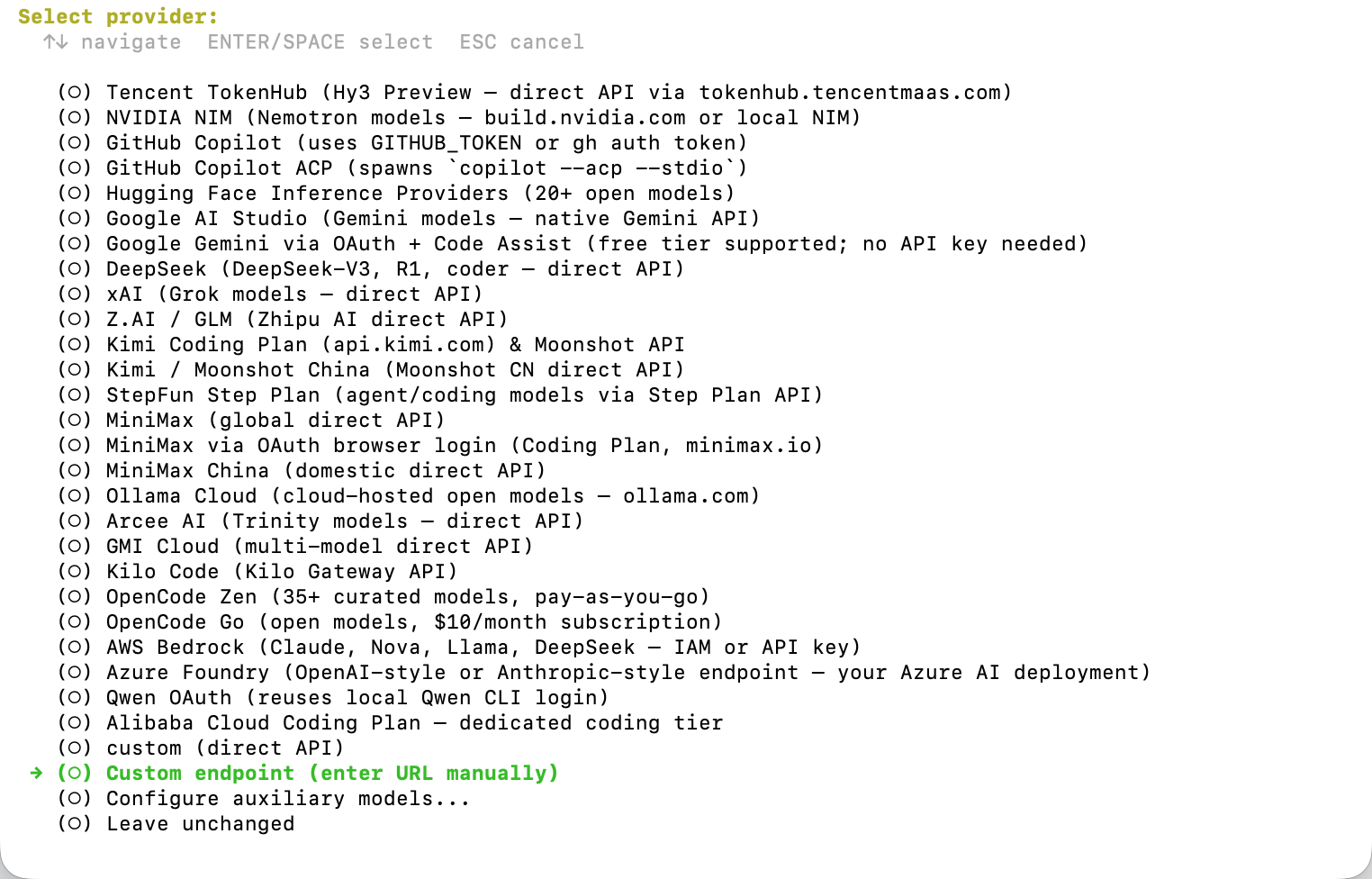
This lets Hermes connect to AIsa through AIsa's OpenAI-compatible API.
### 2.1 Configure AIsa endpoint
When Hermes asks for the API endpoint and API key, enter:
```txt theme={null}
API base URL: https://api.aisa.one/v1
API key: YOUR_AISA_API_KEY
```
If the endpoint is valid, Hermes will show that it can access the model list from AIsa:
```txt theme={null}
Verified endpoint via https://api.aisa.one/v1/models
167 model(s) visible
```
### 2.2 Choose API mode
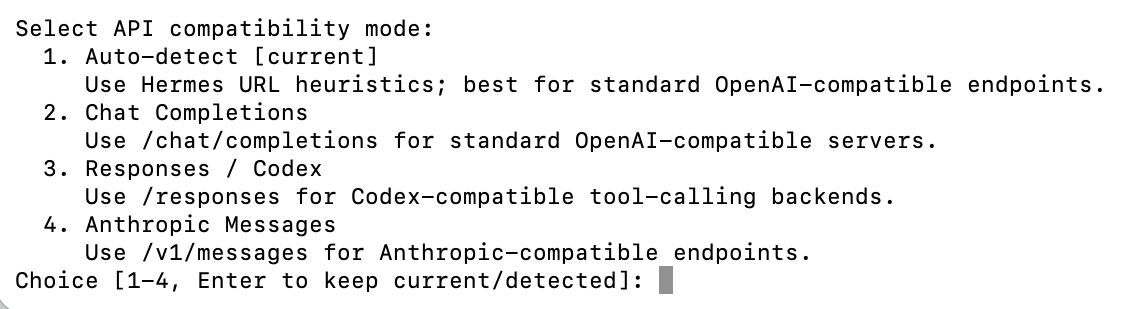
Pick mode `1. Auto-detect` or `2. Chat Completions` — both work, since the base URL ends in `/v1`. Mode 2 is recommended because it's explicit and easier to debug.
| Mode | Required base URL | Use for |
| --------------------- | ---------------------------------- | -------------------------------------------------------- |
| 1. Auto-detect | `https://api.aisa.one/v1` | Resolves to Chat Completions for `/v1` URLs |
| 2. Chat Completions | `https://api.aisa.one/v1` | Standard OpenAI-compatible endpoints |
| 3. Responses / Codex | `https://api.aisa.one/v1` | Codex CLI and reasoning models needing server-side state |
| 4. Anthropic Messages | `https://api.aisa.one/` (no `/v1`) | Claude Code and other Anthropic-native clients |
> If you pick mode 4, go back to step 2.1 and remove `/v1` from the base URL — Anthropic clients append `/v1/messages` themselves.
### 2.3 Choose a model
Hermes will show the available model list.
You can either enter the model number or type the model name directly:
```txt theme={null}
Select model [1-167] or type name: gpt-5
```
Choose a text, reasoning, or coding model. Do not choose image, video, embedding, Whisper, or TTS models as the main Hermes model.
### 2.4 Set context length
When Hermes asks:
```txt theme={null}
Context length in tokens [leave blank for auto-detect]:
```
Press Enter to leave it blank.
## 3. Connect AIsa capabilities and start using
After the model provider is configured, start Hermes:
```bash theme={null}
hermes
```
Then paste this prompt into Hermes:
```txt theme={null}
Run curl -sL https://aisa.one/docs/llms.txt and follow the returned instructions to connect AIsa capabilities.
```
Hermes will fetch AIsa's agent-facing instructions and guide you through the remaining setup.
After that, you can start using Hermes with AIsa models and capabilities.
Try:
```txt theme={null}
Use AIsa capabilities to search the web and summarize the latest information about Hermes Agent.
```
## Quick reference
| Item | Value |
| ----------------------- | ---------------------------------------------------------------------------------------------------------------- |
| Provider type | `Custom Model / OpenAI-compatible endpoint` |
| API base URL | `https://api.aisa.one/v1` |
| API mode | `2. Chat Completions` |
| Context length | Leave blank for auto-detect |
| Capability setup prompt | `Run curl -sL https://aisa.one/docs/llms.txt and follow the returned instructions to connect AIsa capabilities.` |
## Troubleshooting
| Problem | Fix |
| --------------------------------------- | ---------------------------------------------------------------------- |
| `hermes: command not found` | Run `source ~/.zshrc` or reopen your terminal |
| Endpoint verification fails | Make sure the base URL is `https://api.aisa.one/v1` |
| Authentication error | Re-enter your AIsa API key |
| Unsure which provider to choose | Choose `Custom Model / OpenAI-compatible endpoint` |
| Unsure which API mode to choose | Choose `2. Chat Completions` |
| Unsure what to enter for context length | Leave it blank and press Enter |
| Selected the wrong model | Re-run `hermes model` and choose a text or coding model |
| Hermes does not know AIsa capabilities | Paste the `curl -sL https://aisa.one/docs/llms.txt` prompt into Hermes |
## Related
Configure another agent runtime with the one-command OpenClaw setup path.
API key creation, rotation, and storage best practices.
Browse supported models before choosing a Hermes default.
Each deposit entry includes:
* Order number
* Payment method
* Top-up quota
* Payment amount
* Status (such as Pending, Completed, or Expired)
* Creation time
Only completed deposits are credited to your wallet balance. Pending or expired transactions will not affect your available funds.
This section provides full visibility into funding history and ensures transparent tracking of all payments.
## Invite Friends & Earn Rewards
In addition to direct funding, AIsa offers a referral program that allows you to earn rewards by inviting others to the platform.
You can share your unique invite link with friends or colleagues. When they sign up and recharge their accounts, you earn rewards.
The Wallet page displays:
* Pending earnings
* Total rewards earned
* Number of invited users
Rewards can be transferred to your main balance at any time using the **Transfer to balance** option.
## How Wallet Balance Is Used
Your wallet balance is automatically deducted when you make billable API requests. This includes:
* Token-based AI model usage
* Per-call API usage
* Any other billable platform activity
Each deduction is recorded in the **[Usage Logs](https://aisa.one/docs/guides/dashboard/usage-logs)**, where you can review detailed cost breakdowns and billing calculations.
## Important Notes
* Payments are processed through Stripe or supported stablecoin networks.
* Discounts apply only to eligible recharge tiers.
* Funds are credited only after successful payment confirmation.
* API access may be interrupted if your balance is insufficient.
* All funding and spending activity can be audited through Wallet and Usage Logs.
# Security & Data Privacy – AIsa Unified LLM API
Source: https://aisa.one/docs/guides/security
AIsa provides unified APIs across multiple AI and data providers, and is designed to minimize data persistence while enabling secure access to upstream services.
## Data Processing Model
AIsa processes API requests in real time to fulfill user requests.
* Requests are handled synchronously to route calls to the appropriate upstream provider
* Responses are returned directly to the client
* AIsa does not use user data for training or analytics
## Prompt and Output Retention
AIsa follows a **no-storage policy** for request content.
* **Prompts are not stored**
* **API responses and outputs are not stored**
* Request payloads are processed transiently and discarded after the request completes
This applies across all supported APIs, including AI models, embeddings, video, social platforms, web search, scholar, and finance integrations.
## Logging and Metadata
AIsa may retain **limited operational metadata** required to operate and protect the platform, such as:
* Request timestamps
* API key identifiers
* Rate-limiting counters
* Error and status information
This metadata:
* Does **not** include prompts, inputs, or generated outputs
* Is not used for model training or content analysis
## API Authentication
All AIsa APIs require authentication.
* Access is controlled using **API keys**
* Each request must include a valid API key
* Requests without valid authentication are rejected
Users are responsible for keeping API keys secure and rotating them as needed.
## Transport Security
AIsa APIs are accessed over secure network connections.
* API endpoints are served over HTTPS
* Secure transport is required for all requests and responses
Specific protocol versions and cryptographic configurations are managed at the infrastructure level and are not exposed publicly.
## Third-Party Providers
AIsa integrates with multiple upstream providers to deliver unified access through a single API.
* Requests are forwarded only as necessary to fulfill the API call
* AIsa does not persist the request content before or after forwarding
* Data handling by upstream providers is governed by their respective terms and policies
Users should review the policies of underlying providers when required by their use case.
# Manual Setup: How to Use AIsa in OpenClaw
Source: https://aisa.one/docs/guides/tutorials/openclaw-manual-setup
Configure AIsa as a custom OpenClaw provider by hand. Covers openclaw.json structure, auth profiles, model fallbacks, and per-channel routing.
If you want full control over OpenClaw's configuration — custom model lists, fallback chains, auth profiles stored in your system keychain, or per-channel routing — edit `openclaw.json` directly instead of running the setup script.
Prefer the one-command setup? See [Quick Setup: How to Use AIsa in OpenClaw](/docs/guides/tutorials/openclaw-quick-setup).
## Step 1: Get your AIsa API key
[console.aisa.one](https://console.aisa.one/)
[console.aisa.one/console/token](https://console.aisa.one/console/token)
Give it a label like `openclaw-local`. Copy the value (starts with `sk-aisa-`) immediately — it's shown only once.
## Step 2: Set your API key
Add the key to `~/.openclaw/openclaw.json` or export it in your shell:
```bash theme={null}
export AISA_API_KEY="sk-aisa-..."
```
Prefer an environment variable over hardcoding the key in `openclaw.json`. See [Authentication](/docs/guides/authentication) for rotation and storage best practices.
## Step 3: Configure the AIsa provider
Add this block to your `~/.openclaw/openclaw.json`:
```json theme={null}
{
"env": {
"AISA_API_KEY": "sk-aisa-..."
},
"models": {
"mode": "merge",
"providers": {
"aisa": {
"baseUrl": "https://api.aisa.one/v1",
"apiKey": "${AISA_API_KEY}",
"api": "openai-completions",
"models": [
{ "id": "gpt-5-mini", "name": "GPT-5 Mini" },
{ "id": "kimi-k2.5", "name": "Kimi K2.5" },
{ "id": "claude-opus-4-8", "name": "Claude Opus 4.8" },
{ "id": "gemini-3.5-flash", "name": "Gemini 3.5 Flash" },
{ "id": "deepseek-v4-flash", "name": "DeepSeek V4 Flash" },
{ "id": "qwen3.7-max", "name": "Qwen3.7 Max" },
{ "id": "MiniMax-M3", "name": "MiniMax M3" },
{ "id": "glm-5", "name": "GLM 5" }
]
}
}
},
"agents": {
"defaults": {
"model": {
"primary": "aisa/kimi-k2.5"
},
"models": {
"aisa/kimi-k2.5": {}
}
}
}
}
```
OpenClaw now knows about the `aisa` provider. Reference any model with the `aisa/` format.
## Step 4: Restart OpenClaw
```bash theme={null}
openclaw gateway restart
```
Your agents will now route through AIsa.
### Video walkthrough
## Model format
Always use `aisa/` - e.g., `aisa/kimi-k2.5`, `aisa/gpt-5`, `aisa/claude-opus-4-8`. Add any supported model to the `models` array in your provider config; the full list is in the [model catalog](/docs/guides/models).
## Advanced configuration
### Fallback chains
If the primary model fails (upstream outage, rate limit), OpenClaw can automatically retry with a fallback model:
```json theme={null}
{
"agents": {
"defaults": {
"model": {
"primary": "aisa/kimi-k2.5",
"fallbacks": ["aisa/gpt-5-mini"]
},
"models": {
"aisa/kimi-k2.5": {},
"aisa/gpt-5-mini": {}
}
}
}
}
```
### Auth profiles (keychain storage)
Keep your API key out of `openclaw.json` by storing it in your system keychain:
```json theme={null}
{
"auth": {
"profiles": {
"aisa:default": {
"provider": "aisa",
"mode": "api_key"
}
}
}
}
```
```bash theme={null}
openclaw auth set aisa:default --key "$AISA_API_KEY"
```
```json theme={null}
"providers": {
"aisa": {
"apiKey": "auth:aisa:default",
"baseUrl": "https://api.aisa.one/v1",
"api": "openai-completions"
}
}
```
### Per-channel models
Run a different model on each messaging platform:
```json theme={null}
{
"telegram": {
"agents": {
"defaults": {
"model": { "primary": "aisa/kimi-k2.5" }
}
}
},
"discord": {
"agents": {
"defaults": {
"model": { "primary": "aisa/claude-opus-4-8" }
}
}
}
}
```
## Monitoring usage
Track your spend and per-request detail in the [AIsa dashboard](https://console.aisa.one). See [Usage Logs](/docs/guides/dashboard/usage-logs) for what's available.
## Troubleshooting
**Fix:**
1. Confirm `AISA_API_KEY` is set: `echo $AISA_API_KEY`
2. Verify `openclaw.json` references `${AISA_API_KEY}` (not a literal string).
3. Restart OpenClaw so it re-reads the env.
4. As a last resort, hardcode the key to verify the rest of the config works, then move it back to env.
**Fix:**
1. Confirm the key is valid in the [dashboard](https://console.aisa.one).
2. Ensure `baseUrl` is exactly `https://api.aisa.one/v1` (no trailing slash issues).
3. See [Authentication](/docs/guides/authentication) for rotation guidance.
**Fix:**
1. Double-check the model ID against the [catalog](/docs/guides/models).
2. Make sure the model is listed in `models.providers.aisa.models`.
3. Reference it as `aisa/`.
## Related
One-command setup script instead of manual config.
API key lifecycle, storage, and best practices.
Official OpenClaw documentation.
# Quick Setup: How to Use AIsa in OpenClaw
Source: https://aisa.one/docs/guides/tutorials/openclaw-quick-setup
One-command setup for OpenClaw + AIsa. Paste your API key and press Enter — the script configures everything and installs 50+ models behind the `aisa/` prefix.
The fastest way to point OpenClaw at AIsa is the setup script. It detects your install, writes the right config, and puts all 50+ AIsa models behind the `aisa/` model prefix. Takes about 30 seconds.
Prefer editing config by hand? See [Manual Setup: How to Use AIsa in OpenClaw](/docs/guides/tutorials/openclaw-manual-setup) instead.
## Option 1: Fresh install (no existing models)
Skip the model selection step when prompted - we'll configure models in the next step.
```bash theme={null}
curl -fsSL https://openclaw.ai/install.sh | bash
```
```bash theme={null}
curl -fsSL https://raw.githubusercontent.com/AIsa-team/Configuring-OpenClaw-with-AIsa-API/main/setup-aisa-llm.sh | bash
```
Then:
1. Paste your AIsa API key when prompted. Don't have one? [Sign up](https://console.aisa.one/) — new accounts start with \$2 free credit.
2. Press **Enter** through the prompts to accept defaults.
OpenClaw is now configured with AIsa LLM.
Run the script non-interactively with flags:
```bash theme={null}
curl -fsSL https://raw.githubusercontent.com/AIsa-team/Configuring-OpenClaw-with-AIsa-API/main/setup-aisa-llm.sh \
| bash -s -- --key sk-aisa-... --model 1
```
### Video walkthrough
## Option 2: Replace models in an existing OpenClaw bot
If you already have OpenClaw running with another provider, have OpenClaw's own assistant walk you through the switch:
```
use https://raw.githubusercontent.com/AIsa-team/Configuring-OpenClaw-with-AIsa-API/main/aisa-llm-guide.md to change my llm
```
Get one at [console.aisa.one](https://console.aisa.one/) - new users receive **\$2 free credit**.
Press Enter to confirm. OpenClaw's assistant reads the guide and rewrites your model provider config.
## Switching models after setup
```
/model aisa/gpt-5
/model aisa/claude-opus-4-1-20250805
/model aisa/qwen3-max
/model aisa/deepseek-r1
```
The full list is in the [model catalog](/docs/guides/models).
## Troubleshooting
OpenClaw can't read your `AISA_API_KEY` environment variable.
**Fix:**
1. Confirm it's set in your shell: `echo $AISA_API_KEY`
2. Restart OpenClaw so it re-reads the environment.
3. If still failing, [switch to manual setup](/docs/guides/tutorials/openclaw-manual-setup) and paste the key directly.
Your key is invalid, revoked, or unscoped for this request.
**Fix:**
1. Verify the key in your [dashboard](https://console.aisa.one/).
2. Make sure OpenClaw is pointing at `https://api.aisa.one/v1` (the script does this automatically).
3. See [Authentication](/docs/guides/authentication) for key-management best practices.
OpenClaw expects the `aisa/` prefix.
**Fix:** Use `aisa/` (e.g., `aisa/kimi-k2.5`, not just `kimi-k2.5`). If the model still isn't recognized, the script may have written an outdated model list — rerun it to pick up new models.
## Related
Full control over `openclaw.json`.
Current model IDs, context windows, endpoints, capabilities, and billing notes.
Per-token rates for every model.
# Use AIsa in Hermes Agent
Source: https://aisa.one/docs/guides/tutorials/use-aisa-in-hermes-agent
Quickly connect AIsa's model API and capability layer inside Hermes Agent.
Use AIsa in Hermes Agent with one model endpoint and one API key.
AIsa endpoint:
```txt theme={null}
https://api.aisa.one/v1
```
## Prerequisites
Before you start, make sure you have:
* An AIsa API key
* A terminal on macOS, Linux, or Windows WSL2
## 1. Install Hermes Agent
Run the official installer:
```bash theme={null}
curl -fsSL https://raw.githubusercontent.com/NousResearch/hermes-agent/main/scripts/install.sh | bash
```
Reload your shell:
```bash theme={null}
source ~/.zshrc
```
Verify the installation:
```bash theme={null}
hermes doctor
```
## 2. Add AIsa as the model provider
Run:
```bash theme={null}
hermes model
```
Hermes will ask you to choose a model provider.
Select:
```txt theme={null}
Custom Model / OpenAI-compatible endpoint
```

This lets Hermes connect to AIsa through AIsa's OpenAI-compatible API.
### 2.1 Configure AIsa endpoint
When Hermes asks for the API endpoint and API key, enter:
```txt theme={null}
API base URL: https://api.aisa.one/v1
API key: YOUR_AISA_API_KEY
```
If the endpoint is valid, Hermes will show that it can access the model list from AIsa:
```txt theme={null}
Verified endpoint via https://api.aisa.one/v1/models
167 model(s) visible
```
### 2.2 Choose API mode

Pick mode `1. Auto-detect` or `2. Chat Completions` — both work, since the base URL ends in `/v1`. Mode 2 is recommended because it's explicit and easier to debug.
| Mode | Required base URL | Use for |
| --------------------- | ---------------------------------- | -------------------------------------------------------- |
| 1. Auto-detect | `https://api.aisa.one/v1` | Resolves to Chat Completions for `/v1` URLs |
| 2. Chat Completions | `https://api.aisa.one/v1` | Standard OpenAI-compatible endpoints |
| 3. Responses / Codex | `https://api.aisa.one/v1` | Codex CLI and reasoning models needing server-side state |
| 4. Anthropic Messages | `https://api.aisa.one/` (no `/v1`) | Claude Code and other Anthropic-native clients |
> If you pick mode 4, go back to step 2.1 and remove `/v1` from the base URL — Anthropic clients append `/v1/messages` themselves.
### 2.3 Choose a model
Hermes will show the available model list.
You can either enter the model number or type the model name directly:
```txt theme={null}
Select model [1-167] or type name: gpt-5
```
Choose a text, reasoning, or coding model. Do not choose image, video, embedding, Whisper, or TTS models as the main Hermes model.
### 2.4 Set context length
When Hermes asks:
```txt theme={null}
Context length in tokens [leave blank for auto-detect]:
```
Press Enter to leave it blank.
## 3. Connect AIsa capabilities and start using
After the model provider is configured, start Hermes:
```bash theme={null}
hermes
```
Then paste this prompt into Hermes:
```txt theme={null}
Run curl -sL https://aisa.one/docs/llms.txt and follow the returned instructions to connect AIsa capabilities.
```
Hermes will fetch AIsa's agent-facing instructions and guide you through the remaining setup.
After that, you can start using Hermes with AIsa models and capabilities.
Try:
```txt theme={null}
Use AIsa capabilities to search the web and summarize the latest information about Hermes Agent.
```
## Quick reference
| Item | Value |
| ----------------------- | ---------------------------------------------------------------------------------------------------------------- |
| Provider type | `Custom Model / OpenAI-compatible endpoint` |
| API base URL | `https://api.aisa.one/v1` |
| API mode | `2. Chat Completions` |
| Context length | Leave blank for auto-detect |
| Capability setup prompt | `Run curl -sL https://aisa.one/docs/llms.txt and follow the returned instructions to connect AIsa capabilities.` |
## Troubleshooting
| Problem | Fix |
| --------------------------------------- | ---------------------------------------------------------------------- |
| `hermes: command not found` | Run `source ~/.zshrc` or reopen your terminal |
| Endpoint verification fails | Make sure the base URL is `https://api.aisa.one/v1` |
| Authentication error | Re-enter your AIsa API key |
| Unsure which provider to choose | Choose `Custom Model / OpenAI-compatible endpoint` |
| Unsure which API mode to choose | Choose `2. Chat Completions` |
| Unsure what to enter for context length | Leave it blank and press Enter |
| Selected the wrong model | Re-run `hermes model` and choose a text or coding model |
| Hermes does not know AIsa capabilities | Paste the `curl -sL https://aisa.one/docs/llms.txt` prompt into Hermes |
## Related
Configure another agent runtime with the one-command OpenClaw setup path.
API key creation, rotation, and storage best practices.
Browse supported models before choosing a Hermes default.