A true story
A user asked an agent to build a competitor traffic report using AIsa. Simple task, complicated bill. To make the report "complete," the agent fired off dozens of paid data calls in one go, burned through the budget, and only then came back with results. At no point did the user get a chance to say "stop."
The agent wasn't misbehaving. It was just too eager. The default logic of a traditional API is: if you can call it, call it, and pay for it. That works fine for human developers, because humans check the price first. Agents don't, unless we teach them to.
So we built a spending-control mechanism into AIsa, designed specifically for agents. It comes down to one sentence: quote first, spend second, and never act without approval.
Four things you'll notice
1. Before any paid call, the agent gives you a quote
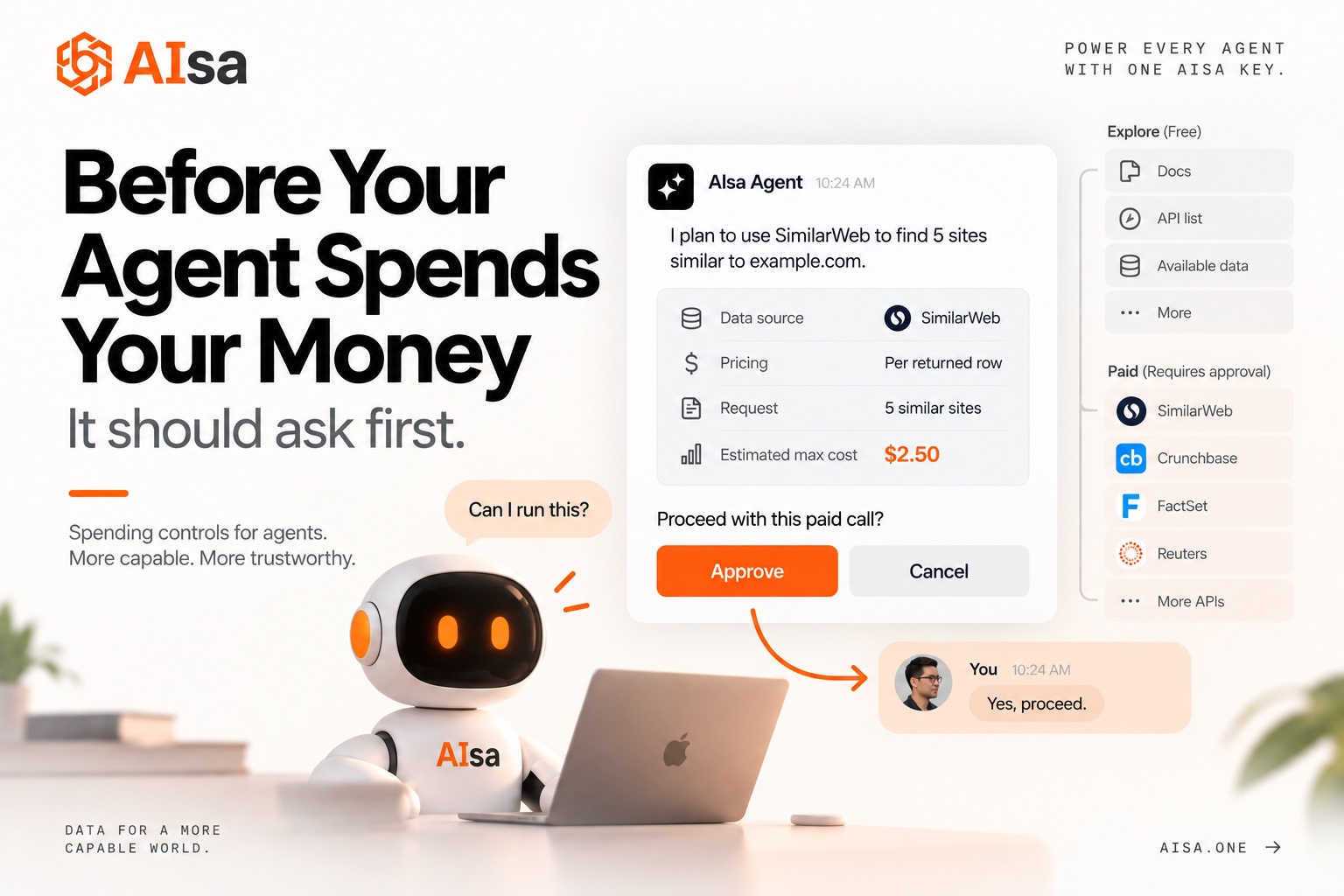
For any request that costs money, the agent must first tell you three things: which data source it will use, how it's priced, and the maximum this call could cost. For example:
I plan to use SimilarWeb to find 5 sites similar to example.com. It's priced per returned row, and the maximum cost for this call is $2.50. Proceed?
If you say yes, it runs. If you don't, it waits.
2. Free exploration is unlimited. Paid actions need individual approval
Reading docs, listing available endpoints, checking what data exists. None of that costs anything, and the agent can do as much of it as it needs. But every paid call is its own decision point. Approving step one does not mean the agent gets to run steps two through six on its own.
3. If you set a budget, the agent sticks to it
Say you tell it "no more than $2 this time," and the agent works out that the job would cost $10. It will tell you plainly that the request is over budget and cannot run, then offer a smaller alternative. It won't quietly raise your budget, and it won't "run part of it to see."
4. If the cost can't be capped, the agent doesn't run it
Some data endpoints charge based on how much the provider returns, so there's no way to know the ceiling in advance. In those cases, the agent's default is to stop and explain why, rather than guess a number and go ahead. Uncertain spend is treated as no spend.
One more hard rule: paid endpoints are not for "testing." Agents used to make a quick call just to check the response format. That quick check gets billed too. It's now explicitly off limits.
Does it work?
We ran side-by-side evaluations across several leading models and a range of typical scenarios. On the same tasks, before this mechanism, agents made hundreds of high-cost data calls without approval. After that, the number was zero.
Models vary in how clever they are. But on "ask before you spend," they now behave the same way.
What you need to do
Nothing special, really. But three small habits get the most out of this:
- Mention a budget when you ask. Even a simple "keep it under $5" gives the agent a clear boundary.
- Read the quote before you say yes. It names the data source, the scope, and the cap. Ten seconds is enough.
- Approve one step at a time. If the agent bundles several paid actions into a single approval, ask it to split them up.
Closing thought
Agents are going to do more and more on our behalf, including spending money. But spending on someone's behalf has to start with asking them. This mechanism isn't about limiting what agents can do. It's about making it safe to hand them a budget.